Hello! In our previous lesson, you learned how to use Kubernetes Jobs to run one-off, finite tasks to completion. This is a powerful tool for batch processing and administrative scripts.
Now, we'll take the next logical step. Many operational tasks you'll encounter as a Platform Engineer aren't just one-off events; they need to run on a recurring schedule. Think about daily database backups, weekly log rotation, or hourly cleanup of stale resources in your non-production environments—a task you've automated before in your work.
In this lesson, you will learn how to create CronJobs for scheduled workloads. We'll see how a CronJob builds directly on the Job object you already know, simply adding a schedule on top.
1. From Jobs to CronJobs: The Core Concept
A Kubernetes CronJob automates the creation of Job objects on a repeating schedule. The relationship is straightforward:
- You define a
Jobtemplate that specifies the task to be done (the container, command, etc.). - You provide a schedule in the standard cron format.
- The CronJob controller takes over, creating a new
Jobfrom your template each time the schedule is met.
This hierarchical model is a fundamental pattern in Kubernetes.
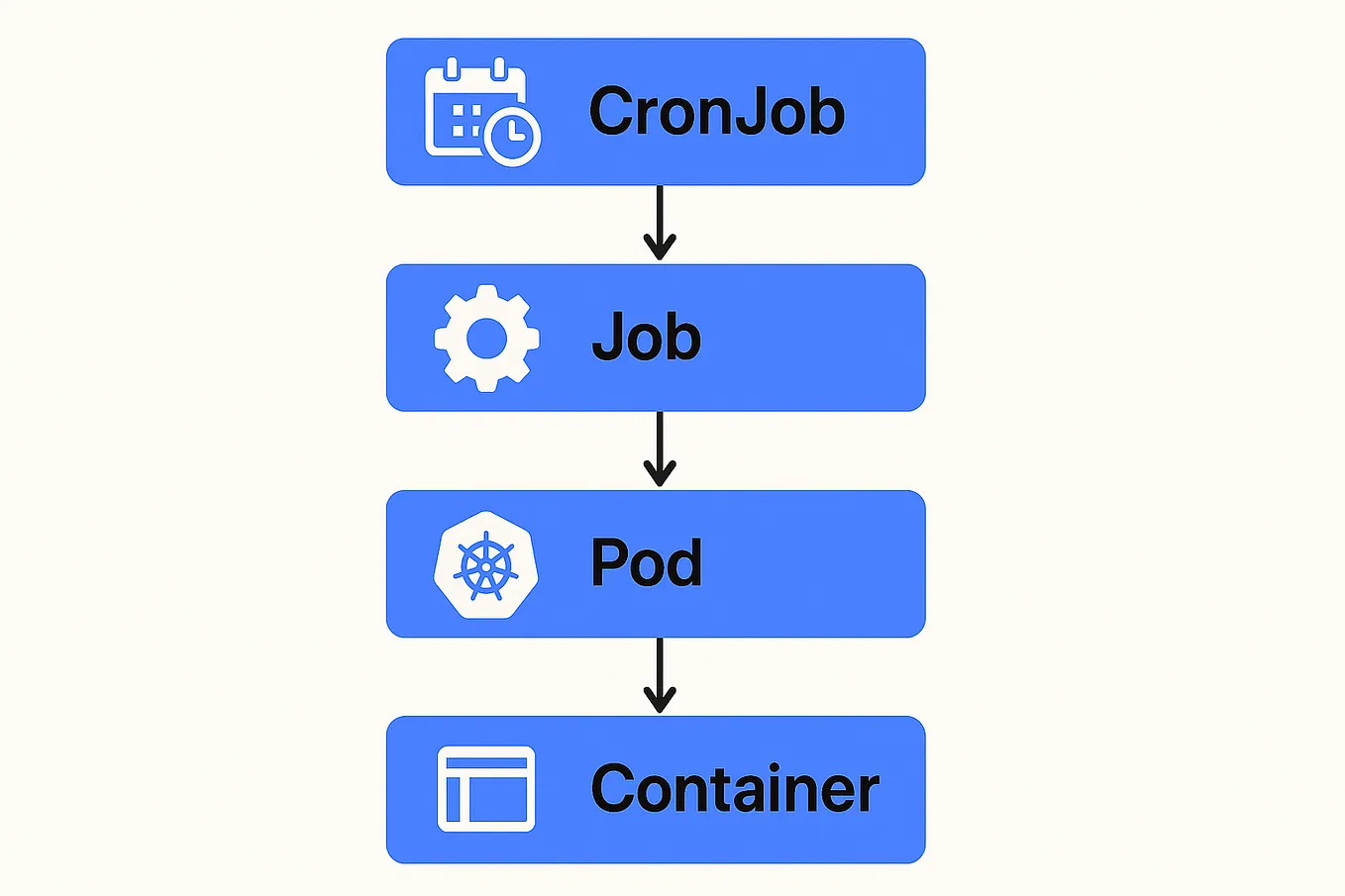
Conceptually, this is the cloud-native equivalent of the classic cron utility in Linux or a scheduled pipeline in Azure DevOps. To get a quick overview, let's start with a short video.
How to Level Up Your Kubernetes Skills by Leveraging the Power of CronJobs
The video 'How to Level Up Your Kubernetes Skills by Leveraging the Power of CronJobs' from the Akamai Developer channel gives a great introduction, drawing the parallel to Unix cron and explaining how a CronJob extends a Job.
Watch the first 38 seconds (00:00-00:38) for an introduction, and then from 03:36 to 04:06 to see how a CronJob wraps a Job template with a schedule. Focus on this hierarchical concept.
2. Anatomy of a CronJob Manifest
A CronJob manifest has two main parts: the schedule and the job template. Let's look at an example and break it down.
Running Automated Tasks with a CronJob
The official Kubernetes documentation provides a clear, standard example of a CronJob manifest. We will use this as our foundation.
In the section 'Creating a CronJob', review the YAML manifest for the 'hello' CronJob. We will analyze its structure next.
Here is the manifest from the documentation. Let's save it as hello-cronjob.yaml:
# hello-cronjob.yaml
apiVersion: batch/v1
kind: CronJob
metadata:
  name: hello
spec:
  schedule: "* * * * *"
  jobTemplate:
    spec:
      template:
        spec:
          containers:
          - name: hello
            image: busybox:1.28
            imagePullPolicy: IfNotPresent
            command:
            - /bin/sh
            - -c
            - date; echo Hello from the Kubernetes cluster
          restartPolicy: OnFailure
Let's dissect the spec:
schedule: This is the heart of the CronJob. It's a string in standard cron format that defines when the job should run.jobTemplate: This is the template for the Jobs that will be created. Notice thatjobTemplate.specis exactly the same as thespecof aJobobject you created in the last lesson. You can definecompletions,parallelism,backoffLimit, and eventtlSecondsAfterFinishedhere, just like before.
The Cron Schedule Syntax
The schedule field follows a standard format that might be familiar from your scripting experience.
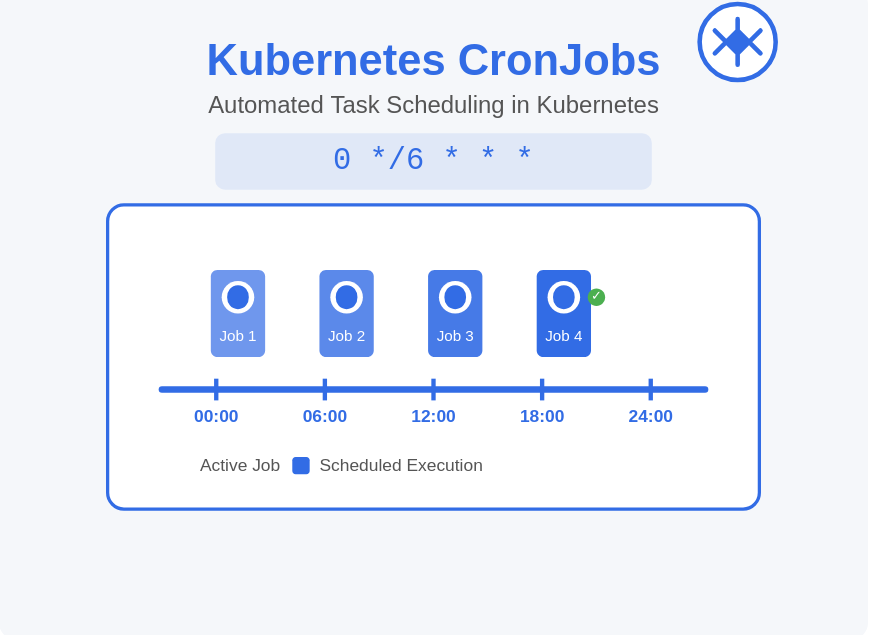
The format is five space-separated fields:MINUTES HOURS DAY-OF-MONTH MONTH DAY-OF-WEEK
Here are some examples:
* * * * *: Run every minute.0 * * * *: Run at the start of every hour.0 2 * * *: Run every day at 2:00 AM.0 0 * * 0: Run every Sunday at midnight.
For a detailed reference on the syntax and some helpful shortcuts, the official documentation is the best source. There are also great online tools to help you build and verify your cron expressions.
The main 'CronJob' concept page in the Kubernetes documentation provides a detailed breakdown of the schedule syntax, including macros like @hourly and @daily.
Read the 'Schedule syntax' section. Pay attention to the order of the fields and the available macros. Note the recommendation for using a tool like crontab.guru, which is extremely helpful in practice.
3. Creating and Observing a CronJob
Now, let's put our hello-cronjob.yaml manifest into action and see how Kubernetes manages it.
-
Apply the manifest:
kubectl apply -f hello-cronjob.yaml -
Get the CronJob status:
kubectl get cronjob helloYou will see your CronJob, its schedule, and a
LAST SCHEDULEcolumn that will initially be<none>.NAME SCHEDULE SUSPEND ACTIVE LAST SCHEDULE AGE hello * * * * * False 0 <none> 15s -
Watch for Jobs to be created:
Since our schedule is* * * * *, a new Job should be created every minute. Use--watchto see it happen in real-time.kubectl get jobs --watchAfter a minute, you will see a new Job appear, named after the CronJob with a unique suffix (e.g.,
hello-27733698). You'll see it run to completion. -
Check the Pods and Logs:
You can see the Pods created by each Job. They will have a status ofCompleted.# Get pods created by the Job (replace with your Job name) pods=$(kubectl get pods --selector=job-name=hello-27733698 -o jsonpath='{.items[*].metadata.name}') # Check the logs kubectl logs $podsThe output will show the date and the "Hello" message, confirming the task ran.
-
Clean up:
When you're done, delete the CronJob. This will also delete any Jobs it created.kubectl delete cronjob hello
4. Production-Ready Configurations
For real-world use as a Platform Engineer, you need to control how CronJobs behave under various conditions. These settings are all configured in the spec.
Let's watch a video that demonstrates these key configurations in a practical scenario.
Jobs and CronJobs in Kubernetes
The video 'Jobs and CronJobs in Kubernetes' by Pavan Elthepu provides a fantastic hands-on demonstration of creating a CronJob to back up a MongoDB database, covering several important production-level settings.
Watch from 10:32 to 16:28. Pay close attention to the explanations and demonstrations of: concurrencyPolicy (Allow, Forbid, Replace) successfulJobsHistoryLimit and failedJobsHistoryLimit How to suspend a CronJob to pause its execution.
To summarize the key configurations from the video and the documentation:
concurrencyPolicy: Defines what happens if it's time to start a new job but a previous one is still running.Allow(default): Lets concurrent jobs run.Forbid: Skips the new run if the old one hasn't finished. Useful for tasks that shouldn't overlap.Replace: Cancels the currently running job and starts the new one.
startingDeadlineSeconds: If a job misses its schedule (e.g., the cluster was down), this field sets a deadline in seconds after the scheduled time for the job to still be started. If the deadline passes, the run is skipped.successfulJobsHistoryLimit&failedJobsHistoryLimit: These fields control how many completed and failedJobobjects are kept. This is crucial for managing resources and preventingetcdfrom filling up with old objects. Defaults are 3 and 1, respectively. Setting them to0means no history is kept.suspend: Settingspec.suspend: truewill temporarily stop the CronJob from creating new jobs, which is useful for maintenance windows without deleting the entire resource.timeZone: You can specify a time zone (e.g.,"America/New_York") for your schedule. If not set, the Kubernetes controller manager's local time zone is used, which can be unpredictable. Always specify a timezone for production workloads.
Test your understanding!
You need to create a CronJob that performs a cleanup script at 3:15 AM UTC every weekday (Monday-Friday). The job should never run concurrently; if a previous run is still active, the new run must be skipped. To save resources, you only want to keep the logs of the last successful run and the last 3 failed runs.
Which fields in the spec would you configure to meet these requirements, and what would their values be?
Show answer
You would configure the following fields in spec:
schedule: "15 3 * * 1-5"(15th minute, 3rd hour, any day of month, any month, Monday through Friday)timeZone: "Etc/UTC"(To ensure it runs on UTC time)concurrencyPolicy: Forbid(To prevent concurrent runs)successfulJobsHistoryLimit: 1(Keep only the last successful job)failedJobsHistoryLimit: 3(Keep the last 3 failed jobs)
Finally, it's vital to remember that CronJob executions are approximate. Network issues or controller load can cause a job to be created twice or not at all. Therefore, the tasks you run in a CronJob should be idempotent, meaning running them multiple times has the same effect as running them once.
Conclusion
You have now mastered CronJobs, a critical resource for automating recurring tasks in Kubernetes. By combining a Job template with a schedule, you can reliably manage everything from backups and maintenance to report generation.
Key Takeaways:
- A CronJob is simply a
Jobtemplate that is instantiated on a repeatingschedule. - The cron schedule format (
* * * * *) is highly flexible. Use tools likecrontab.guruto validate it. - For production, always configure
concurrencyPolicy, history limits (successfulJobsHistoryLimit,failedJobsHistoryLimit), andtimeZone. - You can temporarily disable a CronJob by setting
suspend: true. - Ensure the underlying task is idempotent to handle the possibility of duplicate or missed runs gracefully.
Next Up:
We have now covered the primary workload types for running applications in Kubernetes: stateless (Deployments), stateful (StatefulSets, conceptual), one-off (Jobs), and scheduled (CronJobs). We'll now shift our focus to a critical area for any production system: security and access control. In the next lesson, we will explore how Kubernetes handles identity for both human users and applications, starting with User Accounts and ServiceAccounts.