Welcome to the third module of our course! Now that you have a local development environment set up and running, we can dive into the core work of a data engineer: building ingestion pipelines. One of the most common tasks you'll face is extracting data from external systems via their APIs.
In this lesson, we will focus on two fundamental aspects of this process. First, we'll cover how to securely authenticate your requests to gain access to protected data. Second, we'll tackle pagination, the mechanism for retrieving complete datasets that are too large to be sent in a single response. Mastering these two skills is essential for building reliable data ingestion pipelines.
The Anatomy of an API Call
Before we can authenticate or paginate, let's establish a clear understanding of what a REST API request is. Since you're proficient in Python, we'll use the ubiquitous requests library, which has become the de facto standard for making HTTP requests.
A request you send to an API typically has several components:
- Endpoint URL: The specific web address you are targeting (e.g.,
https://api.example.com/v1/users). - HTTP Method: The action you want to perform. For data ingestion, you will primarily use
GETto retrieve data. - Headers: Metadata about your request, such as the format you expect the response in (
Accept: application/json) and, crucially, your authentication credentials. - Query Parameters: Key-value pairs added to the end of the URL (e.g.,
?status=active) to filter or modify the request.
The article "How to Extract Data from APIs for Data Pipelines using Python" provides a great practical introduction to these concepts.
How to Extract Data from APIs for Data Pipelines using Python – Start Data Engineering
This article from Start Data Engineering will walk you through the basics of making API calls with Python. It covers constructing URLs, making requests, and using query parameters.
Please read the following sections: Start with Section 3.1, "GET data," to see a basic request using the requests library. Pay close attention to the importance of checking the status_code. Review sections 3.1.1 and 3.1.2 to understand how API endpoints are commonly structured to represent business entities and their relationships. Finally, read section 3.1.3 on using query parameters. This is a fundamental technique for filtering data at the source.
As you can see, the combination of the endpoint path (e.g., /posts/1) and query parameters (e.g., ?userId=5) gives you precise control over the data you retrieve.
Authentication: Proving Your Identity
Most APIs that provide valuable data are not open to the public; they require you to authenticate. This process verifies that you are a legitimate user with permission to access the data. There are several standard methods for authentication.

Let's briefly touch on the methods shown in the diagram:
- Basic Authentication: The simplest method, but also the least secure as it involves sending a base64-encoded username and password with every request. It should only be used over HTTPS.
- API Key Authentication: A common method where you are issued a unique key (a long string) that you include in your request, typically in the headers. It's straightforward and widely used.
- Token Authentication (Bearer Token): A very common pattern. Instead of a static key, you use a temporary access token. This token is often obtained through a more complex protocol like OAuth 2.0 and sent in an
Authorizationheader, prefixed with "Bearer". - OAuth Authentication: A comprehensive authorization framework, not just an authentication method. It allows a user to grant a third-party application (like your pipeline) limited access to their data on another service, without sharing their credentials. The end result for your code is usually obtaining a Bearer Token.
For most automated data pipelines, you'll work with pre-shared API keys or Bearer Tokens. The following guide provides a clear example of how to include these in your request header.
REST API Calls for Data Engineers: A Practical Guide with Examples
This guide from dev.to shows the practical implementation of making an authenticated request.
Focus on two parts of this article: In "Example 1: Simple GET Request," observe the Python code block showing how a Bearer token is passed in the headers dictionary. This is a pattern you will use constantly. Skim the "Authentication Methods" section, which reinforces the common patterns.
A More Professional Approach: requests.Session
While you can pass headers with every single requests.get() call, a more efficient and professional approach is to use a requests.Session object. A session allows you to persist parameters, like your authentication headers, across multiple requests. It also reuses the underlying TCP connection, which can result in a significant performance increase when making many calls to the same host.
The following video demonstrates this concept clearly.
Make API Calls Like a PRO - Python API Client x Shopify
In this clip from "Make API Calls Like a PRO," John Watson Rooney explains why and how to use a requests.Session object to manage persistent headers for authentication.
Watch the segment from the beginning, where he introduces the session object and demonstrates how to attach the Authorization header to it using s.headers.update().
By setting the authentication token on the session object once, you ensure it's sent with every subsequent request made with that session, cleaning up your code and making it more efficient.
Pagination: Retrieving Complete Datasets
Now for a topic that is absolutely critical for data integrity. APIs rarely, if ever, return their entire dataset in one response. If an endpoint holds millions of records, sending them all at once would be incredibly slow and resource-intensive for both the client and the server. Instead, APIs paginate their results, delivering them in smaller, manageable "pages" or "chunks".
Your responsibility as a data engineer is to "walk" through these pages to collect all the data. If you fail to handle pagination, you will silently lose data, which is one of the worst kinds of pipeline failures.
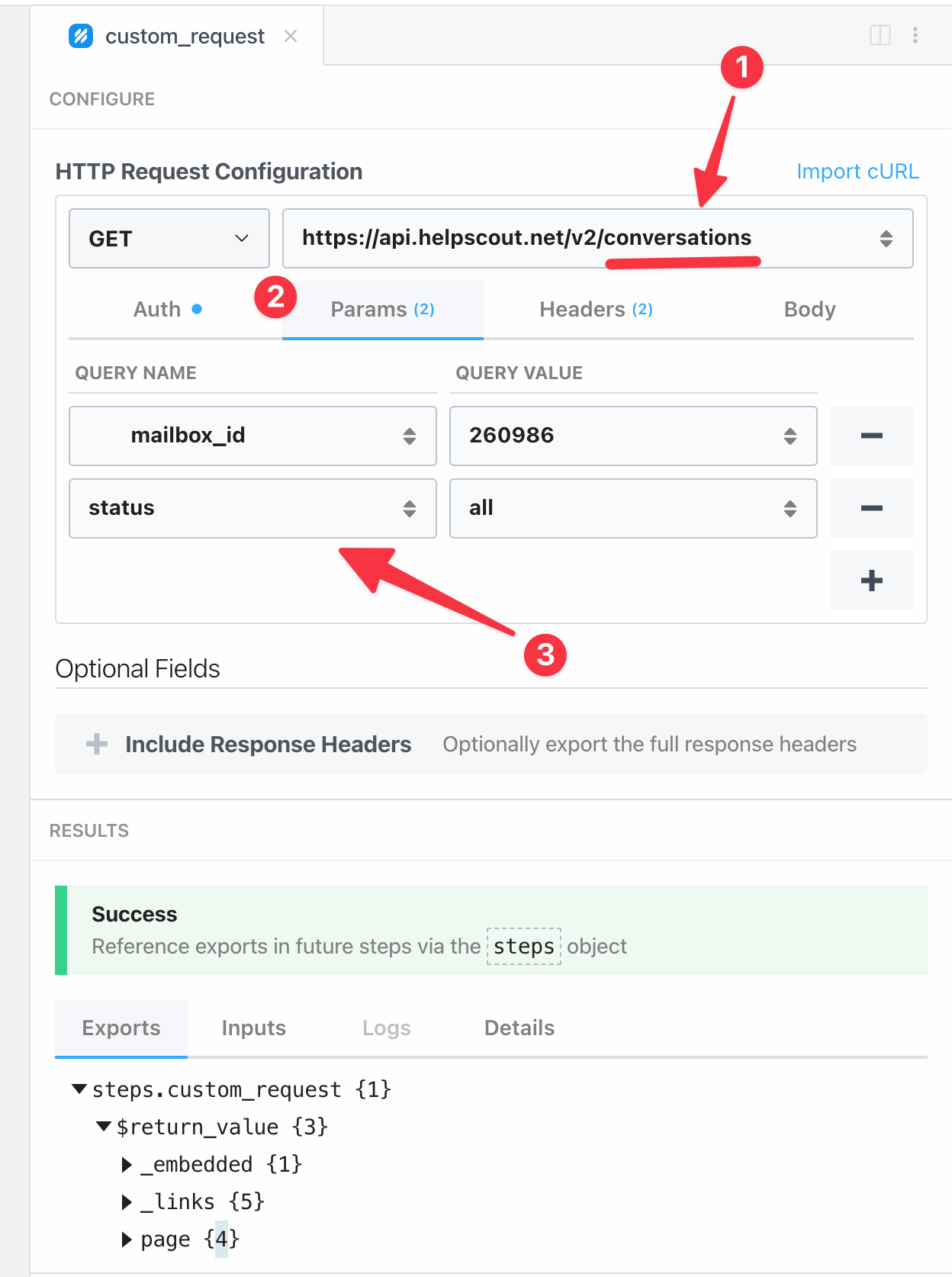
There are two primary pagination strategies you'll encounter.
How to Extract Data from APIs for Data Pipelines using Python – Start Data Engineering
Let's return to the Start Data Engineering article, which has an excellent section on pagination.
Please read the following sections carefully: Start with Section 3.2, "Pull large data as small chunks, aka Paginate," for an introduction to the concept. Read section 3.2.1 to understand the "limit and offset" or "page number" style of pagination. This is common when you need to calculate which page to ask for next. Then, read section 3.2.2 to learn about the "next page link" or "cursor" style. Here, the API conveniently tells you the exact URL for the next page of results.
Knowing these patterns is one thing; implementing the logic to handle them robustly is another. The following video is a fantastic practical tutorial on four different ways to code a pagination loop in Python.
Using paginated APIs with Python (four ways!)
This video by Jonathan Soma provides a masterclass in different strategies for handling paginated APIs using Python. It demonstrates the trade-offs between different approaches.
Watch the video from the beginning. While all four methods are interesting, pay closest attention to the second and third methods, as they are the most common and robust patterns for data engineering pipelines: Method 2: Listening to the API (Watch segment): This while loop checks for a next URL in the response and continues as long as one is provided. This is a very common and reliable pattern. Method 3: Going until no more results (Watch segment): This while True loop keeps fetching pages and breaks only when the list of results returned by the API is empty. The other two methods, hard-coding the number of pages (Method 1) and waiting for an error (Method 4), are also shown and are good to be aware of, but are often less suitable for production pipelines.
Putting It All Together
Let's combine these concepts into a single, robust Python function. This example uses a requests.Session for authentication and the "follow the next link" pagination strategy, which is often the most reliable.
import os
import requests


# It's best practice to load secrets from environment variables
# For now, we can define it here.
# In Module 2, you learned how to manage this with a .env file.
API_TOKEN = os.getenv("MY_API_TOKEN", "your-secret-token")
API_BASE_URL = "https://api.example.com/v1"

def fetch_all_data(endpoint: str) -> list[dict]:
    """
    Fetches all pages of data from a paginated API endpoint.

    Args:
        endpoint: The API endpoint path (e.g., '/conversations').

    Returns:
        A list containing all records from all pages.
    """
    all_records = []


    # Use a session for persistent headers and connection pooling
    with requests.Session() as session:
        session.headers.update({"Authorization": f"Bearer {API_TOKEN}"})


        # Start with the first page
        next_page_url = f"{API_BASE_URL}{endpoint}"

        while next_page_url:
            try:
                response = session.get(next_page_url)
                response.raise_for_status()  # Raises an HTTPError for bad responses (4xx or 5xx)

                data = response.json()


                # The key for results may vary ('data', 'results', etc.)
                # Always check the API's documentation!
                records = data.get("results", [])
                all_records.extend(records)


                # The key for the next page URL also varies ('next', 'next_page', etc.)
                next_page_url = data.get("next")

                print(f"Fetched {len(records)} records. Total so far: {len(all_records)}. Next page: {'Yes' if next_page_url else 'No'}")

            except requests.RequestException as e:
                print(f"An error occurred: {e}")
                break

    return all_records


# Example usage:
# conversations = fetch_all_data("/conversations?status=active")
# print(f"Successfully fetched a total of {len(conversations)} conversations.")
This function provides a solid template. It correctly uses a session for authentication and implements a while loop that continues as long as the API response includes a URL for the next page.
Conclusion
In this lesson, you've learned the essential mechanics of interacting with APIs for data ingestion. We covered how to structure a request, how to authenticate using common methods like API keys and bearer tokens, and, most importantly, how to reliably retrieve complete datasets from paginated endpoints.
Here are the key takeaways:
- Use the
requests.Sessionobject to manage authentication headers and improve performance. - Always consult an API's documentation to understand its specific authentication method and pagination strategy.
- Failing to handle pagination will lead to incomplete data; implement a robust loop to iterate through all pages. The most common patterns involve following a "next page" link or continuing until an empty list of results is returned.
Our code example assumes a perfect world where the network is reliable and the API always behaves as expected. In our next lesson, we will make our client more resilient by implementing robust error handling, automatic retries for transient failures, and strategies for managing API rate limits.