Hello! Welcome back to our project.
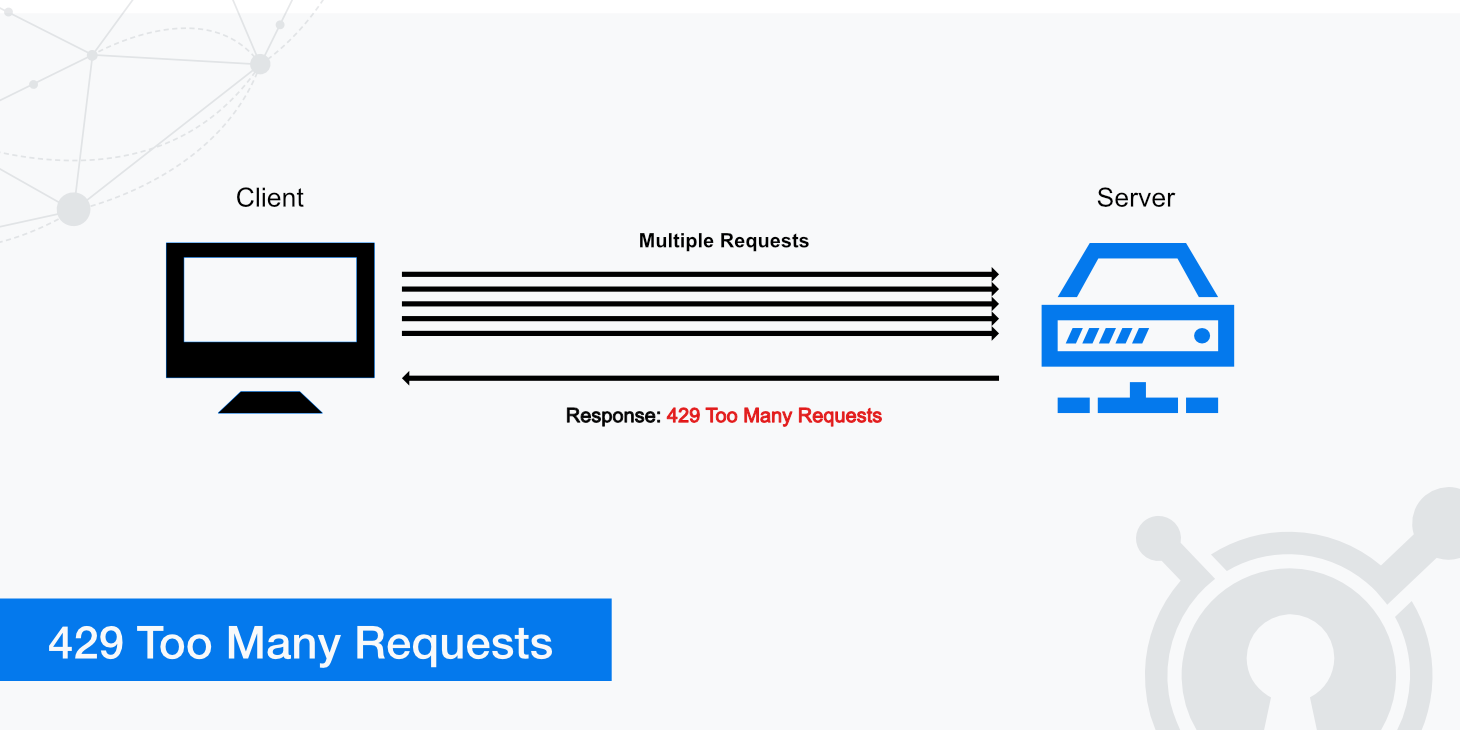
In the last lesson, you successfully integrated the core rate-limiting logic into our Spring Boot application. You created a RateLimitInterceptor that uses our RateLimiter and RateLimitKeyResolver strategies to protect API endpoints. When a limit is exceeded, the preHandle method currently stops the request and sets a basic 429 status.
This lesson focuses on refining that last step. A production-quality API needs to do more than just send a status code; it should provide a clear, consistent, and machine-readable error response.
Your learning outcome for this lesson:
By the end of this lesson, you will be able to return an HTTP 429 (Too Many Requests) response when a limit is exceeded, following Spring best practices for centralized error handling and structured responses.
1. From Direct Response to Centralized Handling
In our previous implementation, the preHandle method in RateLimitInterceptor looked something like this:
// ... inside preHandle()
if (rateLimiter.tryAcquire(key)) {
    return true; // Proceed
} else {
    // Block the request directly
    response.setStatus(HttpStatus.TOO_MANY_REQUESTS.value());
    response.getWriter().write("Too Many Requests");
    return false;
}
While functional, this approach mixes two distinct responsibilities:
- Enforcing a rule: The interceptor's primary job is to check if a request is allowed.
- Formatting an error response: The interceptor is also responsible for generating the final HTTP output for a specific error case.
This coupling makes the system harder to maintain. If you want to change the error format (e.g., from a plain string to a JSON object), you'd have to modify every interceptor or filter that generates this error.
A much cleaner, more "Spring-native" approach is to decouple these concerns using a custom exception and a global exception handler.
2. The @ControllerAdvice Pattern
The pattern we will implement involves three steps:
- Create a Custom Exception: We'll define a specific exception, like
RateLimitExceededException, to clearly signal when a rate limit has been breached. - Refactor the Interceptor: The
preHandlemethod will no longer write to the response. Instead, if a request is denied, it will simply throw our newRateLimitExceededException. - Create a Global Exception Handler: We will create a class annotated with
@ControllerAdvice. This class will contain methods annotated with@ExceptionHandlerthat catch specific exceptions (like our custom one) and translate them into a consistent, application-wide HTTP response.
This design centralizes all error response logic, making it reusable and easy to manage.
The following resource provides a fantastic walkthrough of this exact pattern.
Build a Custom Spring Boot + Redis Rate Limiter
This article from DZone, 'Build a Custom Spring Boot + Redis Rate Limiter', perfectly demonstrates the use of a custom exception and a global exception handler to manage rate limit responses. We will follow this structure closely.
First, read the section 'RateLimitExceededException—Custom Exception' to understand the purpose and implementation of the custom exception. Then, review the 'GlobalExceptionHandler—Send Proper 429 Response' section to see how @ControllerAdvice and @ExceptionHandler work together to catch this exception and generate the final HTTP 429 response.
3. Step-by-Step Implementation
Let's put this pattern into practice in our project.
Step 3.1: Create the RateLimitExceededException
First, create a new exception class. This gives us a specific type to catch in our global handler.
src/main/java/com/example/ratelimiter/exception/RateLimitExceededException.java:
package com.example.ratelimiter.exception;

public class RateLimitExceededException extends RuntimeException {
    public RateLimitExceededException(String message) {
        super(message);
    }
}
This is a standard unchecked exception. We're extending RuntimeException because a rate limit violation is a recoverable client error, not a system-level failure that would typically require a checked exception.
Step 3.2: Refactor the RateLimitInterceptor
Now, let's update the preHandle method in your RateLimitInterceptor. Instead of returning false, it will now throw our new exception.
src/main/java/com/example/ratelimiter/interceptor/RateLimitInterceptor.java:
// ... imports

@Component
public class RateLimitInterceptor implements HandlerInterceptor {

    private final RateLimiter rateLimiter;
    private final RateLimitKeyResolver keyResolver;

    public RateLimitInterceptor(RateLimiter rateLimiter, RateLimitKeyResolver keyResolver) {
        this.rateLimiter = rateLimiter;
        this.keyResolver = keyResolver;
    }

    @Override
    public boolean preHandle(HttpServletRequest request, HttpServletResponse response, Object handler) {
        String key = keyResolver.resolve(request);

        if (rateLimiter.tryAcquire(key)) {
            // Request is allowed, continue to the controller.
            return true;
        } else {
            // Request is denied. Throw an exception that our global handler will catch.
            throw new RateLimitExceededException("You have exceeded your request rate limit.");
        }
    }
}
Notice how much cleaner the interceptor's responsibility is now. It's purely focused on checking the limit and signaling a violation.
Step 3.3: Implement the GlobalExceptionHandler
Finally, create the @ControllerAdvice to handle the exception and craft the response.
src/main/java/com/example/ratelimiter/exception/GlobalExceptionHandler.java:
package com.example.ratelimiter.exception;

import org.springframework.http.HttpStatus;
import org.springframework.http.ResponseEntity;
import org.springframework.web.bind.annotation.ControllerAdvice;
import org.springframework.web.bind.annotation.ExceptionHandler;

import java.util.Map;

@ControllerAdvice
public class GlobalExceptionHandler {

    @ExceptionHandler(RateLimitExceededException.class)
    public ResponseEntity<Object> handleRateLimitExceededException(RateLimitExceededException ex) {
        // Create a structured error response body
        Map<String, Object> body = Map.of(
            "status", HttpStatus.TOO_MANY_REQUESTS.value(),
            "error", "Too Many Requests",
            "message", ex.getMessage()
        );

        return new ResponseEntity<>(body, HttpStatus.TOO_MANY_REQUESTS);
    }
}
Here's what this code does:
@ControllerAdvice: Marks this class as a global configuration component for exception handling.@ExceptionHandler(RateLimitExceededException.class): Specifies that thehandleRateLimitExceededExceptionmethod should be called whenever aRateLimitExceededExceptionis thrown from any controller or interceptor.- Structured Response: Instead of a plain string, we're building a
Mapthat will be automatically serialized to a JSON object by Spring. This is far more useful for API clients.
This approach ensures that all rate limit errors across your application will result in the same, consistently formatted HTTP 429 response.
4. Verifying the Result
With these changes in place, run your application and try to hit your protected API endpoint (e.g., via curl or Postman) more times than your fixed window allows.
You should now see a response like this:

The response body should be a clean JSON object:
{
    "status": 429,
    "error": "Too Many Requests",
    "message": "You have exceeded your request rate limit."
}
Key Takeaways
- Returning a proper
HTTP 429response involves more than just the status code; a structured, machine-readable body is essential for good API design. - Decouple rule enforcement from error response formatting. Interceptors should enforce rules, while global handlers should format responses.
- Use a custom exception (e.g.,
RateLimitExceededException) to signal specific error conditions clearly. - Leverage Spring's
@ControllerAdviceand@ExceptionHandlerannotations to centralize exception-handling logic and produce consistent error responses across your application.
Next Steps
Excellent! You've now implemented a professional and maintainable way to handle rate limit violations. Manually testing with curl is good for a quick check, but for a robust system, we need automated verification.
In the next lesson, we will write an integration test using @SpringBootTest to verify the rate-limited endpoint. This test will simulate a burst of requests and assert that the API correctly returns both 200 OK and 429 Too Many Requests statuses, validating our entire setup from the interceptor to the exception handler.