Introduction
Welcome to your first lesson in Module 2. In the previous module, you set up your professional development environment, culminating in learning how to use Databricks Repos for version control. This is a crucial skill for managing the code you'll be writing throughout this course.
Now, we shift our focus from tooling to the core technology of the Databricks Lakehouse: Delta Lake. This lesson directly addresses the learning outcome: Create Delta tables and perform basic queries using SQL and Python.
As a data engineer, you're accustomed to working with various data storage formats and table structures. Delta Lake builds upon open-source Parquet files by adding a transaction log, which provides ACID transactions, time travel, and other reliability features directly on top of your cloud storage. This lesson is your hands-on introduction to creating and interacting with these powerful tables.
Creating Delta Tables: The Three Core Methods
There are several ways to create a Delta table in Databricks, but they generally fall into three main categories. We'll explore each one, as you will likely encounter all of them in real-world projects.
A great overview of these methods is provided in the following video.
54. Databricks | Delta Lake| Pyspark: Create Delta Table Using Various Methods
This video from Raja's Data Engineering, 'Create Delta Table Using Various Methods', provides a concise introduction to the three primary approaches we'll cover: programmatic creation with PySpark, standard SQL, and creating from an existing DataFrame.
Watch the introductory segment from the beginning (00:00) to 02:15 to get a high-level understanding of the three methods we are about to explore in detail.
Method 1: Create from a DataFrame (The Data Engineer's Choice)
This is arguably the most common pattern in data engineering pipelines. You perform your transformations in Spark, resulting in a final DataFrame, and then you write that DataFrame out as a Delta table.
Your typical workflow would be:
- Load data from a source (CSV, JSON, another table, etc.) into a Spark DataFrame.
- Apply transformations (cleaning, joining, aggregating).
- Save the resulting DataFrame as a Delta table.
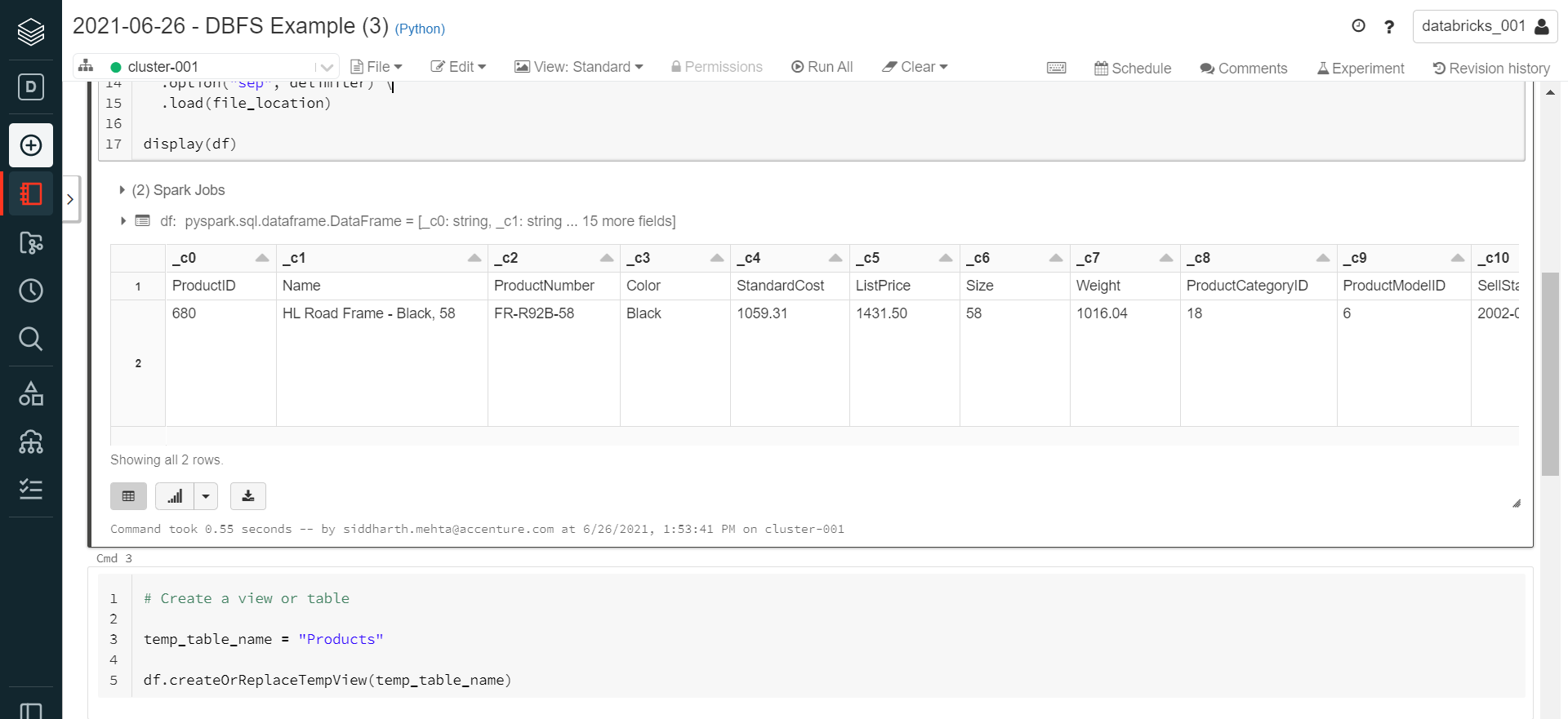
Once you have your DataFrame ready, saving it is a single command.
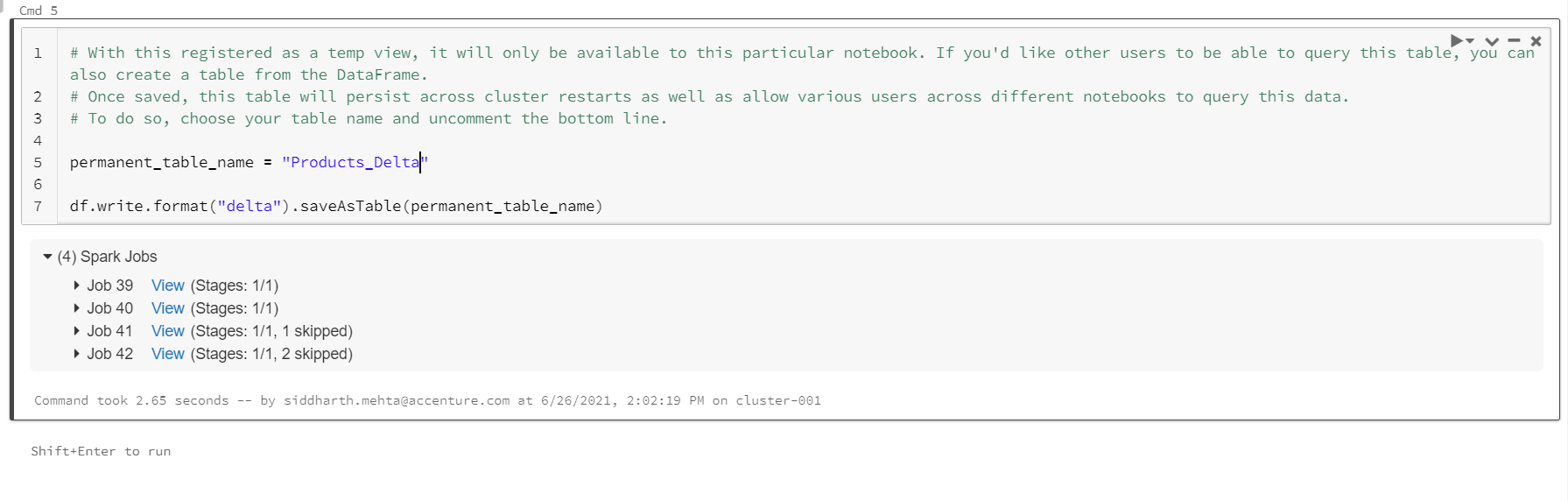
The video you previewed demonstrates this exact process.
54. Databricks | Delta Lake| Pyspark: Create Delta Table Using Various Methods
Let's revisit the video 'Create Delta Table Using Various Methods' to see the DataFrame approach in action. This is the method you'll likely use most frequently in your data pipelines.
Watch the section from 08:58 to 11:39. Notice how the table's schema is automatically inferred from the DataFrame, and how the data from the DataFrame is written into the table as part of the creation process.
Method 2: Create with SQL (The Analyst's & dbt User's Choice)
For those coming from a traditional data warehousing or dbt background, using SQL to define tables is second nature. Databricks provides full support for DDL (Data Definition Language) commands. The syntax is very similar to standard SQL.
The basic syntax is CREATE TABLE table_name (col_name col_type, ...) USING DELTA. In recent Databricks runtimes, USING DELTA is the default, so it can often be omitted.
This approach is excellent for defining table structures directly or for creating tables based on a SELECT query (a pattern known as CTAS - Create Table As Select).
54. Databricks | Delta Lake| Pyspark: Create Delta Table Using Various Methods
Now, let's look at the SQL-based approach. This video segment will walk you through the CREATE TABLE syntax and its variations.
Watch from 06:32 to 08:58. Pay attention to the USING DELTA clause and the different variants like CREATE TABLE IF NOT EXISTS and CREATE OR REPLACE TABLE.
Method 3: Create Programmatically with the DeltaTableBuilder API (Schema-First Design)
Sometimes, you need to create an empty table with a specific schema before you have any data to load. This is common in schema-first design or when you need to set up a target table for a streaming query. The DeltaTableBuilder API in PySpark is designed for this purpose.
This method gives you fine-grained programmatic control over the table definition, including column names, data types, comments, and table properties.
54. Databricks | Delta Lake| Pyspark: Create Delta Table Using Various Methods
Finally, let's explore how to create an empty table programmatically using PySpark. This is useful when you need to define the table structure before populating it with data.
Watch the segment from 02:15 to 06:32. Notice the builder pattern (DeltaTable.create...addColum...execute()) which allows you to chain commands to define the table structure. This is a common design pattern in many programming libraries.
Populating and Querying Delta Tables
Once a table is created, you need to be able to add data to it and query it. Both operations can be done using either SQL or PySpark, fitting seamlessly into your preferred workflow.
The following video demonstrates these basic operations using SQL.
All About Delta Lake | Databricks | Lakehouse | Deep Dive into Delta
In this clip from 'All About Delta Lake', you'll see how to use standard SQL INSERT INTO and SELECT commands to populate and query a Delta table.
First, watch from 19:28 to 20:06 to see a basic SELECT query on an empty table. Then, watch from 42:56 to 45:15 to see how to use INSERT INTO ... VALUES to add a record and then query it back.
Here's a summary of the common commands:
| Operation | SQL | PySpark (DataFrame API) |
|---|---|---|
| Query Data | SELECT * FROM table_name; |
df = spark.read.table("table_name") |
| Append Data | INSERT INTO table_name ...; |
df_new_data.write.mode("append").saveAsTable("table_name") |
| Overwrite Data | INSERT OVERWRITE table_name ...; |
df_new_data.write.mode("overwrite").saveAsTable("table_name") |
Hands-On Lab: Your First Delta Table
Theory is important, but practice is key. The following official Databricks tutorial provides a complete, hands-on walkthrough. You will download a sample dataset, upload it to your workspace, and then use both Python and SQL to create and query a Delta table.
This exercise will solidify everything we've just discussed.
Tutorial: Create and manage Delta Lake tables
It's time to get your hands dirty. This official Microsoft Databricks tutorial, 'Create and manage Delta Lake tables', will guide you through the process from start to finish. I want you to focus on the setup, creation, and reading steps.
Please follow the tutorial carefully: Follow the 'Before you begin' steps (Section 0): Download the sample dataset and upload the person_10000.csv file to a Unity Catalog volume in your workspace as instructed. Create a new notebook for your work. Execute the code in the 'Create a table' section (Section 1): In your notebook, run both the Python code block (df.writeTo(...)) and the SQL code block (CREATE OR REPLACE TABLE ... AS SELECT ...) to create the same table in two different ways. This will give you direct experience with Methods 1 and 2. Execute the code in the 'Read a table' section (Section 2): Run the Python and SQL code blocks to query the table you just created. This confirms your table was created successfully.
Completing this hands-on lab is the most critical part of this lesson. It will give you the practical experience needed for the certification and your daily work.
Conclusion
In this lesson, you've taken your first and most important step into the world of Delta Lake. You've learned the fundamental skill of creating and querying tables, which is the bedrock of building any data pipeline on Databricks.
Key Takeaways:
- Delta tables are the default table type in Databricks, enhancing Parquet files with ACID transactions and other reliability features.
- You can create Delta tables using three primary methods:
- From a DataFrame (
.saveAsTable()): The most common method in data engineering pipelines. - With SQL (
CREATE TABLE): Ideal for declarative table definition and for users comfortable with SQL. - Programmatically (
DeltaTableBuilder): Best for creating empty tables with a predefined schema.
- From a DataFrame (
- Basic data manipulation and querying can be done interchangeably with SQL (
SELECT,INSERT) and the PySpark DataFrame API (spark.read,df.write).
Preview of the Next Lesson:
You've created a Delta table, but what makes it "Delta"? The magic lies in the transaction log (_delta_log directory) that accompanies the data files. In our next lesson, we will inspect the Delta transaction log to understand how ACID properties are maintained. This will give you a deeper appreciation for the reliability and power of the Lakehouse architecture.