Hello! Welcome to your second lesson in the Advanced Python Fundamentals module.
In our last lesson, we explored how list comprehensions and generator expressions allow us to write more concise and memory-efficient code for data processing. We focused on making our data handling more flexible. Today, we'll shift that focus to making our functions more flexible.
This lesson directly addresses the learning outcome: Use *args and **kwargs for flexible function definitions. You'll learn how to write functions that can accept a variable number of arguments, a technique that is fundamental to many Python libraries, including the machine learning tools we will study later.
Why Do We Need Flexible Arguments?
Imagine you're writing a function. Sometimes you know exactly how many arguments it needs, like a function to add two numbers, add(a, b). But what if you wanted to add three numbers? Or ten? Or an unknown number of numbers? You could write different functions, but that's inefficient.
Similarly, what if you're writing a function to log details about an event? For one event, you might log a timestamp and a user_id. For another, you might want to add a file_path, an error_code, and a status.
Python provides a powerful and elegant solution to this problem with two special syntaxes: *args and **kwargs.
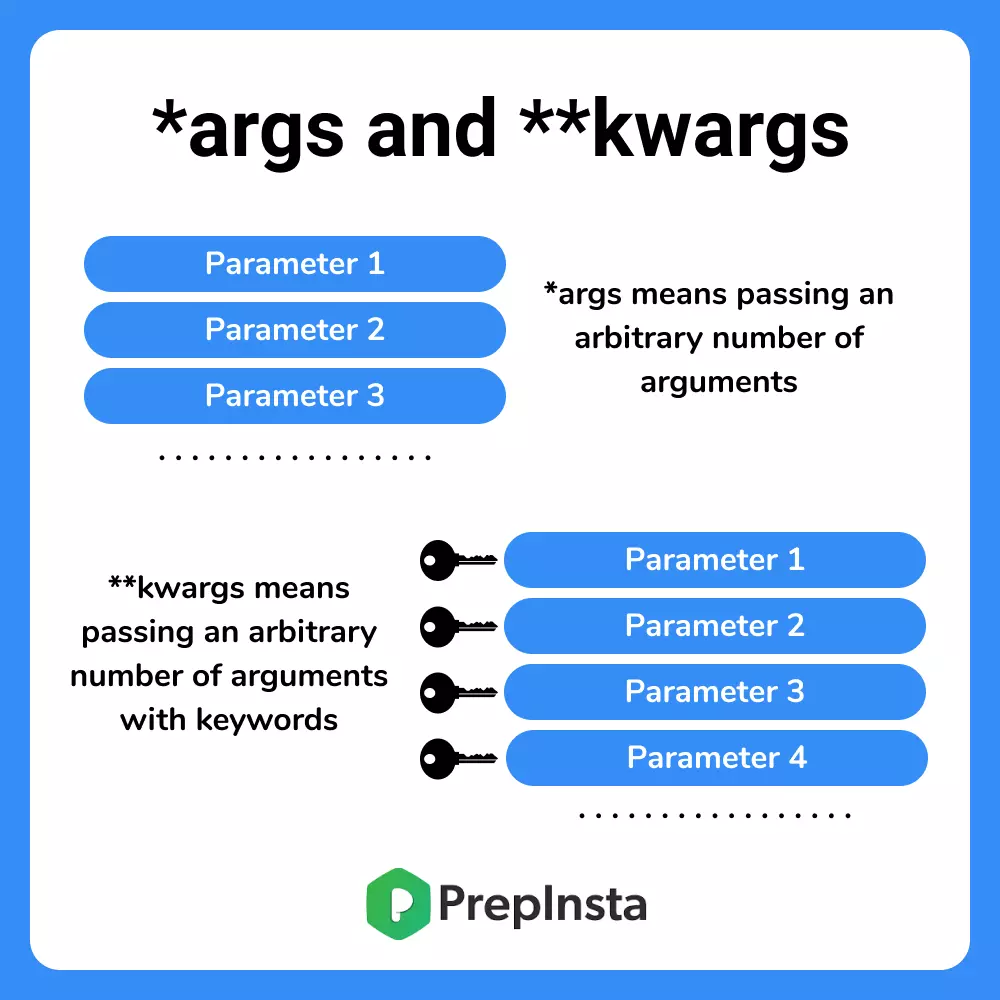
Let's break down how each one works.
Part 1: *args for Arbitrary Positional Arguments
The syntax *args in a function definition allows you to pass a variable number of positional arguments to a function. Python will collect these arguments into a tuple.
The name args is a strong convention, but it's the asterisk * that does the magic. You could name it *numbers or *items, and it would work the same way.
Let's see this in action with a function that can sum any quantity of numbers.
def calculate_sum(*numbers):
    """Calculates the sum of an arbitrary number of numeric arguments."""
    print(f"The arguments are packed into a tuple: {numbers}")
    print(f"The type of 'numbers' is: {type(numbers)}")

    total = sum(numbers) # The sum() function works directly on the tuple
    return total

# Let's call it with different numbers of arguments
print(f"Sum 1: {calculate_sum(1, 2, 3)}\n")
print(f"Sum 2: {calculate_sum(10, 20, 30, 40, 50)}\n")
print(f"Sum 3: {calculate_sum()}") # It even works with no arguments
As you can see, all the positional arguments passed to calculate_sum are bundled into the numbers tuple within the function body.
To see this explained and demonstrated, let's watch a short video.
Python *ARGS & **KWARGS are awesome! 📦
This video from Bro Code provides a clear and direct explanation of *args with a practical example.
Watch from 00:37 to 04:28. Pay attention to how the arguments passed to the function are collected into a tuple that you can then iterate over.
Test your understanding!
Write a function merge_strings that accepts any number of string arguments and returns a single string where all the input strings are joined together by a hyphen -.
For example, merge_strings("hello", "world", "from", "python") should return "hello-world-from-python".
Show answer
def merge_strings(*words):
    # The words are in a tuple, so we can use the .join() method.
    return "-".join(words)

print(merge_strings("hello", "world", "from", "python"))
# Output: hello-world-from-python

print(merge_strings("testing", "this", "function"))
# Output: testing-this-function
Part 2: **kwargs for Arbitrary Keyword Arguments
What about named arguments, or "keyword arguments" (e.g., user_id=123)? For that, Python gives us **kwargs (keyword arguments).
The **kwargs syntax in a function definition collects all additional keyword arguments into a dictionary. The argument names become the dictionary keys (as strings), and their values become the dictionary values.
Again, kwargs is a convention; it's the double asterisk ** that is the key syntactic element.
This is extremely useful for functions that take many optional configuration parameters, a common pattern in machine learning libraries like Scikit-learn.
Let's explore a more relevant example from the provided reading material.
Python Advanced Function Arguments (*args, **kwargs)
The article 'Python Advanced Function Arguments' provides a great example of using **kwargs for a logging function, which is a common use case in data processing pipelines.
Read the sections 'Accepting an Arbitrary Number of Positional Arguments: *args' and 'Accepting an Arbitrary Number of Keyword Arguments: **kwargs'. The log_processing_step example is particularly relevant to our future work.
Here is the code from that article for you to try:
def log_processing_step(step_name, status, **details):
    """Logs details about a data processing step."""
    print(f"--- Log Entry ---")
    print(f"Step: {step_name}")
    print(f"Status: {status}")

    # 'details' is a dictionary, so we can check if it's empty
    if details:
        print("Additional Details:")
        # We can iterate through it like any dictionary
        for key, value in details.items():
            print(f"  {key}: {value}")

    print(f"-----------------\n")

# Calling with different keyword arguments
log_processing_step("Data Loading", "Success", source_file="data.csv", rows_loaded=1500)
log_processing_step("Model Training", "Warning", algorithm="LinearRegression", training_time_seconds=120)
log_processing_step("Final Report", "Completed") # No extra details
Notice how source_file, rows_loaded, algorithm, etc., are all neatly collected into the details dictionary.
Part 3: Combining All Argument Types
You can, and often will, combine standard arguments, *args, and **kwargs in a single function. When you do, they must be in this specific order:
- Standard positional arguments
*args**kwargs
Here is the signature of a function using all three:def my_function(arg1, arg2, *args, **kwargs):
Let's watch a final video clip that puts all of these concepts together in a practical shipping_label example. This clip also demonstrates the correct parameter order and how to safely access values from the kwargs dictionary.
Python *ARGS & **KWARGS are awesome! 📦
Let's return to the Bro Code video to see a complete example combining standard arguments, *args, and **kwargs.
Watch from 07:48 to the end (14:51). This is a comprehensive example that shows how all the pieces fit together to build a highly flexible function.
Test your understanding!
Create a function summarize_run that is used to log the results of a machine learning experiment. It must accept:
- A required string argument,
model_name. - Any number of positional arguments representing evaluation scores (e.g.,
0.95,0.92,0.88). These are the*args. - Any number of keyword arguments for hyperparameters (e.g.,
learning_rate=0.01,epochs=100). These are the**kwargs.
The function should print a formatted summary.
Show answer
def summarize_run(model_name, *scores, **hyperparameters):
    print(f"--- Experiment Summary ---")
    print(f"Model: {model_name}")

    if scores:
        print("\nEvaluation Scores:")
        for i, score in enumerate(scores):
            print(f"  Run {i+1}: {score}")

    if hyperparameters:
        print("\nHyperparameters:")
        for param, value in hyperparameters.items():
            print(f"  {param}: {value}")

    print(f"--------------------------\n")

# Example call
summarize_run(
    "Logistic Regression",
    0.95, 0.96, 0.94,  # These go into *scores
    learning_rate=0.01, # These go into **hyperparameters
    regularization="L2",
    solver="liblinear"
)

summarize_run("Decision Tree", 0.88) # Works with no scores or hyperparameters
Bonus: Unpacking Arguments
The * and ** operators can also be used when you call a function. This is the inverse operation: it "unpacks" a list or dictionary into arguments.
*unpacks a list or tuple into positional arguments.**unpacks a dictionary into keyword arguments.
def process_data(id, value, category):
    print(f"Processing ID: {id}, Value: {value}, Category: {category}")

# Data stored in a list
data_list = [101, 55.5, 'Electronics']
process_data(*data_list) # Unpacks the list into process_data(101, 55.5, 'Electronics')

# Data stored in a dictionary
data_dict = {'id': 202, 'value': 78.9, 'category': 'Clothing'}
process_data(**data_dict) # Unpacks the dictionary into process_data(id=202, value=78.9, category='Clothing')
This is incredibly useful when your function's arguments are determined dynamically or stored in data structures. You can read more about this in the "Unpacking Arguments During Function Calls" section of the apxml.com article we looked at earlier.
Conclusion
You now have a powerful tool for writing flexible and adaptable functions in Python. This skill is not just a novelty; it's a cornerstone of writing professional, reusable code.
Key Takeaways:
*argsis used in a function definition to accept an arbitrary number of positional arguments, which are packed into a tuple.**kwargsis used to accept an arbitrary number of keyword arguments, which are packed into a dictionary.- The required order of parameters in a function definition is:
standard arguments, then*args, then**kwargs. - These tools are essential for building functions that can handle a wide variety of inputs gracefully, a requirement for many data science and machine learning libraries.
Preview of the Next Lesson:
In our next lesson, we will explore decorators. You will see that *args and **kwargs are absolutely crucial for writing decorators, as they allow a decorator to wrap any function, regardless of its specific arguments. This will be a perfect opportunity to apply what you've learned today.