Hello! Welcome to the final lesson in our Object-Oriented Programming module.
In our previous lesson on Abstract Base Classes, you saw that creating custom container types often involves implementing methods with double underscores, like __getitem__ and __len__. These special methods are often called magic methods or dunder methods (for "double underscore"), and they are the key to making your custom objects behave like Python's built-in types.
Today, you will learn to use common magic methods for object representation and comparison. We will explore how you can control what happens when you print an object or compare two objects using operators like == and <. Mastering these will make your classes more intuitive, readable, and "Pythonic".
This lesson will cover:
- The difference between
__repr__and__str__for creating useful string representations of your objects. - How to implement comparison magic methods like
__eq__,__lt__, and__gt__to define custom sorting and equality logic. - Using other useful magic methods like
__add__and__len__for operator overloading.
What are Magic Methods?
At their core, magic methods are special methods that Python calls implicitly when you use certain operators or built-in functions. For example, when you write a + b, Python is secretly calling a.__add__(b). The magic is that you don't call these methods directly; Python does it for you behind the scenes.
By implementing these methods in your own classes, you can "overload" Python's operators and define how your objects should behave in different contexts.
Python OOP Tutorial 5: Special (Magic/Dunder) Methods
Let's start with a clear explanation of what magic methods are and why they are useful. They allow us to customize how our objects interact with Python's built-in operations.
Watch the first minute and 16 seconds (00:00 - 01:16) of this video by Corey Schafer. He explains the concept of 'dunder' methods and how they enable operator overloading, using the + operator as an example.
Object Representation: __repr__ and __str__
Have you ever created a class, instantiated it, and then tried to print the object, only to see something like <__main__.MyClass object at 0x10e8f7a90>? This is the default representation, and it's not very helpful. We can provide much better representations by implementing __repr__ and __str__.
__repr__(self): Should return an unambiguous, official string representation of the object. The goal is to provide enough information for a developer to recreate the object. This is what you see in an interactive console if you just type the variable name and hit Enter.__str__(self): Should return a readable, informal string representation of the object, intended for the end-user. This is what theprint()function uses.
A crucial rule of thumb is that if a __str__ method is not defined, Python will fall back and use __repr__ instead. Therefore, you should always at least implement __repr__.
The following video provides an excellent walkthrough of how to implement and use these two methods.
Python OOP Tutorial 5: Special (Magic/Dunder) Methods
The most common magic methods you'll implement are for object representation. When you print() an instance of your class, you probably want to see something more useful than a memory address. __repr__ and __str__ are how you control this.
Watch from 01:36 to 05:54. Pay close attention to the distinction Corey makes between __repr__ (developer-facing, unambiguous) and __str__ (user-facing, readable). Notice how implementing __repr__ provides a fallback for __str__.
This image provides a simple visual summary of the distinction:
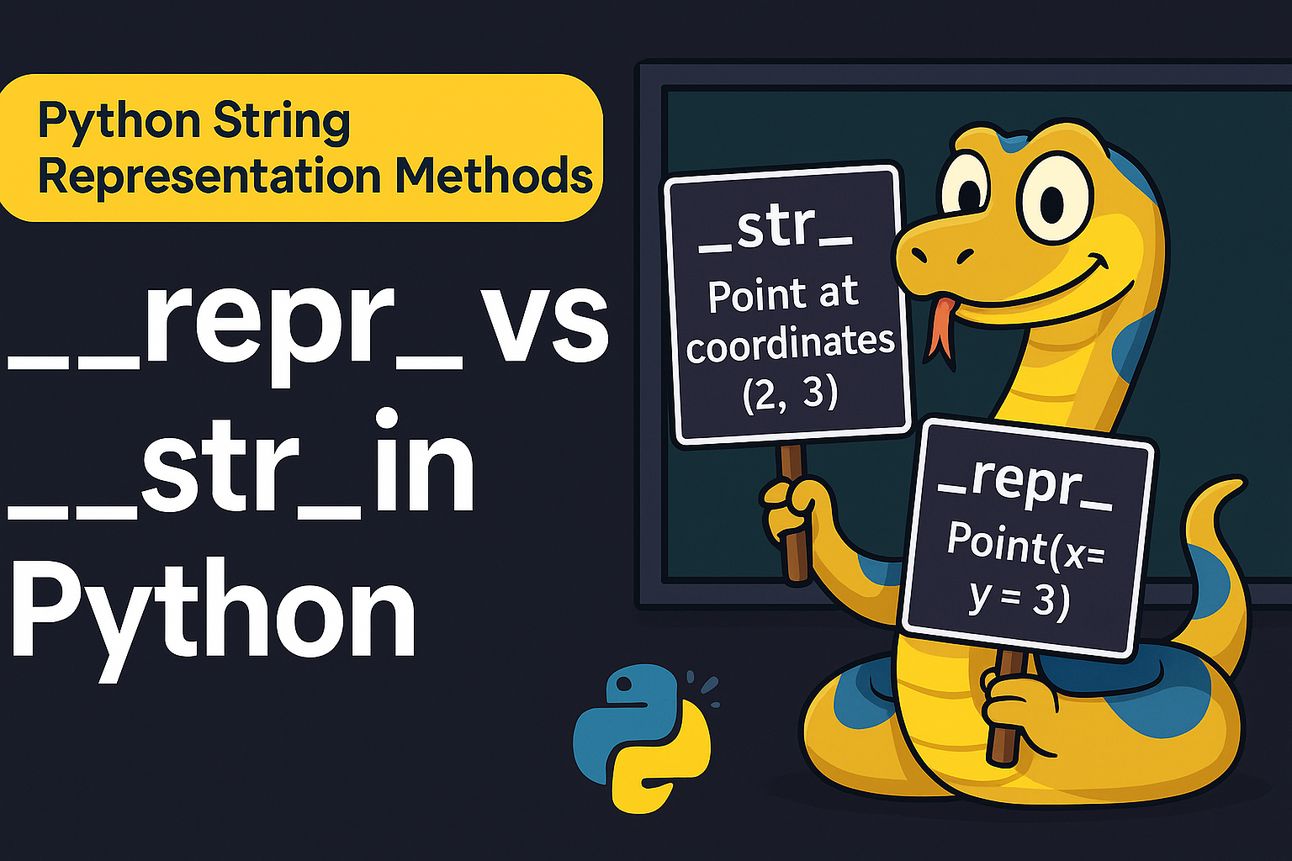
Let's apply this to a Vector class, a concept fundamental to the linear algebra used in machine learning.
import math

class Vector:
    def __init__(self, x, y):
        self.x = x
        self.y = y

    def __repr__(self):
        # Unambiguous representation, good for developers and debugging
        # It looks just like the code to create the object
        return f"Vector({self.x}, {self.y})"

    def __str__(self):
        # Readable representation, good for end-users
        # It describes the object in plain language
        return f"A 2D vector with components ({self.x}, {self.y})"

# Create an instance
v1 = Vector(3, 4)

# When you print the object, __str__ is called
print(v1)
# Output: A 2D vector with components (3, 4)

# When you use repr() or view it in a console, __repr__ is called
print(repr(v1))
# Output: Vector(3, 4)
Test your understanding!
You are creating a class to represent a machine learning model's configuration.
class ModelConfig:
    def __init__(self, model_name, version, parameters):
        self.model_name = model_name
        self.version = version
        self.parameters = parameters
Add __repr__ and __str__ methods to this class.
- The
__str__method should produce a user-friendly summary like:"Model: RandomForest (v2.1)". - The
__repr__method should produce an unambiguous string that could be used to recreate the object, like:"ModelConfig('RandomForest', '2.1', {'n_estimators': 100, 'max_depth': 10})".
Show answer
class ModelConfig:
    def __init__(self, model_name, version, parameters):
        self.model_name = model_name
        self.version = version
        self.parameters = parameters

    def __str__(self):
        return f"Model: {self.model_name} (v{self.version})"

    def __repr__(self):
        return f"ModelConfig('{self.model_name}', '{self.version}', {self.parameters})"

# Example usage:
config = ModelConfig('RandomForest', '2.1', {'n_estimators': 100, 'max_depth': 10})

print(config)
# Output: Model: RandomForest (v2.1)

print(repr(config))
# Output: ModelConfig('RandomForest', '2.1', {'n_estimators': 100, 'max_depth': 10})
Object Comparison
By default, Python compares objects by their memory address (using the is operator). This means two different instances with the exact same data will not be considered equal.
v1 = Vector(3, 4)
v2 = Vector(3, 4)

print(v1 == v2)  # Output: False (by default)
We can define our own logic for equality and other comparisons by implementing comparison magic methods.
| Operator | Magic Method |
|---|---|
== |
__eq__(self, other) |
!= |
__ne__(self, other) |
< |
__lt__(self, other) |
> |
__gt__(self, other) |
<= |
__le__(self, other) |
>= |
__ge__(self, other) |
The following video gives a quick, practical demonstration of implementing __eq__, __lt__, and __gt__.
Python MAGIC METHODS are easy! 🌟
Now, let's see how to define comparisons. How should Python decide if book1 == book2 or book2 < book3? We can define this logic ourselves using comparison magic methods.
Watch from 04:21 to 07:59. This segment covers how to implement __eq__ to define equality based on attributes, and __lt__ (less than) and __gt__ (greater than) to compare objects based on a specific value, like the number of pages.
A More Efficient Way: @total_ordering
Implementing all six comparison methods is tedious. Luckily, Python's functools module provides a class decorator called @total_ordering that will automatically generate the missing comparison methods for you, as long as you define __eq__ and at least one of __lt__, __gt__, __le__, or __ge__.
Let's enhance our Vector class. We'll define equality as two vectors having the same components. For ordering, we'll compare them based on their magnitude (length). The magnitude of a 2D vector is .
import math
from functools import total_ordering

@total_ordering
class Vector:
    def __init__(self, x, y):
        self.x = x
        self.y = y

    def magnitude(self):
        return math.sqrt(self.x**2 + self.y**2)

    def __repr__(self):
        return f"Vector({self.x}, {self.y})"

    # --- Comparison Methods ---
    def __eq__(self, other):
        if not isinstance(other, Vector):
            return NotImplemented
        return self.x == other.x and self.y == other.y

    def __lt__(self, other):
        if not isinstance(other, Vector):
            return NotImplemented
        return self.magnitude() < other.magnitude()

v_3_4 = Vector(3, 4)  # Magnitude is 5
v_0_5 = Vector(0, 5)  # Magnitude is 5
v_5_12 = Vector(5, 12) # Magnitude is 13

# __eq__ in action
print(f"v_3_4 == v_0_5: {v_3_4 == v_0_5}") # False, components differ

# __lt__ in action
print(f"v_3_4 < v_5_12: {v_3_4 < v_5_12}")   # True, 5 < 13

# __ge__ is automatically created by @total_ordering!
print(f"v_3_4 >= v_0_5: {v_3_4 >= v_0_5}")   # True, because they are equal in magnitude
Notice the isinstance check and the return NotImplemented. This is a best practice that tells Python that our method doesn't know how to compare a Vector to another type. Python can then check if the other object's type knows how to handle the comparison.
Other Common Magic Methods
The possibilities don't end with representation and comparison. You can customize many other behaviors.

Here are two more common examples:
__add__(self, other): Defines behavior for the+operator.__len__(self): Defines behavior for the built-inlen()function.
Let's add these to our Vector class to allow for vector addition and to define its "length" as its integer magnitude.
# Continuing the Vector class from above...

# In the Vector class definition:
# def __add__(self, other):
#     if not isinstance(other, Vector):
#         return NotImplemented
#     # Return a new Vector that is the sum of the two
#     return Vector(self.x + other.x, self.y + other.y)

# def __len__(self):
#     # len() must return an integer
#     return int(self.magnitude())

# Example usage:
# v1 = Vector(1, 2)
# v2 = Vector(3, 4)

# result = v1 + v2
# print(result)  # Calls __add__, then __str__. Output: A 2D vector with components (4, 6)

# print(len(v1)) # Calls __len__. Output: 2 (int(sqrt(1^2 + 2^2)))
This ability to make your own objects seamlessly integrate with Python's syntax is a cornerstone of elegant, object-oriented design in Python.
Conclusion
This lesson marks the end of our module on Object-Oriented Programming. You've gone from defining basic classes to leveraging advanced features like abstract classes and magic methods.
Key Takeaways:
- Magic (Dunder) Methods are special methods like
__init__that Python calls implicitly. __repr__provides an unambiguous, developer-focused string representation of an object.__str__provides a readable, user-focused string representation and is used byprint().- Comparison methods like
__eq__and__lt__allow you to define how your objects behave with operators like==and<. - The
@total_orderingdecorator is a powerful tool to generate a full set of comparison methods from just__eq__and one other. - Implementing magic methods allows your custom classes to feel like native Python types, a principle known as "operator overloading".
Preview of the Next Lesson:
With a solid foundation in Python's advanced and object-oriented features, you are now ready to dive into the tools that form the bedrock of machine learning and data science in Python. In our next module, we will begin our math and data manipulation journey with NumPy, the fundamental package for numerical computing. You'll learn how to create and manipulate its core data structure: the powerful N-dimensional array.