Recommended resources
The freely available resources this lesson will direct you to.
Welcome back. Last lesson, your directory preview distinguished a request that had not started, a loading request, an empty result, and a result containing records. It displayed a count for that final case. Now you’ll render the records themselves.
The new question is what happens between renders. If a user moves from the first row to the last, React needs to recognize that it is still the same user. In about 40 minutes, you’ll render a typed array, give each row a stable key, and observe why that key matters when rows move or disappear.
Turn typed data into JSX
An array can produce a list of elements with map(). Each call to the mapping function receives one record and returns the JSX for one row. If the array is typed as User[], TypeScript knows that the callback’s user has the fields defined by User.
Watch the array-rendering demonstration in Comprehensive Guide to Rendering an Array in React with TypeScript Types and Interfaces from edutechional. The example uses invoices rather than users, but the mapping operation is identical. Stop where the missing-key warning appears; we’ll address it next.
Comprehensive Guide to Rendering an Array in React with TypeScript Types and Interfaces
Watch the video to see how one data record becomes one JSX element through map().
Watch the mapping demo. Focus on the callback passed to map() and the JSX it returns for each invoice, rather than the example’s particular data fields.
For your directory, the essential expression will look like this:
<ul>
  {users.map((user) => (
    <li key={user.id}>{user.name}</li>
  ))}
</ul>
map() creates an array of <li> elements; React renders that array inside <ul>. The parentheses after the callback signify an implicit return. If you instead write a callback with a block body, such as (user) => { ... }, you must explicitly return the JSX.
The key on <li> is not displayed on the page. Its job is to tell React which record that element represents when the array changes.
A key identifies a row across renders
When React renders an updated list, it compares the new elements with the previous ones. This matching is part of reconciliation. A stable key lets React associate a row with the same record even if its position has changed.
Read the relevant parts of Rendering Lists in the official React documentation. The first passage introduces the key requirement; the following subsections explain how to choose keys and why position is a poor substitute for identity.
Read React’s explanation to connect the JSX syntax with what happens when items are reordered, inserted, or removed.
In “Keeping list items in order with key,” begin at the console-warning discussion and read the key discussion through the advice to keep identifiers in your data. Then read the key guidance under “Where to get your key,” “Rules of keys,” “Why does React need keys?,” and the subsequent “Pitfall.” Pay particular attention to what happens when a key is based on an array position or generated during rendering.
A record ID is a natural key: it belongs to the record rather than to its current position. Keys must be unique among siblings and stable for the lifetime of the item; they need not be unique across every list in the application. A TypeScript field such as id: string ensures an ID has the expected type, but it does not prove that two records cannot contain the same ID. The data still needs to satisfy that constraint.
These alternatives fail for different reasons:
key={index}identifies a position. After deleting the first row, every following record takes a new position, so React can associate a row’s existing input or local state with the wrong record.key={Math.random()}gives the same record a new identity on every render. React cannot match it with its previous row and may discard input and component state.key={user.name}is unsafe if names can repeat or change. An identifier should remain stable even when a displayed field is edited.
An index key can be adequate for a genuinely fixed list that never changes order or length. A user directory, however, is expected to change, so record IDs are the appropriate choice. Keys are hints for matching elements; they do not promise that a component will never render again or that React will perform no other DOM work.
Render the directory records
Replace src/App.tsx with the following version of last lesson’s preview. It retains the request-state distinctions and controls, but a successful nonempty result now renders a list. Two additional buttons simulate reordering and removal without making a network request.
import { useState } from 'react'

type User = {
  id: string
  name: string
}

type DirectoryState =
  | { status: 'idle' }
  | { status: 'loading' }
  | { status: 'success'; data: User[] }

const sampleUsers: User[] = [
  { id: 'u1', name: 'User A' },
  { id: 'u2', name: 'User B' },
  { id: 'u3', name: 'User C' },
]

function DirectoryResult({ request }: { request: DirectoryState }) {
  if (request.status === 'idle') {
    return <p>Directory data has not been requested.</p>
  }

  if (request.status === 'loading') {
    return <p>Loading directory data…</p>
  }

  if (request.data.length === 0) {
    return <p>No user records were returned.</p>
  }

  return (
    <>
      <p>{request.data.length} user records are available.</p>
      <ul>
        {request.data.map((user) => (
          <li key={user.id}>
            <label>
              Note for {user.name}:{' '}
              <input type="text" />
            </label>
          </li>
        ))}
      </ul>
    </>
  )
}

function App() {
  const [query, setQuery] = useState('')
  const [activeOnly, setActiveOnly] = useState(false)
  const [request, setRequest] = useState<DirectoryState>({
    status: 'idle',
  })

  function reverseRows() {
    setRequest((current) => {
      if (current.status !== 'success') return current

      return {
        status: 'success',
        data: [...current.data].reverse(),
      }
    })
  }

  function removeFirstRow() {
    setRequest((current) => {
      if (current.status !== 'success') return current

      return {
        status: 'success',
        data: current.data.slice(1),
      }
    })
  }

  return (
    <main>
      <h1>User directory controls</h1>

      <label htmlFor="user-query">Search by name or email</label>
      <input
        id="user-query"
        type="search"
        value={query}
        onChange={(event) => setQuery(event.currentTarget.value)}
      />

      <label>
        <input
          type="checkbox"
          checked={activeOnly}
          onChange={(event) => setActiveOnly(event.currentTarget.checked)}
        />
        Active accounts only
      </label>

      <p>Search text: {query}</p>
      <p>Active only: {activeOnly ? 'Yes' : 'No'}</p>

      <h2>Preview directory states</h2>
      <div>
        <button type="button" onClick={() => setRequest({ status: 'idle' })}>
          Not requested
        </button>
        <button type="button" onClick={() => setRequest({ status: 'loading' })}>
          Show loading
        </button>
        <button
          type="button"
          onClick={() => setRequest({ status: 'success', data: [] })}
        >
          Load empty result
        </button>
        <button
          type="button"
          onClick={() => setRequest({ status: 'success', data: sampleUsers })}
        >
          Load sample result
        </button>
        <button
          type="button"
          onClick={reverseRows}
          disabled={request.status !== 'success' || request.data.length < 2}
        >
          Reverse rows
        </button>
        <button
          type="button"
          onClick={removeFirstRow}
          disabled={request.status !== 'success' || request.data.length === 0}
        >
          Remove first row
        </button>
      </div>

      <section aria-labelledby="result-heading">
        <h2 id="result-heading">Directory data preview</h2>
        <DirectoryResult request={request} />
      </section>
    </main>
  )
}

export default App
In DirectoryResult, the earlier branches rule out idle, loading, and an empty result. The remaining branch can safely map over request.data. The key is placed on the outermost element returned by map(), the <li>, and comes from user.id. React consumes key for matching; if a child component also needed the ID as an ordinary prop, you would pass id={user.id} separately.
The temporary note inputs make row identity visible. They are deliberately not connected to the search or checkbox controls; filtering the directory comes later. Reversing creates a new array rather than changing the existing array in place, and removing the first record creates a new array with slice(1).
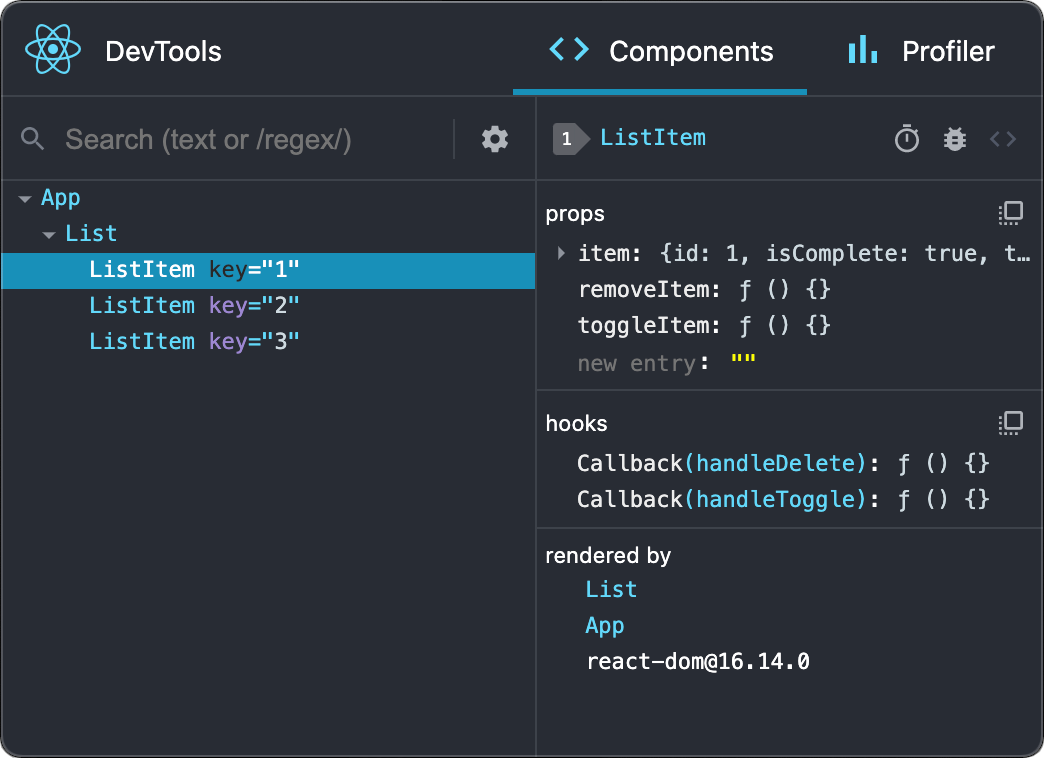
Observe what the key preserves
Run the app and select Load sample result. Type a different short note into each row, then select Reverse rows. Each note should move with its user. Select Remove first row and check that the remaining notes still belong to the same users. Test the empty-result button as well: it should still show the message rather than an empty list.
For a focused comparison, temporarily change key={user.id} to key={index} and change the callback to (user, index). Reload the page, load the sample result, enter distinct notes, and reverse the rows again. Because the keys now describe positions, notes can remain at those positions while the user labels move. Restore key={user.id} afterward. Avoid switching to loading or idle during this comparison: those branches intentionally remove the entire list, which would clear its inputs regardless of how its rows were keyed.
Finally, run:
npm run typecheck
This observation illustrates the central distinction: array order tells you where a record is now; a stable key tells React which record it still is.
What to carry forward
Use map() to turn a typed array into JSX, and put a stable, sibling-unique key on each element returned by the mapping callback. Prefer an ID stored with the record. Stable keys help React reconcile moved, added, and removed rows while preserving the correct row identity; positions and freshly generated values cannot reliably do that.
This preview stores the directory result and changes its order for demonstration. Next, you’ll look more closely at which values truly need to be stored in state and which should instead be calculated while rendering.