Recommended resources
The freely available resources this lesson will direct you to.
Welcome back. Last lesson, you rendered a directory from an array and used stable keys so notes stayed with the right users when rows moved. The preview also displayed a record count, which leads to a different question: does a value need its own state just because it appears on screen?
In this lesson, you’ll distinguish values that must be remembered—such as the directory result or which user you selected—from values React can calculate from them. You’ll apply that distinction to the existing TypeScript app, without changing its request-state behavior. Allow about 40 minutes, including the readings and code changes.
Store the inputs, calculate the consequences
Think of a recipe for several cups of coffee. The number of cups is an input you choose; the ingredient quantities follow from it. If you independently stored both the cup count and every calculated quantity, changing the count would require you to update all the other values correctly.
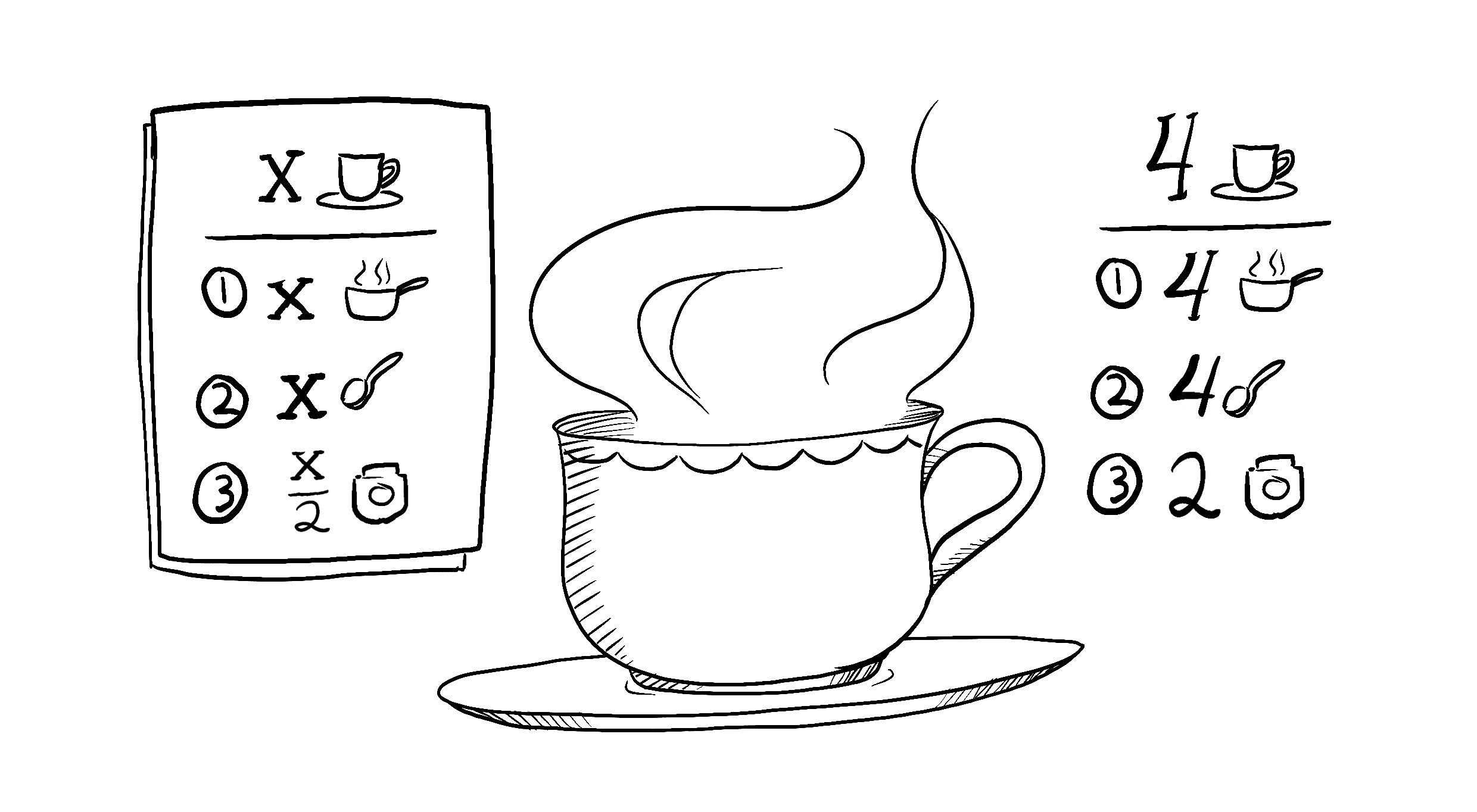
React state has the same consistency problem. In the previous app, request records whether data is unavailable, loading, or successfully loaded. When it is successful, the number of users is already determined by request.data.length. A separate userCount state variable would be another value to maintain whenever a row is loaded or removed.
Read the form example in the official React documentation’s Choosing the State Structure. It uses two entered names and a calculated full name to show what belongs in state.
Read the React documentation’s form example to establish the rule for redundant state. Then read its short warning about copying a prop into state.
In “Avoid redundant state,” begin at “For example, take this form” and read the form example through the explanation following the corrected code. Notice that the input handlers update only the entered names. In the “Don’t mirror props in state” deep dive immediately below, read the prop warning; focus on what happens when a parent supplies a new value after the child’s first render.
The practical test is: Given the current props and state, can this value be calculated reliably during render? If yes, start with a local constant, not another useState call. When a source value changes, React renders again and recalculates the constant from the current inputs.
There is an important distinction between no result yet and a result containing zero records. A useful derived count for this app is:
const users = request.status === 'success' ? request.data : null
const userCount = users?.length ?? null
Here null means a count is not available; 0 means the request succeeded with an empty array. The ?? operator preserves zero rather than replacing it with the fallback.
Selection: remember an ID, not another user record
A selected user presents a subtler version of the same problem. You need to remember which user was chosen, but the user’s name already lives in the directory data. Storing an entire selectedUser object alongside the array gives you two places representing the same record. If the array is updated with a newly created user object, the separately stored selection can retain the old details.
Watch this directory-like example in Every Beginner React Developer Makes This Mistake With State from Web Dev Simplified. It demonstrates the stale selection and replaces it with a selected ID.
Every Beginner React Developer Makes This Mistake With State
Watch Web Dev Simplified’s selected-user demonstration for the difference between storing a record and storing its identity.
Watch the stale selection to see an updated user in the list while the selected display stays unchanged. Continue through the ID refactor, paying attention to the find calculation performed from the current array and selected ID.
In TypeScript, the corresponding values can be expressed as:
const [selectedId, setSelectedId] = useState<string | null>(null)

const users = request.status === 'success' ? request.data : null
const selectedUser =
  users?.find((user) => user.id === selectedId) ?? null
selectedId is source state: an interaction chooses it. selectedUser is calculated: the current result and ID determine it. A lookup can find nothing, so null is meaningful here. It can mean no user has been selected, the request has no current data, or the selected ID is absent from the current result.
Apply the distinction to your directory
Keep the app from last lesson. Rather than replacing it, make three focused changes. The search and “active only” controls can remain as they are; implementing the directory’s full search interface comes later.
First, replace DirectoryResult with this version. Its request branches are unchanged, but each row now offers a Select button. The count sentence has been removed so the count can be shown in one place in App.
function DirectoryResult({
  request,
  onSelect,
}: {
  request: DirectoryState
  onSelect: (id: string) => void
}) {
  if (request.status === 'idle') {
    return <p>Directory data has not been requested.</p>
  }

  if (request.status === 'loading') {
    return <p>Loading directory data…</p>
  }

  if (request.data.length === 0) {
    return <p>No user records were returned.</p>
  }

  return (
    <ul>
      {request.data.map((user) => (
        <li key={user.id}>
          <label>
            Note for {user.name}:{' '}
            <input type="text" />
          </label>{' '}
          <button type="button" onClick={() => onSelect(user.id)}>
            Select
          </button>
        </li>
      ))}
    </ul>
  )
}
Next, inside App, add the selection state after the existing request state declaration. Put the three constants beneath it, before your event-handler functions:
const [selectedId, setSelectedId] = useState<string | null>(null)

const users = request.status === 'success' ? request.data : null
const userCount = users?.length ?? null
const selectedUser =
  users?.find((user) => user.id === selectedId) ?? null
Add this handler alongside reverseRows and removeFirstRow:
function renameSelected() {
  if (selectedId === null) return

  setRequest((current) => {
    if (current.status !== 'success') return current

    return {
      status: 'success',
      data: current.data.map((user) =>
        user.id === selectedId
          ? { ...user, name: `${user.name} (edited)` }
          : user
      ),
    }
  })
}
The handler changes the source array, creating a new object for the matching user. It does not update a second copy of that user. The next render obtains selectedUser from the updated array.
Finally, in App’s existing directory-preview <section>, replace the <DirectoryResult request={request} /> line with:
<p>Records: {userCount ?? 'Not available yet'}</p>
<DirectoryResult request={request} onSelect={setSelectedId} />
<p>Selected: {selectedUser?.name ?? 'None in current result'}</p>
<button
  type="button"
  onClick={renameSelected}
  disabled={selectedUser === null}
>
  Rename selected user
</button>
Load the sample result, select a user, and rename that user. The row and the selected display should show the same new name. Reverse the rows: selection should still refer to the same ID. Remove the first row when it is selected: the selected display should say “None in current result,” even though selectedId still holds the old ID. Loading the empty result should show Records: 0; idle and loading should say the count is unavailable.
That last behavior is a policy choice, not something React decides for you. This demonstration retains the selected ID, so the selection can reappear if a later result contains that ID again. An app that should forget selection when a new result is requested could explicitly clear the ID in that request’s event handler. Neither policy requires storing a duplicate user object.
Run the app’s type check after your changes:
npm run typecheck
Why an Effect is not needed here
It may seem reasonable to store userCount or selectedUser separately and keep it synchronized whenever request changes. But that would first render using the old calculated state, then update it and render again. It also adds another update path that can be missed.
Read the focused example in React’s You Might Not Need an Effect. It shows why an Effect is the wrong tool for keeping a calculated name synchronized with entered names.
Read the React documentation’s comparison of an Effect-updated value and a value calculated during render. This is the same choice you just made for the directory count and selected user.
In “Updating state based on props or state,” start at “Suppose you have a component with two state variables” and read the comparison through the paragraph explaining the extra render and the simpler replacement. Stop before “Caching expensive calculations”; performance optimization is not needed for this small directory.
Calculating a value during render is not an Effect: it is ordinary code using the current render’s inputs. For a small array, length and find are straightforward calculations. Most importantly, there is only one authoritative place for each piece of information.
What to carry forward
Keep source state for values an interaction or data arrival must establish: the request result, search text, or a selected ID. Calculate derived values—such as a record count or selected record—from that state and current props during rendering. Preserve distinctions your interface needs, particularly “not available” versus “available but empty.”
In the next lesson, you’ll meet useEffect for a different purpose: synchronizing a component with a browser API, including cleaning up that synchronization. The test from this lesson will help you recognize when an Effect is genuinely needed rather than using one to maintain a calculation.