Recommended resources
The freely available resources this lesson will direct you to.
Welcome to the next lesson in our module on Reliability Patterns for LLM Services.
In our previous session, we implemented a sophisticated form of graceful degradation by routing requests to smaller, faster models when latency SLOs were at risk. That strategy preserves the user experience by prioritizing responsiveness over quality. Today, we will explore a different, more defensive reliability pattern: implementing graceful degradation by returning a 'system busy' response when an inference queue exceeds a specified depth.
This technique, often called load shedding or backpressure, is a fundamental SRE practice. Its goal is not to fulfill every request, but to protect the entire system from overload. By proactively rejecting requests when queues grow too long, we prevent cascading failures, ensure that accepted requests are processed with predictable performance, and maintain overall service stability.
This lesson will cover:
- The concept of backpressure and why unmanaged queues are dangerous.
- How to configure queue limits in a serving framework to trigger load shedding.
- The underlying logic for managing queue depth and rejecting requests.
1. The "Why": Backpressure and the Danger of Infinite Queues
In any system where a producer sends work to a consumer, a mismatch in speed can cause problems. If your LLM service receives requests faster than its GPU replicas can process them, those requests start to queue up. While a short queue is a healthy buffer, an unbounded queue is a sign of impending system failure. It leads to skyrocketing tail latency for all users and can exhaust the server's memory, causing it to crash.
The video below provides an excellent analogy for this concept, known as backpressure, and explains the common strategies for dealing with it.
Backpressure in Software Development simply explained
The video "Backpressure in Software Development simply explained" from the Software Developer Diaries channel clearly introduces this core concept.
Please watch the following sections: What is Backpressure? This section uses a fluid dynamics analogy to explain what happens when a producer is faster than a consumer. Pay attention to how this applies to message queues. Handling Backpressure The video outlines three strategies: control, buffering, and dropping. Our focus today is on a combination of buffering (up to a limit) and then dropping requests, which is a form of load shedding.
When we fail to manage backpressure, the consequences can be severe. The system becomes overloaded, and eventually, it starts failing requests anyway, but in an uncontrolled manner.
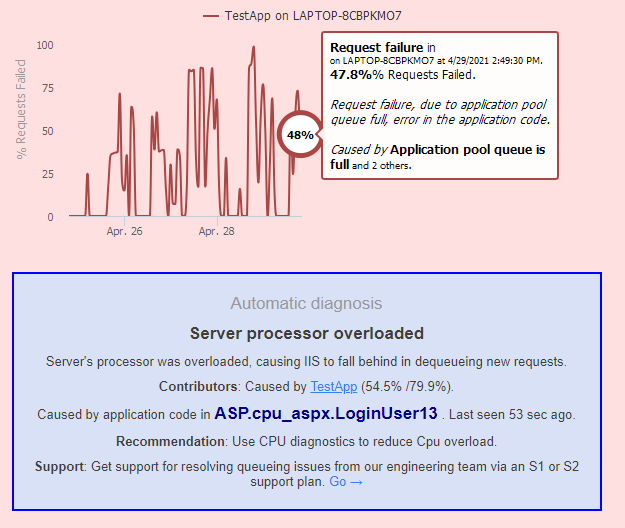
To prevent this, we must consciously decide to "drop" requests when the system is under duress. The cleanest way to do this is to set a hard limit on the request queue size and return a "system busy" message to the client, typically with an HTTP 503 Service Unavailable status code. This allows the client to implement its own retry logic, perhaps with exponential backoff.
2. The "How": Implementing Load Shedding with Queue Limits
Modern LLM serving frameworks provide direct support for this pattern. As an infrastructure engineer, your role is to configure these limits appropriately based on your system's capacity and SLOs.
Let's look at a practical example using Ray Serve, a popular Python-based serving library. The documentation clearly explains how to configure load shedding.
Best practices in production — Ray 2.53.0
This section of the Ray Serve documentation details its built-in mechanism for preventing system instability by shedding load.
As you read, focus on these key points: Start with the section titled "Load shedding." Understand the distinction between max_ongoing_requests (concurrency per replica) and max_queued_requests (the queue depth limit). The max_queued_requests parameter is our primary tool. When this limit is reached, Ray Serve automatically rejects new requests with a 503 status code, implementing the graceful degradation we want. Review the Python code example. It demonstrates how to set these parameters on a @serve.deployment and includes a test script that shows requests being accepted up to the combined limit and then rejected.
The Ray Serve example provides a clear and concise implementation:
@serve.deployment(


    # Each replica can process 2 requests concurrently.
    max_ongoing_requests=2,


    # The proxy will queue up to 2 additional requests.
    max_queued_requests=2,
)
class MyModel:


    # ... model logic ...
In this configuration, the system will handle a maximum of 4 requests at any given moment (2 active, 2 queued). The 5th concurrent request will be immediately rejected with a 503 error, protecting the deployment from being overwhelmed.
3. A Deeper Look: The Queue Management Data Model
While frameworks like Ray Serve make this easy, it's valuable to understand the underlying data structures and logic, especially if you need to build or manage a custom load balancer. Your experience with distributed systems will make these concepts familiar.
Let's examine the core components of a queue management system designed for an LLM load balancer. The following resource provides an excellent reference implementation in Python.
How to Create LLM Load Balancing
This article from OneUptime provides a detailed walkthrough of building an LLM load balancer, including sophisticated queue management. We'll focus on the data models and queue implementation.
Please study the following sections in the article: The ModelReplica Dataclass: Find the Python code block for ModelReplica. Pay close attention to the attributes queued_requests and max_queue_size. Also, note the can_accept_request property, which checks if self.queued_requests < self.max_queue_size. This is the core logic for a single replica. The PriorityQueue Class: Locate the code for the PriorityQueue. In its put method, find the check: if len(self._heap) >= self.max_size:. This is where the queue enforces its maximum size limit. If the queue is full and the call is non-blocking, it returns False, effectively rejecting the request.
This code demonstrates two levels of control:
- Replica Level: Each
ModelReplicaobject tracks its own state, including how many requests are in its local queue (queued_requests) against its limit (max_queue_size). - Global Level: A
QueueManagercan manage a global queue that feeds the replicas. This global queue also has amax_size, providing another layer of protection before a request is even dispatched to a specific model replica.
4. Synthesizing the Request Flow
Let's tie everything together. The following diagram shows a simplified architecture where queue size is a visible metric.

Here is the step-by-step flow when a request arrives at a system configured for load shedding:
- Request Ingress: A client sends an inference request to the API gateway or load balancer.
- Check Queue Depth: The gateway checks the queue status of the target model deployment. This could be a global queue or the queues of individual replicas.
- Decision Point: The system compares the current queue depth (
queued_requests) against the configured threshold (max_queued_requests).- If
queued_requests < max_queued_requests: There is space in the queue. The request is accepted and enqueued for processing. The client waits for the model to generate a response. - If
queued_requests >= max_queued_requests: The queue is full. The system immediately rejects the request.
- If
- Graceful Degradation Response: The gateway returns an
HTTP 503 Service Unavailablestatus code with an optional JSON body like{"error": "System is busy, please try again later."}. - Client Behavior: A well-behaved client will receive the
503error, wait for a short period (ideally using exponential backoff), and then retry the request.
This fail-fast approach is critical for reliability. It contains the impact of a traffic spike, ensures that the requests already in the queue are processed within their latency SLOs, and prevents the entire service from collapsing under excessive load.
Conclusion
Today, we've added another essential reliability pattern to your LLM Ops toolkit. By implementing load shedding based on queue depth, you can build systems that are resilient to traffic spikes and maintain stability under pressure. This is a non-negotiable feature for any production-grade LLM service.
Key Takeaways:
- Unbounded request queues are a major risk to system stability, leading to high latency and potential crashes.
- Load shedding is a graceful degradation technique where you proactively reject requests to prevent overload.
- This is implemented by setting a maximum queue depth (
max_queued_requests) for your model deployments. - When the queue is full, new requests are immediately rejected, typically with an
HTTP 503 Service Unavailableresponse, signaling to the client that the system is busy.
In our previous lesson, we handled degradation by adjusting response quality. In this lesson, we handled it by rejecting requests. In our next session, we'll explore another crucial aspect of reliability: configuring and enforcing request timeout policies. This protects clients from being stuck waiting for a response from a slow or unresponsive service.