Recommended resources
The freely available resources this lesson will direct you to.
- Supabase Database Course - Fetch, Create, Modify, Delete Data (React / Supabase CRUD Tutorial)www.youtube.com
- React Supabase CRUD Tutorial | Supabase Beginner Tutorialwww.youtube.com
- Full Stack Development with Next.js and Supabase – The Complete Guidewww.freecodecamp.org
- Retool Blog | Set up a Basic CRUD App with Firestore and the Node.js SDKretool.com
Welcome back! Last time, you learned how to add new information to your database and read it back, establishing your app's ability to "remember" things. This covers the 'C' (Create) and 'R' (Read) in the common acronym CRUD, which stands for Create, Read, Update, and Delete—the four essential operations for managing data.
In this lesson, we'll complete the set by tackling the 'U' (Update) and 'D' (Delete). You'll learn how your LLM coding assistant generates code to modify existing entries—like editing a to-do item or a user profile—and how to remove them entirely. Mastering these final two pieces gives you full control over your app's data lifecycle, turning it from a simple logbook into a truly dynamic tool that users can interact with.
As before, let's pick the path that matches the database you've been working with.
Path 1: Update and Delete with Firebase (Firestore)
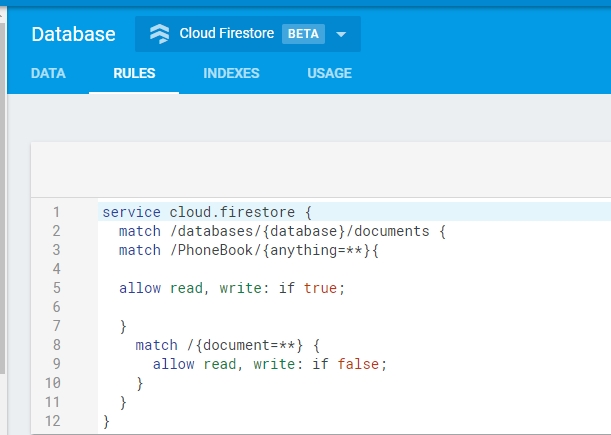
In Firestore, your data is stored in documents. Updating means changing the fields inside a specific document, while deleting means removing the document itself. To do this, your code first needs to know the unique ID of the document you want to change. This is why we made sure to save the ID along with the data in the last lesson.
Updating Records with updateDoc
Imagine a user wants to edit a task they've already created. Your app will show them the current task, they'll make their changes, and hit "Save". The code behind that "Save" button needs to perform an update.
Firestore provides two main ways to do this, and your AI assistant might use either, so it's important to know the difference. The Retool blog has an excellent, concise explanation.
Retool Blog | Set up a Basic CRUD App with Firestore and the Node.js SDK
This blog post clearly explains the two methods for updating data in Firestore. Although the syntax might look slightly different from the modern Firebase SDK your LLM uses, the concepts are identical.
Please read the section titled Updating data. Pay close attention to the distinction between set() and update().
Let's break this down for the modern code you're likely to see:
updateDoc(): This is the most common and safest method. It changes only the fields you specify and leaves all other fields in the document untouched. This is perfect for when you just want to change a user's name but not their email, for example.setDoc()with{ merge: true }: ThesetDoc()function is typically used for overwriting an entire document. However, by adding the{ merge: true }option, you tell it to behave likeupdateDoc()—it will only change the specified fields. Your LLM might use this if it's creating code that needs to either create a new document or update an existing one with the same logic.
Here's what the code for updateDoc looks like. Notice how we first need to pinpoint the exact document we want to change using doc().
import { doc, updateDoc } from "firebase/firestore";

// First, get a reference to the document you want to update
const todoRef = doc(db, "todos", "theDocumentIDGoesHere");

// Now, update it with the new data
await updateDoc(todoRef, {
  task: "My newly updated task text",
  isCompleted: true
});
doc(db, "todos", "theDocumentIDGoesHere"): This creates a reference to a specific document inside thetodoscollection.updateDoc(todoRef, { ... }): This function takes the reference and an object with the fields you want to change. Any fields not in this object are left alone.
Deleting Records with deleteDoc
Deleting is more straightforward. Once a user clicks a "Delete" button, your app just needs to tell Firebase which document to remove.
Retool Blog | Set up a Basic CRUD App with Firestore and the Node.js SDK
The same article also provides a clear guide on deletion.
Now, read the section titled Deleting data.
Just like with updating, the first step is to get a reference to the specific document you want to delete.
import { doc, deleteDoc } from "firebase/firestore";

// Get a reference to the document
const todoRef = doc(db, "todos", "theDocumentIDGoesHere");

// Call deleteDoc on that reference
await deleteDoc(todoRef);
It's that simple. Once this command runs, the document is permanently removed from your Firestore collection. A key insight from the article is that deleting a document does not delete any subcollections it might contain. This is an advanced case, but it's a good "why" to keep in mind if you ever build more complex data structures.
Path 2: Update and Delete with Supabase
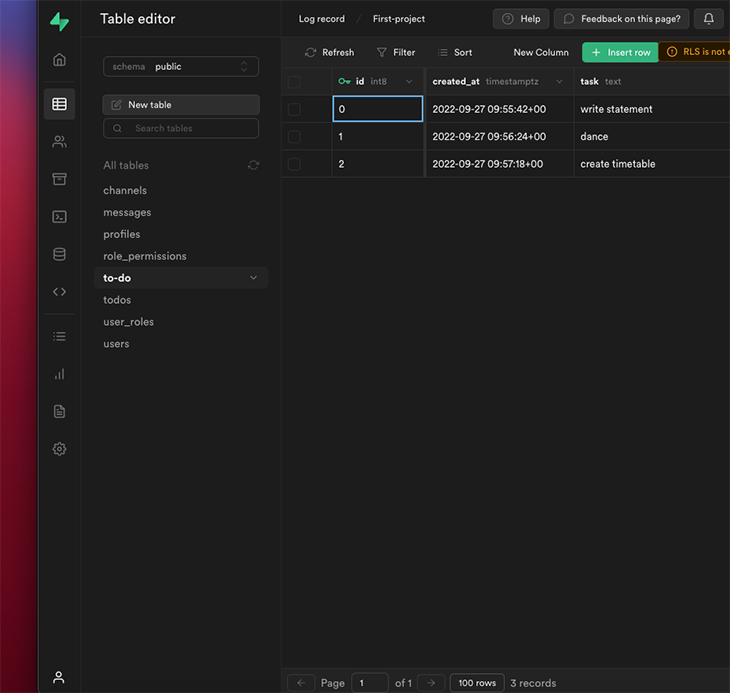
In Supabase, you work with tables. Updating means changing the values in the columns of a specific row, and deleting means removing that row from the table. The key to both operations is telling Supabase which row you want to affect.
Updating Records with update and eq
Let's say a user clicks an "Edit" button next to a to-do item. Your app presents a form, they change the text, and click "Save". The code for this action involves chaining two methods: .update() and .eq().
The following video tutorial walks through building exactly this functionality.
Supabase Database Course - Fetch, Create, Modify, Delete Data (React / Supabase CRUD Tutorial)
This tutorial from Cooper Codes provides a fantastic visual guide to implementing update and delete logic in a React app with Supabase.
Watch the segment from this timestamp where the updateProduct function is built. Focus on how .update() and .eq() are used together.
The pattern you see in the video is the cornerstone of all update operations in Supabase:
const { data, error } = await supabase
  .from("todos") // 1. Select the table
  .update({ task: "My updated task", isCompleted: true }) // 2. Provide the new data
  .eq("id", "theRowIdGoesHere"); // 3. Specify WHICH row to update
Let's break this down, because the order is important:
.from("todos"): You start by telling Supabase which table you want to work with..update({ ... }): You provide an object containing the columns you want to change and their new values..eq("id", "theRowIdGoesHere"): This is the most critical part.eqstands for "equals". This line translates to "where theidcolumn is equal to the ID of the row we want to change." Without this.eq()filter, you would update every single row in the table! This is a huge "why" and explains the structure of the code your LLM will generate.
Deleting Records with delete and eq
Deleting a row follows the exact same filtering logic. You use the .delete() method and then specify which row to target using .eq().
Supabase Database Course - Fetch, Create, Modify, Delete Data (React / Supabase CRUD Tutorial)
Now let's watch the deletion part from the same video.
Watch from this timestamp to see how the deleteProduct function is created. Notice the similarity to the update function's structure.
The code for deletion is beautifully simple and mirrors the update logic:
const { data, error } = await supabase
  .from("todos") // 1. Select the table
  .delete() // 2. State the action
  .eq("id", "theRowIdGoesHere"); // 3. Specify WHICH row to delete
Just like with updates, the .eq() filter is essential to ensure you are only deleting the intended row. This select-action-filter pattern is fundamental to how you'll interact with Supabase for any kind of data modification.
Conclusion
You've now completed the full tour of CRUD operations! You have the conceptual toolkit to understand how your app can create, read, update, and delete data, which are the building blocks of almost any interactive application.
Key Takeaways:
- CRUD is Complete: You now understand the four fundamental database operations: Create, Read, Update, and Delete.
- Targeting is Key: For both updating and deleting, the most important step is to specify which record you want to modify.
- In Firebase, this is done by creating a
doc()reference using the document's unique ID. The functions areupdateDoc()anddeleteDoc(). - In Supabase, this is done by chaining the
.eq()filter to your command (e.g.,.eq('id', rowId)). The methods are.update()and.delete().
- In Firebase, this is done by creating a
- Safety First: Understanding the difference between
updateDocandsetDocin Firebase, and the necessity of.eq()in Supabase, helps you understand why LLM-generated code is structured the way it is—to prevent accidental data loss.
With data storage and manipulation now under your belt, the next logical step is to manage the users who create and own this data. In the next lesson, we will dive into User Authentication, exploring how to add sign-up, login, and logout functionality to your application.