Recommended resources
The freely available resources this lesson will direct you to.
Hello! The last lesson gave the directory a responsive shell. Its AppShell already uses composition: it owns the header and navigation, while the page supplies whatever belongs in main as children. This lesson applies the same idea at a smaller scale.
In about 40 minutes, you’ll create a reusable panel for page layout and a reusable message for empty results. The aim is not to make every component infinitely configurable. It is to let a page choose its content and actions without adding a new boolean prop for every variation.
Let the page supply the variation
Imagine a panel used in two places. One contains search controls; another contains results. A rigid Panel might gradually acquire props such as showSearch, showCount, showClearButton, and isEmpty. That makes the panel responsible for decisions that belong to its pages.
With composition, the panel provides the consistent surface and spacing, while the page supplies its contents. React calls nested JSX the children prop.
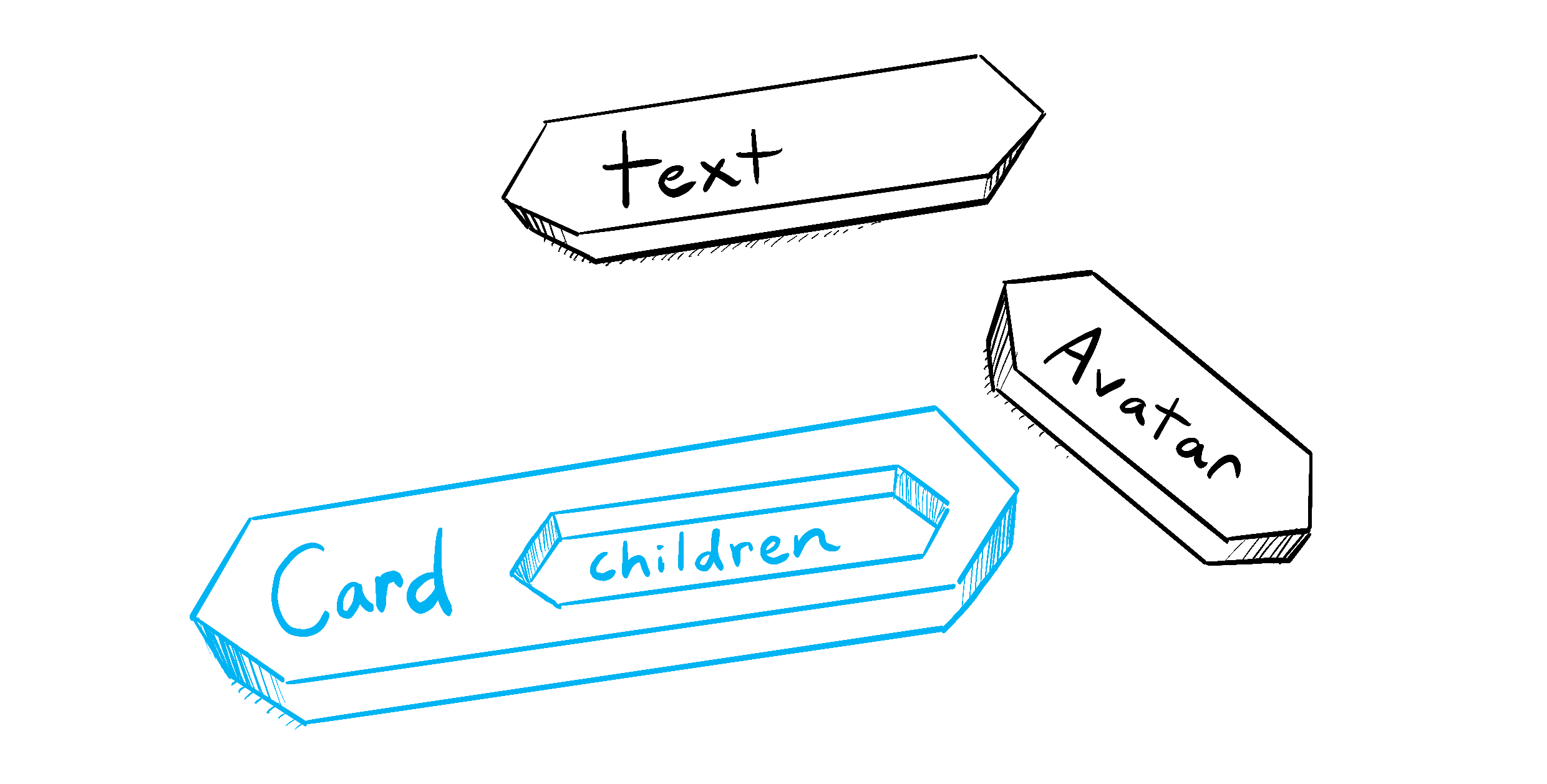
Read the relevant portion of React’s Passing Props to a Component. It contrasts forwarding an expanding set of props with giving a wrapper a place for JSX.
Read React’s explanation of why children is useful for flexible wrappers, and its caution about routinely forwarding every prop.
Start in “Forwarding props with the JSX spread syntax” at the paragraph beginning “Sometimes, passing props gets very repetitive.” Read the comparison through the end of “Passing JSX as children,” stopping before “How props change over time.” Focus on who decides what appears inside Card and who decides how the outer card is rendered.
For a concrete example of the alternative, watch selected parts of Cosden Solutions’ Compound Components in React (Design Patterns). The video eventually builds a more elaborate, context-based system; you do not need React Context for the components in this lesson.
Compound Components in React (Design Patterns)
Cosden Solutions shows how screen-specific boolean props can make a reusable component difficult to maintain, then explains when a more elaborate composition pattern is worth its cost.
Watch growing flags for the problem of adding a flag for each new view. Then skip to when to compose for the warning against applying an elaborate pattern everywhere. Our simpler children approach is sufficient when nested parts do not need to share hidden state.
The decision rule is practical: keep a prop when it describes a stable responsibility of the component, such as a panel heading. Let the caller supply JSX when the variation is open-ended, such as a toolbar, results list, or action button.
Build a reusable layout piece
Place the following in src/shared/ui/Panel.tsx, adapting the shared-layer path if your project uses a different folder structure.
import type { ReactNode } from 'react'
import Box from '@mui/material/Box'
import Paper from '@mui/material/Paper'
import Stack from '@mui/material/Stack'
import Typography from '@mui/material/Typography'

type PanelProps = {
  children: ReactNode
}

export function Panel({ children }: PanelProps) {
  return (
    <Paper variant="outlined" sx={{ p: { xs: 2, md: 3 } }}>
      <Stack spacing={2}>{children}</Stack>
    </Paper>
  )
}

type PanelHeaderProps = {
  title: string
  action?: ReactNode
}

export function PanelHeader({ title, action }: PanelHeaderProps) {
  return (
    <Stack
      direction={{ xs: 'column', sm: 'row' }}
      spacing={1}
      alignItems={{ xs: 'flex-start', sm: 'center' }}
      justifyContent="space-between"
    >
      <Typography component="h2" variant="h6">
        {title}
      </Typography>
      {action != null && <Box sx={{ flexShrink: 0 }}>{action}</Box>}
    </Stack>
  )
}
Panel owns a Material UI surface and responsive padding. It knows nothing about users, search, or results. PanelHeader owns a recurring arrangement: a section heading and, when supplied, an element beside it. Its action is a JSX slot, not a set of instructions such as showButton, buttonLabel, and buttonKind. The page can put an appropriate button, a count, or nothing there.
These are two ordinary components, not a context-based compound-component system. They can be used together without requiring one to inspect or control the other. Keep the page’s existing h1 outside the panel; PanelHeader supplies an h2 for a section within that page.
Notice the boundary with the previous lesson. AppShell belongs in app because it frames the whole application. Panel belongs in shared/ui because it can frame content on multiple pages. Neither imports the directory page.
Build a feedback piece with a deliberate slot
Empty feedback has a similarly stable shape: a short title, an explanation, and sometimes an action. Put this in src/shared/ui/EmptyState.tsx:
import type { ReactNode } from 'react'
import Box from '@mui/material/Box'
import Stack from '@mui/material/Stack'
import Typography from '@mui/material/Typography'

type EmptyStateProps = {
  title: string
  children: ReactNode
  action?: ReactNode
}

export function EmptyState({
  title,
  children,
  action,
}: EmptyStateProps) {
  return (
    <Box sx={{ px: 2, py: 4, textAlign: 'center' }}>
      <Stack spacing={2} alignItems="center">
        <Typography component="p" variant="subtitle1" fontWeight={600}>
          {title}
        </Typography>
        <Typography component="div" color="text.secondary">
          {children}
        </Typography>
        {action}
      </Stack>
    </Box>
  )
}
Here, children holds the explanation, which might later include a link or more than one sentence. The optional action has a distinct position beneath it. These few props describe the component’s layout; they do not ask it to infer what kind of empty result occurred.
The name matters. No records exist and records exist but a search matches none can both use EmptyState, with different messages and actions. A failed request is not an empty result, however. Do not add isError and isLoading flags to this component to make it represent every possible outcome. Those states call for different meaning and, eventually, different behavior.
Compose them in the directory
The page should continue to own its search state, its records, and the decision about which view to show. The following page-layer component demonstrates how it can hand content to the shared pieces. Put it beside your directory page if a separate results component fits your current structure; otherwise, use the same composition directly in the page.
import type { ReactNode } from 'react'
import Button from '@mui/material/Button'
import Typography from '@mui/material/Typography'
import { EmptyState } from '../../shared/ui/EmptyState'
import { Panel, PanelHeader } from '../../shared/ui/Panel'

type DirectoryResultsProps = {
  totalCount: number
  matchingCount: number
  onClearSearch: () => void
  children: ReactNode
}

export function DirectoryResults({
  totalCount,
  matchingCount,
  onClearSearch,
  children,
}: DirectoryResultsProps) {
  return (
    <Panel>
      <PanelHeader
        title="Results"
        action={
          <Typography variant="body2" color="text.secondary">
            {matchingCount} shown
          </Typography>
        }
      />

      {totalCount === 0 ? (
        <EmptyState title="No users yet">
          Users will appear here when records are available.
        </EmptyState>
      ) : matchingCount === 0 ? (
        <EmptyState
          title="No matching users"
          action={
            <Button type="button" onClick={onClearSearch}>
              Clear search
            </Button>
          }
        >
          Try a different name or email.
        </EmptyState>
      ) : (
        children
      )}
    </Panel>
  )
}
Here totalCount means the number of records before the directory’s text search, and matchingCount means the number after it. This example assumes text search is the reason an existing collection has no matches. If your page has other filters, its clear action and message must reflect those filters instead.
The component does not need a results prop with knowledge of the directory’s row type. The page supplies its existing results UI as children and connects onClearSearch to its existing search handler. Keep any loading or error handling outside this results component: a count of zero is meaningful only once records are available. You do not need to rebuild the directory or introduce the user model planned for the next module.
Compare the two feedback cases. The “no users yet” message has no button because clearing search cannot create records. “No matching users” offers a useful action. Both share visual structure without making EmptyState choose an action through a flag.
As you integrate the pieces, check that:
- The directory still has its existing single page
h1, followed by the panel’sh2. - Search and selection behave as before; the new wrapper has not taken ownership of their state.
- Clear search calls the real handler and removes the no-match view.
- No-record and no-match messages appear under the correct conditions.
npm run typecheckandnpm run buildstill pass.
If your existing results are a table, supply the table as children for the populated case rather than placing the empty message inside a table cell merely to preserve its old wrapper.
What to carry forward
Composition lets a reusable component own a stable structure while its caller chooses the variable content. Panel accepts arbitrary content; PanelHeader and EmptyState use small JSX slots where placement is stable. None needs a collection of screen-specific switches.
You now have shared layout and feedback pieces that the directory can use without moving directory logic into shared/ui. In the next module, you’ll define typed user records and representative fixture data; those will give the results panel concrete records to display.