Recommended resources
The freely available resources this lesson will direct you to.
Introduction
Welcome to our first lesson in the "Observability and Debugging" module. In our previous lesson, we implemented the circuit breaker pattern, a crucial tool for ensuring system resilience. We saw that components like circuit breakers emit important events about the health of your system's dependencies. This raises a critical question: how do we effectively capture, store, and analyze these signals, along with the internal workings of our agents? The answer is foundational to building any production-grade system: structured logging.
This lesson will move beyond simple console.log statements to implement a robust, structured logging system for your agentic infrastructure. We'll define what structured logging is and why it's indispensable for debugging the complex, non-deterministic behavior of AI agents. Our goal is to systematically log key events in an agent's lifecycle—including its decisions, the tools it calls, and the prompts it resolves—in a format that is machine-readable and ready for analysis. This will lay the essential groundwork for our next lesson on tracing requests across your entire system.
The Why and What of Structured Logging
In a simple application, printing plain text messages to the console might be sufficient for debugging. However, in a complex, distributed system like our agentic infrastructure, this approach quickly becomes unmanageable. When a request fails, you might have to sift through thousands of interleaved log lines from multiple agents and services, making it nearly impossible to reconstruct the sequence of events.
Structured logging solves this by enforcing a consistent, machine-readable format for every log entry, typically JSON. Instead of a simple string, a log entry becomes a rich object with key-value pairs.
An unstructured log might look like this:Tool 'getWeather' called for San Francisco. Execution took 150ms.
A structured log captures the same information with far more utility:
{
  "level": "info",
  "message": "Tool execution finished",
  "timestamp": "2023-10-27T10:00:00.150Z",
  "service": "agent-worker",
  "tool_name": "getWeather",
  "tool_input": { "location": "San Francisco" },
  "duration_ms": 150,
  "status": "success"
}
This format is not just for humans; it's designed to be queried, filtered, and aggregated by logging platforms (like Datadog, Grafana Loki, or SigNoz). For an agent, you can now easily answer questions like:
- "Show me all failed tool calls for
tenant-abc." - "What was the average execution time for the
sentiment-analysistool yesterday?" - "Reconstruct the full chain of tool calls and LLM responses for the request with
correlationId-xyz-123."
Implementing Structured Logging with OpenTelemetry and Winston
To implement structured logging in our Node.js application, we'll adopt OpenTelemetry (OTel). OTel is the industry standard for instrumenting applications to generate telemetry data (traces, metrics, and logs). While we'll delve deeper into tracing in the next lesson, OTel's logging integration is our starting point. It provides the mechanism to automatically inject crucial context, like trace and span IDs, into our logs.
We will pair OTel with a mature logging library like Winston, which is highly configurable and allows us to define transports (where logs go, e.g., console, file, or an external service) and formats (e.g., JSON).
The following video provides an excellent walkthrough of setting up the OpenTelemetry SDK in Node.js and integrating it with Winston for structured logging.
OpenTelemetry in Node.js - Traces, Metrics and Logs
This tutorial from the Better Stack channel demonstrates the core setup for OpenTelemetry in a Node.js application. It covers traces, metrics, and—most importantly for us—logs.
Please watch the following segments carefully: Initial Setup (Installing and configuring the SDK): Focus on the packages being installed and how the NodeSDK is initialized. Note the use of ConsoleSpanExporter and ConsoleMetricExporter for initial debugging. Auto-Instrumentation (Auto-instrumentation): This explains the power of OTel's auto-instrumentation, which automatically captures telemetry from common libraries like Express and HTTP. Defining a Resource (Resource configuration): Pay attention to how a Resource is created with a service.name. This is vital for tagging all your telemetry data so you know which service it came from. Logging with Winston (Winston integration): This is the most critical part for our current goal. Observe how Winston is installed and configured, and how the OTel auto-instrumentation for logging automatically injects context into the Winston log records without much manual setup. Switching to Production Exporters (OTLP exporters): Finally, see how the console exporters are swapped for Otlp...Exporter. This is how you would send your telemetry data to an OTel Collector or a compatible observability backend in a production environment.
Logging Agentic Events in the Vercel AI SDK
Now that we have a logging framework, our next task is to identify the "what" and "when" to log within our agent's lifecycle. The Vercel AI SDK, given your experience with it, provides a set of powerful callbacks and middleware hooks that are perfect for this purpose.
We will focus on three key areas:
- Prompt Resolution: Logging the exact prompts sent to the LLM.
- Tool Calls: Logging the start, end, inputs, outputs, and duration of every tool execution.
- Agent Decisions: Logging the final output of the agent, whether it's text or a tool result.
The AI SDK documentation on Tool Calling and Middleware offers precisely the hooks we need.
This document covers how to work with tools in the AI SDK. We're interested in the lifecycle callbacks that give us visibility into the process.
Please review the following two sections: onStepFinish callback: This callback is triggered after each step of a multi-step generation. It's a great place to log the summary of a step, including any tool calls made and results received. Tool execution lifecycle callbacks: The experimental_onToolCallStart and experimental_onToolCallFinish callbacks are perfect for our goal. They provide granular details about each tool call, including its timing, inputs, and outputs, which are essential for structured logging.
While tool call hooks are excellent, what about logging the prompts themselves? For this, the AI SDK offers a middleware pattern.
Language Model Middleware - AI SDK Core
This document introduces a powerful, advanced feature for intercepting and augmenting LLM calls.
Please read the following sections to understand how to build a logging middleware: Start with the introduction to understand the concept. Review the section on implementing middleware to see the available wrapGenerate and wrapStream functions. Study the logging example closely. It provides a complete implementation for a middleware that logs the parameters (params) sent to the model and the generated text. This directly addresses our need to log prompt resolution. Finally, look at the section on custom metadata. This demonstrates how to use providerOptions to pass contextual information, like a userId or requestId, into your middleware. This is the key to correlating logs for a single request, which we will use in the next lesson.
Putting It All Together: A Practical Example
Let's combine these concepts into a cohesive example. First, ensure you have the necessary packages installed:
npm install winston @opentelemetry/sdk-node @opentelemetry/auto-instrumentations-node
Next, create your logging setup (e.g., in a logger.ts file), integrating Winston:
import winston from 'winston';

// Basic Winston logger configuration
export const logger = winston.createLogger({
  level: 'info',
  format: winston.format.json(), // Log in JSON format
  transports: [
    // In production, you'd replace this with a transport that sends
    // logs to your observability platform. The OTel SDK handles this
    // when properly configured with an OTLP exporter.
    new winston.transports.Console(),
  ],
});
Now, let's implement the AI SDK middleware for logging prompts and use the tool call callbacks in your agent logic.
import { generateText, tool, wrapLanguageModel } from 'ai';
import { z } from 'zod';
import { logger } from './logger'; // Your Winston logger
import { yourLogMiddleware } from './logging-middleware'; // From the AI SDK docs example

// Assume 'model' is your configured language model instance, e.g., from createAnthropic()

// 1. Wrap the model with our logging middleware
const loggedModel = wrapLanguageModel({
  model,
  middleware: yourLogMiddleware,
});

async function runAgentWithLogging(userInput: string, requestId: string) {
  const { text, steps } = await generateText({
    model: loggedModel,
    prompt: userInput,
    tools: {
      getWeather: tool({
        description: 'Get the weather for a location',
        inputSchema: z.object({ location: z.string() }),
        execute: async ({ location }) => ({ temperature: Math.random() * 30 }),
      }),
    },
    // 2. Use providerOptions to pass the requestId to the middleware
    providerOptions: {
      yourLogMiddleware: { requestId },
    },
    // 3. Use tool execution callbacks for granular logging
    experimental_onToolCallStart({ toolName, toolCallId, input }) {
      logger.info('Tool call starting', {
        requestId,
        toolCallId,
        toolName,
        input,
      });
    },
    experimental_onToolCallFinish({ toolName, toolCallId, output, durationMs, error }) {
      if (error) {
        logger.error('Tool call failed', {
          requestId,
          toolCallId,
          toolName,
          durationMs,
          error: error.message,
        });
      } else {
        logger.info('Tool call finished', {
          requestId,
          toolCallId,
          toolName,
          durationMs,
          output,
        });
      }
    },
  });

  // Log the final result
  logger.info('Final agent response generated', {
    requestId,
    text,
    steps: steps.map(s => ({ type: s.type, content: s.content })),
  });
}

// Example call
runAgentWithLogging("What's the weather in London?", "req-abc-123");
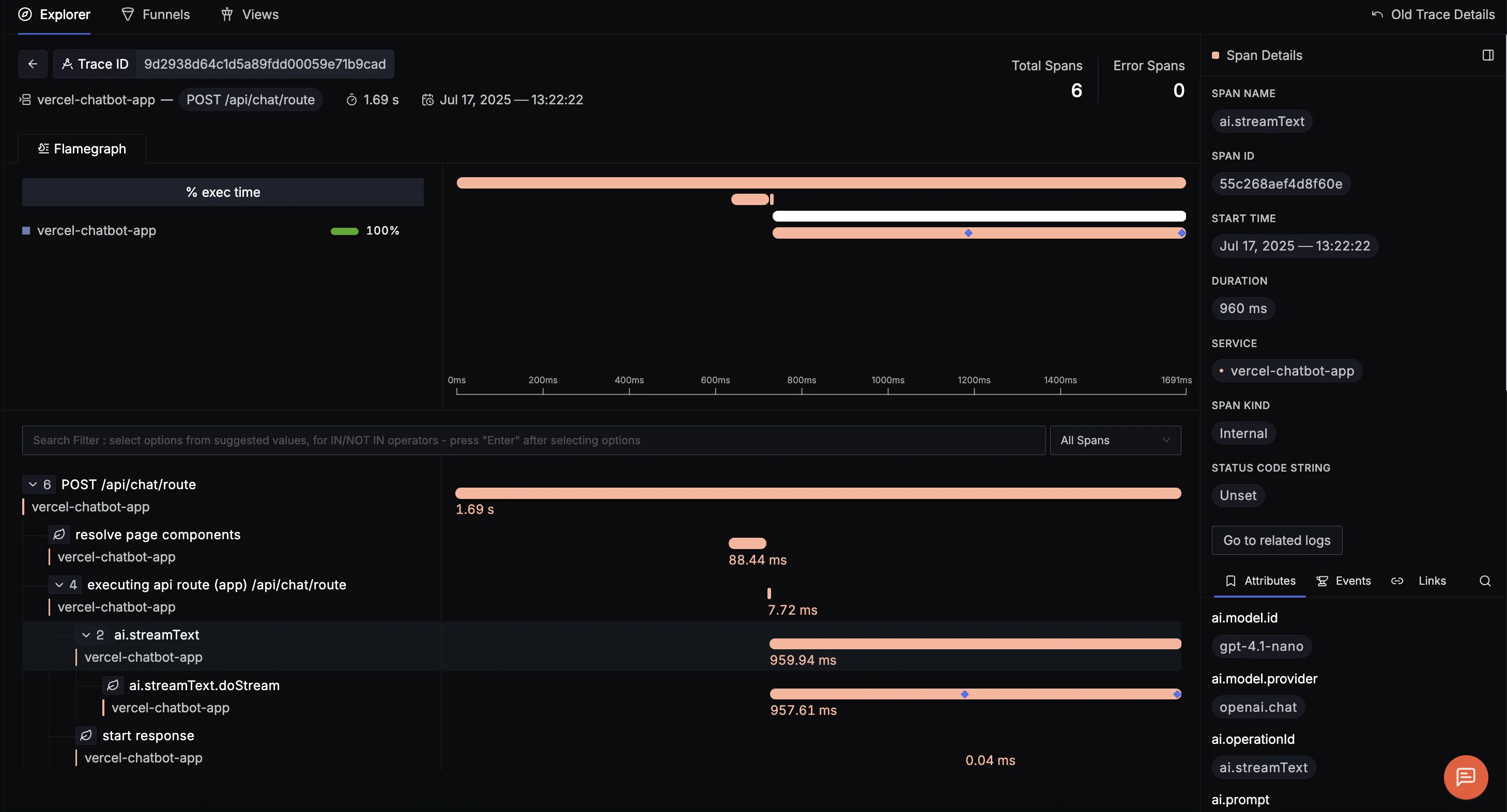
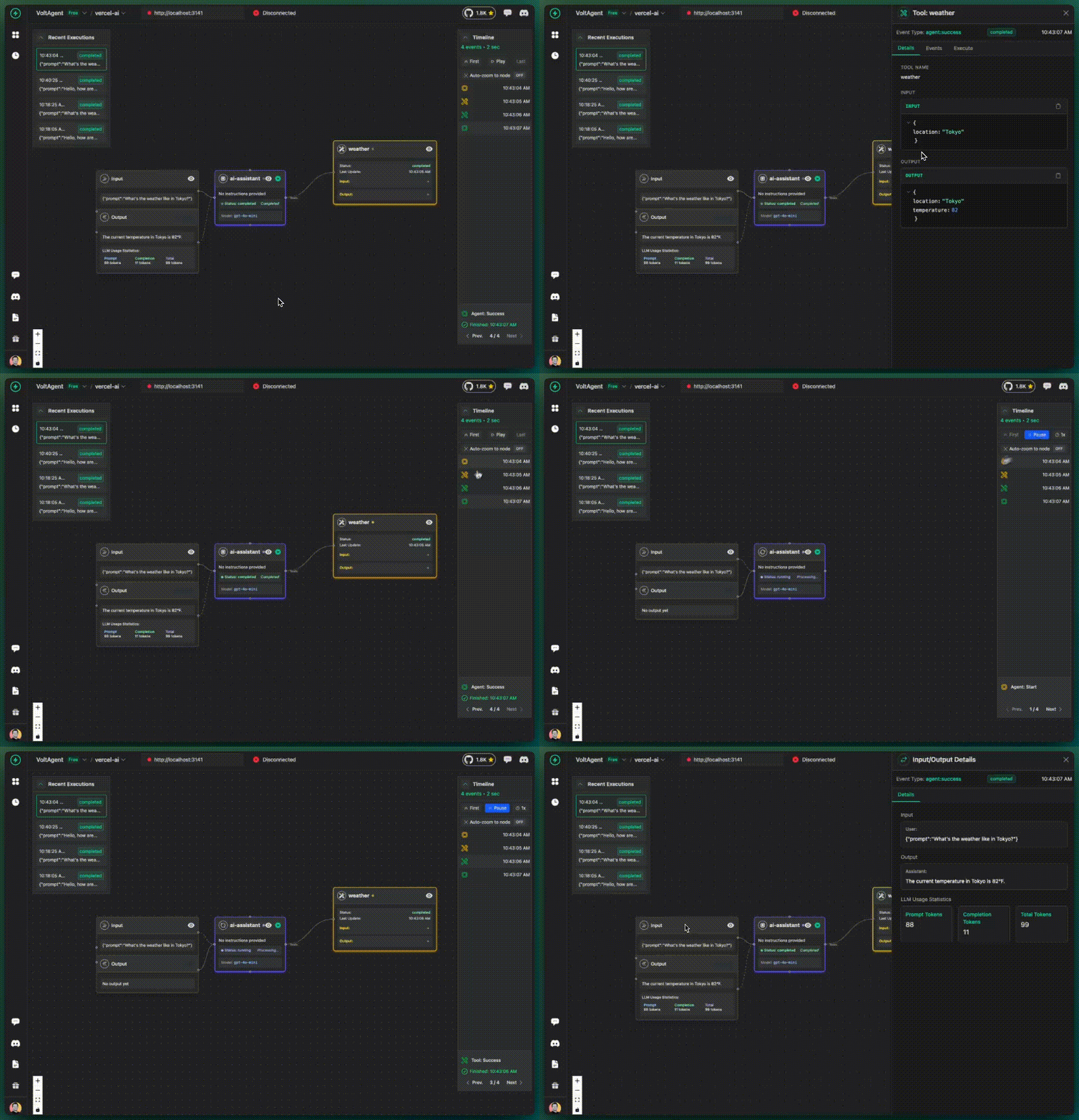
When you run this, your console will show a series of JSON objects, each representing a key event in the agent's execution, all tied together by the requestId. This structured data is exactly what observability platforms are built to ingest. Visualizing this data allows you to see the entire flow of an agent's "thought process."
Conclusion
In this lesson, we have laid the cornerstone of observability for our agentic system. By transitioning from simple print statements to a formal, structured logging strategy using OpenTelemetry and Winston, we've enabled deep, analytical insight into our agents' behavior.
Key Takeaways:
- Structured Logging (JSON) is non-negotiable for production-grade systems, enabling powerful querying, filtering, and analysis.
- OpenTelemetry provides the industry-standard framework for instrumenting applications, and its SDKs can automatically enrich logs with vital context.
- The Vercel AI SDK offers first-class support for observability through its
middlewaresystem andexperimental_onToolCall...lifecycle callbacks. - By combining these tools, we can capture a detailed record of an agent's lifecycle, including prompt resolution, tool execution details, and final decisions.
The requestId we manually passed is a simple form of a correlation ID. In our next lesson, "Trace a request across multiple agents in the hierarchy using correlation IDs," we will formalize this concept using the full power of OpenTelemetry Tracing. We'll see how the traceId and spanId automatically injected by OTel allow us to link these logs together into a single, cohesive trace, even as a request jumps across different agents, services, and processes.