Recommended resources
The freely available resources this lesson will direct you to.
- Authentication Explained: When to Use Basic, Bearer, OAuth2, JWT & SSOwww.youtube.com
- An Illustrated Guide to OAuth and OpenID Connectwww.youtube.com
- What Is Authentication: Types, Best Practices & Use Caseswww.descope.com
- What Is User Authentication? How Login Systems Actually Work | MindStudiowww.mindstudio.ai
Hello! In our previous lessons, we successfully built the complete functionality for your app to create, read, update, and delete data. This is a huge milestone, as you now understand the four fundamental operations (CRUD) for managing information. However, right now, anyone who visits your app can see and change all the data. That's not ideal for most applications.
This brings us to the next essential layer: managing the people who use your app. In this lesson, we'll dive into the world of user authentication. You'll learn why nearly every app you use has a sign-up and login screen, and we'll demystify what's happening behind the scenes when you create an account or sign in. This is the first step in building personalized experiences and securing user-specific data.
The Big Picture: Why Do Apps Need Authentication?
So far, the data in your app is public. If you build a to-do list, everyone sees the same list. If you build a notes app, everyone shares the same notes. To make an app useful on a personal level, you need a way to associate data with a specific person.
This is the core problem authentication solves: it allows your app to answer the question, "Who am I talking to?"
By knowing who the user is, your app can:
- Save data that only they can see (like their own to-do items or profile information).
- Create a personalized experience.
- Secure certain actions or information (for example, only an "admin" user can delete things).
Let's start by looking at a typical flow for user authentication. As a designer, you've likely created many such flows. This diagram shows the logic that the code needs to implement.

Throughout this lesson, we'll unpack the key steps in this diagram, explaining the "why" behind each one.
Authentication vs. Authorization: A Crucial Distinction
Before we go further, it's vital to clarify two terms that are often confused: authentication and authorization. Understanding the difference is key to designing clear user experiences.
What Is Authentication: Types, Best Practices & Use Cases
This article from Descope uses a great analogy to explain the difference.
Read the section titled Authentication vs. authorization. The hotel keycard example makes the distinction very clear.
To summarize:
- Authentication is about identity. It asks, "Are you who you say you are?" This is the login process.
- Authorization is about permissions. It asks, "Are you allowed to do this?" This happens after you've logged in.
For example, authentication is you using your keycard to get into the hotel. Authorization is whether that same keycard grants you access to the gym or the penthouse suite. In our flowchart, the "Check Role" step is an example of authorization. Today, we're focusing on authentication—the process of getting the keycard in the first place.
The Anatomy of Sign-Up and Login
When your LLM coding assistant generates code for a login system, it's handling some incredibly important security tasks for you. Let's break down what happens when a user signs up with an email and password.
Sign-Up: The Secret of Hashing
When a user creates an account, you might think the app just stores their email and password in the database. This should never happen. Storing passwords in plain text is a massive security risk. If the database were ever leaked, every user's password would be exposed.
Instead, modern systems store a hash of the password. A hash is the result of a one-way function; you can't reverse it to get the original password back.
What Is User Authentication? How Login Systems Actually Work | MindStudio
This article from MindStudio gives a fantastic, plain-English explanation of how password security works.
Please read the section starting from The login check in practice. Pay close attention to the concepts of hashing and salting.
The key takeaways from this reading are:
- Hashing: The app doesn't store your password. It stores a unique, irreversible string derived from your password.
- Salting: To prevent attackers from using pre-computed hash tables (called "rainbow tables"), the app adds a unique, random string (a "salt") to your password before hashing it. This ensures that even if two users have the same password, their stored hashes will be completely different.
- One of the biggest "whys": Using a service like Firebase or Supabase is so powerful because they manage all this complex and critical hashing and salting logic for you, right out of the box.
Login: The Hash-Matching Game
Now, when a user tries to log in, the app doesn't compare passwords. It plays a hash-matching game:
- The user enters their email and password.
- The app looks up the user by their email in the database to find their stored salt and hash.
- It takes the password the user just typed, adds the stored salt to it, and runs it through the same hashing function.
- Finally, it compares the newly generated hash with the hash stored in the database.
- If they match, access is granted!
The app never sees or compares the plain-text password after the initial sign-up.
Staying Logged In: Sessions and Tokens
You've logged in successfully. But when you navigate to another page, how does the app remember who you are? The underlying protocol of the web (HTTP) is "stateless," meaning each request is independent and has no memory of previous ones.
To solve this, apps use one of two primary methods to "remember" you.
-
Session-Based Authentication (The Hotel Keycard): In this older approach, after you log in, the server creates a "session" record (e.g., "Session #123 belongs to Jane Doe"). It then gives your browser a cookie containing just the session ID ("123"). Your browser sends this cookie with every subsequent request, like showing a keycard at different doors in a hotel. The server looks up the ID to see who you are.
-
Token-Based Authentication (The Digital Passport): This is the modern approach used by services like Firebase and Supabase. After you log in, the server gives your browser a self-contained token (specifically, a JSON Web Token or JWT). This token is like a digitally signed passport. It contains information like your user ID and an expiration date. Your browser sends this token with every request. The server can verify the token's digital signature to trust the information inside it without having to look anything up.
This short video explains these modern concepts clearly.
Authentication Explained: When to Use Basic, Bearer, OAuth2, JWT & SSO
This video from Hayk Simonyan provides a quick, animated overview of the key technologies used in modern authentication.
Watch these key segments: First, watch the explanation of Bearer Tokens, which is the general name for the token-based approach. Next, see how this applies to OAuth2 and JWTs. A JWT is the most common type of bearer token. Finally, pay close attention to the concept of Access and Refresh Tokens. This is a brilliant piece of UX engineering.
The concept of access and refresh tokens is a crucial "why" for a good user experience.
- The access token is short-lived (e.g., 15 minutes). This is what you use to access data. Because it expires quickly, it's more secure if it ever gets stolen.
- The refresh token is long-lived (e.g., weeks or months). Its only job is to get a new access token when the old one expires. It's stored more securely.
This system provides a great balance: your app stays secure with short-lived access tokens, but the user stays logged in for a long time thanks to the refresh token working silently in the background.
Bringing It Back to Vibe Coding
So, we've discussed hashing, salting, sessions, and tokens. It sounds complicated, but the beauty of using a Backend-as-a-Service (BaaS) platform like Supabase or Firebase is that it handles almost all of this for you.
When you ask your LLM to "add user sign-up," it will likely generate a very simple piece of code, like the one shown here for Supabase.
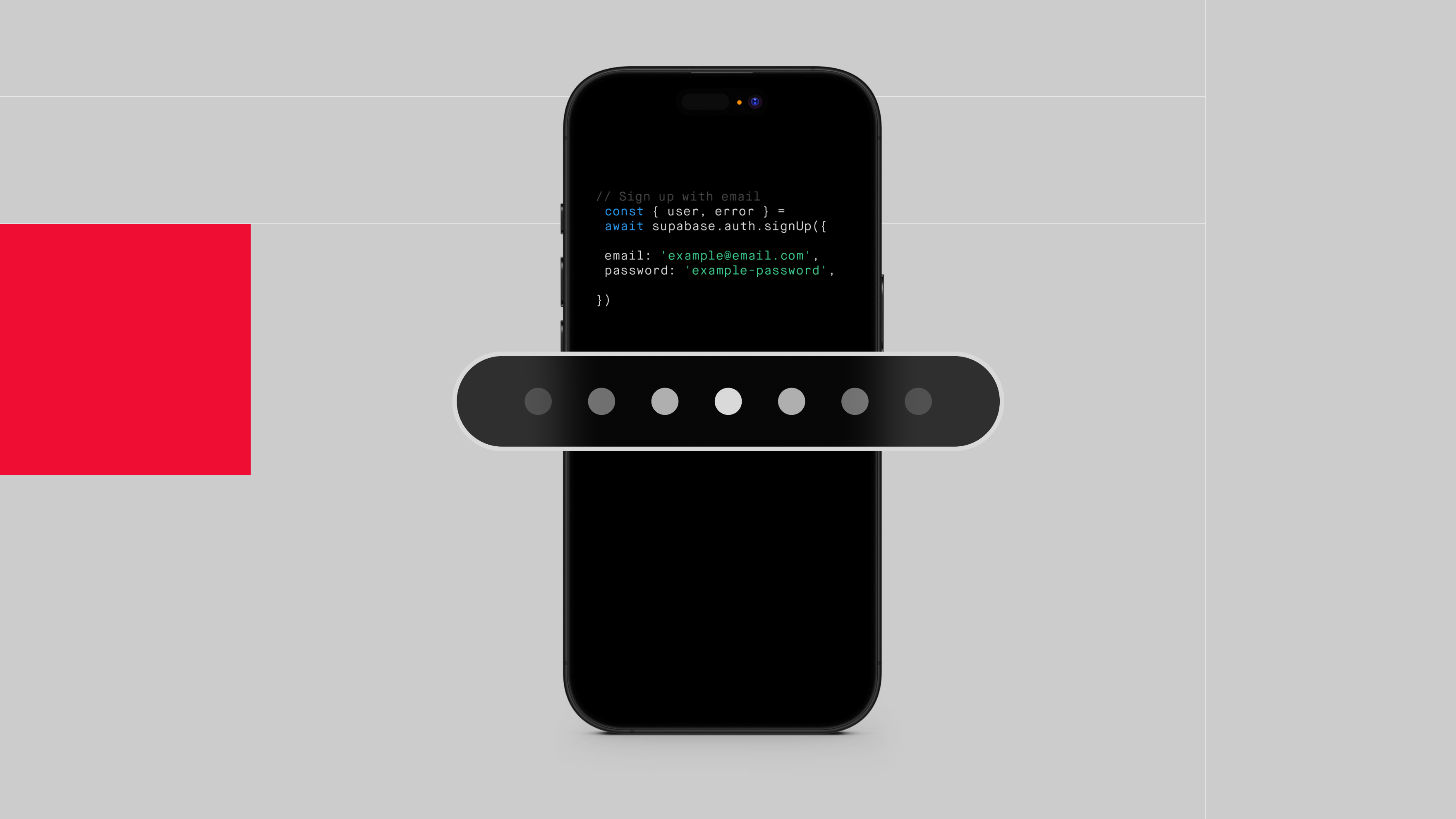
A single command like supabase.auth.signUp() triggers the entire flow:
- It takes the user's email and password.
- It generates a salt.
- It securely hashes the password with the salt.
- It creates a new user record in the database with the email and the hashed password.
- It sends back the session information (access and refresh tokens) to your app.
Your one line of code sets off a cascade of secure, well-established procedures, letting you focus on the design and user experience of your app.
Conclusion
You now have a solid conceptual map of what user authentication is and why it's a cornerstone of modern applications.
Key Takeaways:
- Authentication verifies identity ("Who are you?"), while authorization determines permissions ("What can you do?").
- Apps never store plain-text passwords. They store a secure, one-way hash of the password combined with a unique salt.
- To keep a user logged in, apps use either server-side sessions or self-contained tokens (JWTs).
- Modern systems use short-lived access tokens for security and long-lived refresh tokens for a seamless user experience.
- Services like Firebase and Supabase abstract away this complexity, allowing you to implement secure authentication with simple commands.
In the next lesson, we will explore OAuth, the technology behind those convenient "Sign in with Google" or "Sign in with GitHub" buttons. After that, we'll get hands-on and start building the sign-up and login forms for your application.