Recommended resources
The freely available resources this lesson will direct you to.
Hello again!
In our last lesson, you built a powerful /new-migration slash command that orchestrated Alembic and Git. This was a form of explicit automation—you had to intentionally call the command to trigger the workflow.
Today, we delve into implicit automation with Claude Code Hooks. Instead of you calling a command, hooks allow Claude Code to automatically run scripts based on its own actions, like right before it uses a tool or right after it finishes a response. This unlocks a new level of automated governance and workflow consistency.
Our goal for this lesson is to explain the hook lifecycle (e.g., PreToolUse, PostToolUse) and show you how to configure hooks in the .claude/settings.json file. This foundational knowledge will enable you to build deterministic guardrails and helpers directly into your development environment.
1. Why Hooks? Deterministic Control Over Your Agent
You've already used CLAUDE.md to provide instructions to Claude. While powerful, these instructions are interpreted by the LLM and are therefore probabilistic—Claude usually follows them. Hooks are different. They are deterministic code that executes at specific moments, providing guaranteed enforcement of your rules.
This short video from Matt Pocock makes a sharp distinction between the advisory nature of CLAUDE.md and the deterministic power of hooks.
How to actually force Claude Code to use the right CLI (don't use CLAUDE.md)
Watch this brief segment to understand why hooks are a more reliable mechanism for enforcing rules than prompts alone.
Watch from 2:01 to 2:45. Pay attention to the distinction made between probabilistic prevention with CLAUDE.md and deterministic prevention with hooks, specifically the PreToolUse hook.
Hooks transform your best practices from suggestions into enforced, automated rules, which is essential for building professional-grade AI workflows.
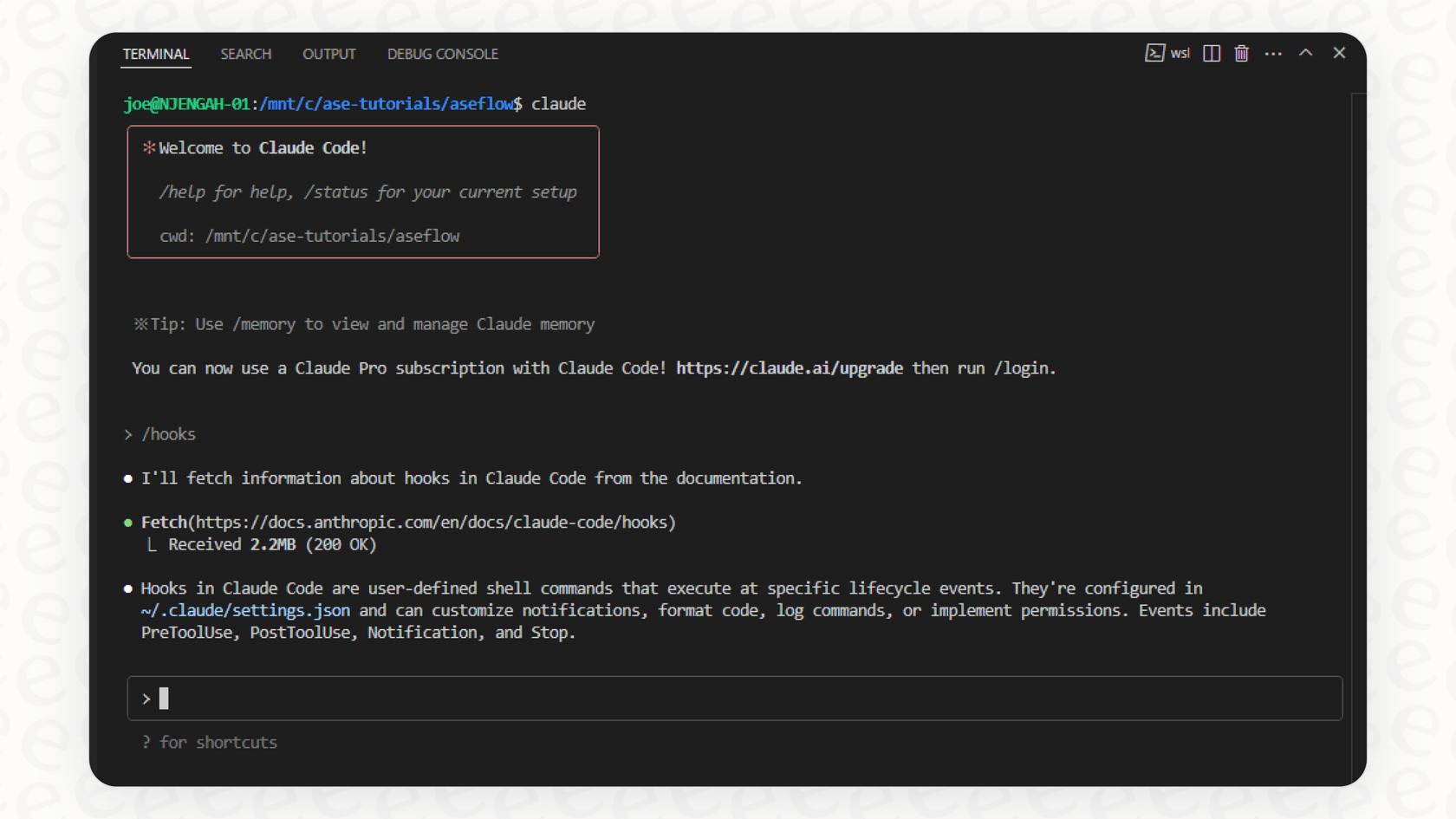
2. The Hook Lifecycle: Key Events and Their Purpose
Claude Code's execution is structured around a lifecycle of events. You can "hook into" these events to run your own custom logic. There are over a dozen hook events, covering everything from the start of a session to the submission of a user prompt.
This GitHub repository is the definitive guide to the full hook ecosystem. It contains a fantastic flowchart that visualizes the entire process.
disler/claude-code-hooks-mastery - GitHub
Please study the 'Hook Lifecycle & Payloads' section of the 'Claude Code Hooks Mastery' repository. This will give you a comprehensive overview of all available hooks.
First, carefully examine the flowchart under 'Hook Lifecycle Overview' to understand the sequence of events. Then, read the descriptions for each hook, from '1. UserPromptSubmit Hook' to '13. Setup Hook'. Focus on understanding when each hook fires and what its primary purpose is.
While there are many hooks, a few are fundamental and cover most use cases. The following video provides a practical demonstration of the most common ones.
I’m HOOKED on Claude Code Hooks: Advanced Agentic Coding
Now, let's see these hooks in action. This video by IndyDevDan demonstrates how hooks can be used for observability and control.
Watch the section from 06:22 to 08:29. The presenter explains the five key hooks: PreToolUse, PostToolUse, Notification, Stop, and SubAgentStop. Note the distinction between PreToolUse for blocking/control and PostToolUse for logging/observability.
To summarize the most critical lifecycle events:
PreToolUse: Fires before a tool (likeBashorEdit) runs. This is your primary control point. It's the only hook that can reliably block an action from happening, making it perfect for security gates, protecting files, or validating commands.PostToolUse: Fires after a tool runs successfully. It cannot block the action (as it already happened) but is ideal for follow-up tasks like auto-formatting code, running a linter, logging actions, or validating the output.Stop: Fires when Claude has finished its entire response and is waiting for your next input. Useful for final quality checks, generating summaries, or sending notifications that a long task is complete.Notification: Fires when Claude Code sends a notification to the user, for example, when it needs permission to run a command. You can use this to trigger custom alerts (e.g., via Slack or a desktop notification).
3. Configuring Hooks in .claude/settings.json
All hooks are configured within your project's .claude/settings.json file (or globally in ~/.claude/settings.json). The structure is straightforward.
Let's explore the configuration syntax.
Claude Code Hooks Guide: All 12 Lifecycle Events Explained
This blog post clearly explains the hook architecture, including the different types of handlers you can use.
Read the section 'Three Handler Types'. It explains the command, prompt, and agent handlers. For today, we are focusing on the command handler, which is the most common.
A hook configuration consists of three main parts:
- Event Name: The top-level key inside the
"hooks"object (e.g.,"PreToolUse"). - Matcher: A regex pattern that filters which tool uses will trigger the hook. For example, a matcher of
"Edit|Write"on aPostToolUsehook means the hook will only run after Claude edits or writes a file. An empty matcher ("") means it runs for all tools. - Handler: The action to take. For a
commandhandler, this is simply the shell command to execute.
Here is an example of what this looks like in settings.json, taken from the video you watched earlier.
I’m HOOKED on Claude Code Hooks: Advanced Agentic Coding
Let's revisit the 'I'm HOOKED' video to see the settings.json file structure in detail.
Watch the segment from 08:29 to 10:04. Observe how the hooks block is structured in settings.json. Notice that each event is a key whose value is an array of objects, each containing a matcher and a command list.
Here's a sample settings.json configuration combining two common patterns:
{
    "hooks": {
        "PreToolUse": [
            {
                "matcher": "Bash",
                "handler": {
                    "type": "command",
                    "command": "python .claude/hooks/block_dangerous_commands.py"
                }
            }
        ],
        "PostToolUse": [
            {
                "matcher": "Edit|Write",
                "handler": {
                    "type": "command",
                    "command": "npx prettier --write $CLAUDE_FILE_PATH"
                }
            }
        ]
    }
}
In this example:
- Before any
Bashcommand is run, theblock_dangerous_commands.pyscript is executed. - After any file is edited or written,
prettieris run on that file. The$CLAUDE_FILE_PATHenvironment variable is automatically provided by Claude Code to the hook's command.
4. Hook Communication: Payloads and Exit Codes
Your hook scripts are not running in a vacuum. Claude Code communicates with them using standard I/O streams:
- Input (stdin): When a hook is triggered, Claude Code passes a JSON payload to your script's standard input. This payload contains contextual information about the event, such as the
tool_nameandtool_inputfor aPreToolUseevent. - Output (Exit Codes & stdout/stderr): Your script communicates back to Claude Code primarily through its exit code.
This mechanism is what enables a PreToolUse hook to block an action.
disler/claude-code-hooks-mastery - GitHub
The 'Claude Code Hooks Mastery' repository provides excellent detail on how to control Claude Code's flow using exit codes and JSON output. This is a crucial concept for writing effective hooks.
Please read the section 'Hook Error Codes & Flow Control' and the subsequent subsections for each hook type. Pay close attention to the table describing exit code behavior. Specifically, note the special meaning of Exit Code 2 for blocking actions in hooks like PreToolUse.
As you read, the key takeaway is:
- Exit Code
0: Success. The workflow continues. - Exit Code
2: Blocking Error. For aPreToolUsehook, this stops Claude from executing the tool and feeds thestderrfrom your script back to the LLM as an error message. This tells Claude "You can't do that, and here's why." - Other Exit Codes: Non-blocking errors, typically just shown to the user.
Understanding this allows you to write simple scripts that enforce powerful rules. For instance, your block_dangerous_commands.py script could check the incoming JSON from stdin for rm -rf and, if found, print an error to stderr and exit 2.
Conclusion
You now have a solid theoretical understanding of Claude Code hooks. You know that they provide deterministic control, you're aware of the key lifecycle events like PreToolUse and PostToolUse, and you understand how to configure them in settings.json and how they communicate with Claude Code.
Key Takeaways:
- Hooks provide deterministic, implicit automation, acting as enforceable rules for your AI agent.
- The hook lifecycle allows you to intervene at critical points, with
PreToolUsefor blocking/prevention andPostToolUsefor validation/formatting. - Configuration happens in
.claude/settings.jsonusingmatcherandhandlerdefinitions. - Hooks receive context as a JSON payload via
stdinand control Claude's workflow using exit codes. An exit code of2is the standard way to block an action in aPreToolUsehook.
Next Up:
In the next lesson, we will put this theory into practice. You will get hands-on and create a PreToolUse hook to prevent Claude Code from modifying protected files like poetry.lock or your database schema definitions.