Hello! In our last lesson, we identified the best social media "homes" for your different book genres, figuring out where you'll connect with your future readers. Now that we have the location, it's time to build the house.
Today, we'll design a simple, effective content plan to announce your book's publication. The goal isn't just to post randomly, but to create a strategic sequence of content that builds excitement, informs your audience, and drives interest in your book. We'll move from the "where" to the "what" and "when" of your book launch.
We will combine high-level marketing strategy with powerful, free AI tools and workflows that will allow you to generate and prepare your launch content efficiently.

1. The Strategic Framework: Your Book Launch Calendar
A successful book launch isn't a single-day event; it's a carefully orchestrated campaign that spans the weeks before and after your publication date. The first step is to create a strategic calendar.
To understand the structure of a launch campaign, let's look at a professional framework.
How to Create A Book Launch Content Calendar
The article 'How to Create A Book Launch Content Calendar' by Scribe Media provides an excellent strategic overview. It introduces a key concept for new authors: segmenting your audience.
Read the sections 'What Is a Book Launch Content Calendar?,' 'Define the 3 Tiers of Your Audience,' 'Set Your Launch Week Dates for Tier 3,' 'Set your Pre-Launch and Launch Week Dates for Tier 2,' and 'Set Your Post-Launch Content and Dates.' Focus on understanding the difference between the three audience tiers and how the communication strategy changes over time.
Key Strategy: Audience Tiers and Campaign Phases
The article you just read introduces two critical ideas. Let's break them down.
-
Audience Tiers: As a new author, not everyone in your network has the same relationship with you. You should tailor your communication accordingly:
- Tier 1 (Innermost Circle): Close friends, family, and professional colleagues who already know and support you. Communication can be more direct and personal (e.g., direct emails).
- Tier 2 (Followers & Acquaintances): People who follow you on social media or are on your mailing list. They are interested but require more "warming up."
- Tier 3 (Outer Circle): The general public or tenuous connections. Your goal here is primarily awareness, not a hard sell. Social media posts are perfect for this tier.
-
Campaign Phases: Your content plan should have a narrative arc. A simple, effective structure for a new author is:
- Pre-Launch (1-2 weeks before): Build anticipation. Announce the book, reveal the cover, share the theme, and tell people the launch date.
- Launch Week (The main event): Announce that the book is live! Share links, post testimonials (if you have any), and thank early supporters. This is your peak activity period.
- Post-Launch (2-4 weeks after): Maintain momentum. This is where you shift from "selling" to "serving." Share valuable content related to the book's topics, post interesting quotes, and share behind-the-scenes insights.
2. Generating Your Content Plan with AI
Now that we have the strategic framework, we can use AI to do the heavy lifting of filling in the calendar with specific post ideas. Instead of staring at a blank page, we'll give ChatGPT a detailed prompt and let it generate a structured plan.
Create a Content Calendar in 10 minutes [+ free Chat GPT prompt ] 🗓️
The video 'Create a Content Calendar in 10 minutes' by Social Sam demonstrates a fantastic and detailed prompt structure for ChatGPT. We'll adapt this method for our book launch.
Watch from 01:47 to 04:31. Pay close attention to how the prompt is built piece by piece, including the role, context (business description, pillars, audience), and desired table format.
Crafting Your Master Launch Prompt
Based on the video's methodology, we can create a powerful prompt tailored for your book. Your IT background will make the logic of constructing this prompt feel familiar—it's about providing clear parameters to get a desired output.
Here is a template you can adapt for any of your books. Let's use your idea for a tech mentoring book as an example:
ROLE: You are an expert social media manager specializing in book launches for new authors.

TASK: Create a 3-week social media content calendar for the launch of my new book on LinkedIn. The launch is one week from today.

CONTEXT:
- Book Title: "The First Five Years: A Software Engineer's Guide to Thriving"
- Author: [Your Name], an IT professional with 10 years of experience.
- Target Audience: Early-career software engineers (0-5 years of experience) and computer science students.
- Platform: LinkedIn
- Launch Date: [Specify a date one week from now]
- Key Campaign Phases:
  - Week 1: Pre-Launch (building hype)
  - Week 2: Launch Week (announcement and engagement)
  - Week 3: Post-Launch (providing value)
- Content Pillars:
  1. Actionable career advice from the book.
  2. Personal anecdotes from my 10-year IT career.
  3. "Behind the Scenes" of writing the book with AI.
  4. Q&A about common career challenges.

FORMAT:
Provide the calendar in a table with the following columns:
1. Day (e.g., Day 1, Day 2)
2. Campaign Phase (Pre-Launch, Launch Week, Post-Launch)
3. Post Topic
4. LinkedIn Post Copy (including a call-to-action and relevant hashtags like #TechCareer #SoftwareEngineering #BookLaunch)
5. Visual Idea (Suggest a type of visual: e.g., 'Quote graphic,' 'AI-generated image of a computer,' 'Photo of the author,' 'Short video talking head').
You can feed this directly into ChatGPT (the free 3.5 version works well) to get a comprehensive, day-by-day plan. For more inspiration on prompt ideas, the article "How To Use ChatGPT To Create Social Media Content" has excellent suggestions, such as "Suggest some creative ways to introduce my new book to my followers."
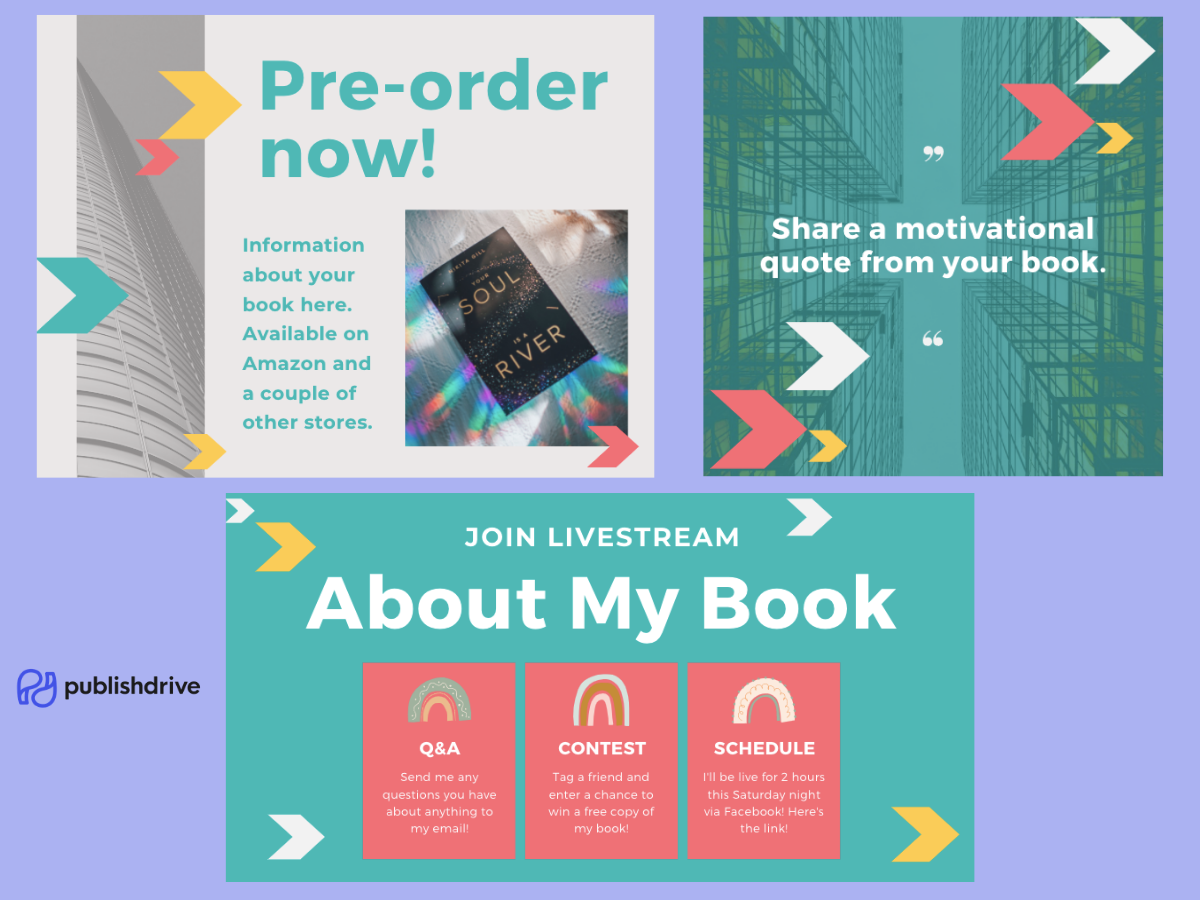
3. Bulk-Creating Your Visual Content
A content plan is useless without the actual content. Manually creating 20-30 graphics is time-consuming. Fortunately, we can automate this entire process using a workflow that connects ChatGPT with Canva—perfectly aligning with your preference for free, efficient tools.
200 Social Media Posts In 10 Minutes Using ChatGPT & Canva
The video '200 Social Media Posts In 10 Minutes Using ChatGPT & Canva' from Modern Millie reveals a powerful technique for batch-producing content. This is a game-changer for creating the 'value-based' posts for your post-launch phase.
Watch from 00:31 to 09:06. Focus on the end-to-end process: Generating lists of text in ChatGPT. Copying the text into Google Sheets and exporting as a CSV file. Using Canva's 'Bulk Create' feature to automatically apply the text to a design template for both graphics and video Reels.
The ChatGPT-to-Canva Workflow
This process is incredibly efficient and consists of a few simple steps:
- Generate Raw Text: Ask ChatGPT for a list of short, shareable pieces of content based on your book. For example: "Give me 20 short, actionable career tips for software engineers, each under 280 characters."
- Create a CSV File:
- Open a new Google Sheet (or Excel).
- Copy the entire list of tips from ChatGPT and paste it into the first column.
- Go to
File > Download > Comma Separated Values (.csv).
- Design in Canva:
- Open Canva and choose a template (e.g., an Instagram Post or Reel template).
- Customize the design with your preferred colors and fonts. Place a text box where you want your tip/quote to appear.
- Bulk Create:
- In the left-hand menu in Canva, click on "Apps" and find "Bulk Create."
- Select "Upload CSV" and choose the file you just downloaded.
- Right-click on your text box in the design and choose
Connect Data > [Select the data field from your CSV]. - Click "Continue" and then "Generate Pages."
Canva will instantly create a separate graphic or video slide for every single tip in your CSV file. In minutes, you can generate weeks' worth of high-quality, value-driven content for your post-launch phase.
Test your understanding!
You are planning the post-launch content for your children's book about a lonely robot who finds friendship. You want to create 15 quote graphics for Instagram using the ChatGPT-to-Canva workflow.
- What would be a good prompt to give ChatGPT to generate the text?
- What kind of visual elements would you look for in a Canva template for this project?
Show answer
-
ChatGPT Prompt: A good prompt would be something like: "My children's book is about a lonely robot who learns about friendship. Generate a list of 15 short, heartwarming lessons about kindness and friendship, written in a simple style that a child can understand. Each lesson should be one sentence."
-
Canva Template Elements: You would look for a template that is colorful, playful, and easy to read. It might feature fun, rounded fonts, bright backgrounds, and have a clear space for the text. You could even use a consistent AI-generated image of your robot character on each template for branding before using the Bulk Create feature.
Conclusion
You now have a complete, repeatable system for creating a book launch social media plan. By combining strategic principles with AI-powered execution, you can build a professional and effective campaign for every book you write, without getting bogged down in manual content creation.
Key Takeaways:
- Plan in Phases: Structure your content around Pre-Launch, Launch Week, and Post-Launch periods to build and maintain momentum.
- Use AI for Planning: A detailed prompt in ChatGPT can generate a comprehensive, day-by-day content calendar tailored to your book and audience.
- Automate Content Creation: The ChatGPT -> CSV -> Canva workflow is a highly efficient method for bulk-producing visual content like quote graphics and short videos.
- Shift from Selling to Serving: The most sustainable way to promote your book long-term is to consistently provide value related to its core topics.
Preview of the Next Lesson:
We've now covered how to build your author profiles and plan your organic social media. While this is the foundation, you can accelerate your book's visibility by putting a small budget behind it. In our next lesson, we'll delve into the world of paid advertising by exploring the purpose of Amazon Ads and understanding key metrics like ACOS (Advertising Cost of Sales).