Recommended resources
The freely available resources this lesson will direct you to.
Hello! Welcome to your next lesson on advanced Java.
In our last session, we explored type erasure, the process where the Java compiler removes generic type information after validation. We learned this is done for backward compatibility and that it's the reason List<String> and List<Integer> look identical to the JVM at runtime.
Today, we'll move from understanding the limitations of generics to actively building more powerful and flexible generic types yourself. You're already familiar with using types like Map<K, V>, which accept two type parameters (a key and a value). This lesson will teach you how to define and implement your own generic methods and classes that handle multiple, independent type parameters.
This skill is fundamental for creating sophisticated APIs, utility functions, and data structures that are both type-safe and highly reusable.
1. Generic Methods with Multiple Type Parameters
You've seen generic methods that use a single type parameter, like <T>. The syntax for defining a method that accepts multiple generic types is a natural extension of this. You simply declare the type parameters in a comma-separated list within the angle brackets, placed before the method's return type.

Let's look at a practical example. Imagine a method that needs to take two arguments of potentially different types and operate on them.
Generics in Java : Design Generic Methods Confidently | 2 hours Deep Dive #3
This video, from the 'Generics in Java' series by Selenium Express, provides a clear, code-driven explanation. Let's watch a segment that demonstrates how to define a generic method with two type parameters, T and U.
Please watch the segment from 17:47 to 20:35. The presenter creates a printMultipleItems method, showing the syntax <T, U> and how type inference works when calling it with a String and an Integer.
As you saw, the syntax is straightforward:
public static <T, U> void printMultipleItems(T firstItem, U secondItem) {
    System.out.println("First item: " + firstItem);
    System.out.println("Second item: " + secondItem);
}

// You can call it like this:
printMultipleItems("Hello World", 123);
The compiler infers that T is String and U is Integer based on the arguments provided.
A more practical scenario involves transforming data from one type to another. The following reading from Baeldung demonstrates a static utility method that converts an array of one type (T) to a list of another type (G) using a mapping function. This is a very common pattern.
The Basics of Java Generics | Baeldung
The article 'The Basics of Java Generics' on Baeldung has an excellent, practical example of a multi-parameter generic method. This will show you a real-world use case.
Please read the short section under '3. Generic Methods' that starts with 'As mentioned, the method can deal with more than one generic type.' Focus on the fromArrayToList example that takes two generic types, T and G, and study the accompanying unit test to see how it's used.
2. Generic Classes with Multiple Type Parameters
The same principle extends to classes. The most famous example is java.util.Map<K, V>, where K represents the type of the keys and V represents the type of the values.
You can create your own classes that accept multiple type parameters by listing them in the class declaration. A classic example is a Pair class, designed to hold two objects, which may or may not be of the same type.
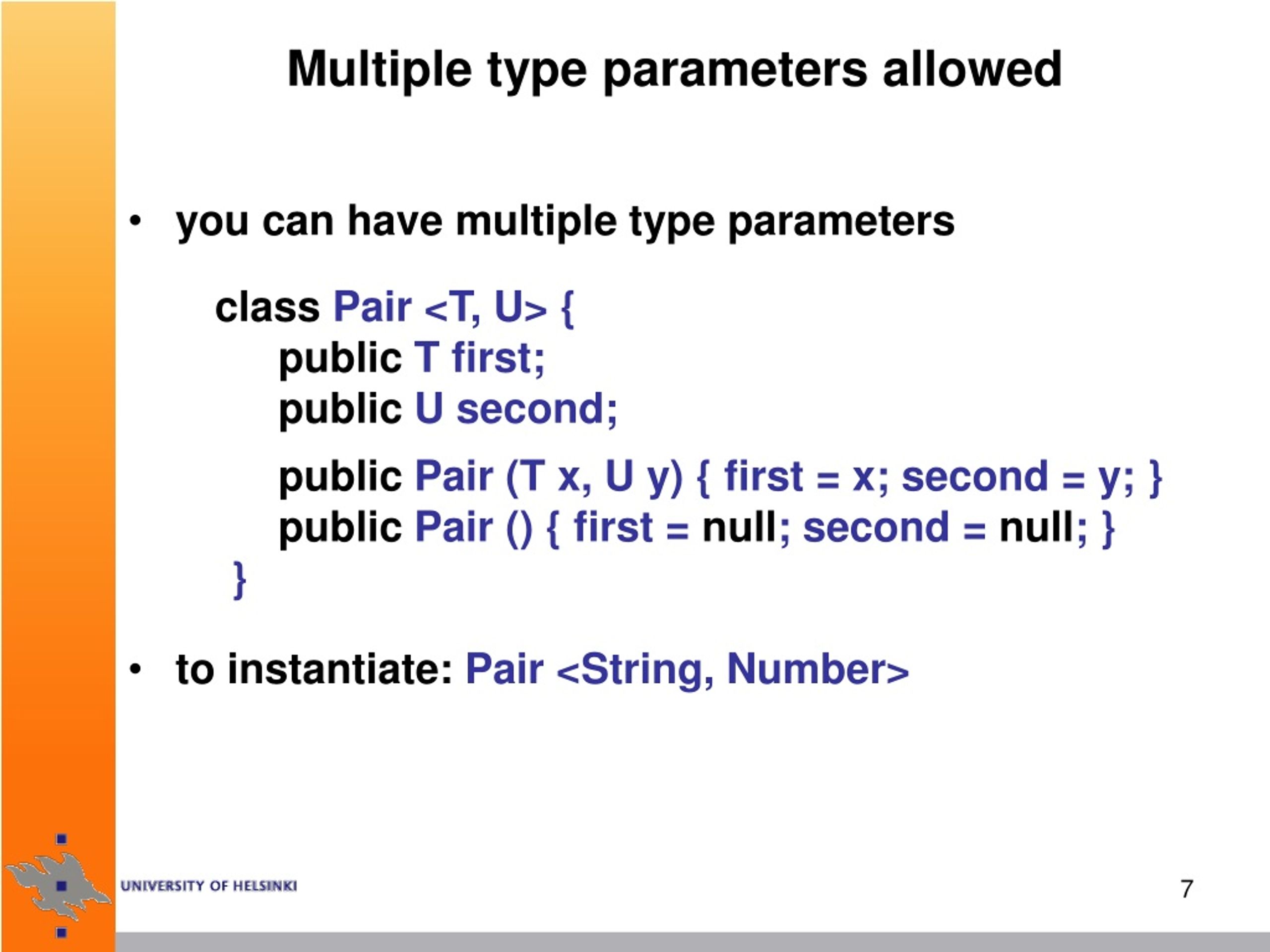
Here is how you would implement and use such a class:
// 1. Define the generic class with two type parameters, K and V
public class Pair<K, V> {
    private K key;
    private V value;

    public Pair(K key, V value) {
        this.key = key;
        this.value = value;
    }

    public K getKey() {
        return key;
    }

    public V getValue() {
        return value;
    }

    public void setKey(K key) {
        this.key = key;
    }

    public void setValue(V value) {
        this.value = value;
    }

    @Override
    public String toString() {
        return "Pair{" +
               "key=" + key +
               ", value=" + value +
               '}';
    }
}

// 2. Instantiate and use the class
public class Main {
    public static void main(String[] args) {
        // Create a Pair of a String and an Integer
        Pair<String, Integer> userRank = new Pair<>("john_doe", 1);
        System.out.println(userRank);

        // Create a Pair of two different custom objects
        // (Assuming Player and Score classes exist)
        // Pair<Player, Score> gameResult = new Pair<>(new Player("Alice"), new Score(1500));
        // System.out.println(gameResult);
    }
}
Notice the use of the diamond operator (<>) in the constructor call new Pair<>(). Since Java 7, the compiler can infer the type arguments from the declaration, so you don't have to repeat them.
To see a slightly more complex example, let's return to the video tutorial, which walks through creating a simple generic HashTable class.
Generics in Java : Design Generic Methods Confidently | 2 hours Deep Dive #3
Now, let's watch how to apply this concept to a custom data structure. This segment demonstrates building a HashTable class that uses <K, V> for its key and value types.
Please watch from 20:35 to 24:41. Pay attention to how the <K, V> parameters are declared at the class level and then used for the internal fields and constructor parameters.
This HashTable example illustrates how defining generic classes with multiple parameters allows you to build complex and reusable components, just like the standard Java Collections API.
3. Practical Usage in the JDK
Generic methods with multiple type parameters are abundant in the Java Development Kit (JDK), especially in utility classes and stream operations. For example, the Collections class has many static generic methods.
Let's explore a final example from the video that shows a real method from the JDK and explains how the compiler infers types, even in more complex scenarios.
Generics in Java : Design Generic Methods Confidently | 2 hours Deep Dive #3
To solidify your understanding, let's look at Collections.replaceAll. This example shows how a single type parameter T is used across multiple arguments, enforcing consistency.
Watch the section from 47:28 to 51:10. The presenter demonstrates Collections.replaceAll(List<T> list, T oldVal, T newVal). Notice how if the list is a List<String>, the other two arguments must also be Strings. This shows how generics enforce type consistency.
This replaceAll example is a perfect illustration of why even single-parameter generic methods are powerful: they create a compile-time link between different arguments, ensuring they are all of a compatible type. The same principle underpins the multi-parameter generics we've focused on today.
Conclusion
You have now learned how to create your own generic methods and classes that accept multiple type parameters. This is a significant step in mastering generics, moving you from a consumer of generic APIs to a producer.
Key Takeaways:
- Multiple Type Parameters: You can define generic methods and classes with multiple type parameters by listing them between angle brackets, separated by commas (e.g.,
<K, V>,<T, U, R>). - Method Syntax: For generic methods, the type parameter list is placed before the return type:
public static <T, U> U myMethod(T input) { ... }. - Class Syntax: For generic classes, the list is placed directly after the class name:
public class MyClass<K, V> { ... }. - Type Inference: The Java compiler is smart enough to infer the concrete types from the context of the method call or constructor, reducing verbosity.
- Use Cases: This feature is essential for building flexible data structures (like
MaporPair), utility methods (like data transformers), and any component that needs to coordinate relationships between different types.
In our next lesson, we will address a common experience when working with generics: compiler warnings. We will specifically focus on how to understand and resolve common issues like "unchecked cast" warnings, which often appear when interfacing generic code with legacy, non-generic code.