Recommended resources
The freely available resources this lesson will direct you to.
- Python FastAPI Tutorial (Part 7): Sync vs Async - Converting Your App to Asynchronouswww.youtube.com
- AI coding agents are useless on large codebases. Unless you do THIS.www.youtube.com
- Cranot/claude-code-guide: The Complete Claude Code CLI Guidegithub.com
- Claude Code Swarm Orchestration Skill - GitHub Gistgist.github.com
Hello! Let's dive into the next stage of your advanced Claude Code training.
In the last lesson, we focused on high-level planning, using visual aids like architectural diagrams to give Claude a bird's-eye view of a feature before generating code. This top-down approach is excellent for scaffolding new components. Today, we pivot from a high-level vision to a low-level, granular analysis.
The learning outcome for this lesson is to perform a cross-file dependency analysis to plan a sync-to-async conversion in a FastAPI module. This is a quintessential large-scale refactoring task. A naive prompt like "make my app async" is bound to fail on any non-trivial codebase. This lesson will equip you with a systematic process to map out all dependencies, creating an actionable blueprint that ensures a successful refactor. This analytical phase is the critical "measure twice, cut once" step that separates basic usage from professional-grade AI-assisted engineering.
1. The Challenge: Why Large-Scale Refactoring Requires Precision
Refactoring across multiple files is where many AI coding assistants struggle. They can lose context, miss dependencies, or get stuck in "doom loops" of compiling, failing, and retrying. The key to success isn't just a better prompt; it's using smarter, more precise tools that understand your code's structure.
While the following video uses C# and .NET, it powerfully illustrates the performance difference between a "brute force" approach and a tool-assisted one.
AI coding agents are useless on large codebases. Unless you do THIS.
Watch this video, 'AI coding agents are useless on large codebases. Unless you do THIS.', to understand why specialized tools are crucial for complex refactoring.
Watch from 07:05 to 16:22. The presenter compares three methods for a simple rename in a large codebase: Manual IDE (08:07 - 09:28): ~3 minutes. Naive Claude Code (09:35 - 10:39): 3 hours and huge token cost. Claude Code with a Refactoring MCP Server (10:39 - 14:35): ~4.5 minutes and a tiny fraction of the token cost. \nFocus on the concept: the tool-assisted approach wins because it uses a language-aware tool (rename symbol) instead of a simple text search. This is exactly the principle we'll apply using Claude Code's built-in LSP (Language Server Protocol) tool.
The takeaway is clear: for a successful sync-to-async conversion, we must use tools that can precisely identify and trace dependencies, not just search for text.
2. The Target: What to Change for a FastAPI Sync-to-Async Conversion
Before we can analyze our codebase, we need a clear understanding of what a sync-to-async conversion in FastAPI entails. It's more than just adding async and await keywords.
This excellent tutorial provides the necessary domain knowledge. As you watch, build a mental checklist of every component that needs to be touched during the conversion.
Python FastAPI Tutorial (Part 7): Sync vs Async - Converting Your App to Asynchronous
The video 'Python FastAPI Tutorial (Part 7): Sync vs Async' by Corey Schafer is a comprehensive guide to converting a FastAPI application. It covers all the critical changes you'll need to make.
Watch from 01:03 to 22:27, focusing on these key areas of change: Database Driver & Engine (04:31 - 06:51): You need an async database driver (e.g., psycopg for PostgreSQL) and you must switch from create_engine to create_async_engine. Session Management (06:51 - 08:25): sessionmaker is replaced by async_sessionmaker, and the get_db dependency must become an async generator. Application Lifespan (10:43 - 13:05): Synchronous table creation (metadata.create_all) is replaced by an async lifespan function in your main FastAPI app instance. The Eager Loading Imperative (13:05 - 14:44): This is a critical point. Lazy loading of SQLAlchemy relationships is not supported in async. You must explicitly use eager loading with selectinload in your queries for any route that accesses related models. CRUD Operations (18:33 - 22:27): await is required for db.execute, db.commit, db.refresh, and db.delete, but notably not for db.add. \nAfter watching, you should have a solid checklist for your dependency analysis.
3. The Analyst's Toolkit: Mapping Dependencies in Claude Code
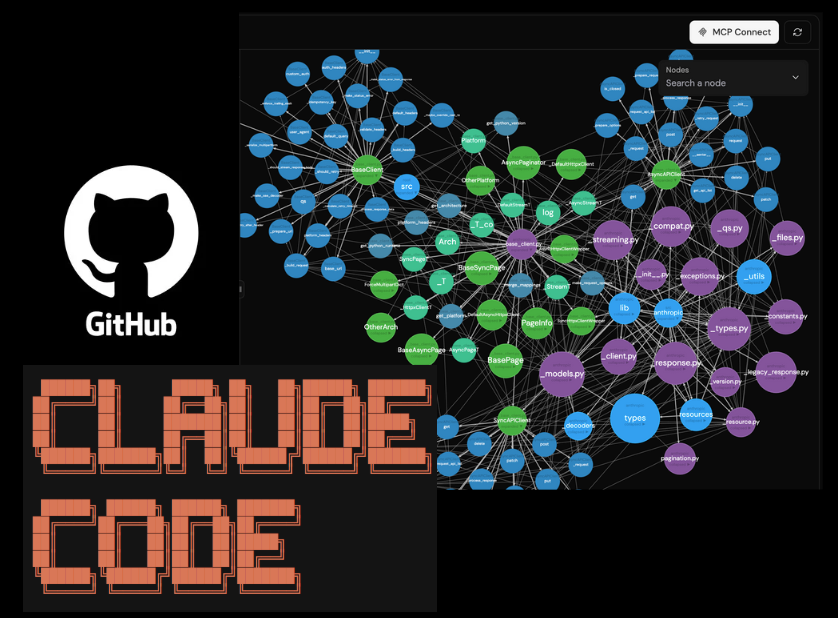
Now, let's connect our checklist from the video to the precise tools within Claude Code needed to find every dependency. Our goal is to create a dependency map, much like the one shown in this image, which visually represents how different parts of the code are interconnected.
Here are the tools you'll use to build this map.
The Complete Claude Code CLI Guide
The 'Complete Claude Code CLI Guide' provides the documentation for our primary analysis tools. We'll focus on the LSP, Grep, and Glob tools.
Review these three sections to understand your analytical toolkit: LSP Tool: Find this section in the document. This is your high-precision scalpel. Pay close attention to the findReferences, incomingCalls, and outgoingCalls operations. They are language-aware and understand your code's structure. Grep Tool: This is your powerful searchlight. It's for finding string patterns that LSP might miss, like references in config files, comments, or dynamically constructed calls. Glob Tool: This helps you quickly list files based on patterns, which is useful for scoping your search (e.g., finding all test files with **/test_*.py).
4. Synthesis: Planning the Refactor Step-by-Step
Let's apply this to a concrete scenario. Imagine you have a synchronous FastAPI route, GET /posts/{post_id}, and you want to plan its conversion to async. Here is a systematic workflow using Claude Code:
Step 1: Identify the Entry Point and Scope
First, tell Claude your goal and ask it to locate the relevant files.
Prompt: "I need to plan the refactoring of the
GET /posts/{post_id}endpoint from synchronous to asynchronous. First, find the main router file and the service function that contains the core logic for fetching a post."Claude will likely use the
GlobandGreptools to find files and function definitions.
Step 2: Trace Dependencies Downstream (The Call Stack)
Now, trace the calls from the API layer down to the database.
Prompt: "Using the LSP tool, show me the outgoing calls from the
get_post_by_idroute function. Then, for each service function it calls, trace their outgoing calls until we hit the database access layer."This creates a clear chain of functions that will all need to be converted to
async defand useawait.LSP: outgoingCallsis the perfect tool for this.
Step 3: Identify Upstream Callers and Side Effects
Check if your target functions are used anywhere else.
Prompt: "Now, find all references to the
get_post_by_id_servicefunction usingLSP: findReferences. Are there any callers other than the main API route? We need to know the full impact of changing its signature."
Step 4: Analyze Cross-Cutting Concerns
This is where you hunt for the changes identified in the video.
Prompt: "Let's find the cross-cutting concerns for this refactor.
- Use
Grepto find all usages of my synchronousget_dbdependency.- Use
LSP: goToDefinitionon thePostmodel returned by the service. Then, read themodels.pyfile to identify its relationships. We'll need to useselectinloadfor these.- Use
Globto find the test file for this endpoint,**/test_posts.py. It will also need to be updated."
Step 5: Consolidate into an Actionable Plan
Finally, synthesize your findings into a structured plan. The "Coordinated Multi-File Refactoring" pattern is an excellent model for this.
Claude Code Swarm Orchestration Skill - GitHub Gist
The 'Claude Code Swarm Orchestration Skill' gist contains several powerful patterns for managing complex tasks. We'll borrow a pattern to structure our plan.
Read the section Task Dependencies to understand how to create a sequential pipeline. Then, review Pattern 6: Coordinated Multi-File Refactoring. This demonstrates how to break a large change into discrete tasks with clear dependencies.
Prompt: "Based on our analysis, generate a detailed, sequential refactoring plan using a task list format with dependencies. The tasks should be:\n\n1. DB Layer: Update
database.pywithcreate_async_engine, etc.\n2. App Lifespan: Implement thelifespanmanager inmain.py.\n3. Service Layer Refactor: Convert the service function to async and addselectinloadfor relationships.\n4. API Layer Refactor: Convert the route function to async.\n5. Test Layer Refactor: Update the corresponding tests to use an async client.\n\nMake sure to define the dependencies between these tasks."
The output of this final prompt is the blueprint you will use in the next lesson to execute the refactor.
Conclusion
In this lesson, you've learned how to move from a high-level goal to a detailed, low-level execution plan for a complex refactoring task. You now have a systematic process to de-risk large codebase changes when working with an AI assistant.
Key Takeaways:
- Analysis Precedes Action: Large-scale refactoring requires a meticulous dependency analysis before writing any code to avoid errors and unnecessary work.
- The Right Tool for the Job: Use high-precision tools like LSP for code-aware analysis (
findReferences,outgoingCalls) and broader tools like Grep and Glob for string-based searches and file discovery. - Domain Knowledge is Key: You must first understand the technical requirements of the refactor (e.g., the specifics of a sync-to-async conversion in FastAPI) to know what to look for.
- Structured Planning: The output of your analysis should be a structured, sequential plan with clear dependencies, ready for Claude to execute.
Next Up:
You've done the hard work of planning. In the next lesson, we will put this plan into action. The learning outcome will be to guide Claude Code through an iterative refactor of a synchronous API route and its service functions to async equivalents, using the very blueprint you just designed.