Recommended resources
The freely available resources this lesson will direct you to.
Welcome to a new and exciting phase of your learning journey! Over the past ten modules, you've mastered the entire workflow of bringing an app to life—from understanding the project structure and managing code with Git, to deploying a live web app and publishing on the Google Play Store. You now have a complete, foundational understanding of the "scaffolding" that holds a software project together.
Now, we're going to start adding a powerful new layer of intelligence to your apps. This module is all about connecting your projects to the world of AI. We'll begin with one of the most important names in the field: Hugging Face. In this lesson, we will demystify what Hugging Face is, why it's a cornerstone of the modern AI ecosystem, and how you can browse its vast collection of pre-trained models to find tools for your own creative projects.
The GitHub of Machine Learning
Throughout this course, you've become familiar with GitHub as the central place to store, share, and collaborate on code. Hugging Face serves a very similar role, but for artificial intelligence.
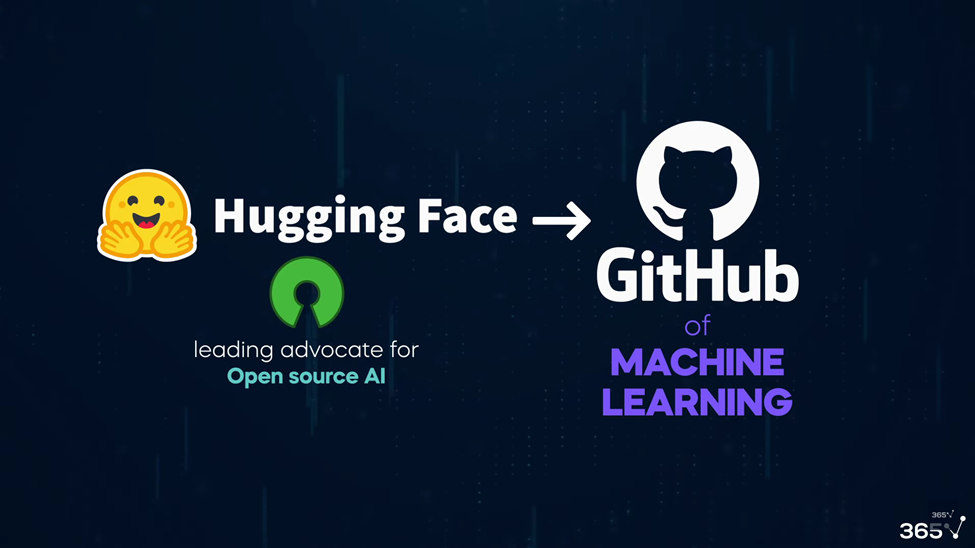
At its heart, Hugging Face is a platform and a community dedicated to making AI more accessible. It hosts a massive collection of open-source AI models, the datasets they were trained on, and even live demos where you can try them out.
To get a feel for what this means in practice, let's watch a short video that offers a couple of great analogies to explain the platform's purpose.
What Is Hugging Face? (Simplest Explanation Ever)
This video from Remi Taffin provides a simple and clear explanation of Hugging Face's role in the AI landscape.
Watch the first few minutes, which cover two key ideas: The Home Depot of AI: This analogy helps frame Hugging Face as a toolbox full of specialized AI tools. ChatGPT vs. Specialists: This section explains the crucial difference between a general-purpose AI (like the LLMs you use for "vibe coding") and the specialized, "narrow AI" models found on Hugging Face.
The distinction between a general-purpose AI "handyman" and a specialized AI "power tool" is critical. While you might use an LLM like Claude to help you write the code for your entire app, you would go to Hugging Face to find a specific, highly efficient model that excels at one particular task, such as:
- Identifying objects in a photo.
- Transcribing spoken audio to text.
- Generating music from a description.
- Estimating the depth in an image, which could be very interesting for someone with a background in 3D and robotics.
These specialized models are often smaller, faster, and more accurate for their specific job than a large, general-purpose model.
To reinforce this core concept, here is a short article written for non-technical beginners that explains the relationship between the Hugging Face platform and its tools.
Total noob's intro to Hugging Face Transformers
This article from the Hugging Face blog is designed to be accessible and clearly defines the key components.
Please read the two short sections: The first section defines the Transformers library, which is the underlying code that helps run many of these models. You don't need to understand the code itself, just know that it's a key piece of the ecosystem. The second section defines the Hub, explicitly calling it the "Github for ML." This reinforces the main idea of this lesson.
The Three Pillars of Hugging Face
The Hugging Face platform is built on three main components that work together. Understanding them will help you navigate the site and find what you need.

- Models: This is the heart of the platform. It's a massive repository—a "hub"—of thousands of pre-trained machine learning models contributed by the community, researchers, and companies like Google, Meta, and Microsoft. This will be our primary focus.
- Datasets: These are the collections of data (text, images, audio files) that were used to train the models. For example, a model that identifies cat breeds was likely trained on a dataset containing thousands of labeled cat pictures.
- Spaces: These are live, interactive web apps that showcase what a model can do. They are fantastic for designers because they allow you to play with a model and see its output directly in your browser, without writing a single line of code. It's the ultimate "vibe check" for an AI model.
This brief reading offers a quick summary of these three sections.
Getting Started With Hugging Face in 10 Minutes
This article provides a concise overview of the Hugging Face ecosystem.
Read from the beginning down to the end of the "Hugging Face Models" section. Focus on the definitions provided for the platform's overall mission and its three core components.
A Guided Tour of the Model Hub
Now that you understand the "what" and "why," let's dive into the "how." Learning to navigate the Model Hub is the key skill for this lesson. The best way to learn is to see it in action.
The official Hugging Face channel has a short, clear video that walks you through the interface. As you watch, I encourage you to open huggingface.co/models in another tab and follow along.
This official tutorial, "Navigating the Model Hub," is a direct guide to finding what you need on the platform.
Watch the entire video, paying close attention to these key features: Filtering by Task: This is the most important navigation tool. You can filter the millions of models down to just those that perform a specific task, like Text-to-Image or Object Detection. The Model Card: This is the "documentation" for a model. It's written by the creator and explains what the model does, its limitations, and how it was trained. The Inference API Widget: This is a small, interactive demo on the model's page where you can test it out immediately.
The filters on the left-hand side are your primary tool. As a designer, you'll likely be most interested in tasks under the Computer Vision, Natural Language Processing, and Audio categories.
For example, if you wanted to build an app that could describe a photo out loud for a visually impaired user, you might filter for an Image-to-Text model. If you wanted to create an app that generates lo-fi beats, you could look for a Text-to-Audio model.
Let's see a few of these interesting models in action. The first video we watched included a great demo section showcasing the creative potential of models found on the Hub.
What Is Hugging Face? (Simplest Explanation Ever)
Let's revisit the "What Is Hugging Face?" video to see some practical examples of what you can find.
Watch the demo section from Hugging Face Interface. The presenter shows examples of: Text-to-Image: Generating a picture from a text prompt. Text-to-Video: Creating a short video clip from a text prompt. Depth Estimation: Analyzing a 2D image to create a 3D depth map, a task that might particularly interest you given your background in 3D printing and robotics.
After watching, take a few minutes to explore the Model Hub on your own. Try filtering by a task that sounds interesting to you. Click on a few models, read their Model Cards, and if one has an interactive widget, give it a try!
Conclusion
In this lesson, we've pulled back the curtain on one of the most important platforms in the AI world. You've learned that Hugging Face is far more than just a friendly name—it's a bustling hub of innovation that makes powerful AI accessible to everyone.
Here are the key takeaways:
- Hugging Face is the "GitHub of Machine Learning": It's the central place where the open-source community shares and collaborates on AI models, datasets, and demos.
- It's a toolbox of specialists: Unlike general-purpose AIs like ChatGPT, the models on Hugging Face are typically "narrow AI"—highly optimized for one specific task.
- The Model Hub is your starting point: You can browse millions of models and use powerful filters (especially the "Tasks" filter) to find the right tool for your project.
- Model Cards and Spaces are your friends: Use Model Cards to understand what a model does and its limitations, and use Spaces or interactive widgets to test it out before committing to using it in your app.
You now know how to find a pre-trained AI model that can add a specific, powerful capability to your app. In our next lesson, we will take the logical next step: you'll learn how to call an AI model from the Hub using its Inference API, allowing you to integrate its intelligence directly into your code.