Recommended resources
The freely available resources this lesson will direct you to.
Hello! Welcome back to our module on overcoming procrastination.
In our last lesson, we explored "temptation bundling," a strategy for making learning tasks more appealing by pairing them with something you enjoy. This is about adding an immediate reward to pull you forward.
Today, we'll tackle the other side of the coin: proactively removing the things that pull you away. Procrastination often isn't a sign of laziness but a natural response to an environment filled with easier, more appealing options. As a designer, you know that a user's path is heavily influenced by the layout of an interface. The same is true for your own behavior in your physical and digital spaces.
Our learning outcome for this lesson is to design your learning environment to minimize distractions and procrastination cues. We'll look at how to apply design principles like friction and choice architecture to your own life, making focus the easiest option and procrastination a more difficult one.
Your Environment Is Your Co-pilot
We often believe that success comes from raw willpower—forcing ourselves to make the right choice. However, research in behavioral science shows that our environment is a far more powerful and reliable driver of our daily actions. The most disciplined people are often not those with the most willpower, but those who have structured their environment to eliminate the need for it.
This concept is formalized in "Nudge Theory" and the idea of "choice architecture," terms you might find resonate with your work in UX design. A choice architect intentionally designs the context in which people make decisions to guide them toward a beneficial outcome, without forbidding any options.
To get a solid foundation in this concept, let's start with a comprehensive guide that breaks down the science behind it.
The Complete Guide to Environment Design for Habit Formation ...
This article from Cohorty, titled 'The Complete Guide to Environment Design for Habit Formation', is an excellent resource based on the work of James Clear. It explains why your environment is more powerful than motivation and introduces the core principles of designing it effectively.
Please read the introduction and 'Part 1: The Science of Environment and Behavior.' Focus on the concepts of environmental cues, the habit loop, and context-dependent memory.
As the article explains, your environment is constantly casting "votes" for or against your desired habits. Our goal today is to rig the election in your favor.
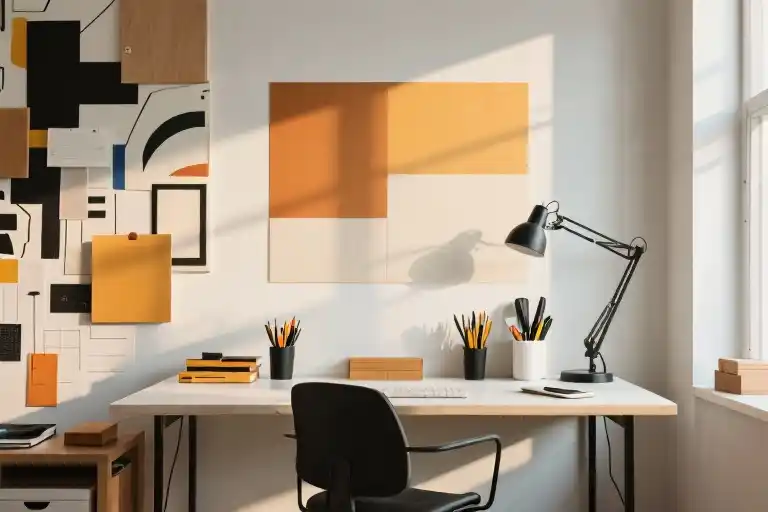
Designing Your Physical Learning Space
Let's move from theory to practice and architect your physical environment for deep work. We'll focus on three key principles.
1. Dedicate Your Space: The Power of Context
Your brain builds associations between locations and behaviors. If you work from your sofa, your brain learns that the sofa is a place for work... but it's also a place for relaxing, watching TV, and napping. This ambiguity creates cognitive friction.
A dedicated learning space sends a clear, unambiguous signal to your brain: "When I am here, I am learning."
How to Create an Organized, Productive Study Space
In this clip from 'How to Create an Organized, Productive Study Space', Thomas Frank explains the importance of context and how to create a dedicated space, even if you don't have a separate office.
Watch the section from 01:46 to 03:08, where he discusses how environmental factors influence our behavior and offers practical tips for creating an exclusive study area.
The key isn't having a huge, separate room; it's about creating a consistent, dedicated zone whose only purpose is focused work.
2. Optimize for Alertness: Light, Gaze, and Posture
Beyond just having a dedicated space, you can fine-tune it to biologically prime your brain for focus. Professor Andrew Huberman at Stanford has detailed the neuroscience behind how our physical posture and visual environment directly regulate our level of alertness.
Optimizing Workspace for Productivity, Focus, & Creativity
This video, 'Optimizing Workspace for Productivity, Focus, & Creativity' from the Huberman Lab podcast, provides a deep, science-backed dive into environmental design. We'll watch a clip that covers two powerful, non-obvious ways to increase alertness.
Please watch from 09:57 to 13:00 to understand the role of bright, overhead lighting. Then, watch from 24:19 to 29:30 to learn how your screen position and direction of gaze directly impact your brain's alertness circuits.
To summarize these crucial points:
- Lighting: For learning that requires analytical focus (like coding or data analysis), work in a brightly lit environment, especially during the first ~8 hours of your day. Overhead light is particularly effective at triggering your brain's alertness systems.
- Screen Position: Position your screen at eye level or slightly above. Looking down sends subtle neurological cues that promote calmness and sleepiness. Looking straight ahead or slightly up promotes vigilance and alertness. Simply elevating your laptop on a stack of books can make a noticeable difference.
3. Increase Friction for Distractions
This principle is the inverse of the "make it easy" rule for good habits. Your goal is to make your most common procrastination behaviors harder to do. Every step you add between you and a distraction is a chance for your rational brain to intervene.
Here are some strategies, based on the principles in the Cohorty article:
- The Phone Problem: Instead of leaving your phone on your desk, put it in a different room or in a drawer. The simple act of having to get up to retrieve it can be enough to stop an impulsive check.
- The TV Temptation: If you tend to drift toward the TV, unplug it or hide the remote in a cabinet after use. This adds a crucial "setup" step that makes turning it on a more deliberate choice.
Test your understanding!
Imagine you're trying to learn a new data visualization library. You're sitting at your desk in the late afternoon. Based on the principles above, which of the following setups would be least effective for maintaining focus?
- Laptop on a stand so the screen is at eye level, overhead lights on, phone charging in the kitchen.
- Laptop flat on the desk, only a dim desk lamp is on, phone is on the desk face down.
- Laptop on your lap while sitting on the sofa, bright room lighting, phone is in another room.
Show answer
Setup #2 is the least effective. Here's why:
- Laptop flat on the desk: Encourages you to look down, which neurologically promotes sleepiness over alertness.
- Dim desk lamp only: In the afternoon, less light is better than in the morning, but a single dim light might not be enough to sustain focus and could cause eye strain.
- Phone on the desk: Even face down, its proximity is a powerful cue for distraction. It represents minimal friction.
Setup #1 is the most effective. Setup #3 is better than #2 because the phone is removed, but working from the sofa creates ambiguous context and poor posture.
Designing Your Digital Workspace
For learning modern skills, your digital environment is just as important as your physical one. A cluttered desktop or a browser full of tempting bookmarks is the digital equivalent of working in a noisy arcade.
Let's return to the Cohorty guide for a structured approach to decluttering your digital world.
The Complete Guide to Environment Design for Habit Formation ...
The article 'The Complete Guide to Environment Design for Habit Formation' has an excellent section dedicated to the digital world. These strategies are crucial for anyone whose work and learning happens on a screen.
Please read 'Part 4: Digital Environment Design.' It provides specific, actionable steps for your phone, computer, and web browser.

Applying these ideas, a well-designed digital environment for learning a new coding language might look like this:
- Desktop: Only the code editor, the browser window with documentation, and your terminal are open. Everything else is closed.
- Phone: Set to "Do Not Disturb" and placed in another room.
- Browser: Using a blocker like Freedom or Cold Turkey to block social media and news sites. The only open tabs are for the tutorial you're following and Stack Overflow.
- Notifications: All notifications on your laptop (email, Slack, etc.) are turned off.
Your Turn: Conduct an Environment Audit
The best way to start is to assess your current setup. An "environment audit" is a systematic review of your spaces to identify the hidden forces shaping your behavior.
The Complete Guide to Environment Design for Habit Formation ...
To wrap up, let's look at how to systematically analyze and improve your environment over time. This section from the Cohorty guide provides a simple framework for an audit.
Please read the short section 'The Environment Audit' in 'Part 6.' This will give you a checklist to apply to your own spaces.
Take 5 minutes now to audit just one space—either your primary physical workspace or your computer's desktop.
- What is the primary purpose of this space?
- What cues in this space support that purpose? (e.g., books on the topic, open coding project)
- What cues in this space undermine that purpose? (e.g., phone on desk, social media tabs open, clutter)
- Identify one change you can make right now to increase friction for a distraction, and one change to make a good habit more obvious or easy.
Conclusion
Today, you've learned to see your environment not as a passive backdrop, but as an active tool you can design to support your goals. By consciously shaping your physical and digital spaces, you make focus the path of least resistance, freeing up your finite willpower for the learning itself.
Key Takeaways:
- Environment over Willpower: Designing your environment is a more reliable strategy for behavior change than relying on self-control.
- Architect Your Choices: By making good cues obvious and bad cues invisible or difficult to access, you "nudge" yourself toward your goals.
- Optimize for Alertness: Simple changes to lighting and screen position can have a direct biological impact on your ability to focus.
- Declutter Digitally: A focused digital workspace is as critical as a physical one. Intentionally block distractions and remove temptations.
- Audit and Iterate: Regularly assess your environment to see what's working and what's not, just as you would with a UI design.
What's Next?
Designing your environment is a powerful, passive way to influence your behavior. But sometimes, we need a more active and explicit method to ensure we follow through. In our next lesson, we will explore how to create a commitment device to increase accountability, a strategy for locking in your future self to a goal.