Hello! Welcome to your next lesson.
In our last session, we explored Python's tuple, focusing on its immutability and how that makes it a "hashable" data type. This hashable property is key, because it allows tuples to be used as keys in the data structure we're covering today: the dictionary.
This lesson will teach you how to apply common dictionary methods for data storage and retrieval. Dictionaries (or dict in Python) are arguably the most important of Python's core data structures, especially in competitive programming. They allow for incredibly fast lookups, insertions, and deletions, making them the backbone of countless efficient algorithms.
What is a Dictionary?
A dictionary is a collection that stores data in key-value pairs. Unlike sequences like lists or tuples which are indexed by a range of numbers, dictionaries are indexed by unique keys. You can think of it like a real-world dictionary where the word is the key and the definition is the value.
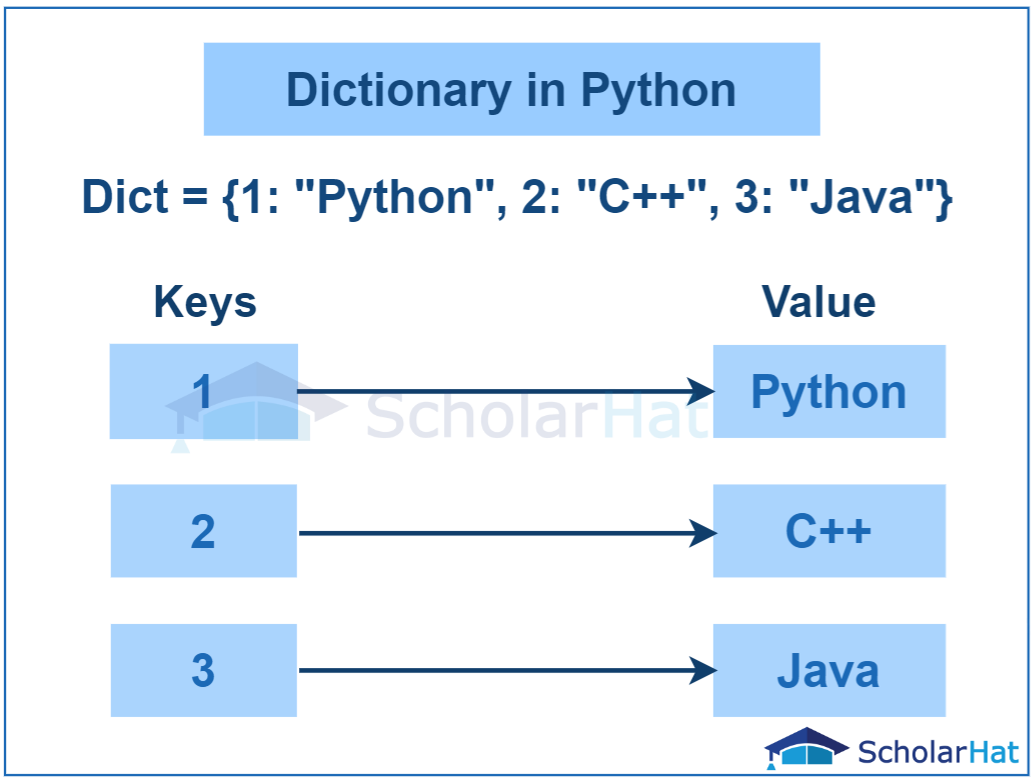
Let's watch a short video that introduces the basic syntax for creating dictionaries and accessing their values.
Python Tutorial for Beginners 5: Dictionaries - Working with Key-Value Pairs
This clip from Corey Schafer's Python tutorial provides a clear introduction to what dictionaries are and how to create them and retrieve data.
Watch from the beginning until 02:48. Pay attention to: The {key: value} syntax. How to access a value using its key with square brackets []. The types of data that can be used as keys (immutable) and values (any type).
As the video explained, a key must be an immutable type (like a string, number, or a tuple containing only immutable elements), while a value can be any Python object. This uniqueness and immutability of keys are what allow dictionaries to be so fast.
Core Dictionary Operations
For competitive programming, you need to be fluent with the methods for adding, retrieving, and removing data from dictionaries.
Retrieving Data Safely with .get()
Using square brackets my_dict['key'] works, but it will raise a KeyError if the key doesn't exist, which can crash your program. A safer and more flexible way is to use the .get() method.
Let's see how it works and why it's so useful.
Python Tutorial for Beginners 5: Dictionaries - Working with Key-Value Pairs
This part of the same video explains the difference between using square brackets and the .get() method for accessing data.
Watch from 02:48 to 04:07. Notice how .get() can return None or a custom default value if a key is not found, preventing errors.
Using my_dict.get('key', default_value) is a common pattern to avoid errors and handle missing data gracefully.
Adding, Updating, and Removing Data
Manipulating the data within a dictionary is straightforward. Let's cover the essential methods for these tasks.
Python Tutorial for Beginners 5: Dictionaries - Working with Key-Value Pairs
This final clip from Corey Schafer's video demonstrates how to add new pairs, update existing ones, and delete entries from a dictionary.
Watch from 04:07 to 07:09. Focus on: Using my_dict['new_key'] = value to add or update. Using the .update() method to merge multiple key-value pairs. Using del to remove an entry. Using .pop() to remove an entry and get its value back.
To summarize the key modification methods:
- Add/Update a single item:
my_dict[key] = value - Add/Update multiple items:
my_dict.update(other_dict) - Remove by key:
del my_dict[key] - Remove by key and get value:
value = my_dict.pop(key)
There is one more useful removal method: .popitem(). This method removes and returns the last inserted key-value pair as a (key, value) tuple. This follows a Last-In, First-Out (LIFO) order, which can be useful in specific algorithmic contexts.
ALL 11 Dictionary Methods In Python EXPLAINED
This short clip from the channel Indently quickly demonstrates the .popitem() method.
Watch from 01:21 to 02:00 to see how .popitem() works.
Iterating Through Dictionaries
You will frequently need to loop through the contents of a dictionary. There are three main ways to do this, each serving a different purpose.
- Iterating over keys: This is the default behavior.
for key in my_dict: print(key, my_dict[key]) - Iterating over values: Use the
.values()method.for value in my_dict.values(): print(value) - Iterating over key-value pairs: This is the most common and Pythonic way. Use the
.items()method, which returns pairs that can be unpacked directly. This connects nicely with the tuple unpacking we learned in the last lesson.for key, value in my_dict.items(): print(f"Key: {key}, Value: {value}")
Let's see this in action.
Python Tutorial for Beginners 5: Dictionaries - Working with Key-Value Pairs
This section of Corey Schafer's video clearly shows how to use .keys(), .values(), and .items() to loop through a dictionary.
Watch from 07:09 to 09:00. The demonstration of for key, value in student.items(): is especially important to master.
A Comprehensive Reference
We've covered the most critical methods. For a complete overview and to reinforce your understanding, the following article provides an excellent, detailed summary of all common dictionary methods.
The article 'Dictionaries in Python' from Real Python is a fantastic resource. We'll focus on the section that summarizes the methods for retrieving, adding, and removing data.
Please read the section titled 'Exploring the dict Class Methods'. It covers .get(), .values(), .keys(), .items(), .setdefault(), .update(), .pop(), .popitem(), and .clear(). Pay special attention to .setdefault(), as it's a very efficient way to handle keys that might not exist yet—a common task in algorithms.
Test your understanding!
A very common problem in programming is frequency counting. Given a list of items, you need to count the occurrences of each unique item.
Write a function count_frequency(items) that takes a list of strings and returns a dictionary where keys are the unique strings and values are their frequencies.
For example, count_frequency(['apple', 'banana', 'apple', 'orange', 'banana', 'apple']) should return {'apple': 3, 'banana': 2, 'orange': 1}.
Hint: Iterate through the input list. For each item, check if it's already a key in your dictionary. If it is, increment its value. If not, add it with a value of 1. The .get(key, 0) pattern is perfect for this!
Show answer
def count_frequency(items):
    frequency_map = {}
    for item in items:
        # Use .get(item, 0) to get the current count.
        # If the item isn't in the map, .get() returns the default value 0.
        # Then add 1 to it and update the dictionary.
        frequency_map[item] = frequency_map.get(item, 0) + 1
    return frequency_map

# Example usage:
data = ['apple', 'banana', 'apple', 'orange', 'banana', 'apple']
counts = count_frequency(data)
print(counts) # Output: {'apple': 3, 'banana': 2, 'orange': 1}
This solution is concise and efficient. The expression frequency_map.get(item, 0) + 1 elegantly handles both cases: initializing a new key and incrementing an existing one. This is a pattern you will use very often.
The Dictionary's Superpower: O(1) Complexity
For your computer science background, the "why" behind the dictionary's usefulness is its performance. Dictionaries are built using a data structure called a hash table. This allows the time taken for insertion, deletion, and retrieval of an item to be, on average, constant, regardless of the size of the dictionary. This is known as O(1) time complexity.
Data Structures (Part II): Dictionaries
The article 'Data Structures (Part II): Dictionaries' from pythonlikeyoumeanit.com provides a concise summary of the time complexities for common dictionary operations.
Read the short section 'Time Complexities of the Dictionary’s Functions'. This is the most important theoretical concept to understand about why dictionaries are preferred in so many algorithms.
This O(1) performance is a stark contrast to lists, where searching for an item (item in my_list) takes O(n) time because Python might have to check every single element. When you need to quickly check for existence or retrieve data by an identifier, a dictionary is almost always the right choice.
Visual Summary
Here is a handy table summarizing the most common methods we've discussed.

Conclusion
You've now learned how to use Python's dict type, a cornerstone of efficient programming.
Key Takeaways:
- Dictionaries store data as key-value pairs. Keys must be unique and immutable.
- Accessing data with
my_dict.get(key, default)is safer thanmy_dict[key]as it avoidsKeyError. - You can add/update items with
my_dict[key] = valueor.update(), and remove them withdel,.pop(), and.popitem(). - The most effective way to iterate is using
.items()with tuple unpacking:for key, value in my_dict.items():. - The primary reason dictionaries are so powerful is their O(1) average time complexity for lookups, insertions, and deletions.
Up Next:
We have now completed our survey of Python's most important built-in data structures: lists, sets, tuples, and dictionaries. In the next module, we will begin using these tools to implement and analyze fundamental algorithms. We'll start with one of the most important searching algorithms: binary search on sorted arrays.