Hello! Welcome to your first lesson in the Cybersecurity course.
This course is designed to build on your web development and data science background to help you achieve your goal of implementing robust security in your own applications. We'll start with the fundamentals and progressively move towards practical implementations of authentication and bot protection using technologies like Google OAuth and reCAPTCHA within a Next.js environment.
Today's lesson focuses on a foundational concept: the difference between authentication and authorization. Mastering this distinction is the first and most crucial step in understanding how to secure any application. By the end of this 60-minute lesson, you'll be able to clearly explain what each term means, how they relate to each other, and why both are essential for protecting user data and system resources.
Let's begin.
1. Who Are You vs. What Can You Do?
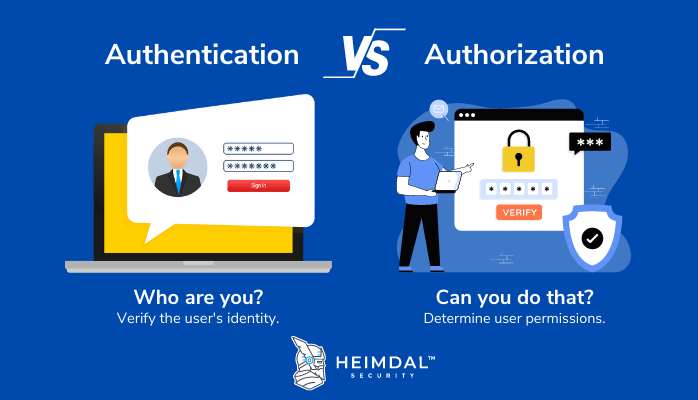
At the heart of application security lie two fundamental questions:
- Authentication: "Who are you?" This process is about verifying a user's identity.
- Authorization: "What are you allowed to do?" This process determines the permissions of an authenticated user.
Authentication always comes before authorization. A system needs to know who you are before it can decide what you can access.
A common and effective analogy is airport security.
- When you show your passport or ID to the security agent, you are authenticating yourself. You are proving that you are the person you claim to be.
- Later, when you show your boarding pass at the gate, the airline staff is authorizing you to board the plane. The boarding pass grants you permission to access a specific resource (a seat on Flight 123) but not any other flight.
To get a solid grasp of these definitions and see a helpful comparison, please read the following sections from an article by Auth0, a major player in the identity management space.
Authentication vs. Authorization
This article provides clear definitions for authentication and authorization, expands on the airport analogy, and presents a useful comparison table.
Please read the sections titled 'What are authentication and authorization?' and 'Authentication vs. authorization'. Pay close attention to the table comparing the two concepts.
2. How Authentication Works: Proving Your Identity
As you've just read, authentication is the process of validating a user's claim to an identity, typically by checking credentials. Let's explore this in more detail.
The evidence used for authentication is called an authentication factor. These factors are generally categorized into three types:
- Knowledge factor: Something only the user knows (e.g., a password, a PIN).
- Possession factor: Something only the user has (e.g., a physical key, a mobile phone for receiving a one-time code).
- Inherence factor: Something the user is (e.g., a fingerprint, a facial scan).
You've likely encountered different authentication schemes based on these factors:
- Single-Factor Authentication (SFA): Uses only one factor, like a password.
- Two-Factor Authentication (2FA): Requires exactly two factors, like a password and a code from your phone.
- Multi-Factor Authentication (MFA): Requires two or more factors from different categories (e.g., a password (knowledge) and a fingerprint (inherence)).
For a deeper dive into these concepts and how they fit into modern security standards, please read the following material. As you read, notice the mention of JSON Web Tokens (JWTs), which we will cover in detail in our next lesson.
Authentication vs. Authorization: What's the Difference?
This article from IBM Think provides an excellent overview of how authentication works, the different factors involved, and the various types of authentication you'll encounter.
Read the sections 'How authentication works' and 'Types of authentication'. Focus on understanding the three authentication factors and the differences between SFA, 2FA, and MFA.
3. How Authorization Works: Granting Permissions
Once a user is authenticated, the system knows who they are. The next step is to determine their permissions—this is authorization. Authorization is essentially an access control mechanism based on a set of rules or policies.
For a simple application, you might define permissions for each user individually. However, this doesn't scale well. Imagine managing permissions for thousands of users across hundreds of resources in a large company. It would be an administrative nightmare.
This is where authorization models come into play. A common and powerful model is Role-Based Access Control (RBAC). In RBAC, instead of assigning permissions directly to users, you assign permissions to roles (e.g., "admin", "editor", "viewer"), and then assign users to those roles.
This video from Professor Messer, a well-known cybersecurity educator, clearly explains the challenge of scaling permissions and how RBAC solves it.
Authentication, Authorization, and Accounting - CompTIA Security+ SY0-701 - 1.2
This segment explains why authorization models are necessary and uses a practical example to demonstrate how Role-Based Access Control (RBAC) works.
Watch the segment from 5:16 to 8:41. Focus on understanding the problem with assigning permissions directly to users and how creating roles (like the 'shipping and receiving' group) simplifies administration.
Test your understanding!
Imagine you are building a blog platform using Next.js. You have three types of users:
- Readers, who can only view published posts.
- Writers, who can create new posts and edit their own posts.
- Admins, who can do everything writers can do, plus delete any post and manage user accounts.
A user named Alice logs in with her username and password. She then navigates to the admin dashboard to delete a spam post.
Which part of this process is authentication, and which is authorization?
Show answer
- Authentication is when Alice logs in with her username and password. The system verifies her identity.
- Authorization is when the system checks if Alice has the "Admin" role before allowing her to access the admin dashboard and use the delete function. If she were a "Writer", the system would deny her access to this function, even though she is successfully authenticated.
4. A Practical Web Development Example
Let's tie these concepts to a typical web application flow, which should be familiar given your background in web development.
Consider a simple API built with a framework like Node.js/Express (the principles are identical for Next.js API routes).
-
Authentication Step:
- A user submits their email and password to a
/api/loginendpoint via aPOSTrequest. - The server-side code checks if these credentials match a record in the database.
- If the credentials are valid, the user is authenticated. The server then generates a token (often a JWT) containing the user's ID and role (e.g.,
{ userId: 123, role: 'admin' }). This token is sent back to the client.
- A user submits their email and password to a
-
Authorization Step:
- The user wants to fetch some protected data, for example, by making a
GETrequest to/api/data. - The client application includes the token from the login step in the
Authorizationheader of the request. - The server-side code for the
/api/dataendpoint first verifies the token. If the token is invalid or expired, it rejects the request (an authentication check, in a way, as the identity proof is no longer valid). - If the token is valid, the server now knows who the user is (e.g., user 123). It then performs an authorization check. For instance, it might query the database for data
WHERE ownerId = 123, ensuring the user only sees data they own. If the user tried to access an admin-only endpoint, the server would check forrole: 'admin'in the token before granting access.
- The user wants to fetch some protected data, for example, by making a
This flow clearly separates verifying identity from checking permissions, using a token as the bridge between the two.
Conclusion
In this lesson, we've established the clear distinction between authentication and authorization, two cornerstones of application security.
Key Takeaways:
- Authentication is about verifying identity ("Who are you?"). It's the first step in any secure process.
- Authorization is about granting permissions ("What are you allowed to do?"). It happens after a user has been successfully authenticated.
- Authentication uses factors like passwords or biometrics, while authorization uses policies and roles (like RBAC) to control access.
- Both are critical and work together. Strong authentication prevents unauthorized users from getting in, and strong authorization limits what an authenticated user can do, minimizing potential damage.
In our next lesson, we will dive into the technology that often links these two processes in modern web applications: JSON Web Tokens (JWTs). We'll explore the structure of a JWT (header, payload, signature) and understand how it securely transmits identity and permission information after a user has been authenticated.