Hello! Welcome to the first lesson in our module on React's rendering model.
In the previous module, we concluded our tour of the browser environment by examining fundamental concepts like the critical rendering path, event propagation, and the security model enforced by the Same-Origin Policy. We now have a solid understanding of the low-level APIs and rules that govern how web pages are built and secured.
Now, we're ready to move up a level of abstraction to React. While React ultimately uses the same browser APIs we've studied, it provides a powerful and declarative model that simplifies building complex user interfaces.
This lesson kicks off our React journey by focusing on its unique syntax: JSX. Our goal is to address the learning outcome: Explain how JSX is transpiled into React.createElement function calls.
We will explore:
- What JSX is and why it needs to be transformed.
- The "classic" transpilation process into
React.createElementcalls. - The "under-the-hood" logic that transpilers like Babel use to differentiate between HTML elements and React components.
- The modern JSX transform introduced in React 17 and its benefits.
This foundational knowledge is crucial for demystifying how the code you write in React ultimately becomes DOM nodes in the browser.
What is JSX?
At first glance, JSX looks like HTML embedded directly in your JavaScript files.
const element = <h1>Hello, world!</h1>;
However, this is not valid JavaScript syntax on its own. Browsers cannot execute it directly. JSX is a syntax extension for JavaScript, popularized by React, which allows us to write UI structures in a familiar, declarative way.
For this code to run in a browser, it must first be processed by a transpiler, typically Babel. A transpiler converts source code from one language (or language version) to another. In your work, you've used tools like Jenkins in CI/CD pipelines to automate build and test processes; transpilation is a key step in the build process of any modern JavaScript application.
Babel takes your JSX and converts it into standard JavaScript function calls that create React elements.
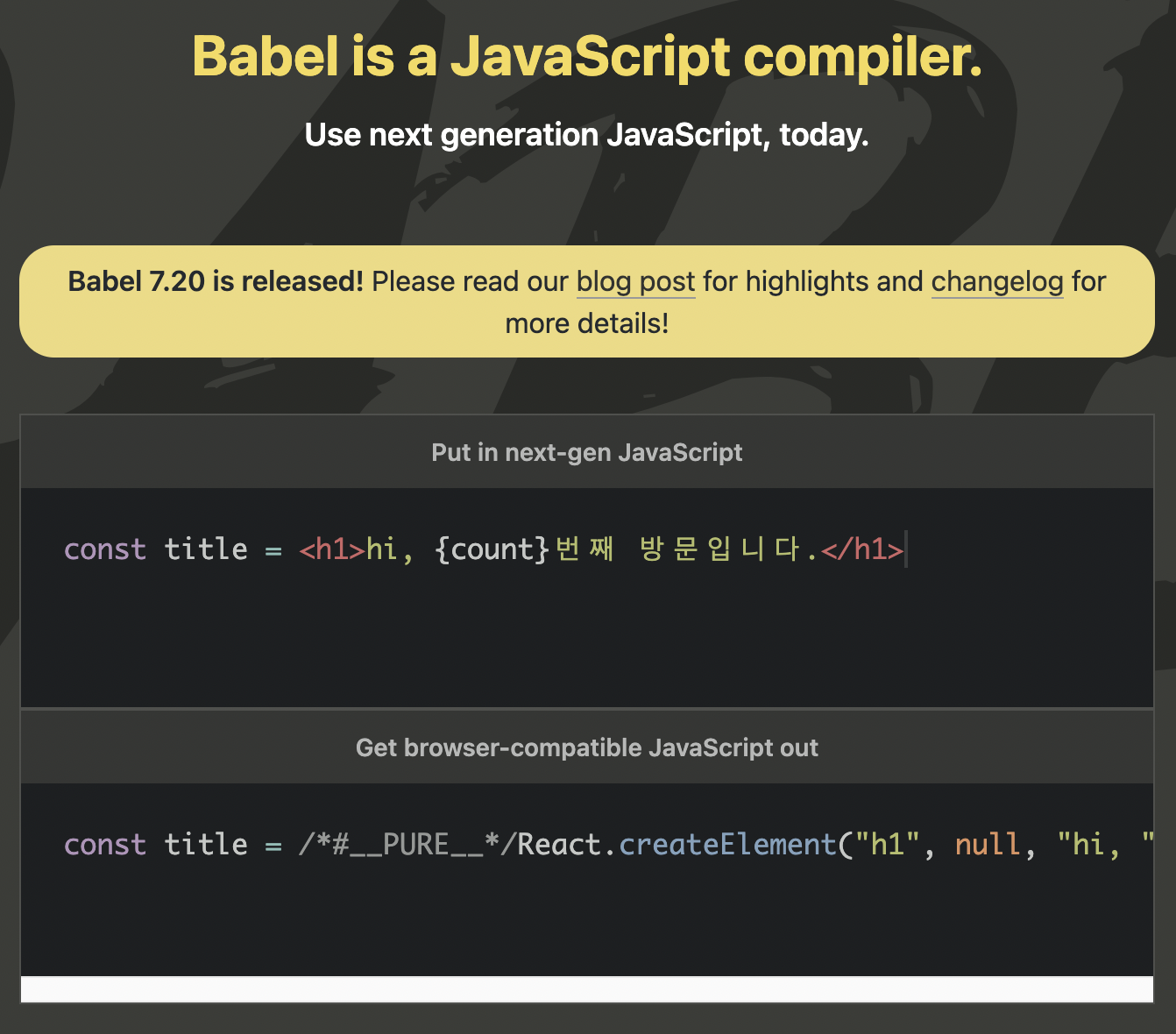
The Classic JSX Transform: React.createElement
Before React 17, every piece of JSX was transformed into a React.createElement() function call. This is why you historically had to have import React from 'react' at the top of every file that used JSX—the transpiled code literally called a function on the React object.
To see how this works, let's watch a short video.
How Does React Actually Work? React.js Deep Dive #1
This clip from the channel Philip Fabianek clearly demonstrates the transformation from a simple JSX component into React.createElement calls and shows the resulting object.
Watch from 01:06 to 02:52. Focus on: The structure of the React.createElement(type, props, ...children) function call. How nested JSX elements become nested function calls. The structure of the JavaScript object that React.createElement returns.
As the video explained, the function has the following signature:React.createElement(type, [props], [...children])
type: The element's type. This can be a string for a standard HTML tag (e.g.,'div','h1') or a reference to a React component (e.g.,MyComponent).props: An object containing the attributes (properties) passed to the element, likeclassNameorsrc....children: The content inside the element. This can be a string of text, or moreReact.createElementcalls for nested elements.
So, a slightly more complex JSX structure like this:
<div className="container">
  <h2>A Title</h2>
  <p>Some text.</p>
</div>
...would be transpiled into this nested structure of function calls:
React.createElement(
  'div',
  { className: 'container' },
  React.createElement('h2', null, 'A Title'),
  React.createElement('p', null, 'Some text.')
);
These function calls produce plain JavaScript objects, often called "React elements," which are lightweight descriptions of what should be rendered. React then uses these objects to construct the actual DOM.
Under the Hood: How Babel Decides
A key conceptual question is: how does Babel know that <div> should become the string 'div', but <MyComponent> should become a variable reference to MyComponent?
The answer lies in a simple, but strict, convention defined in the JSX specification.
Demystifying JSX: How Babel Really Transforms React Components
This article by Daniel Philip Johnson provides an excellent deep dive into the precise mechanics of JSX transformation, even looking at Babel's source code. It's perfect for understanding the underlying logic.
Read the sections 'Putting JSX Transformation to the Test with Babel REPL,' 'Breaking Down Babel’s JSX Transformation,' and 'How Babel Really Handles JSX: A Source Code Dive.' Focus on these points: The Capitalization Rule: Note how Babel treats lowercase tags (e.g., <div>) differently from capitalized tags (e.g., <Div>). Member Expressions: Observe that this capitalization rule does not apply to member expressions like <foo.bar>. The isCompatTag function: The source code dive reveals the exact function Babel uses, which checks if a tag name starts with a lowercase letter. This is the core of the transformation logic.
The key takeaways from that reading are:
- Simple Identifiers: A tag starting with a lowercase letter (e.g.,
<p>) is treated as a built-in HTML element and is converted to a string ('p'). A tag starting with a capital letter (e.g.,<MyComponent>) is treated as a reference to a JavaScript variable in scope. - Member Expressions: For JSX using dot-notation (e.g.,
<My.Component>), this rule doesn't apply. Babel treats the full expression as a variable reference. - Syntax, Not Semantics: Babel has no internal list of valid HTML tags. The decision is purely syntactic, based on the capitalization convention.
This distinction is fundamental to how React components are composed.
The New JSX Transform (React 17+)
While understanding the React.createElement transformation is crucial, it's also important to know that the process evolved with the release of React 17. The goals were to simplify the developer experience and enable future optimizations.
The "new JSX transform" makes two significant changes:
- It automatically imports special functions from new entry points within the React package (e.g.,
react/jsx-runtime). - It uses these functions (like
jsxorjsxs) instead ofReact.createElement.
The most visible benefit for you as a developer is that you no longer need to import React from 'react' in files that only contain JSX.
Let's watch this video from Harry Wolff, which explains the motivation and mechanics behind this new transform.
Watch the segments from 02:14-03:06, 03:06-04:02, and 02:39-05:08. (Note the last segment overlaps but contains the summary of benefits). Focus on: The classic transform requiring React to be in scope. The new transform using an imported _jsx function. The three main benefits: no need to import React, potential bundle size improvements, and future-proofing.
Let's look at the before-and-after with a code example.
React.js Deep Dive #1 — Understanding createElement and jsx-runtime
This article provides clear, side-by-side code comparisons of the old and new JSX transforms.
Read the sections 'Before React 17' and 'From React 17 Onwards'. Compare the transpiled output for the same JSX snippet. Notice how the new version injects an import statement for jsx from react/jsx-runtime.
Before React 17 (Classic Transform):
// Your code
function App() {
  return <h1>Hello World</h1>;
}

// Transpiled output
function App() {
  return React.createElement("h1", null, "Hello World");
}
After React 17 (New Transform):
// Your code
function App() {
  return <h1>Hello World</h1>;
}

// Transpiled output (simplified)
import { jsx as _jsx } from "react/jsx-runtime";

function App() {
  return _jsx("h1", { children: "Hello World" });
}
The end result is the same: a JavaScript object describing the UI. The new transform is simply a more optimized and convenient way to get there, handled automatically by the toolchain.
The React Element Object
Whether created by React.createElement or the new jsx functions, the resulting object has a specific structure that React uses internally.
React.js Deep Dive #1 — createElement and jsx-runtime - Medium
Let's return to the 'React.js Deep Dive' article for a breakdown of the properties on the created React element object.
Read the part of the article that breaks down the returned object, starting from the example object and explaining properties like $$typeof, type, props, key, etc. This provides great insight into the 'description' that React will use to build the DOM.
See It For Yourself: The Babel REPL
The best way to solidify this concept is to see the transformation live. The Babel REPL is an online tool that lets you do just that.
- Navigate to the Babel REPL.
- On the left, make sure the
@babel/preset-reactpreset is enabled. - In the preset options, you can toggle the
Runtimebetween "classic" and "automatic" to see both transformations.
Try pasting this code into the REPL and switching between the runtimes:
function MyComponent() {
    return <h1>I am a component</h1>;
}

const element = (
    <div className="app">
        <MyComponent />
        <p>Some text here.</p>
    </div>
);
Observe how Babel converts the JSX into React.createElement calls in "classic" mode and into _jsx calls with an injected import in "automatic" mode. Experiment with different tags to see the capitalization rule in action.
Conclusion
In this lesson, we've pulled back the curtain on JSX, revealing it to be a powerful abstraction over standard JavaScript function calls. This transformation is a critical first step in React's rendering process.
Key Takeaways:
- JSX is Syntactic Sugar: It provides a declarative, HTML-like syntax for creating React elements, but it is not native to browsers.
- Transpilation is Key: Tools like Babel are essential for transforming JSX into regular JavaScript.
- The Classic Transform: Historically, JSX was converted into
React.createElement(type, props, children)calls, which requiredReactto be imported in every file. - The Capitalization Convention: Babel uses a simple rule to distinguish between built-in HTML tags (lowercase strings) and custom React components (capitalized variables).
- The New JSX Transform (React 17+): Modern toolchains use an "automatic" runtime that imports helper functions (like
jsx), removing the need to manually import React just for using JSX.
What's Next?
We've now established how JSX code is transformed into a tree of JavaScript objects called React elements. But what does React do with these objects?
In our next lesson, we will answer that question by exploring the concept of the Virtual DOM. We will learn how React uses these element objects to create an in-memory representation of the UI and how its powerful reconciliation algorithm uses this representation to perform efficient, minimal updates to the actual browser DOM.