Welcome to our next lesson on the JavaScript essentials for React. In our last session, you learned how to use the .map() and .filter() array methods to transform data. You wrote code like users.map(user => user.firstName), which is perfectly functional but can become repetitive when you need to access many properties from an object.
Today, we'll learn a more elegant and powerful way to handle this: destructuring. This is a JavaScript feature that lets you "unpack" values from arrays or properties from objects into distinct variables. Mastering destructuring will make your code significantly cleaner and more readable, which is a hallmark of professional development. It's a technique you will use constantly in React, especially when working with component props and state.
This lesson directly addresses the learning outcome of destructuring objects and arrays to access their properties and elements. Let's get started.
What is Destructuring?
At its core, destructuring is a convenient syntax for extracting data from complex structures like objects and arrays. Imagine you have a box (the object or array) and you want to take out specific items and place them on your desk as individual variables. Destructuring is the shortcut that lets you do that in a single, expressive line of code.
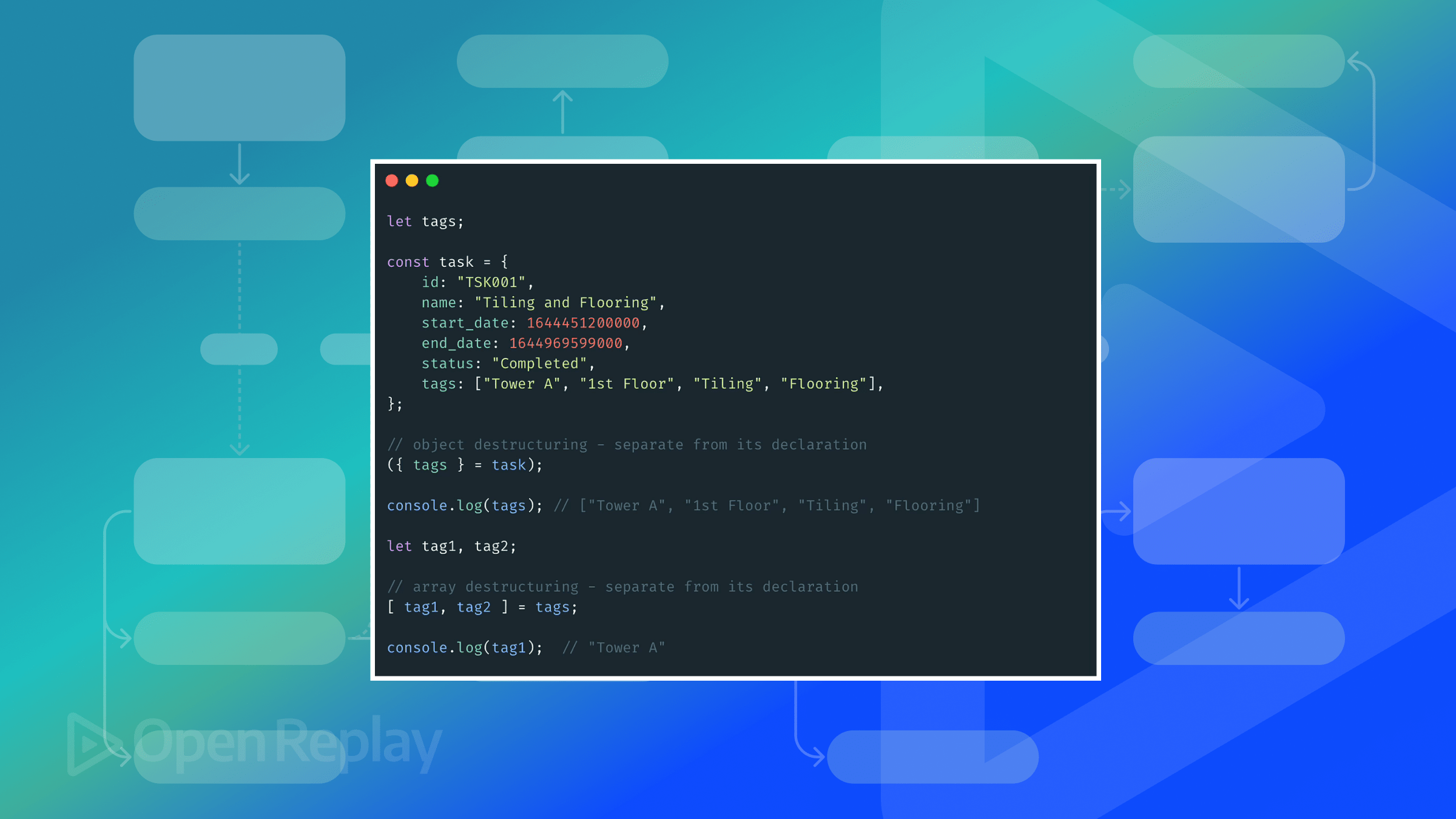
Object Destructuring: Accessing by Key
Object destructuring is arguably the more common of the two, especially in React. It allows you to extract properties from an object by their key (name).
The old way of doing this would be:
const person = {
  name: 'Alex',
  age: 30,
  city: 'New York'
};

const name = person.name;
const age = person.age;

console.log(`${name} is ${age} years old.`); // "Alex is 30 years old."
With destructuring, you can achieve the same result much more concisely:
const person = {
  name: 'Alex',
  age: 30,
  city: 'New York'
};

const { name, age } = person;

console.log(`${name} is ${age} years old.`); // "Alex is 30 years old."
Notice how we use curly braces {} on the left side of the assignment. The variable names inside the braces must match the property keys in the object. The order doesn't matter.
The following video from the "Web Dev Simplified" channel provides an excellent overview of the key features of object destructuring.
Why Is Array/Object Destructuring So Useful And How To Use It
This video walks through the essential features of object destructuring with clear examples.
First, watch the introduction to object destructuring to grasp the basic syntax. Next, see how to handle cases where you want to use a different variable name or provide a default value for a property that might not exist. Finally, watch the segment on destructuring nested objects, which is very useful for complex data structures like API responses.
As you saw in the video, object destructuring is quite flexible. Here are the key techniques:
-
Renaming Variables: If you want to assign a property to a variable with a different name, you can use a colon:
const { name: personName } = person; console.log(personName); // 'Alex' -
Default Values: You can provide a default value for a property that might be missing from the object:
const { name, country = 'USA' } = person; console.log(country); // 'USA', since 'country' is not in the 'person' object. -
Nested Destructuring: You can even destructure objects within objects:
const user = {
  id: 1,
  profile: {
    name: 'Jane Doe',
    email: 'jane@example.com'
  }
};

const { profile: { name, email } } = user;
console.log(`${name} - ${email}`); // "Jane Doe - jane@example.com"
Array Destructuring: Accessing by Position
Array destructuring works similarly, but instead of using property keys, it relies on the position of the elements in the array.
The old way:
const coordinates = [10, 20, 30];
const x = coordinates[0];
const y = coordinates[1];
With array destructuring, you use square brackets [] on the left side:
const coordinates = [10, 20, 30];
const [x, y] = coordinates;

console.log(x); // 10
console.log(y); // 20
The "Web Dev Simplified" video you started earlier also has a great section on arrays.
Why Is Array/Object Destructuring So Useful And How To Use It
Let's return to the video to see array destructuring in action.
Watch from this simple example to see how to extract elements and skip ones you don't need. Then, see how to use the rest operator (...) to gather the remaining elements of an array into a new array from this section.
The main features of array destructuring are:
-
Skipping Elements: You can use a comma to skip an element you don't need:
const [x, , z] = coordinates; console.log(z); // 30 -
The Rest Operator (
...): You can capture all remaining elements into a new array. This must be the last element in the destructuring pattern.const numbers = [1, 2, 3, 4, 5]; const [first, second, ...rest] = numbers; console.log(rest); // [3, 4, 5]
Practical Application: The "Why" for React Developers
This is where destructuring becomes indispensable for your goal of learning React. One of the most powerful applications is destructuring function parameters.
This final segment from the video highlights this perfectly. It is the most direct link between what we've learned and how you'll write React code.
Why Is Array/Object Destructuring So Useful And How To Use It
Pay close attention to this part, as it demonstrates what the instructor calls "the single most useful part of object destructuring".
Watch the segment on using destructuring in function arguments.
Let's apply this directly to the .map() example from our last lesson.
Before:
const users = [
  { firstName: "akshay", lastName: "saini" },
  { firstName: "donald", lastName: "trump" }
];

const fullNames = users.map(user => `${user.firstName} ${user.lastName}`);
After (with destructuring in the function parameter):
const users = [
  { firstName: "akshay", lastName: "saini" },
  { firstName: "donald", lastName: "trump" }
];

const fullNames = users.map(({ firstName, lastName }) => `${firstName} ${lastName}`);
The second version is much cleaner. By replacing user with { firstName, lastName }, we are immediately unpacking the properties we need from each user object in the array.
This pattern is fundamental in React for handling props, which are objects passed to your components.
This W3Schools article provides a concise look at how destructuring is used in React.
First, read the section on Props Destructuring. Compare the two Greeting function examples to see how much cleaner the code becomes. Then, take a quick look at the section on the useState Hook. This is a preview of a concept we'll cover later, but it's another prime example of array destructuring that you will use in almost every React component you build.
Time to Practice
The best way to solidify this knowledge is to apply it. The following resource provides some excellent, focused exercises.
This article from javascript.info offers a deep dive, but for now, we'll focus on its practical exercises.
Scroll to the end of the article to the "Tasks" section. Try to solve the two problems presented: Destructuring assignment: This task has you destructure an object, rename a variable, and set a default value. The maximal salary: This task is a great challenge that combines Object.entries with array destructuring in a loop.
Key Takeaways
You've now added a powerful tool to your JavaScript toolkit that will pay huge dividends as you learn React.
- Destructuring is a syntax for unpacking values from objects and arrays into variables.
- Object Destructuring (
{}) unpacks properties by their key name. The order does not matter. - Array Destructuring (
[]) unpacks elements by their position. The order is crucial. - You can rename variables and provide default values.
- The rest operator (
...) can be used to gather remaining items into a new object or array. - The most common use case in React is destructuring function parameters, especially for
propsand in array methods like.map().
Next Steps
In our next lesson, we will explore the spread operator. It uses the same ... syntax as the rest operator you saw today, but for the opposite purpose: expanding the elements of an array or properties of an object into another. Understanding both destructuring and spread will give you a complete and powerful workflow for manipulating data in an immutable, predictable way—a core principle of React.