Hello! Welcome back.
In our last lesson, we explored how different types of saturation—tube, tape, and transformer—can add specific kinds of harmonic character to your sounds. This is a key part of moving a mix from sterile and digital to warm and analog-feeling.
Today, we'll continue adding character by exploring the world of modulation and stereo width. Your goal for this lesson is to learn how to use chorus and stereo widening effects to thicken and broaden a sound within the stereo field. These tools are essential for creating a mix that feels full, spacious, and immersive, rather than flat and narrow. We'll look at how to make a single instrument sound like many, and how to strategically place sounds outside the center to make room for key elements like your lead vocal.
1. The Chorus Effect: Creating Thickness and Lushness
One of the most effective ways to make a sound feel bigger and more complex is with the chorus effect. Conceptually, it's designed to mimic the sound of multiple performers playing the same part at the same time, like a choir of singers or a section of violins.
How does it work?
A chorus plugin creates one or more copies of your original signal, slightly delays them, and then uses a Low-Frequency Oscillator (LFO) to continuously vary the pitch and timing of these copies. When mixed back with the original sound, this creates a shimmering, lush, and thick texture.
For a practical demonstration of how this sounds and how to control it, let's turn to a video that breaks down the Fruity Chorus plugin in FL Studio.
Chorus Effect Tutorial - What Does The Chorus Effect Do?
The video 'Chorus Effect Tutorial - What Does The Chorus Effect Do?' from Justin Omoi provides an excellent, hands-on walkthrough of a chorus effect, showing how each parameter shapes the sound.
Watch from the beginning to 02:10. Focus on how the main controls affect the vocal: Delay: Notice how this parameter introduces the core effect. Depth: Listen for how this adds movement and variation. Stereo: Pay close attention to this one. This is the key to transforming the effect from a simple thickener into a stereo widener. Listen to the difference between 0% (mono) and 180% (wide).
Key Chorus Parameters
As you heard in the video, a few key parameters give you control over the chorus effect. Let's summarize them.

- Rate/Speed: Controls the speed of the LFO. A slow rate creates a gentle, swaying feel, while a fast rate creates a more noticeable, warbling vibrato.
- Depth/Amount: Determines how intense the pitch and time modulation is. Low settings give a subtle thickening, while high settings create a more dramatic, detuned effect.
- Delay: Sets the base time offset for the copied signals. This influences the core texture of the effect.
- Stereo/Width: This is crucial for our goal. This control spreads the modulated copies across the stereo field. A low setting keeps the effect in the center, while a high setting pushes the copies to the left and right, creating a wide, immersive sound.
- Mix/Wet: Balances the original "dry" signal with the "wet" chorused signal.
As mentioned in the article "Essential Vocal Effects" (resource LINK), a great strategy is to use chorus subtly on a lead vocal just to add a bit of thickness, but use it more aggressively on backing vocals or synth pads to push them out to the sides of the mix, creating a wide foundation.
2. Stereo Widening: Creating Space and Dimension
While chorus is great for adding width, sometimes you need a more direct and precise tool. This is where dedicated stereo wideners (or stereo imagers) come in. These plugins are specifically designed to manipulate a sound's placement in the stereo field.
Most modern stereo wideners work by processing the Mid and Side components of a stereo signal:
- Mid: The sound that is identical in both the left and right speakers (the "center" of your mix).
- Side: The sound that is different between the left and right speakers (the "width" of your mix).
By turning up the Side signal and/or turning down the Mid signal, these tools can make a sound feel much wider.
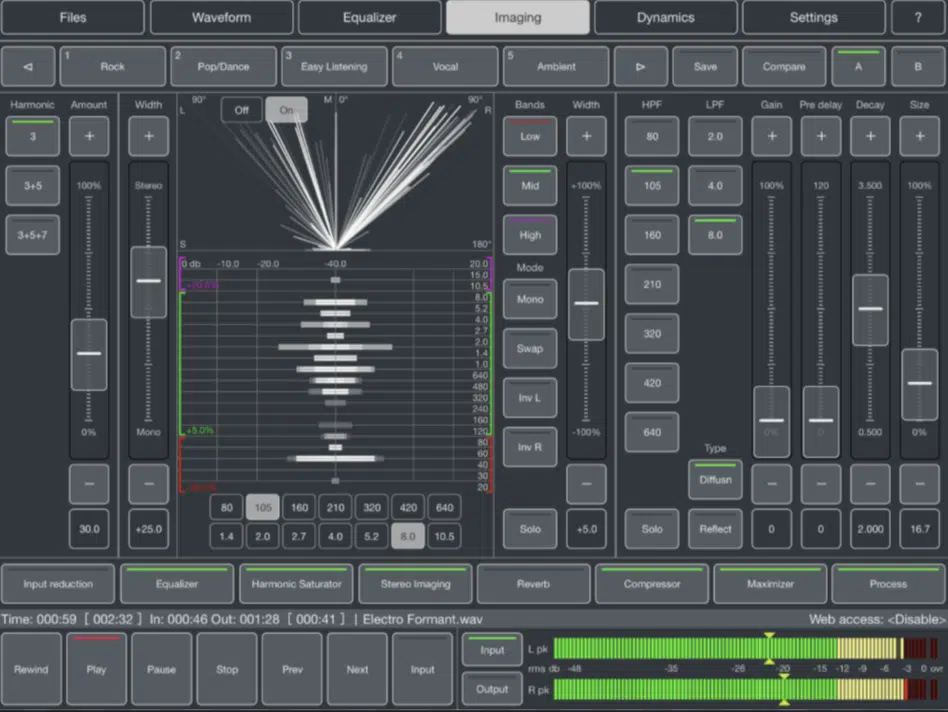
Stereo Widening in FL Studio
Since you're comfortable in FL Studio, you have a few excellent built-in tools for this.
- The Mixer's Stereo Separation Knob: This is the quickest way to adjust width. On each mixer track, to the right of the pan knob, is the Stereo Separation knob. Turning it to the left enhances the stereo width, while turning it to the right merges the signal towards mono. This is a great first step for quick adjustments.
- Fruity Spreader: For more advanced control, FL Studio includes a dedicated stereo widener. Let's see how it works.
FL STUDIO | Spreader - Expand Your Stereo, Preserve Your Mono!
This official video from the FL Studio channel, 'FL STUDIO | Spreader - Expand Your Stereo, Preserve Your Mono!', is a perfect guide to this powerful stock plugin.
Watch from 00:00 to 00:41 to understand the plugin's purpose, and then skip to 02:26 and watch until the end (04:48) to see a demonstration of the main controls. Pay special attention to: Spread: The main control for widening. Low Bypass / Mono button: This is a critical feature for professional-sounding mixes. Notice how it allows you to widen the high frequencies while keeping the bass centered and solid.
The most important takeaway from that video is the concept of keeping your low end in mono. Widening bass frequencies can make a mix sound muddy and weak, and can cause major problems on club systems or other playback devices where the low end is summed to mono. Using the Low Bypass on Spreader is non-negotiable for clean, powerful mixes.
Test your understanding!
You're mixing a song and have a synth pad that was recorded in mono. It sounds fine, but it's taking up space in the center of the mix where you want your lead vocal to sit. Describe two different methods you could use to make the synth pad feel wide and move it out of the center.
Show answer
-
Using Chorus: You could add the Fruity Chorus plugin to the synth pad's mixer track. By setting the Stereo knob to a high value (e.g., above 100%), the effect will be spread across the stereo field, making the mono synth sound wide and lush. Adjusting the Mix knob will let you blend it in so it doesn't sound over-processed.
-
Using a Stereo Widener: You could use the Fruity Spreader plugin. You would increase the Spread knob to push the sound outwards. Critically, you would also use the Low Bypass filter to ensure that only the mid and high frequencies of the synth are being widened, keeping any low-frequency content from muddying up the center of the mix.
3. Best Practices for Width
It can be tempting to make everything in your mix super-wide, but this is a common mistake. If everything is wide, nothing sounds wide. The impact comes from the contrast between narrow and wide elements.
Here are a few key principles to remember, drawn from professional mixing advice like that in the "Stereo Balance in Mixing" guide (resource LINK):
- Create Contrast: Keep your most important elements, like the kick, snare, bass, and lead vocal, relatively centered and narrow. Use widening effects on supporting elements like synth pads, backing vocals, or hi-hats to create a wide backdrop for the main elements to punch through.
- Keep Bass in Mono: As we've emphasized, wide bass is a recipe for a weak and unfocused mix. Always use a tool to center the low frequencies of any sound you widen.
- Check in Mono: Regularly switch your mix to mono to check for problems. Some widening techniques can cause phase cancellation, making an instrument sound thin or even disappear when collapsed to mono. If it sounds good in mono, it will sound great in stereo.
Conclusion
You've now added two powerful techniques to your audio processing toolkit. You can use chorus to not only thicken a sound but also to create a lush, wide stereo image. For more direct control, you have stereo wideners like FL Studio's Spreader, which allow you to precisely shape the width of a sound while preserving the integrity of your low end.
Key Takeaways:
- Chorus creates thickness and width by duplicating, delaying, and modulating a signal. Its
StereoorWidthparameter is key to creating a wide image. - Stereo Wideners directly manipulate the stereo field, often by adjusting the Mid/Side balance of a signal.
- Effective stereo mixing is about contrast. Use width strategically on supporting elements to make your central elements stand out.
- Always keep low frequencies centered (mono) and regularly check your mix in mono to avoid phase issues.
In our next lesson, we will continue exploring modulation effects by looking at phasers and flangers. These tools are less about width and more about creating dynamic, sweeping movement and unique textures.