Hello! Welcome back to our course on backend development.
In our last lesson, we established the first rule of good API design: how to name your resources using URIs. We learned that URIs act as the "nouns" of your API, identifying what resource the client wants to interact with. Today, we're focusing on the "verbs"—the HTTP methods that tell the server how to interact with that resource.
This lesson is crucial because choosing the right HTTP method makes your API predictable, efficient, and robust, especially in the face of network issues. By the end of our 60 minutes, you will be able to select the appropriate HTTP methods (GET, POST, PUT, DELETE, and PATCH) based on two critical properties: idempotency and safety.
1. Why Method Choice Matters: Safety and Idempotence
When a client sends a request over a network, things can go wrong. A connection might drop, and the client might not receive a response. What should it do? Retry the request?
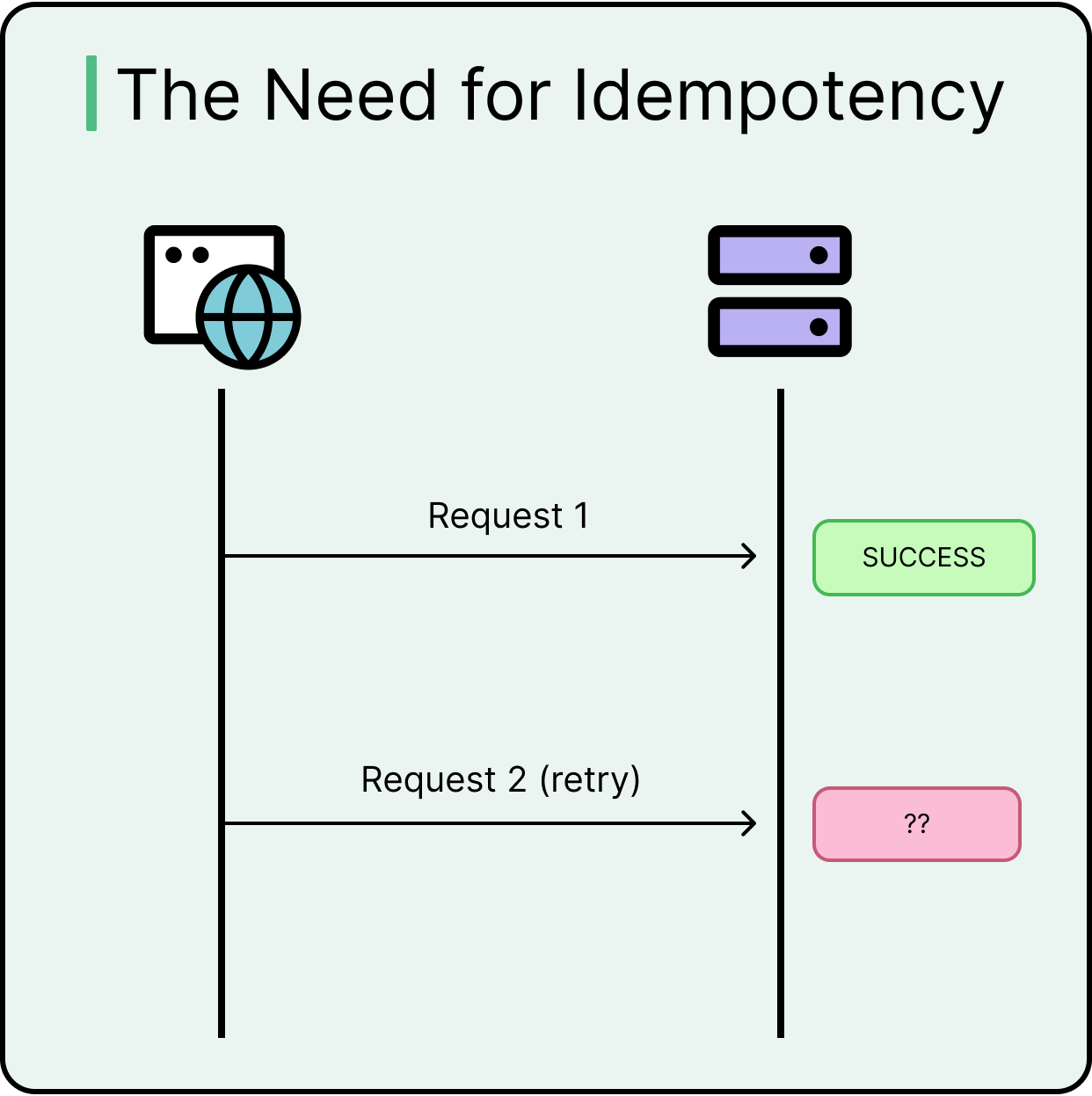
The answer depends entirely on the nature of the request. This is where the concepts of safety and idempotence become essential.
Safety
A method is considered safe if it does not alter the state of the resource on the server. Think of it as a "read-only" operation.
- Safe Methods:
GET,HEAD,OPTIONS - Unsafe Methods:
POST,PUT,DELETE,PATCH
Safe methods can be called any number of times without any side effects. For example, refreshing a web page (which sends a GET request) a dozen times won't change the underlying data on the server.
Idempotence
This is a more subtle but powerful concept. An operation is idempotent if making the same request multiple times has the same effect on the server's state as making it once.
The key here is the final state of the server, not the response the client receives.
To get a clear understanding of this concept and why it's different for various methods, please watch this section of the following video.
REST URLs and HTTP Verbs Explained: GET, POST, PUT, DELETE, HEAD, PATCH
This video from Cameron McKenzie provides an excellent, detailed explanation of idempotence with clear, practical examples.
Watch from 06:59 to 10:01. Focus on the distinction between an idempotent operation (like deleting a subscription) and a non-idempotent one (like increasing a salary).
As the video explains, if you send a DELETE /users/123 request, the user is deleted. If you send it again, the user is still deleted (the server state is unchanged), even though the second response might be a 404 Not Found instead of a 200 OK. This is idempotence.
Conversely, a POST request to increase-salary is not idempotent, because calling it twice doubles the salary increase.
Understanding these two properties is the key to selecting the right HTTP method for the job.
2. The Core HTTP Methods: Verbs for Your Nouns
Now, let's go through the primary HTTP methods used in REST APIs, examining their purpose and properties. The following table provides a fantastic at-a-glance summary.

For a comprehensive overview of how each method maps to standard operations, the following video serves as an excellent guide.
Mastering HTTP Methods: A REST API Deep Dive
The 'Mastering HTTP Methods' video by ByteMonk walks through each of the main methods, explaining their purpose and best practices.
Watch from 02:06 to 09:37. This covers GET, POST, PUT, PATCH, and DELETE. As you watch, try to link each method's behavior back to the concepts of safety and idempotence shown in the table above.
Let's break down the key points from the video for each method.
GET
- Purpose: To retrieve a representation of a resource.
- Example:
GET /users/123retrieves the user with ID 123.GET /usersretrieves a collection of all users. - Safety: Safe. It's a read-only operation and does not change the resource.
- Idempotence: Idempotent. Requesting the same user 10 times has the same outcome as requesting it once.
POST
- Purpose: To create a new child resource under a collection. It can also be used for actions that don't fit other methods.
- Example:
POST /userswith a JSON body containing user details creates a new user. The server determines the new user's ID and URI (e.g.,/users/124). - Safety: Not Safe. It creates a new resource, thus changing the server's state.
- Idempotence: Not Idempotent. Sending the same
POSTrequest twice will create two distinct users.
PUT
- Purpose: To replace an entire resource at a specific, client-known URI. If the resource doesn't exist,
PUTcan create it. - Example:
PUT /users/123with a JSON body containing a complete user object will replace whatever data exists for user 123. - Safety: Not Safe. It modifies a resource.
- Idempotence: Idempotent. Sending the same
PUTrequest multiple times with the same payload will result in the exact same final state for the resource. The first request might perform an update, while subsequent requests overwrite it with the same data, leading to no net change.
DELETE
- Purpose: To remove a specific resource.
- Example:
DELETE /users/123removes the user with ID 123. - Safety: Not Safe. It changes the server's state by removing data.
- Idempotence: Idempotent. The first request deletes the resource. Any subsequent identical request does nothing to the server's state because the resource is already gone.
PATCH
- Purpose: To apply a partial update to a resource. Unlike
PUT, you only need to send the fields you want to change. - Example:
PATCH /users/123with a body of{"email": "new.email@example.com"}updates only the email field, leaving all other fields (like name, address) unchanged. - Safety: Not Safe. It modifies a resource.
- Idempotence: Not Idempotent (usually). While some
PATCHoperations can be designed to be idempotent, they often are not. For example, a patch instruction to "increment a counter" is not idempotent. Because its behavior can vary, it's considered not idempotent by default.
3. In Practice: PUT vs. PATCH
The distinction between PUT and PATCH is a common source of confusion, but it's vital for designing efficient APIs. Since you'll be implementing these methods in Spring, let's look at how this theoretical difference translates to code.
HTTP PUT vs HTTP PATCH in a REST API
This article from Baeldung provides a fantastic, practical comparison of PUT and PATCH, complete with Spring code examples.
Read sections '2. When to Use Put and When Patch?' and '3. Implementing PUT and PATCH Logic'. Pay close attention to how a PUT request requires the full resource representation, while a PATCH can be implemented with a specific DTO or a more generic Map to handle partial updates.
To summarize the key differences:
| Feature | PUT |
PATCH |
|---|---|---|
| Operation | Full replacement | Partial update |
| Payload | Must send the complete resource | Only send the fields you want to change |
| Idempotence | Yes | No (generally) |
| Bandwidth | Less efficient for large resources | More efficient, saves bandwidth |
| Spring Mapping | @PutMapping |
@PatchMapping |
When to choose which?
- Use
PUTwhen the client has control over the entire resource and wants to replace it completely. This is common in forms where a user edits all fields of their profile at once. - Use
PATCHwhen you want to update only one or two fields of a large resource, such as changing a user's status or updating their profile picture URL. It's more network-efficient.
Test your understanding!
You are designing a REST API for a Product resource in an e-commerce system. A product has the fields: name, description, price, and stockQuantity.
For each scenario below, choose the most appropriate HTTP method and URI. Also, state whether the operation is idempotent.
- Retrieve the details of the product with ID
prod-99. - Add a completely new product to the catalog.
- A warehouse audit found a counting error, and the stock for
prod-99needs to be corrected. You only want to change thestockQuantity. - Remove
prod-99because it's discontinued. - You have a form to edit all details of
prod-99at once, and you want to submit the changes.
Show answer
- Method:
GET /products/prod-99- Idempotent: Yes. It's also safe.
- Method:
POST /products- Idempotent: No. Calling it twice would create two new products.
- Method:
PATCH /products/prod-99- Idempotent: No. You are only modifying a single field, not replacing the whole resource.
- Method:
DELETE /products/prod-99- Idempotent: Yes. The end state (product is gone) is the same no matter how many times you send the request.
- Method:
PUT /products/prod-99- Idempotent: Yes. You are replacing the entire resource with a new representation. Sending the same complete representation twice results in the same final state.
Conclusion
Excellent work! You've now moved beyond just naming resources to understanding the specific actions you can perform on them. Choosing the correct HTTP method is fundamental to building a RESTful API that is robust, predictable, and communicates its intent clearly.
Key Takeaways:
- Safe methods (
GET) are read-only and do not change the server's state. - Idempotent methods (
GET,PUT,DELETE) ensure that repeating a request has the same effect as making it once. POSTis used to create resources and is neither safe nor idempotent.PUTis used to replace a resource entirely and is idempotent.PATCHis used to make a partial update to a resource and is generally not idempotent.- The choice between
PUTandPATCHdepends on whether you are performing a full or partial update.
What's Next?
We've covered the "what" (URI) and the "how" (HTTP Method). The final piece of a basic REST interaction is communicating the result back to the client. In our next lesson, we will explore how to use standard HTTP status codes to accurately report whether a request succeeded, failed, or requires further action.