Hello! In our previous lesson, we explored how pytest fixtures streamline test setup and teardown, making your test suite scalable and maintainable. You learned to manage resources and their lifecycles using scopes and conftest.py.
Now, we'll address another common challenge in testing: how to check the same piece of logic against many different inputs without writing dozens of nearly identical test functions. This lesson focuses on test parameterization, a powerful technique that allows you to run a single test function with multiple sets of data. By mastering the @pytest.mark.parametrize decorator, you will learn to write tests that are dramatically more concise, comprehensive, and easier to maintain.
This is a fundamental skill for building robust data validation routines and ensuring your functions behave correctly across a wide range of edge cases—a frequent requirement in data engineering and analysis.
The Power of Parameterization
Imagine you have a function and need to test its behavior with positive numbers, negative numbers, zero, and perhaps some invalid inputs. The traditional approach would be to write a separate test function for each case. While this works, it leads to significant code duplication.
Parameterization solves this by creating a data-driven test. You define the test logic once and provide a table of inputs and expected outputs. pytest then automatically generates and runs a separate test for each row in your data table.
The image below starkly illustrates the efficiency gains.
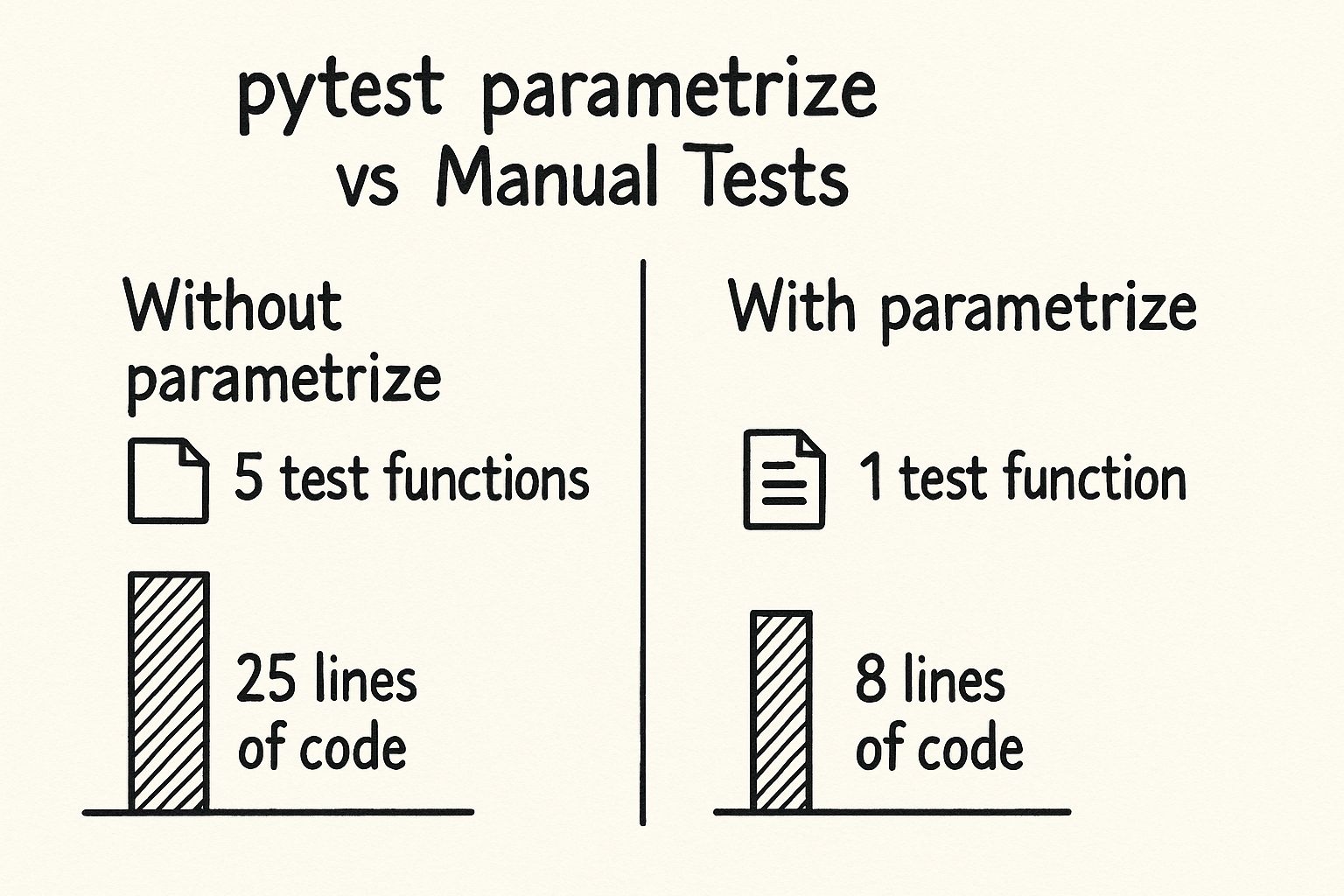
This approach not only saves you from writing boilerplate code but also makes it trivial to add new test cases—you simply add another row to your data.
Writing Your First Parameterized Test
Let's see how this works in practice. The core of this feature is the @pytest.mark.parametrize decorator. Its first argument is a string containing comma-separated names for the parameters your test function will receive. The second argument is a list of tuples, where each tuple represents one full set of arguments for a single test run.
The following video from the anthonywritescode channel provides a clear, step-by-step demonstration of converting multiple simple tests into one parameterized test.
pytest's parametrize (beginner - intermediate) anthony explains #027
This video clearly shows the "before and after" of applying @pytest.mark.parametrize, turning several repetitive tests into a single, elegant function.
Please watch from the beginning up to the basics. Pay attention to how the arguments in the decorator's string ("input_x, expected") map directly to the parameters of the test_square function and the values in the list of tuples.
As you saw, the syntax is straightforward:
import pytest

def add(x, y):
    return x + y

@pytest.mark.parametrize("x, y, expected", [
    (1, 2, 3),          # Test case 1
    (4, 5, 9),          # Test case 2
    (-1, 1, 0),         # Test case 3: Edge case with negative number
    (10, 20, 30),       # Test case 4
])
def test_add(x, y, expected):
    assert add(x, y) == expected
When you run pytest, it will execute test_add four separate times, once for each tuple in the list, substituting x, y, and expected with the corresponding values. If a test fails, pytest will report exactly which set of parameters caused the failure.
Improving Test Readability with Custom IDs
By default, pytest generates test IDs from the parameter values, which can sometimes be long and difficult to read, especially with complex data types. To make your test reports more descriptive, you can use pytest.param to wrap your data and assign a custom id.
This article from RSE Sheffield provides a great walkthrough of this feature.
Pytest Parametrisation - Research Software Engineering Sheffield
This guide uses a divide function to demonstrate both basic parameterization and the use of custom IDs for clearer test reporting.
Please read the sections Parameterising Tests and Parameter set IDs. Notice how the test output becomes much more readable when a custom id is provided via pytest.param.
Using pytest.param transforms our previous example:
import pytest

@pytest.mark.parametrize("x, y, expected", [
    pytest.param(1, 2, 3, id="positive_integers"),
    pytest.param(4, 5, 9, id="larger_integers"),
    pytest.param(-1, 1, 0, id="positive_and_negative"),
    pytest.param(0, 0, 0, id="zeros"),
])
def test_add(x, y, expected):
    assert add(x, y) == expected
Now, if the third test fails, the report will clearly state FAILED ...::test_add[positive_and_negative], immediately telling you which scenario has a problem.
Parameterizing Exception Tests
Parameterization is especially useful for testing error conditions. You can combine it with the pytest.raises context manager, which we'll cover in more detail in the next lesson, to verify that your code fails correctly under various invalid inputs.
The same article provides a clean example of this.
Pytest Parametrisation - Research Software Engineering Sheffield
This part of the article shows how to create a dedicated, parameterized test for error conditions.
Read the section on Testing Exceptions. The key pattern here is passing the expected exception type (e.g., TypeError, ZeroDivisionError) as a parameter and using it within the with pytest.raises(exception): block.
This practice of separating success-case tests from error-case tests is highly recommended. It keeps each test focused on a single concern, making them easier to read and maintain.
Advanced Techniques and Best Practices
As you become more comfortable with parameterization, you can employ more advanced patterns.
Anti-Pattern: The "Boolean Trap"
A common mistake is to add a boolean flag to a parameterized test to switch its behavior, for example, between a success check and an error check. This introduces logic into your test function, making it harder to understand and maintain.
The anthonywritescode video you watched earlier has an excellent segment explaining this anti-pattern and why you should avoid it.
pytest's parametrize (beginner - intermediate) anthony explains #027
This segment highlights a common pitfall and demonstrates the cleaner alternative of separating test concerns.
Watch the video from avoiding logic in tests. The advice to keep success cases and error cases in separate, clearly-named test functions is a hallmark of professional testing.
Combinatorial Testing: Stacking Decorators
What if you want to test all possible combinations of multiple parameters? For instance, testing a function with every combination of True/False for two different boolean flags. You could list all permutations manually, but a much cleaner way is to stack multiple @pytest.mark.parametrize decorators.
This short video demonstrates the technique perfectly.
pytest: parametrize permutation (intermediate) anthony explains #174
This video shows how stacking parametrize decorators can automatically generate all permutations of parameters, drastically simplifying your test setup.
Watch the core demonstration from stacking decorators. This is an extremely powerful technique for achieving comprehensive test coverage with minimal code.
Parameterizing Fixtures: indirect=True
Finally, you can combine parameterization with the fixtures we learned about in the last lesson. A common pattern is to pass parameter values to a fixture rather than directly to the test function. This is useful when the setup logic itself needs to be parameterized. You achieve this by setting indirect=True in the decorator.
The following article explains this concept of "indirect parameterization" well.
Parameterized Testing with Pytest: Maximizing Test Coverage
This article explains indirect parameterization, a clean way to pass parameters to fixtures.
Focus on Step 3: Understanding Indirect Parameterization. In this example, the values "hello" and "WORLD" are passed to the input_string fixture, not directly to test_process_string. The fixture then processes the value (in this case, just returning it via request.param) and provides the result to the test.
This pattern is useful when your test setup is more complex than simply passing a value, such as creating a temporary file with parameterized content or setting up a database record based on input data.
Conclusion
In this lesson, you've learned how to use pytest.mark.parametrize to write efficient, data-driven tests. This is a cornerstone of professional Python testing, enabling you to increase test coverage while reducing code duplication.
Here are the key takeaways:
@pytest.mark.parametrizeallows you to run a single test function with multiple sets of inputs and expected outputs.pytest.param(..., id="...")is essential for creating custom, readable test IDs that improve test failure reports.- Separating Concerns is a best practice: create distinct parameterized tests for success cases and error cases.
- Stacking Decorators provides a powerful way to test all permutations of multiple parameters automatically.
- Indirect Parameterization (
indirect=True) allows you to pass parameters to fixtures, enabling more complex, data-driven test setups.
You are now well-equipped to test your code against a diverse range of scenarios efficiently. In our next lesson, we will take a deeper dive into testing for failure by exploring the advanced capabilities of pytest.raises, including how to assert that exceptions are raised with specific error messages.