Hello! Welcome back to our module on "Testing and Production Deployment."
In our last lesson, you mastered one of FastAPI's most powerful testing features: using app.dependency_overrides to mock dependencies. We saw how this allows for fast, isolated unit tests by replacing components like database sessions or external services with mock objects. Today, we'll apply that exact same principle to solve another common testing challenge: protected endpoints.
This lesson directly addresses the learning outcome: Write tests for authenticated endpoints by managing test tokens and authorization headers.
You'll discover how to efficiently test endpoints that require a logged-in user without the cumbersome process of manually creating and signing JWTs for every test case. This is conceptually similar to how you might handle authentication in Django tests, for instance by setting request.user directly or using client.force_authenticate, but you'll see how FastAPI's dependency injection system provides a uniquely elegant solution.
The Challenge: Testing Endpoints Behind get_current_user
In our module on Authentication, we built a get_current_user dependency. This function is the gatekeeper for our protected routes. It performs several steps:
- Extracts a token from the
Authorizationheader. - Verifies the token's signature and expiration.
- Decodes the user ID from the token's payload.
- Fetches the user from the database.
To write a test for an endpoint that uses this dependency, we need to satisfy it. We have two main strategies, which mirror the unit vs. integration testing distinction we discussed in the previous lesson.
Strategy 1: Override the get_current_user Dependency (Recommended)
This is the cleanest, fastest, and most robust way to test the business logic of your protected endpoints. The core idea is to bypass the token validation entirely and directly inject a "mock" user into the endpoint.
We are not re-testing our authentication logic in every single endpoint test; we trust that it works (and have separate tests for it). We are testing what the endpoint does given that an authenticated user is present.
This approach consists of three steps:
- Define a pytest fixture that creates an authenticated
TestClient. - Inside the fixture, use
app.dependency_overridesto replaceget_current_userwith a simpler function that just returns a hardcoded user object. - Use this fixture in any test that requires an authenticated user.
The following reading provides a clear guide on how to implement this.
Testing FastAPI Applications with Pytest and TestClient
This article from Cursa provides excellent, practical examples for testing FastAPI. We will focus on their recommended approach for testing protected endpoints.
Please read the sections titled 'Approach A (recommended for most route tests): override the current-user dependency' and 'Testing authorization rules: roles and ownership'. Pay close attention to: How the auth_client fixture is created using app.dependency_overrides. How this fixture makes the test function test_protected_endpoint_success incredibly simple. How the same technique is extended to test authorization rules by overriding the dependency with different user objects (e.g., a regular user vs. an admin).
Let's break down the key pattern from the article:
# tests/conftest.py (or your test file)
import pytest
from app.dependencies import get_current_user # Your actual dependency
from app.main import app # Your FastAPI app instance

@pytest.fixture
def authenticated_client(client):
    """A client that is authenticated as a mock user."""


    # Define the mock user object you want to inject
    mock_user = {"id": 1, "email": "test@example.com", "role": "user"}


    # Define the override function
    def override_get_current_user():
        return mock_user


    # Apply the override
    app.dependency_overrides[get_current_user] = override_get_current_user

    yield client


    # Clean up the override after the test
    app.dependency_overrides.clear()


# tests/test_posts.py
def test_create_post_success(authenticated_client):


    # This client is now "logged in"
    response = authenticated_client.post(
        "/posts", json={"title": "My Test Post", "content": "..."}
    )
    assert response.status_code == 201
    data = response.json()
    assert data["title"] == "My Test Post"
    assert data["owner_id"] == 1 # Verifies the post is assigned to our mock user
Testing Authorization: 401 vs. 403
This strategy is also perfect for testing authorization (what a user is allowed to do). For example, you can verify that a user can't edit another user's post.
- Unauthorized (401): Use the standard, unauthenticated
client. Theget_current_userdependency will fail because there's no token, resulting in a401 Unauthorizederror. - Forbidden (403): Use the
authenticated_clientto log in asuser_A. Try to modify a resource owned byuser_B. Your endpoint's logic should check for ownership and raise anHTTPExceptionwith status code403 Forbidden.
The distinction is crucial:
- 401 Unauthorized: You aren't logged in.
- 403 Forbidden: You are logged in, but you don't have permission for this specific action.
The Corey Schafer video you saw previously demonstrated this well when testing ownership of posts. By creating different authenticated users in your tests, you can easily verify these rules.
Strategy 2: Using Real Tokens (Integration-Style)
While overriding the dependency is best for most cases, it's wise to have a small number of tests that verify the entire authentication flow. These tests ensure your /login endpoint works, that it generates a valid token, and that the get_current_user dependency can correctly parse it.
The flow for this test is:
- Create a user in your test database.
- Use the
TestClienttoPOSTto your login endpoint with the user's credentials. - Extract the
access_tokenfrom the response. - Set the
Authorizationheader for all subsequent requests made with that client.
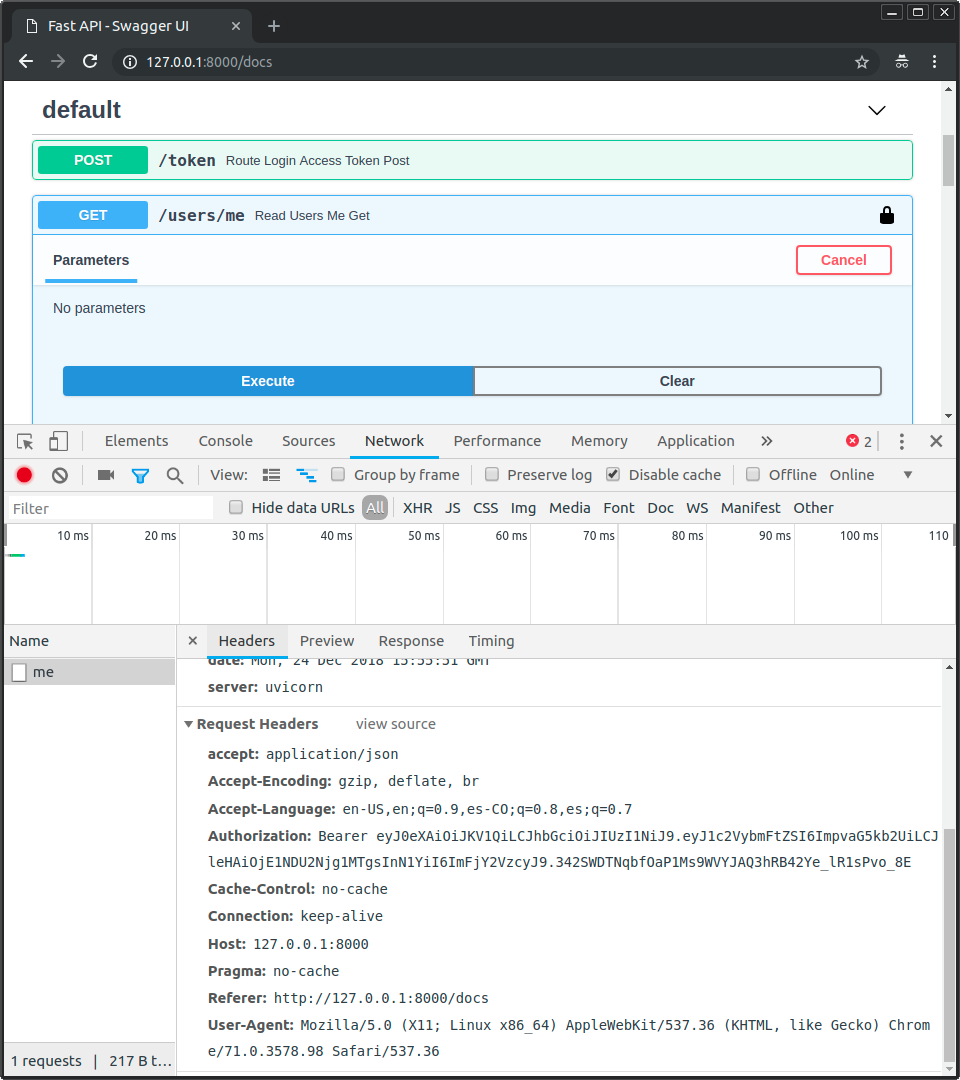
You could do this manually in each test, but a much cleaner approach—aligning with your goal of learning professional patterns—is to create a fixture that handles this for you.
Testing FastAPI Application with Pytest
This article from Medium demonstrates a very elegant pattern for creating an authenticated test client fixture that handles the login and token management automatically.
Read the code block under the heading 'Test API Clients with authentication', focusing on the client_superuser and client_user fixtures. Notice how they: Depend on the base client fixture. Create a user in the database using a factory. Generate a real access token. Update the client's headers to include the token for all subsequent requests.
This pattern is powerful because it gives you a test client that behaves exactly like a real, logged-in user's browser or frontend application. Any test that uses the client_user fixture will automatically send the Authorization header with every request.
Comparing the Strategies
Here’s a quick summary to help you decide which approach to use:
| Aspect | Strategy 1 (Override Dependency) | Strategy 2 (Real Token) |
|---|---|---|
| Django Analogy | client.force_authenticate(user=...) / Unit Test Style |
client.post('/api/token/') -> use token / Integration Test Style |
| Speed | Very Fast. No crypto, no extra DB calls for auth. | Slower. Requires a login request & token validation. |
| Isolation | High. Tests endpoint logic in isolation. | Low. Tests endpoint, auth logic, and token creation together. |
| Primary Use Case | The default for 95% of your endpoint tests. Use it to test business logic and authorization rules. | Use for a few tests to confirm the end-to-end authentication flow is correctly wired. |
| Main Tool | app.dependency_overrides |
client.post() to login endpoint, client.headers.update() |
Conclusion
You now have a complete toolkit for testing any endpoint in your FastAPI application, whether it's public or protected. By leveraging dependency injection, you can write tests that are fast, robust, and easy to maintain.
Key Takeaways:
- Two Main Strategies: You can either override the
get_current_userdependency (recommended for most tests) or programmatically obtain and use a real token (for end-to-end integration tests). - Override for Isolation and Speed: Mocking the authenticated user isolates your endpoint's logic and makes tests incredibly fast. This is the preferred "unit test" style for protected endpoints.
- Test Both Authentication and Authorization: Your tests should cover cases for unauthenticated users (expect
401), authenticated but unauthorized users (expect403), and authenticated, authorized users (expect200or201). - Use Fixtures for Cleanliness: Encapsulate your authentication logic within
pytestfixtures (authenticated_client,admin_client, etc.) to keep your test functions clean and focused on their specific assertions.
Preview of the Next Lesson:
We've thoroughly covered how to build and test our application locally. The next logical step is to prepare it for the outside world. In our next lesson, we will begin our journey into deployment by learning how to containerize the FastAPI application using a multi-stage Dockerfile for a lean production image. This will be our first step in making our application portable, scalable, and ready for production.