Hello! Let's dive back into our exploration of FastAPI.
In our last session, we established a crucial pattern for building robust APIs: using separate Pydantic schemas for creating, updating, and responding to requests. We saw how this parallels using different serializers in Django REST Framework (DRF) and how inheritance helps keep our schema definitions DRY (Don't Repeat Yourself).
We ended with a code snippet for a response model that included this bit of configuration:
class Config:
    orm_mode = True # Now called `from_attributes` in Pydantic v2
This little piece of code is the key that unlocks the powerful integration between Pydantic and database Object-Relational Mappers (ORMs) like SQLAlchemy. Today, we'll explore this concept fully. You will learn to configure Pydantic model behavior, such as ORM integration, using model_config. This will allow you to automatically convert your database objects into API responses, a direct and powerful parallel to how DRF's ModelSerializer works with Django models.
1. The Modern Approach: From Config to model_config
Pydantic has evolved. In older versions (v1.x), model configuration was done using a nested class Config. In Pydantic v2, this has been replaced by a more explicit and flexible approach using model_config, which is an instance of ConfigDict.
Let's look at the change for our primary use case: ORM integration.
Pydantic v1.x Style (Legacy):
from pydantic import BaseModel

class ItemResponse(BaseModel):
    id: int
    name: str

    class Config:
        orm_mode = True
Pydantic v2.x Style (Modern):
from pydantic import BaseModel, ConfigDict

class ItemResponse(BaseModel):
    id: int
    name: str

    model_config = ConfigDict(from_attributes=True)
The option orm_mode = True was renamed to from_attributes = True to better reflect what it does: it allows the Pydantic model to be populated from object attributes (like my_orm_object.id) instead of just from dictionary keys (like my_dict['id']).
To get a solid grasp of this change, please read the following brief section from a guide on Pydantic 2.
Pydantic 2: The Complete Guide for Python Developers
This article, 'Pydantic 2: The Complete Guide', clearly explains the transition from the old Config class to the new ConfigDict and lists its main options.
Please read the section 'Model Configuration in Pydantic 2'. Focus on the 'What it looks like now' code comparison and the brief explanation of the from_attributes=True option.
2. Bridging the Gap: How from_attributes Connects Schemas and ORMs
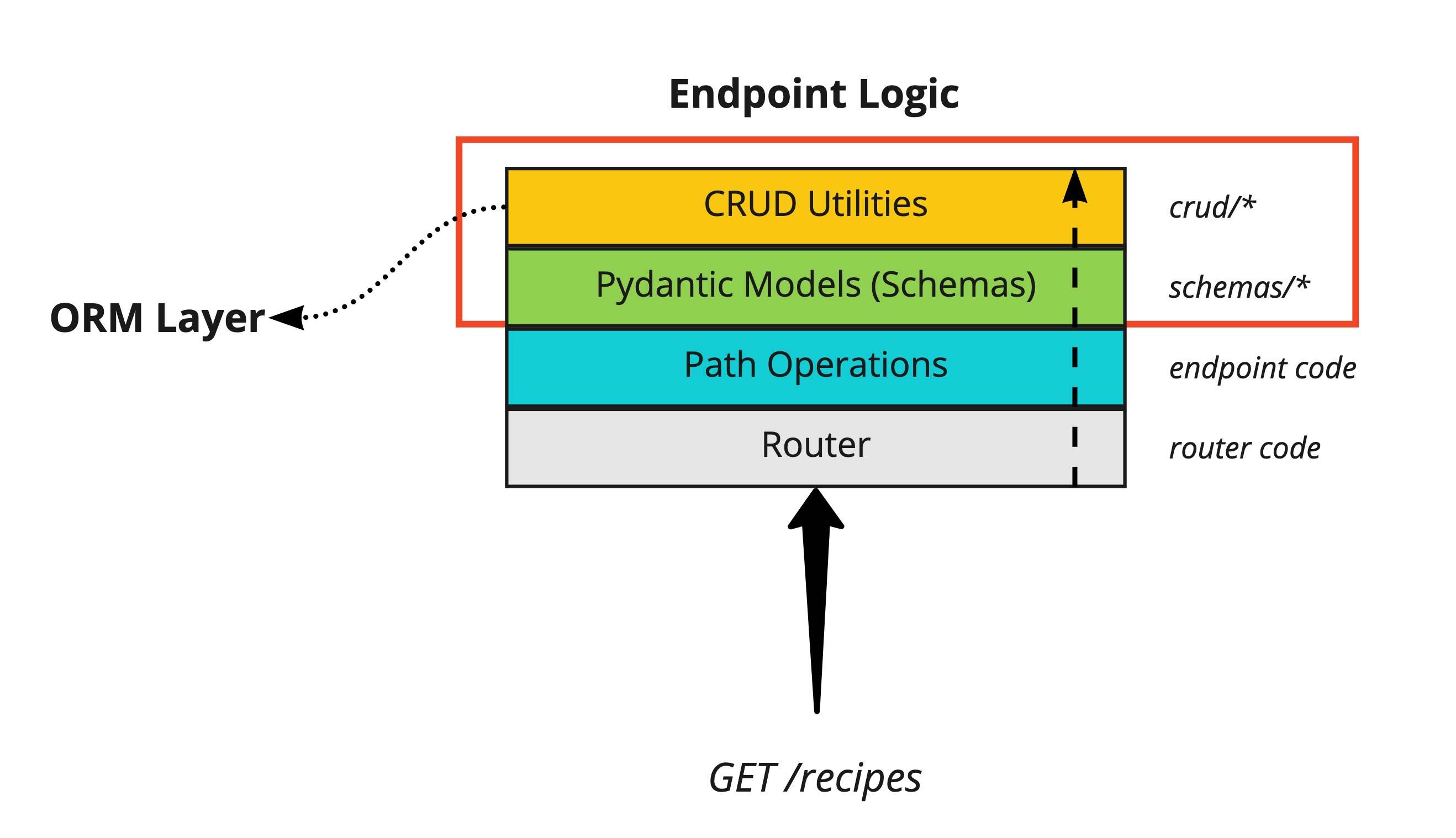
So, what does from_attributes=True actually enable? It tells Pydantic, "This schema can be created directly from an arbitrary object by reading its attributes." This is the magic that connects your database layer to your API layer.
Consider this typical workflow in a FastAPI application:
- A request comes in to an endpoint, e.g.,
GET /users/{user_id}. - Your path operation function queries the database using an ORM like SQLAlchemy.
- The ORM returns a database object (e.g., an instance of a
UserSQLAlchemy model). - FastAPI, using the
response_modelyou've defined, needs to convert thisUserORM object into a JSON response. - With
from_attributes=Trueset on yourUserResponseschema, Pydantic can automatically read the attributes from theUserORM object (user.id,user.username, etc.) to create an instance ofUserResponsebefore serializing it to JSON.
This is conceptually identical to defining class Meta: model = User within a DRF ModelSerializer.
Let's see this in a practical example.
Python FastAPI Tutorial (Part 5): Adding a Database - SQLAlchemy Models and Relationships
The following clip from Corey Schafer's FastAPI series demonstrates building schemas that work with SQLAlchemy models. While he uses the older orm_mode=True, the principle is exactly the same.
Watch from 18:25 to 22:20. Pay close attention to these key points: At 19:25, he adds the configuration to the UserResponse schema, enabling it to read from a SQLAlchemy model. At 20:00, he points out a powerful feature: Pydantic can read from model properties (image_path), not just database columns. This is a great way to encapsulate logic in your models and expose it through your API. At 21:55, he explains how a nested UserResponse schema within the PostResponse schema works. Because both have from_attributes=True, FastAPI can automatically serialize the nested post.author relationship.
As you saw, this configuration allows for elegant and automatic serialization of not just simple fields, but also computed properties and even nested object relationships.
3. Other Powerful model_config Options
While ORM integration is a primary use case, model_config offers a wide range of options to tailor your model's behavior. Mastering these allows you to enforce stricter data contracts and handle various edge cases gracefully.
The video below provides a tour of the most common and useful settings. We'll go through them one by one.
Python Pydantic Tutorial: Complete Data Validation Course (Used by FastAPI)
This comprehensive Pydantic tutorial from Corey Schafer covers several key configuration options. We'll watch a few short clips to explore them.
a) Handling Field Name Differences with Aliases
Your Python code should use snake_case for variable names (user_id), but many JSON APIs prefer camelCase (userId). model_config can manage this translation for you.
Python Pydantic Tutorial: Complete Data Validation Course (Used by FastAPI)
Watch this clip to see how populate_by_name and field aliases work together.
Watch from 01:12:38 to 01:16:41. Notice how populate_by_name=True allows the model to be created using either the field name (uid) or the alias (id).
b) Enforcing Strict Type Checking
By default, Pydantic is lenient and tries to coerce types (e.g., converting the string "39" to the integer 39). Sometimes, you need to be stricter.
Python Pydantic Tutorial: Complete Data Validation Course (Used by FastAPI)
This next segment demonstrates how to disable type coercion.
Watch from 01:20:26 to 01:22:29 to learn about the strict=True setting.
c) Controlling Extra Fields
What should happen if incoming data contains fields not defined in your model? In DRF, this would typically raise a validation error. Pydantic gives you explicit control.
extra='ignore'(default): Silently drop the extra fields.extra='allow': Keep the extra fields on the model.extra='forbid': Raise a validation error.
Python Pydantic Tutorial: Complete Data Validation Course (Used by FastAPI)
This clip shows how the extra setting works.
Watch from 01:22:29 to 01:24:24. The extra='forbid' behavior is most similar to DRF's default.
d) Creating Immutable Models
For data that shouldn't change after creation (like configuration settings), you can make your Pydantic models immutable.
Python Pydantic Tutorial: Complete Data Validation Course (Used by FastAPI)
Finally, let's see how to 'freeze' a model to prevent modification.
Watch from 01:25:23 to 01:27:03 to understand the frozen=True setting.
Another useful setting mentioned in the video is validate_assignment=True, which re-runs validation whenever you change a field's value on an already-created model instance.
Conclusion
In this lesson, you've learned how to harness the power of Pydantic's model_config to customize schema behavior, bridging the critical gap between your API data contracts and your database models.
Key Takeaways:
- Model configuration in Pydantic v2 is done via
model_config = ConfigDict(...), replacing the legacyclass Config. - The
from_attributes=Truesetting is the key to ORM integration. It allows Pydantic to create schema instances directly from your database model objects, which is analogous to DRF'sModelSerializer. - FastAPI leverages this feature automatically when you use the
response_modelparameter in your path operations. - You can further customize behavior with other
ConfigDictoptions likestrictfor type safety,extrato handle unknown fields, andfrozento create immutable objects.
In our next lesson, we will begin a new module on Response Models and Error Handling. We will start by taking a deeper look at how to use the response_model parameter to filter and validate response data, building directly on the ORM integration concepts you've mastered today to ensure your API only exposes the data you intend.