Hello! In our last lesson, we mastered performing fundamental CRUD operations from a .NET application, where each action represented a distinct client-side request to the database. Today, we'll shift our focus from client-side logic to server-side execution by exploring Azure Cosmos DB stored procedures.
This lesson is designed to meet the learning outcome: Write and execute stored procedures in Cosmos DB to perform transactional operations. We will see how stored procedures allow you to bundle multiple database operations into a single, atomic unit that runs directly on the database server, reducing network latency and ensuring data consistency. For someone with your background in traditional SQL databases, the concept of a stored procedure will be familiar, but we'll focus on the unique implementation and constraints within Cosmos DB's distributed, partitioned environment.
1. The "Why" of Stored Procedures in Cosmos DB
In the previous lesson, if you wanted to update two different documents, you would make two separate calls from your C# application (e.g., two calls to ReplaceItemAsync). If the second call failed, the first update would remain, potentially leaving your data in an inconsistent state.
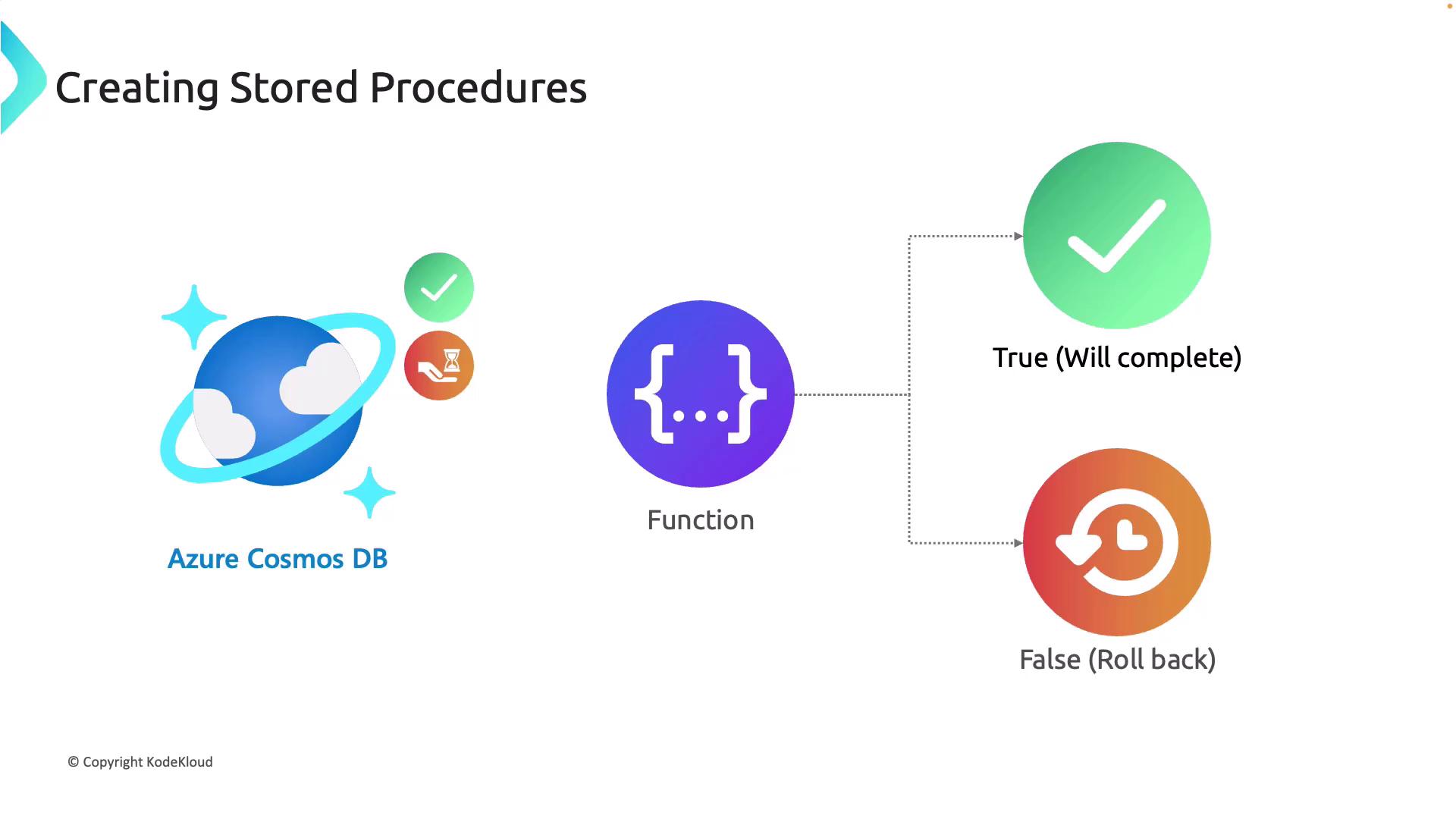
Stored procedures solve this by wrapping multiple operations into a single transaction. All the operations within a stored procedure either succeed together, or they all fail and are rolled back, guaranteeing atomicity.
To understand the core use cases and limitations, please read the introductory section of the following article.
How to Write and Execute Stored Procedures in Azure ...
This article from OneUptime gives a great overview of the scenarios where stored procedures are most effective in Cosmos DB.
Focus on the sections "Why Use Stored Procedures?" and the list of limitations. Pay close attention to the concepts of atomic operations and single-partition execution.
The key takeaways are:
- Atomicity: They provide ACID transactions for operations across multiple documents, but only within the same logical partition.
- Performance: They reduce network round-trips by executing logic on the server, which is ideal for batch operations.
- Constraints: They are written in JavaScript, have a bounded execution time (typically a few seconds), and cannot access documents outside their designated logical partition.
2. Writing a Stored Procedure in JavaScript
Cosmos DB stored procedures are written as JavaScript functions. You can create them directly in the Azure Portal or the Cosmos DB Emulator, or register them programmatically using the SDK.
The function receives a context object, which provides access to the container (getCollection()) and the response object (getResponse()).
Let's watch a demonstration of how a simple stored procedure to create a new item is authored in the Azure Portal.
AZ-204 - Develop for Azure Storage - Azure Cosmos DB
This video from Alan Rodrigues demonstrates the creation and execution of stored procedures. We'll start by looking at how one is written.
Watch the segment from creating a stored procedure. The instructor creates a stored procedure named addItem. Observe the JavaScript function signature and how it uses context.getCollection().createDocument() to add an item passed in as a parameter.
Here's the essence of the JavaScript code from the video for creating an item. It accepts an array of items and creates the first one.
function addItem(items) {
    var collection = getContext().getCollection();
    var response = getContext().getResponse();

    if (!items || !items.length) {
        response.setBody('No items provided');
        return;
    }

    var itemToCreate = items[0];

    // Create a document.
    var isAccepted = collection.createDocument(
        collection.getSelfLink(),
        itemToCreate,
        (err, createdItem) => {
            if (err) throw new Error('Error' + err.message);
            response.setBody(JSON.stringify(createdItem));
        }
    );

    if (!isAccepted) throw new Error('The query was not accepted by the server.');
}
3. Executing a Stored Procedure from .NET
With a stored procedure defined in our container, we can now execute it from our C# application. This is where your .NET skills come directly into play. The Microsoft.Azure.Cosmos SDK provides a straightforward way to do this via the Container.Scripts object.
The most critical aspect of executing a stored procedure is providing the partition key. The partition key value determines which logical (and physical) partition the JavaScript code will run on. The stored procedure can only see and interact with documents that share that exact partition key.

The official Microsoft documentation provides the clearest C# example for this.
Use Stored Procedures, Triggers, and UDFs in SDKs
This section from the Microsoft Learn documentation provides the canonical C# code for executing a stored procedure.
In the documentation page, ensure the .NET SDK v3 tab is selected. Review the second code block, which demonstrates the ExecuteStoredProcedureAsync method.
To summarize the C# code, you will use:await container.Scripts.ExecuteStoredProcedureAsync<T>(string storedProcedureId, PartitionKey partitionKey, dynamic[] parameters)
T: The expected return type from the stored procedure.storedProcedureId: The ID of the stored procedure (e.g., "addItem").partitionKey: ThePartitionKeyobject for the partition you are targeting.parameters: A dynamic array containing the parameters to pass to the JavaScript function.
Now, let's see this C# code in action, continuing with the video from the previous step.
AZ-204 - Develop for Azure Storage - Azure Cosmos DB
This segment demonstrates how to call the addItem stored procedure we just saw from a .NET console application.
Watch from executing from .NET. Pay attention to how the C# code: Defines a dynamic array to hold the item to be created. Creates a PartitionKey object using the courseId. Calls ExecuteStoredProcedureAsync with the sproc ID, partition key, and parameters.
4. A Multi-Document Transaction Example
So far, we've created a single document. The real power of stored procedures, however, lies in performing atomic operations on multiple documents.
Imagine a financial transaction where you need to debit one account and credit another. This must happen atomically. The following article provides a JavaScript stored procedure that does exactly this: it reads two account documents, checks for sufficient funds, updates both balances, and replaces both documents. If any step fails, the entire transaction is automatically rolled back by Cosmos DB.
You don't need to implement this, but reading through the example will solidify your understanding of how to achieve transactional guarantees.
How to Write and Execute Stored Procedures in Azure ...
This section provides a complete, practical example of an atomic balance transfer.
Read the JavaScript code for the transferBalance function. Trace the logic: it reads the fromAccount, reads the toAccount, updates both in-memory, and then calls replaceDocument for each. Notice that both documents must exist within the same partition key (e.g., "bank-branch-001") for this to work.
This "balance transfer" pattern is a classic use case for stored procedures and perfectly illustrates the "transactional operations" capability required by the AZ-204 exam.
Conclusion
In this lesson, we moved beyond simple client-side CRUD to server-side transactional logic with Azure Cosmos DB stored procedures. You've seen how they provide atomic guarantees similar to transactions in a relational database, but with the important caveat of being scoped to a single logical partition.
Here are the key takeaways:
- Purpose: Stored procedures are used for atomic, multi-document transactions and for reducing network latency by running logic on the server.
- Language: They are written in JavaScript and have access to a
contextobject to interact with the container. - Execution Scope: A stored procedure runs within a single logical partition, which is specified by the
PartitionKeyvalue provided during execution. - .NET SDK Execution: You use the
container.Scripts.ExecuteStoredProcedureAsyncmethod, passing the stored procedure ID, aPartitionKey, and an array of parameters.
In our next lesson, we will explore another powerful server-side feature of Cosmos DB: the change feed. We will learn how to build a processor that can react to creations and updates in a container in near real-time, enabling event-driven architectures.