Hello! In our last lesson, we explored std::async and std::future, which provide a clean, high-level way to run a one-off task in the background and get its result. This is perfect for something like your PDF parsing feature, where you want to kick off a single, long-running job without blocking the UI.
However, many high-performance systems, including your whiteboard app, require more complex and continuous coordination between threads. Imagine a scenario where one thread is constantly generating work (e.g., the UI thread creating drawing commands as the user moves their stylus) and another thread is consuming that work (e.g., a dedicated rendering thread). Using std::async for every single stylus movement would be inefficient. We need a way for the rendering thread to "go to sleep" when there's nothing to do and be woken up efficiently only when new drawing commands are available.
This is precisely the problem that std::condition_variable solves. This lesson will show you how to use this powerful synchronization primitive to coordinate complex, ongoing interactions between threads. Mastering this is key to building responsive, low-latency systems.
The Inefficiency of "Busy-Waiting"
Before we introduce the solution, it's crucial to understand the problem we're trying to avoid. Let's consider a simple producer-consumer setup using only the tools we've learned so far: std::thread and std::mutex. A producer thread adds items to a queue, and a consumer thread removes them.
The following video masterfully illustrates the pitfalls of a naive approach. It walks through three stages:
- A version that crashes due to data races.
- A version that uses
std::mutexto fix the crash but introduces a massive performance problem. - The final, correct version using
std::condition_variable.
We'll start by focusing on the first two stages to build our motivation.
C++ Multithreading Explained: Mutexes, Locks, and Queues
This video from the DeepDiveDev channel provides an excellent, practical walkthrough of the producer-consumer problem.
First, watch the section that demonstrates the naive implementation. Pay attention to the explanation of data races and the more subtle "Time of Check to Time of Use" (TOCTOU) bug. This shows why simple if statements are not enough for thread safety. Next, watch how std::mutex and std::lock_guard are introduced to fix the crash. This part is critical. The code now works, but as the narrator explains, it's incredibly inefficient. The consumer is stuck in a "busy-wait" loop, constantly locking the mutex and checking the queue, burning CPU cycles for no reason. This is the exact anti-pattern we need to eliminate.
As you saw, while a mutex prevents data corruption, it doesn't provide a way to signal. The consumer has no choice but to poll the queue repeatedly, which is a significant waste of resources. In a system where you are aiming for high performance and low latency, burning CPU cycles in a tight loop just to check for work is unacceptable.
The Solution: Efficient Waiting with std::condition_variable
A std::condition_variable is a synchronization primitive that allows a thread to block (go to sleep) until it is notified by another thread that a specific condition has been met. This is the event-driven model we want: the consumer thread can sleep efficiently, consuming zero CPU, until the producer explicitly wakes it up.
A condition variable doesn't work in isolation. It's always used in combination with two other components:
- A
std::mutexto protect the shared data. - A shared state or "condition" that threads are waiting on (e.g., a boolean flag
data_readyor a check like!queue.empty()).
Let's continue with the same video to see how to refactor the busy-wait loop into an efficient, event-driven solution.
C++ Multithreading Explained: Mutexes, Locks, and Queues
This section shows the core logic of using a condition variable.
Watch the segment from the beginning of the refactor where std::condition_variable is introduced. Pay very close attention to these key points: The producer calls cv.notify_one() after pushing data. This is the "wakeup call." The consumer's std::lock_guard is replaced with std::unique_lock. The video explains why this is mandatory. The consumer's busy-wait loop is replaced with a single call to cv.wait(). The wait call takes a lambda function, known as a predicate.
The Three Pillars of Correct Usage
The cv.wait() call is the heart of this pattern, and its behavior is nuanced. To use it correctly, you must understand three critical details: std::unique_lock, the predicate, and spurious wakeups.
1. std::unique_lock is Mandatory
As the video mentioned, you cannot use std::lock_guard with a condition variable. You must use std::unique_lock. Why? When a consumer thread calls cv.wait(), it needs to put itself to sleep. But if it goes to sleep while still holding the lock on the mutex, the producer thread can never acquire the lock to add new data, and the program will deadlock.
The cv.wait() function is designed to work around this. It atomically performs three steps:
- It unlocks the
std::unique_lock. - It puts the calling thread to sleep.
- When the thread is woken up (by a
notifycall), it re-locks the mutex before thewaitfunction returns.
std::unique_lock has the required flexibility (the ability to be unlocked and re-locked) to allow this, whereas the simpler std::lock_guard does not.
2. The Predicate and Spurious Wakeups
You might think that if a thread wakes up from cv.wait(), it must be because another thread called notify_one(). While usually true, it's not guaranteed. For complex reasons related to operating system schedulers and CPU architecture, a waiting thread can sometimes wake up for no reason. This is called a spurious wakeup.
If you were to write code like this (without a predicate):
// ANTI-PATTERN: DO NOT DO THIS
std::unique_lock<std::mutex> lock(m);
cv.wait(lock); // Potentially wakes up spuriously!
// Now we assume data is ready, but it might not be.
int item = q.front(); // CRASH if queue is empty!
q.pop();
A spurious wakeup would cause your program to proceed as if it had been notified, leading to a crash when it tries to access an empty queue.
The predicate (the lambda function) solves this. When you provide a predicate, the cv.wait function effectively does this:
while (!predicate()) {
    wait(lock); // Internally releases lock, sleeps, re-acquires lock
}
It only returns when the thread has been woken up and the predicate returns true. This robustly handles spurious wakeups by simply putting the thread back to sleep if the condition it's waiting for isn't actually met. Always use a predicate with cv.wait.
The following resource provides a concise explanation of this and a full code example.
Basics of Multithreading in Modern C++.
This PDF provides a great, theory-focused explanation that complements the video's practical approach.
Read Chapter 3, starting from "Motivation for Thread Communication" up to the end of section "Why We Need a Predicate". This covers the theory of condition variables, provides a complete producer-consumer code example, and reinforces the importance of the predicate for handling spurious wakeups.
Encapsulation: Building a ThreadSafeQueue
Having global mutexes and condition variables works for a demo, but in a real project, you'll want to encapsulate this logic. For your whiteboard application, you'll likely need thread-safe queues in several places (e.g., a command queue for the renderer, a task queue for a thread pool).
The final part of the DeepDiveDev video shows how to refactor the producer-consumer logic into a clean, reusable, and exception-safe template class. This is an excellent example of high-quality C++ design.
C++ Multithreading Explained: Mutexes, Locks, and Queues
This final section is about good software engineering practice.
Watch the last part of the video on refactoring into a template class. The discussion on exception safety for the pop method is a subtle but important detail for writing robust code. By passing the destination variable by reference instead of returning by value, the implementation avoids losing data if the object's copy constructor throws an exception.
This ThreadSafeQueue is a powerful building block. In your project, you could instantiate it like ThreadSafeQueue<RenderCommand> to pass drawing instructions from your main UI thread to a dedicated rendering thread, ensuring your UI remains perfectly responsive even under heavy load.
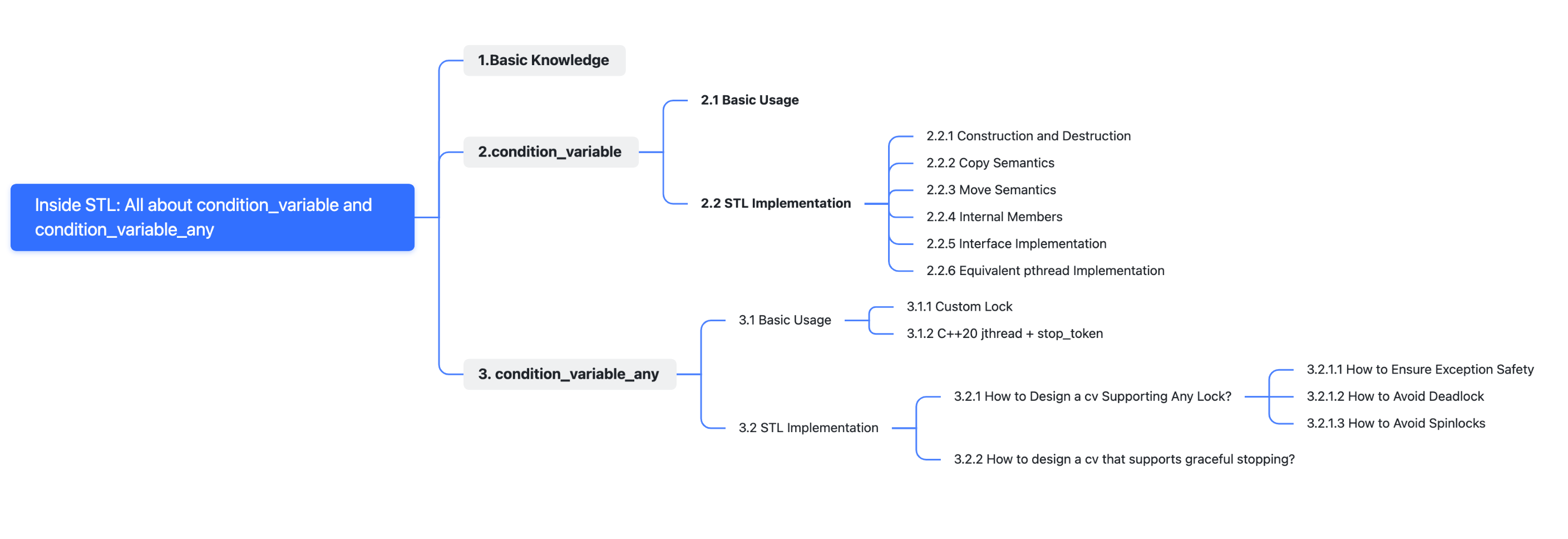
Conclusion
Today, you've added a critical tool to your C++ concurrency toolkit. While std::async is for fire-and-forget tasks, std::condition_variable is for managing complex, ongoing collaboration between threads. It enables you to build highly efficient, event-driven architectures by replacing costly busy-waiting with elegant, zero-CPU-cost sleeping.
Key Takeaways:
std::condition_variableallows threads to wait for a condition without burning CPU cycles in a busy-wait loop.- It is always used with a
std::mutexto protect shared state and a predicate to define the condition being waited for. - You must use
std::unique_lockwithcv.wait()because it needs to unlock the mutex before sleeping and re-lock it upon waking. - Always supply a predicate to
cv.wait()to correctly handle spurious wakeups. - The producer-consumer pattern, implemented with a thread-safe queue, is the canonical use case and a fundamental pattern in concurrent programming.
In our next module, we'll dive into "High-Performance PDF Processing." You'll use the concurrency primitives you've learned—specifically std::async—to parse a PDF on a background thread. The thread-safe queue we designed today could then be used to feed the parsed content back to the main thread for rendering on your whiteboard.