Welcome back. In our previous lessons, we've focused intensely on runtime performance, culminating in a sophisticated, batch-oriented rendering pass. Your application can now draw complex scenes with remarkable efficiency. However, all that work vanishes the moment the application closes. It's time to address data persistence.
This lesson tackles a crucial aspect of any serious application: saving and loading user data. We will design a versioned binary file format for saving and loading the complete whiteboard state. This involves more than just dumping memory to a file; it requires careful architectural thinking to create a format that is not only fast and compact but also robust and, most importantly, forward-compatible. As your application evolves, your file format must be able to evolve with it, without invalidating users' existing work.
Given your interest in low-level systems and performance, we'll go beyond simple text-based solutions like JSON and design a custom binary format from first principles, focusing on efficiency, extensibility, and long-term maintainability.
Why a Custom Binary Format?
For an application geared towards high performance, a custom binary format offers significant advantages over common text formats like JSON or XML:
- Speed: Parsing binary data is orders of magnitude faster than parsing text. There's no need to convert strings to numbers or navigate complex text hierarchies. You can often read large blocks of data directly into memory structures.
- Size: Binary formats are far more compact. An 8-byte double precision float takes up 8 bytes. In JSON,
"-1.23456789e-10"could take 17 bytes or more. For a whiteboard with thousands of strokes, each with thousands of points, this difference is substantial. - Control: A custom format gives you complete control over layout, alignment, and byte order, allowing you to optimize for specific access patterns and ensure cross-platform compatibility.
The goal is to create a file that represents your whiteboard's state faithfully and can be read and written at "blazingly fast" speeds.
The Anatomy of a Robust Binary File
Most well-designed binary formats share a common structure. A great case study is the WAV audio format, which is a specific implementation of the Microsoft RIFF (Resource Interchange File Format) standard.
Making WAVs: Understanding, Parsing, and Creating WAV Files in JavaScript
This video provides an excellent, practical walkthrough of dissecting a WAV file. It introduces the fundamental concepts of headers, data chunks, and endianness, which are universal to binary format design.
First, watch the introduction to understand the concept of binary files and the motivation for understanding their structure. Pay close attention to the breakdown of the RIFF specification. The key takeaway is the chunk-based structure: a file header followed by a sequence of typed and sized data chunks (fmt, data). This is a powerful, extensible pattern we will adopt. Finally, ensure you understand the crucial concept of endianness. This is a non-negotiable detail for anyone doing low-level systems programming, as it directly impacts cross-platform data exchange.
Inspired by the RIFF model and general best practices, our file format will consist of a global file header followed by a series of "chunks."
A File Header acts as the file's entry point and contains critical metadata:
- Magic Number: A unique sequence of bytes (e.g., a specific 8-character string) that identifies the file type. This prevents your application from trying to load an incorrect file (e.g., a PNG renamed to
.wbd). - Version Number: An integer that specifies the version of the file format itself. This is the cornerstone of managing schema changes over time.
- Checksum (Optional): A hash (like MD5 or CRC32) of the file's contents, used to verify data integrity and detect corruption.
A Chunk is a self-contained block of data with its own local header:
- Chunk ID: A 4-byte identifier (e.g.,
'STRK'for strokes,'META'for metadata). - Chunk Length: The size of the data that follows.
- Chunk Data: The raw binary payload.
This chunk-based architecture is incredibly flexible. If an older version of your application encounters a new chunk type it doesn't recognize (e.g., a future 'CMNT' chunk for comments), it can simply use the Chunk Length to skip over it gracefully. This provides excellent forward compatibility.
The following article gives a great overview of these foundational components.
This article consolidates the principles of binary file design, covering the "what" and "why" of each component in a file header and the overall structure.
Read the introduction on overall structure to reinforce the file header + partitions (chunks) model. Next, focus on the sections explaining the magic number, the version number, and byte order. These are the three pillars of a robust file format.
The Central Problem: Schema Evolution and Versioning
Defining the V1 format is straightforward. The real challenge arises when you need to create V2. Perhaps you decide to add a new property to your strokes, like a color gradient, or change how pressure is stored. How do you ensure your V2-aware application can still read V1 files? This is backward compatibility.
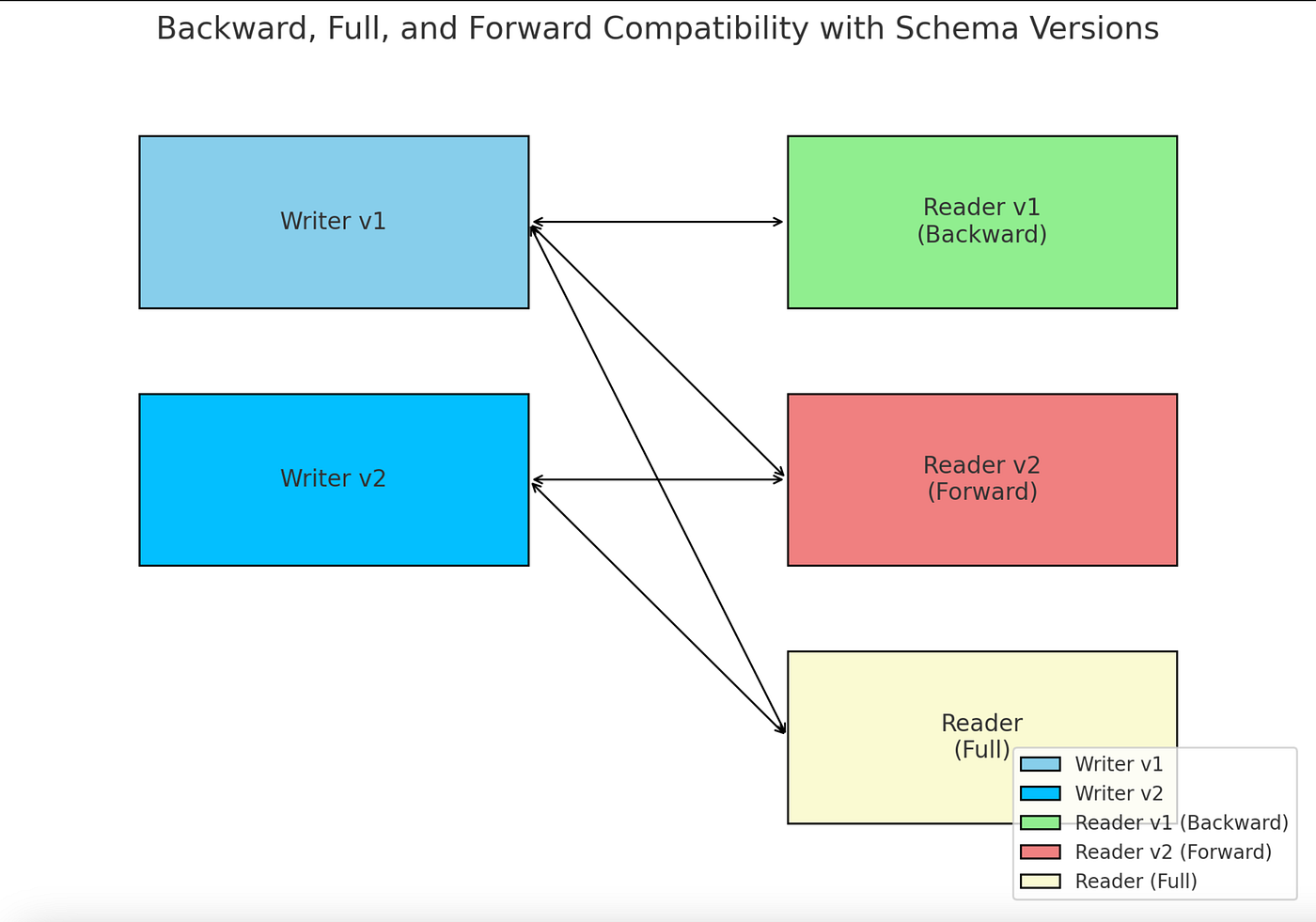
The simplest versioning scheme is a global version number in the header. Your loading code would look like this:
uint32_t version = read_file_version();
if (version == 1) {
    load_v1_document(file);
} else if (version == 2) {
    load_v2_document(file);
} else {
    // Unsupported version
}
This works, but it's brittle. For every new version, you might have to copy and modify an entire loading function. A more scalable and professional approach, common in game engines and high-performance systems, is to handle versioning at a much more granular level: per-field.
The following resource describes a fascinating and powerful system for this, implemented in a custom Lisp dialect but with principles directly applicable to C++.
Binary data version migration - Cakelisp - Handmade Network
This article is a masterclass in designing a high-performance, evolvable binary format. It moves beyond a simple version number to a detailed, per-field versioning log embedded directly in your data structure definitions.
First, read The plain old data model to understand the architectural approach: treating game state as a large, contiguous block of data, which is highly efficient for saving and loading. Next, read the sections "Versioning plain old data" and the subsequent code example. Absorb the core idea: each field in a struct is annotated with a version range during which it was live. Then, understand how this enables "Virtual types". The system can reconstruct the exact memory layout of a struct from any point in its history. Finally, and most importantly, study the "Migration" process. This is the key. When loading an old version, the data is migrated forward, version by version, field by field. Pay close attention to the four cases: new field, same field, dead field (requiring a handler), and nested struct version change. Also, read the assumptions about platform compatibility.
A Concrete Design for Your Whiteboard (Version 1)
Let's synthesize these ideas into a concrete specification for your whiteboard's .wbd file format.
Guiding Principles:
- Endianness: All multi-byte integers and floats will be stored in Little-Endian format. This is the native format for x86/ARM CPUs and simplifies read/write operations on most modern hardware.
- Alignment: Data will be tightly packed (1-byte alignment) to minimize file size. Performance is gained by reading chunks into a buffer and then parsing, rather than memory-mapping the file directly.
- Data Types: We will use fixed-size C++ types like
uint32_t,float,double, etc.
File Header (12 bytes)
| Offset | Size (bytes) | Type | Name | Description |
|---|---|---|---|---|
| 0 | 8 | char[8] |
magic |
The string "WBDOC_V1". |
| 8 | 4 | uint32_t |
file_version |
The overall format version, starting at 1. |
Chunk Structure
Every chunk follows this pattern:
| Offset | Size (bytes) | Type | Name | Description |
|---|---|---|---|---|
| 0 | 4 | uint32_t |
chunk_id |
A four-character code, e.g., 'META'. |
| 4 | 4 | uint32_t |
chunk_len |
The length of chunk_data in bytes. |
| 8 | chunk_len |
byte[] |
chunk_data |
The payload of the chunk. |
Standard Chunks (Version 1)
1. Metadata Chunk: ID = 'META'
This chunk stores global information about the canvas state.
chunk_datalayout:Offset Size Type Name Description 0 8 doublecamera_pan_xCamera's horizontal position. 8 8 doublecamera_pan_yCamera's vertical position. 16 8 doublecamera_zoomCamera's zoom level.
2. Paints Chunk: ID = 'PNTS'
To avoid storing redundant paint information (color, width) for every single stroke, we'll define a palette of paints used in the document. Strokes will then refer to a paint by its ID.
chunk_datalayout:uint32_t num_paints;- Followed by
num_paintsrepetitions of:Size Type Name Description 4 uint32_tpaint_idA unique ID for this paint. 1 uint8_tcolor_rRed component (0-255). 1 uint8_tcolor_gGreen component (0-255). 1 uint8_tcolor_bBlue component (0-255). 1 uint8_tcolor_aAlpha component (0-255). 4 floatstroke_widthThe width of the stroke.
3. Strokes Chunk: ID = 'STRK'
This is the heart of the file, containing all user-drawn strokes. It's designed to align with the Struct-of-Arrays (SoA) layout we discussed for performance.
chunk_datalayout:uint32_t num_strokes;- Followed by
num_strokesrepetitions of a stroke data block:uint32_t paint_id;(References a paint from the'PNTS'chunk)uint32_t num_points;- Followed by
num_pointsrepetitions of a point data block:Size Type Name Description 4 floatpos_xPoint's X coordinate. 4 floatpos_yPoint's Y coordinate. 4 floatpressureStylus pressure at this point.
This design is compact and lays the data out in a way that's efficient to read sequentially. Notice how we are serializing field-by-field, not just dumping a C++ struct to disk, a crucial practice highlighted in the "Pitfalls in code" section of the Zhihu article.
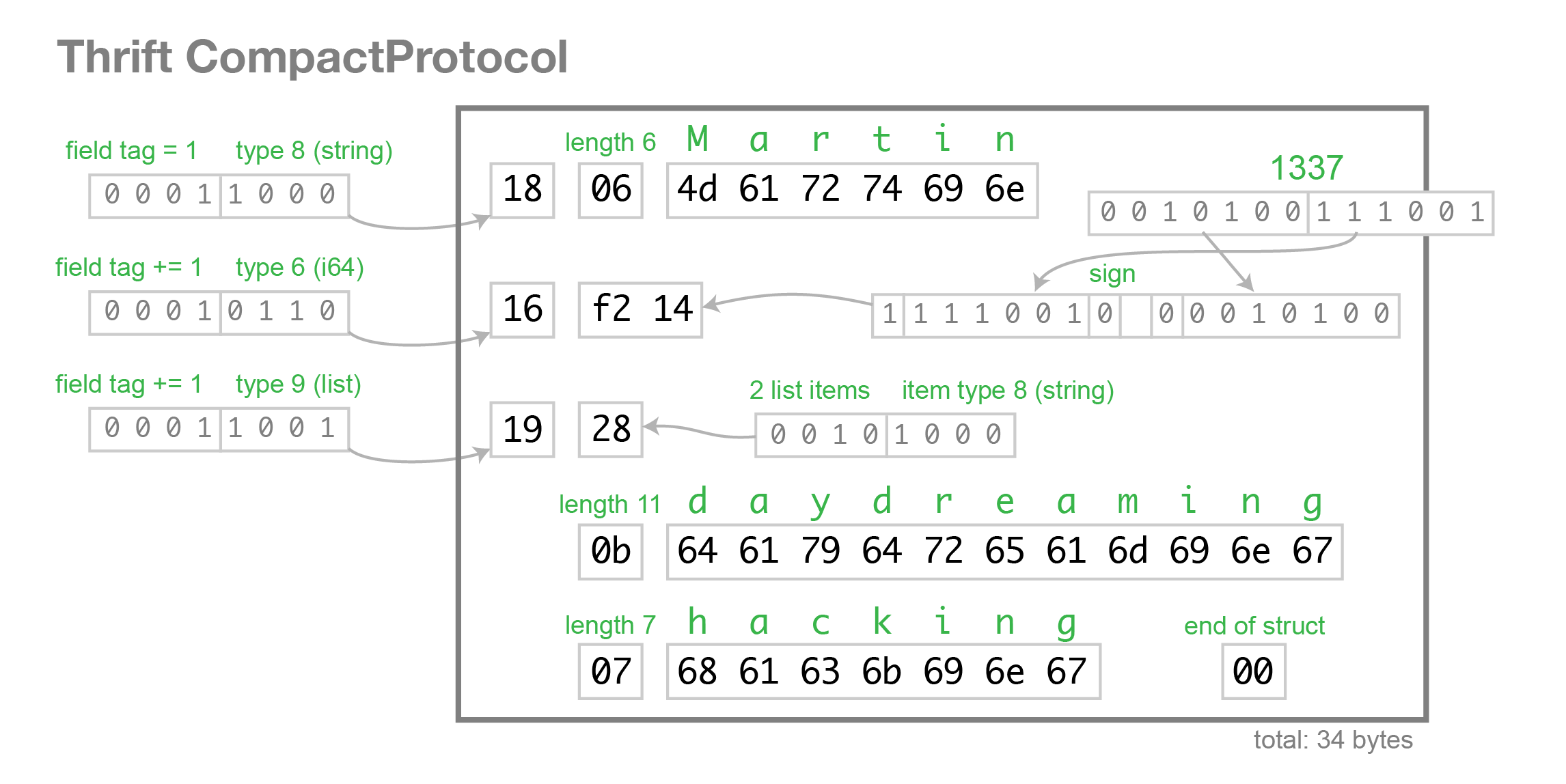
The Path to Version 2
Imagine you want to add a timestamp to each stroke in Version 2 of your format. Using the granular migration strategy, the process would be:
- Update
file_versionin the header to2. - Update your C++
Strokestruct to include the newtimestampfield. - Annotate the fields (conceptually):
paint_id: live in versions1onward.points: live in versions1onward.timestamp: live in versions2onward.
- Implement the migration logic: When loading a
file_version == 1file, yourload_strokefunction reads the old data. When it constructs the in-memoryStrokeobject for Version 2, it fills the newtimestampfield with a default value (e.g.,0or the current time). Thefwrite-style save will always write the latest version.
This approach ensures that you can always open old files, and the migration logic is localized and manageable.
Conclusion
In this lesson, we have designed a robust, performant, and extensible binary file format for your whiteboard application. This design moves you far beyond simple data persistence and into the realm of professional application architecture.
Key Takeaways:
- Binary over Text: For performance-critical applications, custom binary formats offer superior speed and smaller file sizes.
- Chunk-Based Architecture: Structuring a file with a header and typed, sized chunks (like RIFF) provides excellent extensibility and forward compatibility.
- Versioning is Non-Negotiable: A file format must be designed to evolve. A global version number is a start, but a granular, field-level versioning and migration strategy is far more robust for long-term maintenance.
- Control the Bytes: When writing binary data, you must be explicit about byte order, data types, and layout. Never write raw C++ class/struct memory directly to a file.
You now have a complete blueprint for your file format. In the next lesson, we will put this design into practice. You will implement a writer to serialize the application's data structures (strokes, text blocks) into this designed binary format, turning our architectural plan into working C++ code.