Introduction
In our last lesson, we took a significant step toward writing professional C code by replacing "magic numbers" with symbolic constants using #define. This made our game's parameters readable and easy to modify. We also saw how the -D compiler flag allows us to define these constants from the command line, a hint at the power of controlling our code's compilation process externally.
This lesson builds directly on that foundation. We will explore conditional compilation, another powerful feature of the C preprocessor. You will learn to use directives like #ifdef and #endif to include or exclude entire blocks of code. Our practical goal will be to implement a "debug mode" for our game—a set of logging statements that we can instantly enable or disable with a single command-line switch, without ever touching the source code. This is an essential technique for managing complexity and diagnosing issues in any non-trivial program.
What is Conditional Compilation?
Conditional compilation is the process of telling the preprocessor to include or ignore blocks of code based on whether a specific macro is defined. This means you can have one set of source code that generates different executable programs for different purposes. The most common use case is creating a "debug" build with extra logging and a "release" build that is stripped of this extra code for performance and a cleaner user experience.
The core directives for this are:
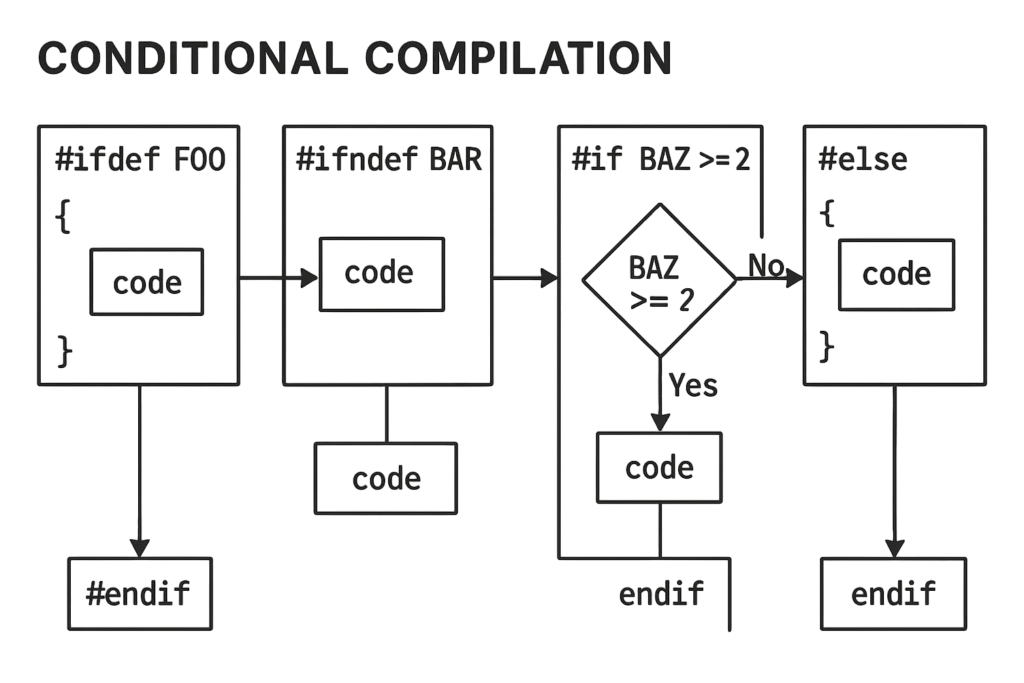
#ifdef MACRO_NAME: "if defined" - the code that follows is included ifMACRO_NAMEhas been defined.#ifndef MACRO_NAME: "if not defined" - the code that follows is included ifMACRO_NAMEhas not been defined.#else: Can be used with#ifdefor#ifndefto provide an alternative block of code.#endif: Marks the end of the conditional block.
The diagram below illustrates this logic. The preprocessor acts as a gatekeeper, deciding which code path is sent to the compiler.
Let's watch a video that walks through these concepts with a clear, practical example.
#ifdef #ifndef Conditional Compilation Directives | C Programming Tutorial
This tutorial from Portfolio Courses provides a comprehensive introduction to conditional compilation, directly tying it to the concept of a debug mode.
Please watch the following segments: The Concept: Start with the brief introduction from the beginning to understand the purpose of these directives. Recap & -E flag: Watch from the recap of #define. This section provides a great refresher and, more importantly, introduces the gcc -E flag. This flag is an invaluable tool that stops the compilation process after the preprocessor runs, allowing you to see exactly what your code looks like before the compiler sees it. #ifdef in Action: Pay close attention to the demonstration from the #ifdef example. This shows how to wrap a printf statement for a debug mode. #ifndef and #else: Continue through the explanation of #ifndef and #else to see how to create alternative code paths. Debugging Use Case: The video concludes by explicitly summarizing how these directives are used for debugging and tracing.
Implementing a Basic Debug Mode
As the video demonstrated, the simplest way to add a debug message is to wrap it in an #ifdef block.
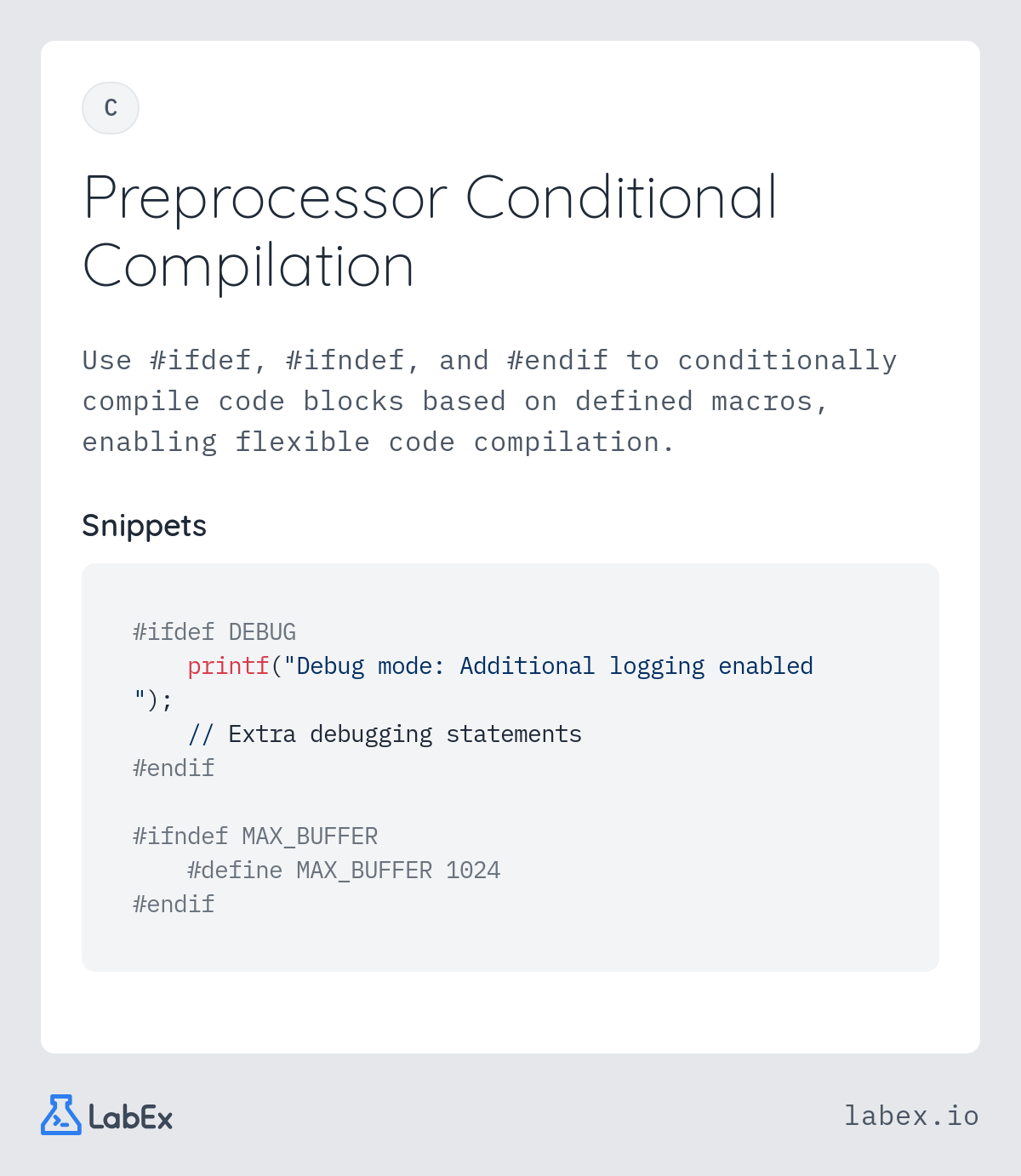
Let's apply this to our game's combat loop. We could add a log to show the calculated damage before it's applied:
// Inside the 'case 1:' block of fight_loop
int damage = attacker->attack - target->defense;
if (damage < 0) damage = 0;


#ifdef DEBUG
printf("[DEBUG] Raw damage calculated: %d\n", damage);


#endif

printf("%s attacks %s for %d damage!\n", attacker->name, target->name, damage);
target->health -= damage;
How do we enable this? We have two options:
- Add
#define DEBUGat the top of our.cfile. - Use the
-Dflag during compilation:gcc -DDEBUG my_game.c -o my_game_debug
The second method is far more flexible. It lets us create a debug build (my_game_debug) and a release build (gcc my_game.c -o my_game) from the exact same source code, just by changing the compilation command.
You can verify this works by inspecting the preprocessor's output. Compile with gcc -E -DDEBUG my_game.c > debug_output.c and then gcc -E my_game.c > release_output.c. If you compare the two output files, you will see the printf statement is present in debug_output.c but completely absent from release_output.c. This is not just hidden; it's as if it was never written, resulting in a smaller, faster release executable.
For a deeper look at this inspection process in a professional setting, the following video is enlightening. While it uses Visual Studio, the principle of generating and examining preprocessor output is identical to using gcc -E.
BETTER Header Files and Preprocessor Debugging
This video from The Cherno, a professional game engine developer, demonstrates how to inspect preprocessor output to debug complex macros.
Watch from Preprocess to a file. The key takeaway is understanding that this is a standard and powerful technique used by professionals to verify what the compiler is actually receiving after all the preprocessor directives and macros have been processed.
A More Robust Debugging System
Sprinkling #ifdef blocks throughout your code works, but it can become messy. A cleaner, more powerful pattern is to use conditional compilation to define a set of logging macros. When DEBUG is defined, these macros expand to printf calls. When it's not defined, they expand to... nothing.
This approach is detailed in the following article.
C Preprocessor Reduces Debug Headaches
This article from Nuts & Volts magazine demonstrates a structured approach to creating a debug system using conditional compilation.
Please read the section titled "Use Conditional Debugging." It starts with the core concept and shows how to use #ifdef, #else, and #endif to define a set of macros that are active only when a master DBUG macro is defined. When DBUG is not defined, the macros are defined as empty statements, effectively removing them from the code.
Let's adapt this excellent pattern to our game. We can define a set of logging macros at the top of our file:
// --- Debugging Macros ---


#ifdef DEBUG
    // If DEBUG is defined, our log macros expand to printf calls


    #define LOG(msg) printf("[DEBUG] %s\n", msg)
    #define LOG_INT(name, val) printf("[DEBUG] %s = %d\n", name, val)
#else
    // Otherwise, they expand to nothing and are optimized away


    #define LOG(msg)
    #define LOG_INT(name, val)
#endif
Now, instead of writing complex #ifdef blocks inside our functions, we can simply call these clean macros:
// Inside the 'case 1:' block of fight_loop
int damage = attacker->attack - target->defense;
if (damage < 0) damage = 0;

LOG_INT("Damage", damage); // This line will either be a printf or nothing at all!

printf("%s attacks %s for %d damage!\n", attacker->name, target->name, damage);
target->health -= damage;
This is a huge improvement!
- Readability: The main logic of
fight_loopis no longer cluttered with#ifdefblocks. - Maintainability: We can leave the
LOG_INTcalls in our code permanently. They have zero performance cost in release builds. - Flexibility: We can easily change the format of all debug messages by modifying the macro definition in one place.
This is a widely used and robust pattern. A popular Stack Overflow answer confirms this is a standard and clean way to implement debug logging.
c preprocessor - #define macro for debug printing in C?
This answer provides a concise and professional implementation of a conditional debug macro.
Read the short, highly-voted answer by user LB40. It shows the exact pattern we've just discussed: the recommended implementation. Notice the use of do {} while (0). This is a trick to ensure the empty macro behaves correctly as a full statement in all contexts, which we will explore further in the next lesson.
Refactoring the Game with Debug Logging
Let's integrate this system into our full combat code. The code below is the same as last lesson's, but now includes our conditional logging macros. Try compiling it in two ways and observe the difference in output:
- Release Build:
gcc combat_debug.c -o game(No debug messages will print) - Debug Build:
gcc -DDEBUG combat_debug.c -o game_debug(Debug messages will print)
#include <stdio.h>
#include <string.h>
#include <stdbool.h>

// --- Game Parameters ---


#define MAX_NAME_LENGTH 50
#define PLAYER_INITIAL_HEALTH 100
#define PLAYER_ATTACK 15
#define PLAYER_DEFENSE 5
#define ENEMY_INITIAL_HEALTH 50
#define ENEMY_ATTACK 10
#define ENEMY_DEFENSE 2

// --- Debugging Macros ---


#ifdef DEBUG
    // If DEBUG is defined, our log macros expand to printf calls


    #define LOG(msg) printf("[DEBUG] %s\n", msg)
    #define LOG_INT(name, val) printf("[DEBUG] %s: %d\n", name, val)
#else
    // Otherwise, they expand to nothing and are optimized away.
    // The 'do {} while(0)' is a standard trick to ensure the macro is a complete,
    // safe statement that a semicolon can follow.


    #define LOG(msg) do {} while (0)
    #define LOG_INT(name, val) do {} while (0)
#endif

// --- Data Structures ---
typedef struct {
    char name[MAX_NAME_LENGTH];
    int health;
    int max_health;
    int attack;
    int defense;
    bool autoPilot;
} Character;

// --- Function Prototypes ---
void display_status(const Character *c);
int fight_loop(Character *player, Character *enemy);
void swap_pointers(Character **a, Character **b);

// --- Main Program ---
int main() {
    LOG("Initializing characters.");
    Character hero = {"Hero", PLAYER_INITIAL_HEALTH, PLAYER_INITIAL_HEALTH, PLAYER_ATTACK, PLAYER_DEFENSE, false};
    Character goblin = {"Goblin", ENEMY_INITIAL_HEALTH, ENEMY_INITIAL_HEALTH, ENEMY_ATTACK, ENEMY_DEFENSE, true};

    printf("A wild %s appears!\n\n", goblin.name);

    LOG("Starting fight loop.");
    int result = fight_loop(&hero, &goblin);

    LOG("Fight loop ended.");
    printf("\n--- Battle Over ---\n");
    if (result == 1) {
        printf("%s is victorious!\n", hero.name);
    } else {
        printf("%s has been defeated.\n", hero.name);
    }

    return 0;
}

// --- Function Definitions ---
int fight_loop(Character *player, Character *enemy) {
    Character *attacker = player;
    Character *target = enemy;

    while (player->health > 0 && enemy->health > 0) {
        LOG("--- New Turn ---");
        display_status(player);
        display_status(enemy);
        printf("\nIt is %s's turn.\n", attacker->name);

        int choice = 1;
        if (attacker->autoPilot == false) {
            printf("Choose your action:\n  1) Attack\n>> ");
            char line[10];
            fgets(line, sizeof(line), stdin);
            sscanf(line, "%d", &choice);
        }

        switch (choice) {
            case 1: {
                int damage = attacker->attack - target->defense;
                if (damage < 0) damage = 0;

                LOG_INT("Calculated damage", damage);

                printf("%s attacks %s for %d damage!\n", attacker->name, target->name, damage);
                target->health -= damage;
                break;
            }
            default:
                printf("%s is confused and does nothing.\n", attacker->name);
                break;
        }

        if (target->health <= 0) {
            target->health = 0;
            LOG("Target defeated.");
            break;
        }

        printf("\n");
        LOG("Swapping attacker and target pointers.");
        swap_pointers(&attacker, &target);
    }

    display_status(player);
    display_status(enemy);

    return player->health > 0;
}

void display_status(const Character *c) {
    printf("%s | Health: %d/%d\n", c->name, c->health, c->max_health);
}

void swap_pointers(Character **a, Character **b) {
    Character *temp = *a;
    *a = *b;
    *b = temp;
}
Conclusion
You have now mastered a fundamental technique for professional C programming. By using conditional compilation, you can build different versions of your program from a single source base, cleanly separating debugging logic from your release code.
Key Takeaways:
- Conditional compilation uses directives like
#ifdef,#ifndef,#else, and#endifto include or exclude code before the compiler runs. - This is the standard way to create separate debug and release builds of an application.
- The
-Dcompiler flag is the most flexible way to define the macros that control these conditional blocks. - A powerful pattern is to define logging macros that expand to
printfin debug mode and to an empty statement in release mode. This keeps your main code clean while providing zero-cost logging in the final product. - You can inspect the preprocessor's work with the
gcc -Ecommand, a vital tool for understanding and debugging complex preprocessor behavior.
Our current logging macros are helpful, but they could be even better. What if a log message could automatically tell you the exact file and line number it came from? In the next lesson, we will dive into more advanced macro creation, using predefined macros like __FILE__ and __LINE__ to build a truly powerful and reusable debug logging tool.