Introduction
In our last lesson, we established how closures allow a function to "remember" its lexical environment, a mechanism we used to create private state with factory functions and the module pattern. Today, we'll build on this foundation by applying closures to solve two common and practical programming challenges. Your software engineering background will likely find these patterns both familiar and powerful in the context of JavaScript.
First, we will explore function factories beyond simple data encapsulation, seeing how they can create specialized, reusable functions. Then, we will tackle a classic JavaScript pitfall: the problem of capturing loop variables in asynchronous code. By the end of this lesson, you will be able to leverage closures to write more elegant, functional code and to avoid subtle bugs that have tripped up developers for years.
Function Factories for Specialization
In the previous lesson, we used factory functions primarily for data privacy. However, their utility extends far beyond that. A function factory is fundamentally a function that produces and returns another function. This allows us to create highly specialized functions that are pre-configured with certain data.
Think of it as creating a template. You call the factory once with the configuration, and it gives you back a ready-to-use tool tailored to your specific needs.
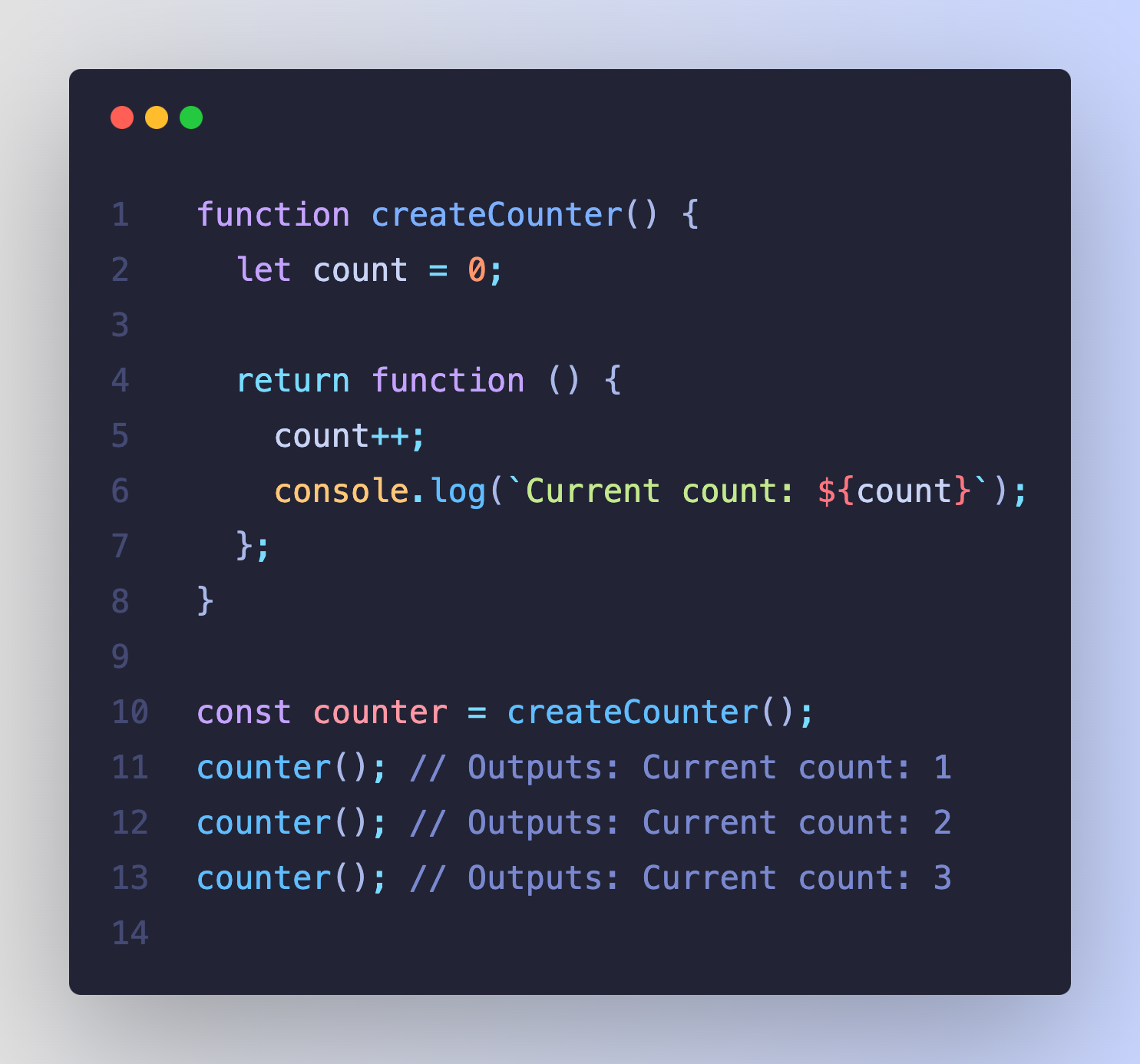
The power of this pattern becomes clear when the factory accepts arguments. Let's examine a classic example.
Closures - JavaScript - MDN Web Docs - Mozilla
This MDN article provides a perfect example of a function factory used for specialization.
Focus on the section with the makeAdder example. Observe how makeAdder isn't returning a value, but a new function. Each new function (add5, add10) is a closure that has "remembered" the value of x passed to its creator. Also, read the makeSizer example that follows, which applies this same pattern to a common front-end development task.
As you saw, makeAdder is a factory for creating adder functions. add5 and add10 are separate closures, each with its own lexical environment preserving a different value for x. This pattern is a form of currying, a concept from functional programming where a function taking multiple arguments is transformed into a sequence of functions each taking a single argument.
With your CS background, you can appreciate this as a form of abstraction. Instead of writing 5 + 2, 10 + 2, etc., you abstract the "adding" operation into a configurable factory.
Let's try to implement a few of these factory functions yourself. The following resource presents a series of small, practical challenges. Try to think through the solution for each before looking at the provided answer.
This tutorial from javascript.info contains several excellent, hands-on tasks that demonstrate the power of function factories.
Work through these three tasks: Sum with closures: This is a direct application of the currying concept we just mentioned. Filter through function: This is a very practical example. You're not just creating a function, but one specifically designed to be used as a callback for Array.prototype.filter. Sort by field: Similar to the filter task, this demonstrates creating a dynamic sorting callback for Array.prototype.sort.
These exercises show how closures enable you to write clean, declarative code. Instead of cluttering your main logic with inline arrow functions for sorting or filtering, you can use these expressive factories to generate the exact logic you need.
The Loop Variable Capture Problem
Now we turn to one of the most famous (and historically frustrating) problems related to closures in JavaScript. It frequently appears in technical interviews because it tests a deep understanding of scope, closures, and the event loop.
Consider this scenario: you want to loop three times, and in each iteration, you schedule a function to run after a short delay, printing the loop counter's value.
What would you expect the following code to output?
for (var i = 0; i < 3; i++) {
  setTimeout(() => {
    console.log(i);
  }, 100);
}
Many people instinctively expect 0, 1, 2. The actual output, however, is 3, 3, 3. Why?
This happens because of two interacting mechanisms:
varis function-scoped: Thevar ivariable is hoisted to the top of its containing function (or the global scope). There is only oneivariable for the entire loop.- Closures capture variables by reference: The three anonymous functions passed to
setTimeoutare closures. They all close over the same lexical environment and share a reference to that singleivariable. - Asynchronous Execution:
setTimeoutdoes not execute its callback immediately. It places the callback in a queue to be run after the current code finishes. Theforloop runs to completion first. By the time thesetTimeoutcallbacks are finally executed, the loop has finished, and the value ofiis3.
The following video provides an excellent, step-by-step explanation of this exact problem and, more importantly, its modern solution.
This video from Web Dev Simplified clearly breaks down the loop variable capture problem, contrasting the behavior of var and let.
Watch the segment from the interview question example. The presenter does a fantastic job explaining why using var results in 3, 3, 3 and why switching to let correctly produces 0, 1, 2.
As the video explained, the modern solution is remarkably simple: use let instead of var.
for (let i = 0; i < 3; i++) { // Using let instead of var
  setTimeout(() => {
    console.log(i);
  }, 100);
}
// Expected and actual output: 0, 1, 2
The let keyword is block-scoped. When used in a for loop header, JavaScript's engine has a special behavior: it creates a new binding for i in each iteration of the loop. Each closure created inside the loop therefore captures a different i variable, one for each iteration, which holds the value from that specific point in the loop.
Historical Solutions (Pre-ES6)
Before let was introduced in ES6, solving this required more verbose techniques. The goal was always the same: create a new scope for each loop iteration to "trap" the value of i. This was typically done with an Immediately Invoked Function Expression (IIFE).
for (var i = 0; i < 3; i++) {
  (function(captured_i) { // IIFE creates a new scope
    setTimeout(() => {
      console.log(captured_i); // Uses the captured value
    }, 100);
  })(i); // Immediately pass the current value of i into the IIFE
}
While you should prefer using let today, understanding the IIFE solution is valuable for reading older codebases and for reinforcing your mental model of how scope and closures interact.
Conclusion
In this lesson, we moved from the theory of closures to their practical application in solving common engineering problems. You've seen how a single core concept can lead to elegant design patterns and also prevent subtle, hard-to-trace bugs.
Key Takeaways:
- Function Factories: Closures are the engine behind function factories, which produce specialized functions. This promotes code reuse and abstraction, allowing you to create configurable callbacks for tasks like filtering and sorting.
- Loop Variable Capture with
var: When closures are created in a loop usingvar, they all share the same function-scoped variable. If these closures are executed asynchronously, they will all see the variable's final value after the loop has completed. - The Modern Solution with
let: Usingletorconstin aforloop declaration solves the capture problem. A new block-scoped binding is created for each iteration, so each closure captures a unique variable with the correct value.
Our discussion of setTimeout has given us a glimpse into asynchronous behavior. In the next lesson, we will zoom out and explore JavaScript's execution model more broadly, examining how its single-threaded nature, combined with the event loop, allows it to handle asynchronous operations without blocking.