Welcome back. In the previous lesson, you built a complete product analysis report, translating a business question into a complex SQL query and actionable insights. That process of going from a raw question to a final answer is the core of an analyst's work. Now, we'll focus on a crucial professional skill: how to make sure the code you write is not just correct, but also clear, readable, and easy for others (and your future self) to understand.
Today, your learning outcome is to structure and document SQL queries for clarity and maintainability. We will explore the principles of SQL style guides, formatting conventions, and documentation best practices that distinguish professional-grade code from a simple working script.
Writing clean code is a fundamental practice in software engineering, and it's just as important in data science. A query that is easy to read is also easier to debug, modify, and trust.
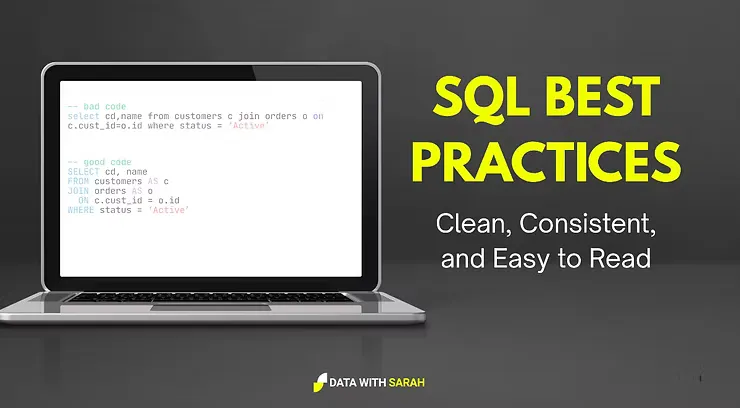
1. The "Why" and "What" of SQL Style Guides
Just like Python has PEP 8, data teams use SQL style guides to ensure their code is consistent and high-quality. A style guide is a set of conventions for writing code that eliminates ambiguity and personal preference, allowing the team to focus on the logic of the analysis rather than debating formatting.
The following video provides a great overview of the three main pillars of a SQL style guide.
Write better SQL with a Style Guide | 3 Things to Consider
This video from Kahan Data Solutions introduces why style guides are important and what they typically cover.
Watch the video from the beginning to the end. Pay attention to the three core areas the speaker discusses: Naming Conventions: How you name tables, columns, and aliases. Casing and Indentation: Formatting rules that make the code's structure visible. Preferred Approaches: Standardizing how to solve common problems (e.g., CASE vs. IF).
The key takeaway is that consistency is the primary goal. While different organizations might have slightly different rules (e.g., uppercase vs. lowercase keywords), adhering to a single style within a project is what truly matters.
2. Crafting Readable and Maintainable Queries
Now let's dive into the specific rules that make up a robust style guide. We will look at a few best practices that are widely adopted in the industry.
Formatting and Explicitness
First, let's establish some foundational rules for formatting. The guide below, from Mozilla's data team, offers a clear and practical set of conventions.
SQL Style Guide - Mozilla Data Documentation
This document provides a great example of a real-world SQL style guide.
Please read the following sections. Don't worry about memorizing every rule; focus on understanding the principle behind each one. Start with Reserved Words and Variable Names to see the standard casing conventions. Read Be Explicit to understand why keywords like AS and INNER JOIN should always be written out. Skim through Left Align Root Keywords, Code Blocks, Join Conditions, Parentheses, Boolean at the Beginning of Line, and Comma at the End of the Line to see how indentation and line breaks create a clean visual structure.
To summarize the most common conventions you'll encounter:
- Keywords:
SELECT,FROM,WHERE,JOINshould be inUPPERCASE. - Identifiers: Table names, column names, and aliases should be in
lowercase, usingsnake_case(e.g.,order_value). - Indentation: Use consistent indentation (e.g., 4 spaces) to show hierarchy.
- Explicitness: Always use the
ASkeyword for aliases and specify the join type (e.g.,INNER JOINinstead of justJOIN). - Line Breaks: Place each major clause (
SELECT,FROM,WHERE,GROUP BY) on a new line. List selected columns on separate lines for readability.
Structuring with CTEs and Other Tricks
Good structure goes beyond formatting. How you organize the logic of your query has the biggest impact on maintainability. As we've seen, Common Table Expressions (CTEs) are your most powerful tool for this.
The next video highlights several practical tricks, emphasizing how CTEs and other choices make your queries better.
7 Simple Tricks to Instantly Make Your SQL Queries Better
This video from techTFQ offers excellent, actionable advice for improving your queries.
Watch these three segments carefully: Formatting: Clean and formatted code. This reinforces the formatting rules we just discussed. CTEs for Readability: Splitting complex queries. This demonstrates how CTEs turn a confusing nested query into a clear, step-by-step process. Explicit JOINs: Prefer explicit joins. This shows how an explicit JOIN is much easier to understand than a subquery in the SELECT clause.
Another critical rule for maintainability, mentioned in the video, is to avoid using SELECT * in production code. Always specify the columns you need. This makes the query's intent clear, prevents errors if the source table changes, and can improve performance.
Let's see these rules in action.
Bad: Hard to Read and Maintain
select c.customer_id, c.customer_name, count(o.order_id) from customers c join orders o on c.customer_id=o.customer_id where c.signup_date > '2023-01-01' group by c.customer_id, c.customer_name having count(o.order_id) > 1;
Good: Clear, Structured, and Maintainable
/*
This query identifies high-value customers who signed up in 2023 or later
and have placed more than one order.
*/
WITH customer_orders AS (
    -- Step 1: Join customers and orders to get order details for each customer.
    SELECT
        c.customer_id,
        c.customer_name,
        c.signup_date,
        o.order_id
    FROM
        customers AS c
    INNER JOIN
        orders AS o
            ON c.customer_id = o.customer_id
),

filtered_customers AS (
    -- Step 2: Filter for customers who signed up in the relevant period.
    SELECT
        customer_id,
        customer_name,
        order_id
    FROM
        customer_orders
    WHERE
        signup_date >= '2023-01-01'
)

-- Step 3: Aggregate to find customers with multiple orders.
SELECT
    customer_id,
    customer_name,
    count(order_id) AS total_orders
FROM
    filtered_customers
GROUP BY
    1, 2 -- Using positional references for conciseness
HAVING
    total_orders > 1
ORDER BY
    total_orders DESC;
Notice how descriptive CTE names (customer_orders, filtered_customers) and comments explain the purpose of each step, making the query self-documenting.
3. Documenting Your Work
There are two primary ways to document your SQL code:
-
In-Query Comments: Use comments to explain the why behind your code, not the what. Explain complex business logic, tricky calculations, or why a particular filter was chosen.
-- Single-line comment/* Multi-line comment */
-
External Documentation: For a portfolio project, this is your
README.mdfile. As you learned in the previous lesson, this file should explain the business context, your analytical process, key findings, and recommendations.
A well-commented query and a thorough README file work together to tell the complete story of your analysis.
4. Your Turn: Refactor Your Project Query
Now it's time to apply these principles. Your task is not to write a new analysis, but to elevate the work you've already done.
- Open the SQL file for the Product Performance Report you created in the last lesson.
- Refactor the entire query to adhere to the style guidelines discussed today. Specifically:
- Ensure all keywords are
UPPERCASEand all identifiers (tables, columns, aliases) arelowercase_with_snake_case. - Check that you've used explicit
ASfor all aliases andINNER JOIN(orLEFT JOIN) for all joins. - Fix any indentation or line-break issues to improve readability. Each column in the
SELECTlist should be on its own line. - Make sure your CTEs have clear, descriptive names.
- Ensure all keywords are
- Add comments to your query.
- Add a multi-line comment block
/* ... */at the top explaining the overall goal of the query. - Add single-line comments
--to explain the purpose of each CTE and any complex logic within them (e.g., a trickyCASEstatement or a window function).
- Add a multi-line comment block
Your goal is to transform your query into a professional, maintainable piece of code that another analyst could pick up and understand immediately.
Conclusion
In this lesson, you've learned how to structure and document your SQL queries like a professional data analyst. Writing clean, maintainable code is a hallmark of a skilled practitioner and is essential for effective collaboration and long-term project success.
Key Takeaways:
- Style guides create consistency and improve code quality.
- Key formatting rules include casing (uppercase keywords, lowercase identifiers), consistent indentation, and being explicit (
AS, join types). - CTEs are the best way to structure complex logic into readable, sequential steps.
- Comments should explain the "why" (business logic), not the "what" (obvious syntax).
- Avoid
SELECT *in favor of explicitly naming columns to improve clarity and prevent future errors.
You have now completed all the core technical lessons in the SQL module. You can write queries ranging from simple selections to complex, multi-stage analyses and can format them to a professional standard.
In our final lesson for this module, we will focus on presenting your work. You will learn how to publish your SQL analysis project to GitHub, creating a polished portfolio piece that effectively showcases your skills to potential employers.