Introduction
Welcome to your final lesson in the module on Cloud Monitoring and Financial Management. In our last session, you learned how to perform a numerical calculation of a virtual machine's cost by breaking it down into its core components: compute, storage, and data transfer. Understanding what you are paying for is the first step. The logical next step, and the focus of this lesson, is learning how to reduce those costs.
This lesson directly addresses the learning outcome: Describe common cloud cost optimization strategies, such as rightsizing instances and scheduling start/stop times for resources. Mastering these strategies is not only critical for real-world cloud management but is also a frequent theoretical topic in semester exams. We will cover the most effective and commonly tested strategies, providing you with a clear framework to earn full marks on any related questions.
1. A Framework for Cloud Cost Optimization
Before diving into specific techniques, it's useful to have a high-level framework for approaching cost optimization. It's not about randomly cutting services; it's a systematic process. A great analogy is how one might manage household expenses.
To understand this methodical approach, watch the following short video. It introduces a simple, four-step strategy that we can apply directly to cloud environments.
Cloud Cost Optimization Strategy Explained | FinOps
The video 'Cloud Cost Optimization Strategy Explained' from Abhishek.Veeramalla outlines a practical framework for reducing costs. Pay attention to how a general savings strategy is adapted for the cloud.
Watch from 00:49 to 07:32. Focus on the four main steps derived from the 'home-saving strategy' and how they are translated to a cloud context: Cost Analysis: Understand where you are spending. Remove the Obvious: Eliminate clear waste. Focus on the Important: Target the highest cost drivers first. Look for Alternatives/Fix Bad Practices: Find better ways to do things.
This framework provides a logical flow for our discussion. We will now explore the specific "bad practices" to fix and "alternatives" to use, which form the core of your exam answers.
2. Core Cloud Cost Optimization Strategies
For your exam, you should be able to list, define, and give examples for several key optimization strategies. We will cover the most important ones, starting with those explicitly mentioned in the learning outcome.
Strategy 1: Rightsizing Underutilized Resources
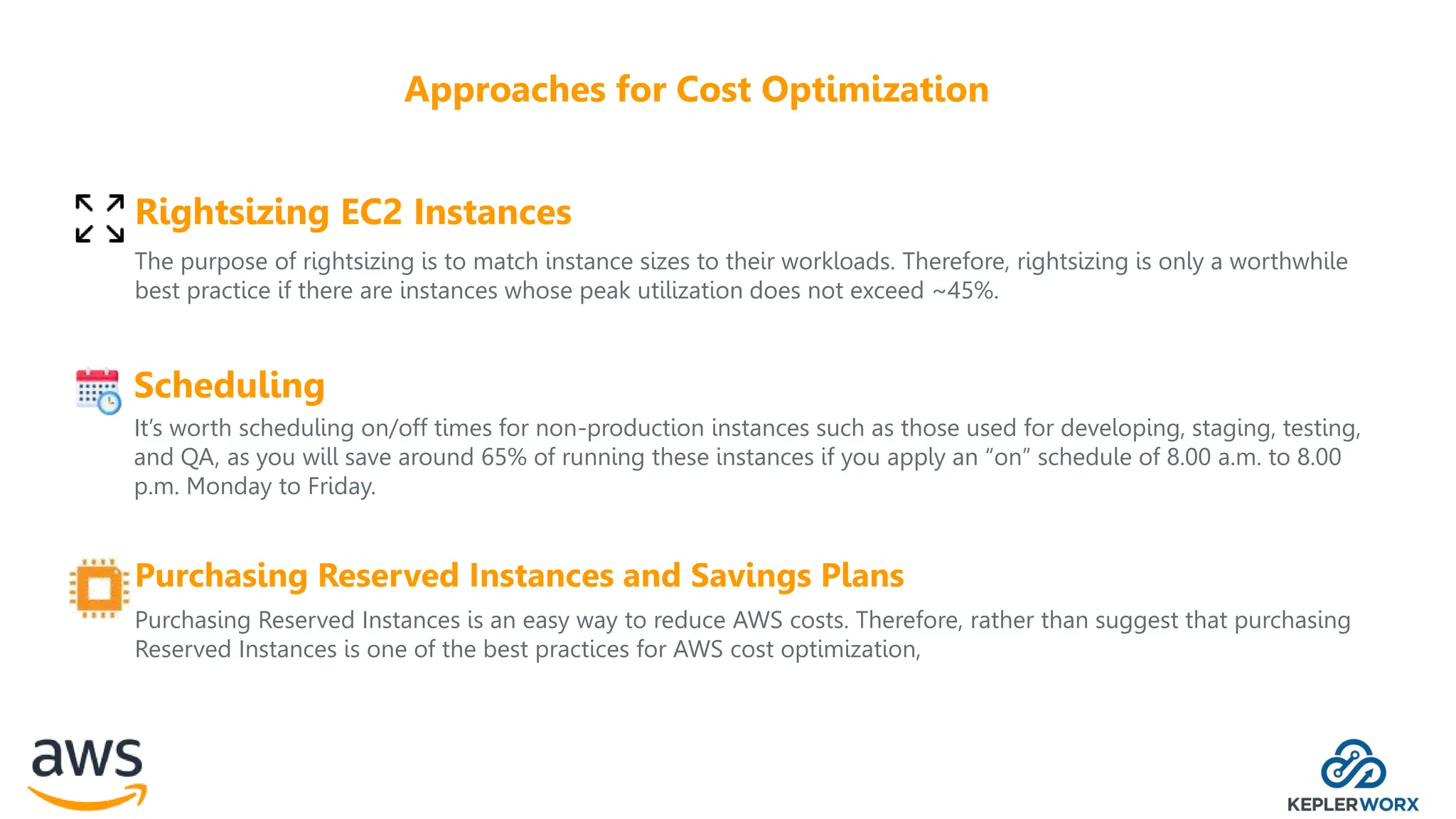
Rightsizing is arguably the most fundamental cost optimization strategy. It is the process of matching the size and type of a cloud resource (like a virtual machine) to its actual performance needs.
- Definition: Rightsizing involves analyzing performance metrics like CPU and memory utilization over time and then adjusting the instance type to a smaller, cheaper one that can still handle the workload without performance degradation.
- Problem It Solves: Engineers often over-provision resources out of caution, a practice that leads to paying for capacity that is never used.
- Example: A developer provisions a
t2.largeinstance for a web server. After monitoring it for two weeks, you find its average CPU utilization is only 10% and peak is 25%. You could safely "right-size" it down to at2.mediumort2.small, potentially cutting the compute cost by 50-75%.
The following article provides a clear explanation of this process.
10 Cloud Cost Optimization Strategies That Work in 2025
The article '10 Cloud Cost Optimization Strategies' explains rightsizing as a key technique. It highlights the importance of analysis and using provider tools.
Read the section titled '3. Right-Sizing and Resource Optimization'. Focus on the 'How to Implement This Strategy' part, noting the steps: analyze usage, establish a baseline, and implement in phases.
The image below summarizes rightsizing alongside other key strategies. Notice how it's positioned as a primary method for controlling costs.
Strategy 2: Scheduling Resources to Stop Idle Usage
This is another simple yet highly effective strategy, especially for non-production environments.
- Definition: Scheduling involves automating the process of stopping resources when they are not in use (e.g., overnight, on weekends) and starting them again when they are needed.
- Problem It Solves: Paying for development, testing, and staging environments 24/7 when they are only used during business hours (typically ~40-50 hours a week).
- Example: A team uses 10 VMs for a development environment. These VMs run 24/7, totaling 720 hours per month each. By implementing a schedule to run them only from 8 AM to 8 PM on weekdays (12 hours/day, 5 days/week), the runtime is reduced to approximately 240 hours per month. This is a 66% reduction in compute costs for those resources.
This is often referred to as "stopping the bleed" from idle resources and is considered a quick win for cost optimization. The CloudToggle article LINK mentions this in its section on "Unused Resource Cleanup and Waste Elimination," as idle-but-running instances are a form of waste.
Strategy 3: Leverage Commitment-Based Pricing Models
This strategy involves moving away from the high-cost On-Demand model for predictable workloads.
- Definition: Cloud providers offer significant discounts (up to 72%) if you commit to a certain level of usage for a 1- or 3-year term. These are known as Reserved Instances (RIs) and Savings Plans.
- Problem It Solves: Paying premium on-demand rates for workloads that run consistently, like core application servers or databases.
- Example: A company runs a database on a VM that costs $100/month on-demand. They know this database will be needed for the next three years. By purchasing a 3-year Reserved Instance, they might get a 60% discount, reducing the monthly cost to $40.
To understand how RIs function as a cost-saving billing mechanism, please watch this detailed explanation.
Reserved Instance and Capacity Reservations
This video from John Savill's Technical Training explains Reserved Instances in detail. Focus on how a commitment leads to a billing discount.
Watch from 00:59 to 07:24. The key takeaway is that an RI is a billing mechanism to save money on predictable workloads by committing to a term. Note the example price drops shown for 1-year and 3-year terms.
Strategy 4: Use Spot Instances for Interruptible Workloads
This is the opposite of RIs—it's for workloads that are not predictable or critical.
- Definition: Spot Instances let you use spare, unused compute capacity at a very steep discount (up to 90% off on-demand rates). The trade-off is that the cloud provider can reclaim this capacity with very short notice (e.g., a two-minute warning).
- Problem It Solves: High cost of large-scale, non-urgent computing tasks.
- Ideal Use Cases: Batch processing, big data analysis, CI/CD jobs, scientific simulations, and machine learning model training. These workloads are typically fault-tolerant and can be paused and resumed.
Strategy 5: Delete Unused and Idle Resources ("Zombie" Resources)
This strategy is about maintaining good cloud "hygiene."
- Definition: Proactively identifying and deleting resources that are no longer needed.
- Problem It Solves: Over time, environments accumulate "zombie" resources from experiments, failed deployments, or former employees. These resources incur charges while providing no value.
- Common Examples:
- Unattached storage volumes: Disks that are not connected to any VM.
- Old snapshots: Backups of disks that are no longer needed.
- Idle load balancers: Load balancers with no back-end instances.
- Unassigned Elastic IPs: Public IP addresses that are not associated with a running instance.
The video from Abhishek.Veeramalla (LINK) mentions this as a key area, specifically calling out unused volumes.
3. Summary Table of Optimization Strategies
For easy revision, here is a table summarizing the key strategies. This format is ideal for quickly recalling the main points during an exam.

Here is a simplified version tailored to what we've discussed:
| Strategy | Goal | Ideal Use Case | Key Advantage |
|---|---|---|---|
| Rightsizing | Match instance size to workload needs. | Any over-provisioned VM. | Immediate savings (15-40%) with low risk. |
| Scheduling | Stop non-production resources when not in use. | Dev, test, and staging environments. | Significant cost reduction (~65%) on idle resources. |
| Reserved Instances | Get large discounts for committed usage. | Stable, predictable workloads (e.g., core databases, app servers). | Highest predictable discount for long-term use. |
| Spot Instances | Access massive compute power at a very low cost. | Fault-tolerant, non-urgent batch jobs. | Extreme savings (up to 90%) for flexible workloads. |
| Cleanup | Eliminate waste from abandoned resources. | Any cloud account, especially older ones. | Quick ROI by stopping payment for "zombie" assets. |
Conclusion
In this lesson, you have learned to describe the most common and effective cloud cost optimization strategies, with a special focus on rightsizing and scheduling. After learning how to calculate cloud costs, you now have the tools to explain how to manage and reduce them, completing your knowledge of cloud financial management.
Key Takeaways:
- Cost optimization is a continuous process that starts with analysis.
- Rightsizing eliminates waste by matching instance capacity to actual demand.
- Scheduling non-production resources can cut their compute costs by over 60%.
- Pricing models are a powerful tool: use Reserved Instances for predictable workloads and Spot Instances for interruptible ones.
- Regular cleanup of unused resources (like storage volumes and IPs) prevents financial leakage.
Preview of the Next Lesson:
This lesson concludes our module on Cloud Monitoring and Financial Management. We will now move to the next major section of your syllabus: Virtualization. In the upcoming lesson, you will learn the definition of virtualization and understand its crucial role as the foundational technology that enables cloud computing, particularly through the concept of abstraction.