Introduction
In our last lesson, we focused on resource monitoring, learning how to track key performance metrics like CPU utilization, memory usage, and network throughput. This process gives us vital data about what our resources are doing. The natural and crucial next step is to use that data to make intelligent improvements.
This lesson directly builds on that foundation by addressing the learning outcome: Explain common resource optimization techniques for improving performance and reducing costs, such as rightsizing and removing idle resources. We will explore how to analyze the metrics we've learned about to make our cloud environment more efficient, both in terms of performance and, critically, cost.
For your exams, being able to define, compare, and give examples of these techniques is essential. We will focus on building clear, structured answers for the most common optimization strategies.
What is Resource Optimization?
In the context of cloud computing, resource optimization is the continuous process of selecting and configuring resources to meet application performance requirements at the lowest possible cost. It involves eliminating waste, preventing over-provisioning (allocating more resources than needed), and avoiding under-provisioning (allocating fewer resources than needed, which hurts performance).
The two primary goals of optimization are:
- Improve Performance: Ensure applications are responsive and meet user expectations and Service Level Agreements (SLAs).
- Reduce Cost: Eliminate spending on idle or underutilized resources, which is a major focus in cloud financial management (FinOps).
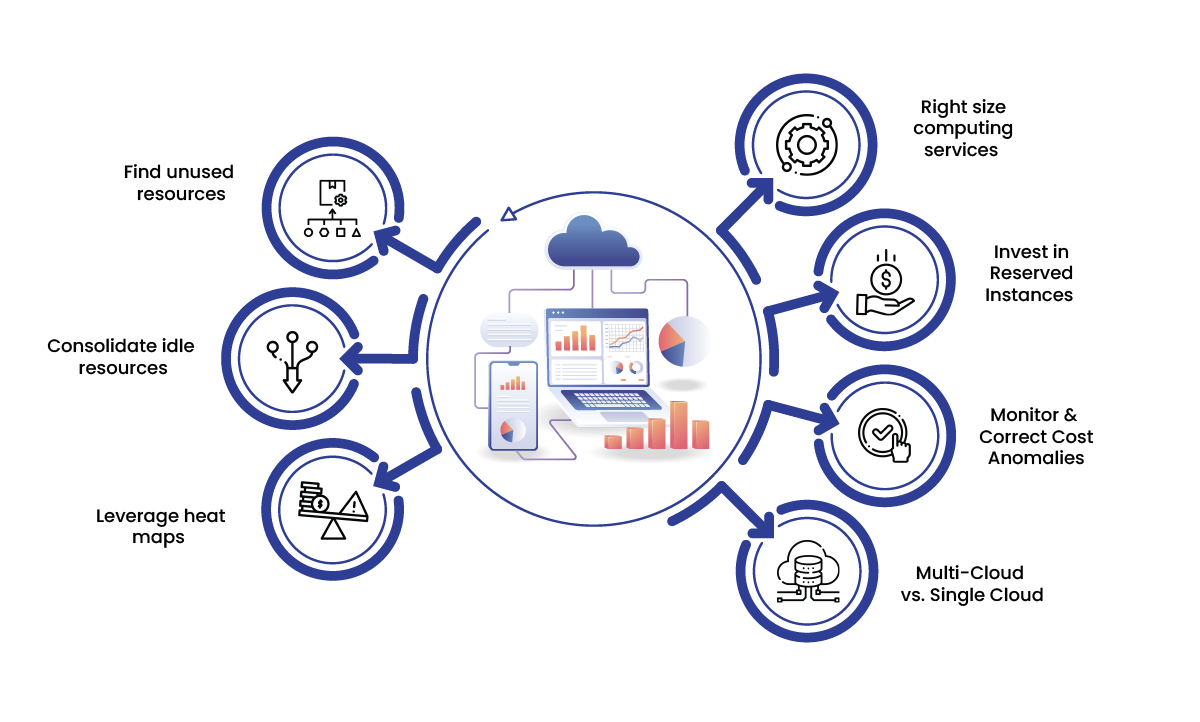
This diagram provides a great visual summary of several key optimization strategies we will touch upon.
Core Technique 1: Rightsizing
Definition: Rightsizing is the process of analyzing the performance of a cloud service (like a virtual machine or database) and modifying its size—such as CPU cores, RAM, or storage IOPS—to match the actual workload requirements.
Engineers often provision resources based on peak estimates, which can lead to significant waste during normal operation. Rightsizing uses monitoring data to correct these initial estimates. The process generally follows three key steps.
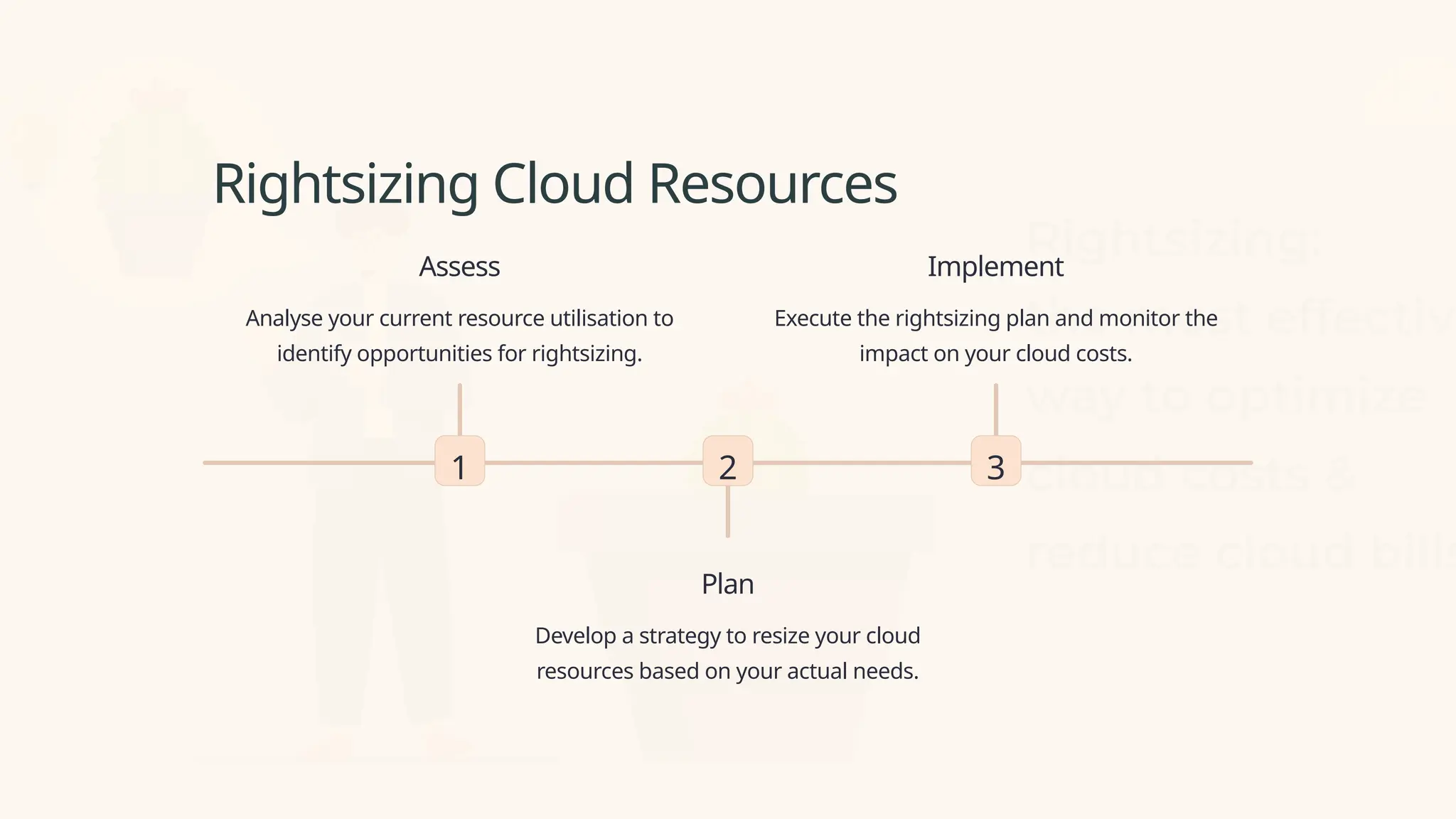
To understand this process in detail, please read the following section from an industry article. It provides an excellent, exam-ready explanation.
10 Cloud Cost Optimization Strategies That Work in 2025
The article '10 Cloud Cost Optimization Strategies That Work' offers a clear breakdown of what rightsizing entails and how to implement it.
Please read section 3, titled 'Right-Sizing and Resource Optimization'. Focus on the definition, the purpose (eliminating waste from over-provisioning), and the four implementation steps: Analyze Usage, Establish a Baseline, Implement in Phases, and Automate Alerts.
For a quick summary, this video also explains the concept well.
12 Tips To Optimize Cloud Costs | Reduce Cloud Costs
The video '12 Tips To Optimize Cloud Costs' provides a concise explanation of rightsizing, reinforcing the core idea.
Watch the segment from 02:19 to 03:04. The key takeaway is the act of reducing allocated capacity (CPUs, memory, IOPS) to align with what the workload actually needs.
Rightsizing in Practice: A Cost-Saving Example
To satisfy your request for numerical examples, let's look at a concrete case of rightsizing. The following table, adapted from the U.S. CIO Council's guide, shows how changing instance types for a set of virtual machines (VMs) can lead to substantial savings.
The "Before" columns show over-provisioned VMs, and the "After" columns show the smaller, cheaper instances chosen after analyzing their actual usage.
Table 3: Sample Cost Savings by Changing Instances to Lower Cost Resources
| Instance Number | Instance Type Before Rightsizing | Hourly Cost Before Rightsizing | Instance Type After Rightsizing | Hourly Cost After Rightsizing |
|---|---|---|---|---|
| VM1 | Standard_DS2_v2, 2 vCPUs, 7 GB RAM | $0.10 | Standard_B2s, 2 vCPUs, 4 GB RAM | $0.04 |
| VM2 | Standard_DS3_v2, 4 vCPUs, 14 GB RAM | $0.20 | Standard_B2s, 2 vCPUs, 4 GB RAM | $0.04 |
| VM3 | Standard_DS3_v2, 4 vCPUs, 14 GB RAM | $0.20 | Standard_B2s, 2 vCPUs, 4 GB RAM | $0.04 |
| VM4 | Standard_DS4_v2, 8 vCPUs, 28 GB RAM | $0.40 | Standard_B2s, 2 vCPUs, 4 GB RAM | $0.04 |
| VM5 | Standard_DS4_v2, 8 vCPUs, 28 GB RAM | $0.40 | Standard_B2s, 2 vCPUs, 4 GB RAM | $0.04 |
| VM6 | Standard_DS5_v2, 16 vCPUs, 56 GB RAM | $0.80 | Standard_D2s_v3, 2 vCPUs, 8 GB RAM | $0.05 |
| VM7 | Standard_DS5_v2, 16 vCPUs, 56 GB RAM | $0.80 | Standard_D2s_v3, 2 vCPUs, 8 GB RAM | $0.05 |
| VM8 | Standard_DS11_v2, 16 vCPUs, 56 GB RAM | $1.00 | Standard_D2s_v3, 2 vCPUs, 8 GB RAM | $0.05 |
| VM9 | Standard_DS11_v2, 16 vCPUs, 56 GB RAM | $1.00 | Standard_D2s_v3, 2 vCPUs, 8 GB RAM | $0.05 |
| VM10 | Standard_DS12_v2, 32 vCPUs, 112 GB RAM | $1.50 | Standard_D2s_v3, 2 vCPUs, 8 GB RAM | $0.05 |
| Total | $6.40/hour | $0.45/hour |
Source: Adapted from the Cloud Operations Best Practices & Resource Guide, CIO Council.
Calculation:
- Total Hourly Cost Before: $6.40
- Total Hourly Cost After: $0.45
- Hourly Savings:
- Monthly Savings (approx.):
This example clearly demonstrates the financial impact of rightsizing.
Core Technique 2: Removing Idle and Unused Resources
Definition: This technique involves identifying and eliminating "zombie" or "orphaned" resources—cloud assets that are running or accumulating costs without performing any useful work.
Common examples of idle resources include:
- Stopped VMs: VMs that are not terminated still incur storage costs for their disks.
- Unattached Storage Volumes: EBS volumes or managed disks that are not attached to any VM.
- Old Snapshots: Backups that are no longer needed for recovery or compliance.
- Orphaned IP Addresses: Public IPs that are allocated but not associated with a running resource.
- Idle Load Balancers: Load balancers with no backend targets.
The following reading explains how to systematically find and remove this waste.
10 Cloud Cost Optimization Strategies That Work in 2025
The article '10 Cloud Cost Optimization Strategies That Work' refers to this as 'Unused Resource Cleanup' and explains why it's a powerful way to reduce costs with low effort.
Please read section 10, 'Unused Resource Cleanup and Waste Elimination'. Focus on the concept of 'zombie' assets and the practical steps to implement cleanup, such as using a tagging policy and scheduling regular audits.
Specific Methods for Dealing with Idle Resources
Beyond just deleting forgotten assets, there are proactive ways to manage resources that are only needed intermittently.
-
Scheduling (Start/Stop Automation): This is a powerful method for resources that don't need to run 24/7, such as development and testing environments. You can automate scripts to turn these resources off during non-business hours (e.g., nights and weekends) and turn them back on when needed.
-
Continuous Auditing: As the video below explains, regularly auditing your environment helps identify underutilized resources that might not be completely idle but are candidates for consolidation or removal.
12 Tips To Optimize Cloud Costs | Reduce Cloud Costs
This video expands on the idea of removing idle resources by discussing continuous auditing and scheduling.
First, watch the segment on 'continuously audit' from 05:14 to 06:28. This covers identifying resources that are no longer needed. Then, watch the segment on 'scheduled resources' from 10:45 to 11:32, which directly addresses turning off non-production workloads to save costs.
Other Key Optimization Techniques
For a complete exam answer, it's useful to be aware of other related techniques.
- Auto-Scaling: This is a dynamic form of optimization. Instead of manually rightsizing a VM, you configure a group of VMs to automatically scale out (add instances) during high demand and scale in (remove instances) during low demand. This ensures you always have the right amount of resources for the current load, perfectly blending performance with cost-efficiency.
- Storage Tiering: This involves moving data to different storage classes based on how frequently it is accessed. For example, frequently used "hot" data is kept on expensive, high-performance storage (like SSDs), while infrequently accessed "cold" data (like archives or backups) is moved to much cheaper, lower-performance storage. This is managed through lifecycle policies.
Comparison of Optimization Strategies
For exam revision, a comparison table is an excellent tool. The following table summarizes the two main techniques we've discussed.
| Strategy | Implementation Complexity | Expected Savings | Ideal Use Cases | Key Advantages |
|---|---|---|---|---|
| Right-Sizing | Low-Medium | Immediate (15-30% typical) | Environments with over-provisioned or inconsistently sized resources. | Quick wins without major code changes; provides continuous savings with low risk. |
| Unused Resource Cleanup | Low | Immediate (5-15% typical) | Accounts with legacy resources, frequent project changes, or poor governance. | Fast return on investment, low complexity, improves security by reducing the attack surface. |
Source: Adapted from "10 Cloud Cost Optimization Strategies That Work in 2025".
Conclusion
In this lesson, we bridged the gap between monitoring resources and optimizing them. We saw that optimization is a continuous cycle of analysis and action aimed at maximizing performance while minimizing cost.
Key Takeaways:
- Resource Optimization is the process of matching cloud resources to workload demands to balance performance and cost.
- Rightsizing is a core technique that involves modifying the size and type of a resource (e.g., VM vCPUs, RAM) to align with its actual usage, preventing waste from over-provisioning.
- Removing Idle Resources focuses on identifying and eliminating "zombie" assets like unattached disks, old snapshots, and unused IPs that incur costs without providing value.
- Specific methods like scheduling (automating start/stop times) and creating storage lifecycle policies are practical ways to implement optimization.
- Auto-scaling provides a dynamic, automated approach to resource optimization.
Preview of the Next Lesson:
We have now concluded our module on cloud resource management and scaling. Our focus will shift to a more fundamental topic that underpins all of modern cloud computing. In the next lesson, we will begin Module 4 by answering the question: What is virtualization? We will define virtualization and explain its role as a foundational technology for cloud computing through the concept of abstraction.