Introduction
Welcome to the second lesson in our final module on open-source contribution. In our previous session, we navigated the Linux Kernel Mailing List (LKML) and demystified the community's email-based patch review process. You now understand the "rules of the road"—how developers communicate, review code, and signal approval.
Now, we address the all-important next question: "What should I work on?" The goal of this lesson is to help you identify a suitable first-contribution opportunity in the kernel tree.
Finding the right first task is critical. The ideal entry point is a small, well-defined problem that allows you to practice the entire contribution workflow—from making a code change to sending the patch and responding to feedback—without being overwhelmed by deep technical complexity. We'll explore several proven strategies for finding these "low-hanging fruit" tasks, setting you on a clear path to making your first contribution.
1. The Classic Starting Point: Trivial Fixes
The most common advice for new kernel contributors is to start with something simple. This isn't about avoiding hard problems; it's about isolating the process of contribution so you can master it. The two best categories for this are coding style cleanups and documentation improvements.
1.1. Coding Style and checkpatch.pl
The Linux kernel has a strict coding style, detailed in the Documentation/process/coding-style.rst file. To help enforce this, the kernel provides a script called checkpatch.pl. Running this script on a file will report any style violations. Patches that fix these violations are a fantastic way to get started.
A particularly fertile ground for this work is the drivers/staging/ directory. This directory contains drivers that are not yet up to mainline quality standards. Maintainers of this area explicitly encourage and expect cleanup patches.
Let's hear from Greg Kroah-Hartman, the maintainer of the stable kernel and the staging tree, on this very topic.
Write and Submit your first Linux kernel Patch
In this segment from his FOSDEM talk, Greg Kroah-Hartman explains how checkpatch.pl works and directly points to the drivers/staging directory as a place to find work.
First, watch from 13:25 to 14:55 to see a demonstration of checkpatch.pl. Then, watch from 14:55 to 16:21 where he identifies the staging directory's TODO files and checkpatch.pl cleanups as excellent tasks for new contributors.
As you saw, the process is straightforward:
- Pick a file, often in
drivers/staging/. - Run
./scripts/checkpatch.pl --file drivers/staging/path/to/your/file.c. - Fix one of the reported warnings.
- Prepare a patch.
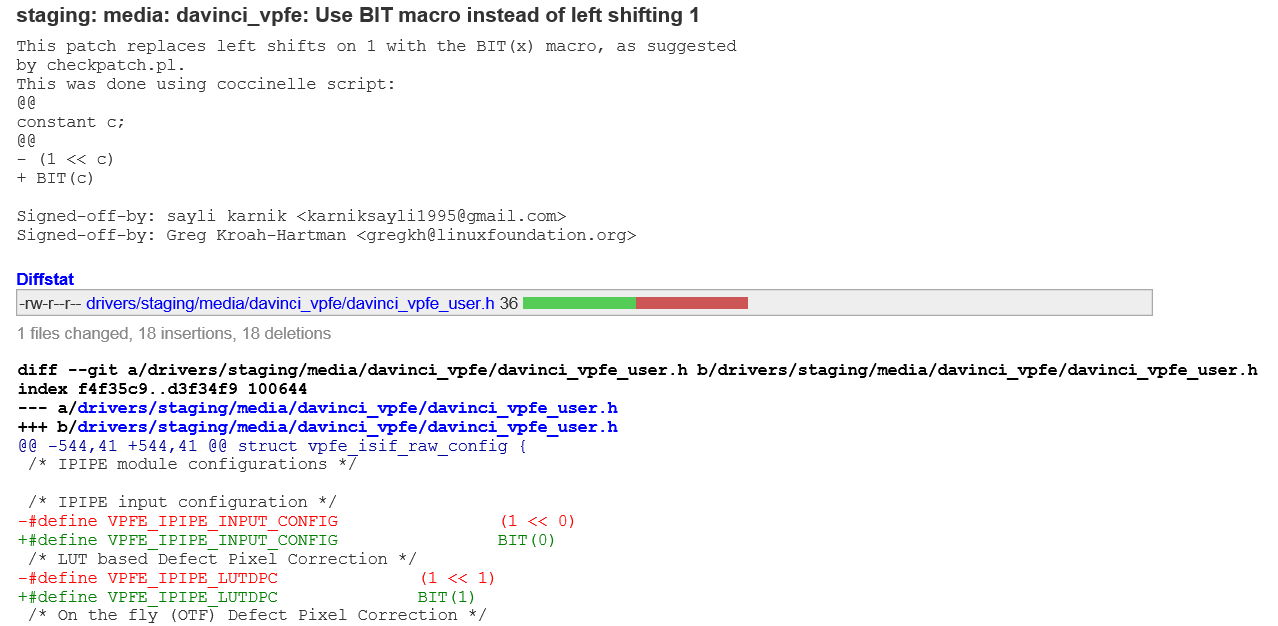
These changes are often small, such as replacing a direct bit shift with the BIT() macro, as shown below. This kind of patch is a perfect first contribution.
1.2. Documentation Fixes
Another excellent area for first-time contributions is documentation. As the kernel evolves, documentation can become outdated, contain typos, or have gaps.
Improving documentation provides immense value and is a great way to learn about a subsystem. The process involves:
- Reading the documentation for a subsystem you're interested in (e.g., in the
Documentation/directory). - Reading the corresponding source code.
- If you find a discrepancy, a typo, or an unclear explanation, you can submit a patch to fix it.
This path requires no complex debugging but forces you to engage with the code and its intended behavior, making it a valuable learning exercise.
2. Finding and Fixing Simple Bugs
Once you're comfortable with the contribution workflow, you can move on to fixing simple bugs. This is a step up in complexity but is also highly rewarding. Here are several effective strategies for finding manageable bugs.
2.1. Searching the Source for Clues
Developers often leave comments in the code to mark places that need improvement. Searching for keywords like TODO or FIXME can uncover a long list of potential tasks.
How to Start Contributing to the Linux Kernel - Kelsey Steele & Allen Pais, Microsoft
This video discusses various ways to find tasks, including the strategy of searching the source code for 'TODO' items.
Watch from 35:15 to 37:10. The speaker highlights several methods for finding tasks to work on. Pay special attention to the suggestion to "Search for to-dos in the kernel source tree" (35:41) and the point about documentation being a great spot for beginners (36:03).
You can perform this search easily with a command like:grep -r "TODO" drivers/
While many of these might be complex, some are simple cleanup tasks or minor bugs that are well-suited for a new contributor.
2.2. The Goldmine: Syzbot Bug Reports
The Linux kernel project uses a powerful, continuous fuzzing tool called Syzbot. Fuzzing is a technique where a program is tested with a vast number of random, unexpected inputs to find bugs. Syzbot runs 24/7, testing the latest kernel code, and has found thousands of bugs, from kernel panics to subtle memory leaks.
The reports generated by Syzbot are publicly available and represent a fantastic source of contribution opportunities.
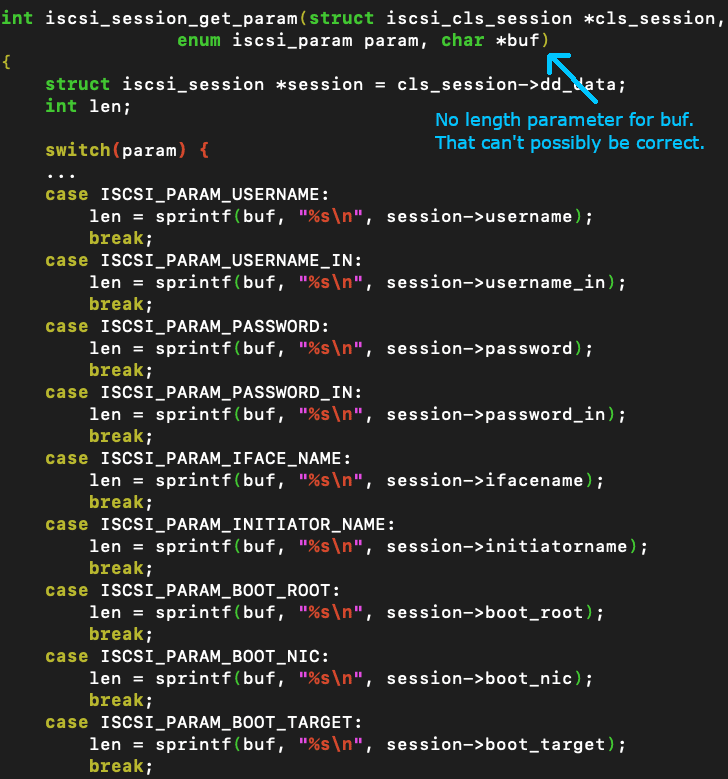
The key is to know how to select the right bug from the Syzbot dashboard. You don't want to pick a year-old bug in a complex memory management path. You want something recent, understandable, and with a reproducer.
Fixing bugs in the Linux kernel with Syzbot, Qemu and GDB
This article, 'Fixing bugs in the Linux kernel with Syzbot...', provides an excellent guide on how to approach this. It details how to navigate the Syzbot website and, most importantly, how to select a manageable bug.
First, read the section titled 'Accessing bug reports' to understand how to navigate the Syzbot website and filter by subsystem. Then, read the section 'Choosing a bug to fix' very carefully. It provides a checklist for picking a good first bug: one you understand, is relatively new, and has a reproducer.
2.3. Beyond Trivial Fixes: Other Avenues
The resources we've reviewed offer a wealth of other ideas. This article provides a great list of "meta-tasks" that can lead to contributions.
Ideas for getting started in the Linux kernel
Laura Abbott's blog post offers a thoughtful list of ways to get started, moving beyond the simple checkpatch fixes.
Read the section that begins 'The classic way first timers get started...' to reinforce the value and limitations of checkpatch fixes. Then, review the bulleted list in the next section for more advanced ideas, such as using static analysis tools like Coccinelle, testing patches from the mailing list, and improving documentation.
3. A Framework for Selecting Your First Task
You now have several strategies. To make this actionable, here is a simple framework to evaluate any potential task you find:
- Do I understand the problem? Can you explain the bug or the required change in your own words? If the title or description is confusing, move on. (As suggested in the Syzbot article).
- Is it self-contained? Does the fix seem localized to one or a few files? Avoid tasks that seem to require sweeping changes across many subsystems.
- Has someone else already fixed it? Before you start working, search the mailing list archives (
lore.kernel.org) for the bug title or relevant keywords to see if a patch has already been submitted. - Can the bug be reproduced? For bug fixes, having a reliable way to trigger the issue is invaluable. Syzbot reports often provide a "C reproducer" or a "syz reproducer" that does exactly this.
If you can answer "yes" to these questions, you have likely found an excellent first-contribution opportunity.
Conclusion
In this lesson, we transitioned from understanding the process to finding the work. You now have a toolkit of concrete strategies to identify a suitable first task for your open-source journey.
Key Takeaways:
- Start with trivial fixes to master the contribution workflow. The best places to look are
checkpatch.plwarnings in thedrivers/stagingdirectory and documentation mismatches. - For a more challenging task, look for simple bugs. You can find these by searching the source code for
TODOmarkers or, more effectively, by browsing reports from the Syzbot fuzzing tool. - When selecting a bug from Syzbot, choose one that is recent, understandable, and has a reproducer.
- Before starting work, always check the mailing list to ensure no one else has already submitted a fix.
Preview of the Next Lesson:
Now that you know how to find a task, the next logical step is to do the work. In our next lesson, we will focus on writing a kernel commit message that follows community standards. We will break down the structure of a great commit message, explaining how to clearly describe the problem and your solution—a skill that is just as important as writing the code itself.