Welcome back! In our last lesson, you successfully secured your API using JWT, a crucial step in building a professional backend service. Now, any client wanting to access your TaskViewSet must first authenticate. However, as your application grows and accumulates more data, another challenge emerges: performance and scalability.
Today's lesson addresses this by diving into pagination. Imagine your application has thousands or even millions of tasks. Sending all of them in a single API response would be incredibly slow, waste server memory, and potentially crash the client's browser or mobile app. Pagination solves this by breaking up large result sets into smaller, manageable "pages" of data.
By the end of this lesson, you will be able to:
- Explain why pagination is essential for building scalable APIs.
- Describe the different pagination strategies available in Django REST Framework (DRF).
- Implement global pagination settings for your project.
- Create and apply a custom pagination class to control response size and behavior on a per-view basis.
This skill is directly aligned with the Infilect job description's requirement to "build scalable backend/cloud applications" and "handle system and product development at scale." Let's get started.
1. Why We Need Pagination
Currently, if your /api/tasks/ endpoint had 10,000 tasks, it would try to query, serialize, and send all 10,000 tasks in one go. This is inefficient and unscalable. Pagination is the standard solution to this problem. Instead of returning everything, the API returns a "page" of items (e.g., the first 20 tasks) along with links to get the next or previous pages.
DRF offers three main pagination strategies, each with its own pros and cons.

For most applications, PageNumberPagination is the most intuitive and common starting point.
2. Implementing PageNumberPagination
This style is what you're likely most familiar with from using websites—you navigate using query parameters like ?page=2. Let's implement this in our TaskMaster project.
Global Configuration (The Quick Way)
The fastest way to enable pagination across your entire project is by setting it in myproject/settings.py. This is a great way to enforce a consistent default.
The article "Adding Pagination in APIs - Django REST Framework" from GeeksForGeeks clearly explains this process.
Adding Pagination in APIs - Django REST Framework
This resource shows the simplest method to enable pagination globally and explains the structure of the resulting API response.
Read the section on PageNumberPagination to see the required REST_FRAMEWORK settings. Also, review the subsection about the response structure to understand the new keys (count, next, previous, results) that will appear in your API output.
Now, let's apply this to your project.
Your Task: Enable Global Pagination
- Open
myproject/settings.py. - Find the
REST_FRAMEWORKdictionary you created in the last lesson. - Add the keys for default pagination as shown in the article. Let's use a page size of 10.
Your REST_FRAMEWORK settings should now look like this:
# myproject/settings.py

REST_FRAMEWORK = {
    'DEFAULT_AUTHENTICATION_CLASSES': (
        'rest_framework_simplejwt.authentication.JWTAuthentication',
        'rest_framework.authentication.SessionAuthentication',
    ),


    # Add these lines for pagination
    'DEFAULT_PAGINATION_CLASS': 'rest_framework.pagination.PageNumberPagination',
    'PAGE_SIZE': 10,
}
Now, start your development server (python manage.py runserver). To see pagination in action, you'll need more than 10 tasks. You can either use the Django admin or your API to create several more tasks.
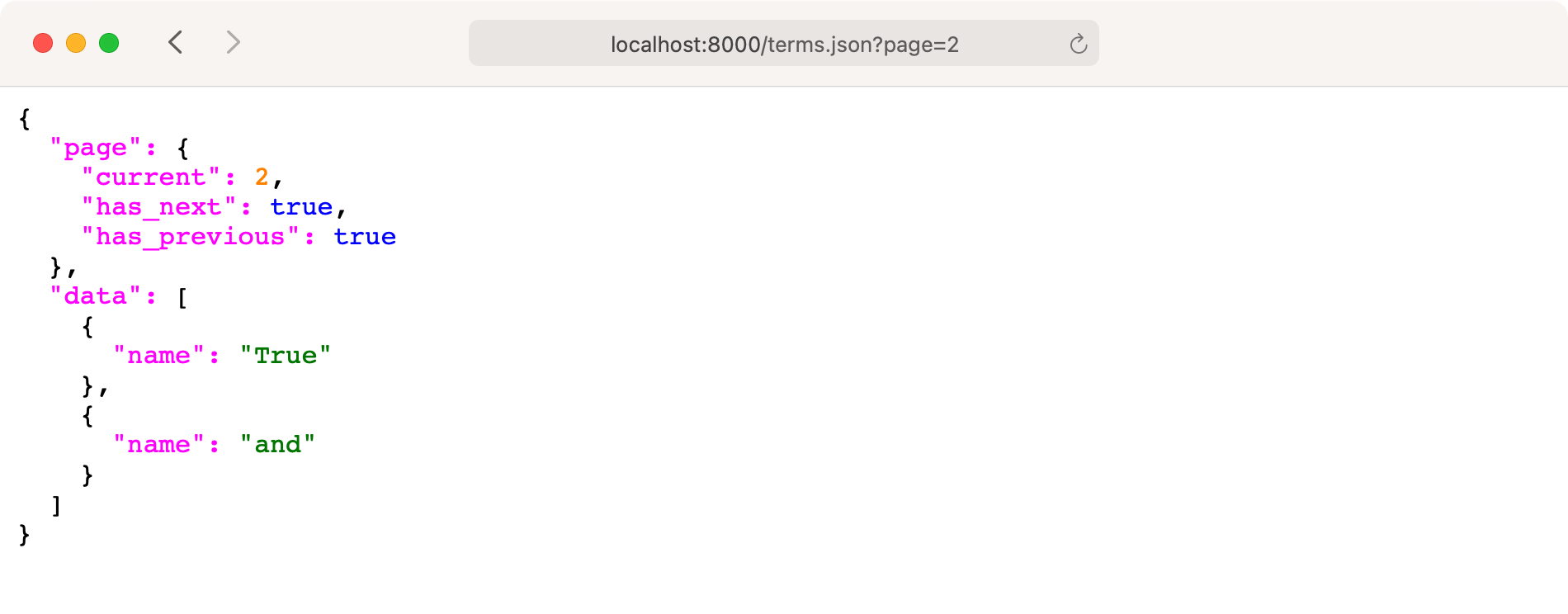
Once you have more than 10 tasks, make an authenticated GET request to http://127.0.0.1:8000/api/tasks/. The response will be fundamentally different. It will now be wrapped in an object containing metadata about the pages.
3. Creating a Custom Pagination Class
Global settings are good, but professional applications often require more fine-grained control. For instance:
- You might want different page sizes for different endpoints.
- You might want to allow the client to specify the page size via a query parameter (e.g.,
?page_size=50). - You might want to change the name of the query parameter from
pageto something else, likep.
To achieve this, we create a custom pagination class. This allows us to apply specific pagination behavior to individual views.
The following video by Cryce Truly provides an excellent, practical walkthrough of creating a custom pagination class.
API Pagination. Django Rest Framework complete tutorial.#13
This video clearly demonstrates how to create a custom pagination class, configure its properties, and apply it to a specific view.
Watch from . The presenter shows how to create a new pagination.py file, define a custom class inheriting from PageNumberPagination, and add it to a view. Pay close attention to the page_size_query_param and max_page_size attributes, as they are key to building flexible yet secure APIs.
Your Task: Implement a Custom Pagination Class
Let's follow the pattern from the video to create a custom paginator for our TaskViewSet.
-
Create a new file in your
tasksapp directory namedpagination.py. -
Define the custom class in this new file. Let's call it
CustomTaskPagination. We'll allow the client to request a page size via asizeparameter, but we'll cap it at 100 to prevent abuse.# tasks/pagination.py from rest_framework.pagination import PageNumberPagination class CustomTaskPagination(PageNumberPagination): page_size = 10 # Default page size page_size_query_param = 'size' # Client can override the page size using this query param max_page_size = 100 # Maximum page size the client can request -
Apply the custom class to your
TaskViewSet. Opentasks/views.pyand modify theTaskViewSet.# tasks/views.py from rest_framework import viewsets from rest_framework.permissions import IsAuthenticated from .models import Task from .serializers import TaskSerializer from .pagination import CustomTaskPagination # <--- Import your new class class TaskViewSet(viewsets.ModelViewSet): queryset = Task.objects.all() serializer_class = TaskSerializer permission_classes = [IsAuthenticated] pagination_class = CustomTaskPagination # <--- Apply the custom class -
(Optional but Recommended) You can now remove the global pagination settings from
myproject/settings.pyif you prefer to configure pagination on a per-view basis. This is often a cleaner approach in larger projects.
Testing Your Custom Paginator
Restart your server and test the following URLs (remember to be authenticated):
http://127.0.0.1:8000/api/tasks/: Should return the first 10 tasks (our defaultpage_size).http://127.0.0.1:8000/api/tasks/?page=2: Should return the second page of 10 tasks.http://127.0.0.1:8000/api/tasks/?size=5: Should return only 5 tasks. The client has successfully overridden the page size.http://127.0.0.1:8000/api/tasks/?size=200: Should return 100 tasks, not 200. Ourmax_page_sizesetting is protecting the server.
4. A Word on Other Pagination Styles
While PageNumberPagination is versatile, it's important to know when to use the other styles.
-
LimitOffsetPagination: Instead of page numbers, the client specifies alimit(how many items) and anoffset(where to start). For example,?limit=10&offset=20fetches 10 items, skipping the first 20. This is flexible and often used for "infinite scroll" interfaces. However, it can become slow on very large datasets because the database still has to count through the offset. -
CursorPagination: This is the most performant option for massive, ordered datasets (like a social media feed). It uses an opaque "cursor" that points to a specific item in the list. The client can only ask for the "next" or "previous" page relative to that cursor. You can't jump to an arbitrary page (e.g., page 500), but it's extremely fast because it doesn't use offsets. It requires a well-defined and unique ordering field on your data, like a creation timestamp.
For a deeper dive into the trade-offs, the "Mastering Pagination" article is an excellent resource to bookmark.
Mastering Pagination in Django REST Framework: A Complete Guide | Bhavesh Rathod
This article provides a concise comparison and explains the use cases for LimitOffset and Cursor pagination.
Skim the sections on LimitOffset Pagination and Cursor Pagination to understand their mechanics. Then, pay close attention to the Comparison Chart, as it's a great summary of when to choose each style.
Conclusion
You have successfully implemented a key feature for building scalable and professional APIs. By adding pagination, you ensure that your backend can handle large volumes of data gracefully without overwhelming the server or the client.
Key Takeaways:
- Pagination is essential for controlling API response sizes and ensuring good performance.
- DRF provides three main pagination styles:
PageNumberPagination,LimitOffsetPagination, andCursorPagination. - You can set a default pagination class globally in
settings.pyfor quick setup. - For more flexibility, creating a custom pagination class and applying it on a per-view basis is the best practice. This allows you to control default page sizes, allow client overrides, and set maximum limits to protect your server.
Your API now serves data in manageable chunks. But what if the client only wants tasks that are "completed" or tasks created by a specific user? In our next lesson, we will empower the client further by implementing filtering, searching, and ordering, giving them precise control over the data they receive.