Hello! Welcome back to the course.
In the last lesson, you made a crucial strategic decision: whether to optimize your coloring book within its current niche or reposition it to a new, more promising one. That decision provides the focus and direction for everything we'll do next.
This lesson is the first step in executing that new strategy. We're going to dive into the fundamental mechanics of how customers find books on Amazon. Your book's failure to sell is likely a discoverability problem—customers simply aren't seeing it. Today, you'll learn about the primary tools you have to fix that.
Our learning outcome is to explain the role of the 7 backend keyword slots and title/subtitle in discoverability. We'll cover the "why" behind keywords, setting a solid foundation before we jump into the "how" of finding them in our next lesson.
The Hierarchy of Discoverability
When a customer searches on Amazon, the A9 algorithm instantly scans millions of books to find the most relevant results. It doesn't look everywhere equally. Some parts of your book's data are far more important than others. Understanding this hierarchy is the key to getting seen.
How to Optimize Your Amazon Book Title for SEO
This short post from HMD Publishing on LinkedIn provides a crystal-clear breakdown of which fields matter most to Amazon's search algorithm. Pay close attention to the priority order and the case study.
Please read the first part of the post, which starts with 'The Amazon search algorithm myth...' and ends just before 'The Ultimate Keyword Research Blueprint.' The example comparing 'Book A' and 'Book B' is especially powerful.
As you just read, the hierarchy is clear:
- Title (Highest Weight)
- Subtitle (High Weight)
- 7 Backend Keywords (Lower Weight)
- Description (Lowest Weight)
The most common mistake new publishers make is to choose a beautiful, artistic title that no one is searching for, and then stuff keywords into the description. This is the reverse of what works.
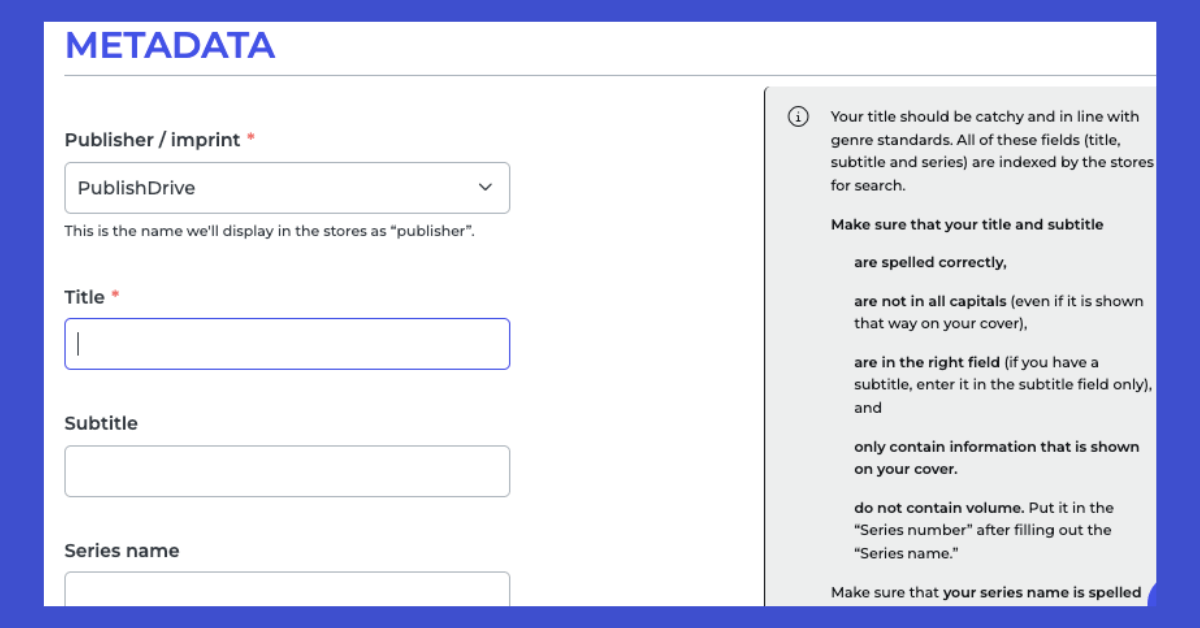
Your Title and Subtitle are your most powerful tools for discoverability. They should contain the most important search terms that a customer would use to find a book like yours.
The 7 Backend Keyword Slots: Your "Hidden" SEO
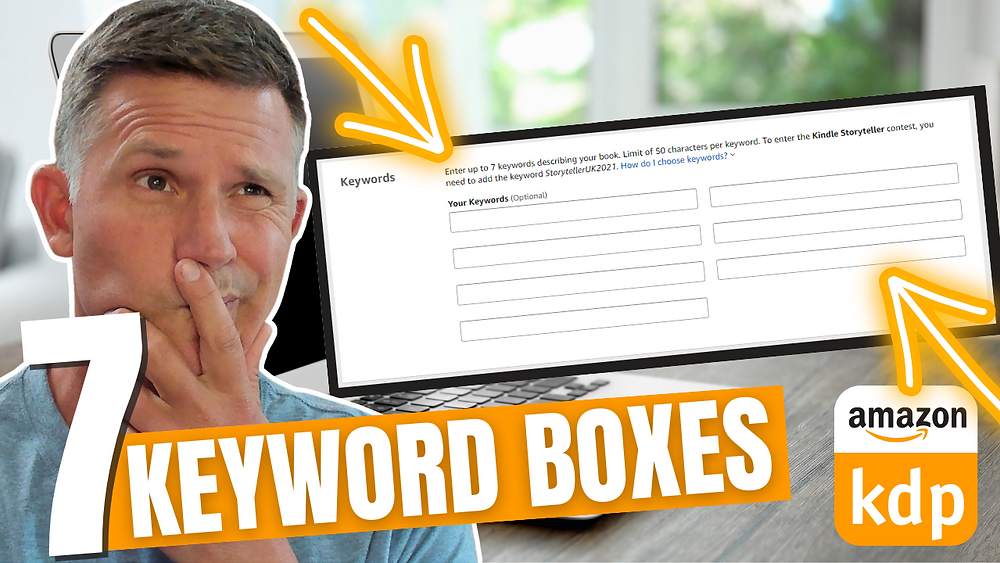
Beyond the title and subtitle, KDP gives you another powerful tool: seven "backend" keyword slots. These are fields in your KDP dashboard that are invisible to customers but are read directly by Amazon's algorithm. Think of them as a private line of communication to tell Amazon exactly what your book is about.
To understand how these slots work, we first need to define two crucial terms: indexing and ranking.
How to Fill in Your 7 Kindle Keywords: 2024 UPDATE!
Dave Chesson from Kindlepreneur is a leading expert on KDP keywords. In this video, he gives an excellent, concise explanation of indexing versus ranking.
Please watch from 01:20 to 02:28. This will clarify the difference between just being listed for a keyword and appearing high enough in the results to get clicks.
To summarize:
- Indexing: Amazon acknowledges that your book is a relevant result for a specific search term. Your book is now "in the race."
- Ranking: This is your book's position in the search results for that term. Ranking on page 1 is the goal; ranking on page 20 means you're effectively invisible.
Your backend keywords are essential for getting indexed for a wide range of relevant search terms.
The "Mix and Match" Secret and the Strategic Trade-Off
This is where things get interesting. You don't just get indexed for the exact phrases you type into the boxes. Amazon is much smarter than that.
How to Fill in Your 7 Kindle Keywords: 2024 UPDATE!
Let's continue with the Kindlepreneur video. This next segment reveals the 'mix and match' nature of the keyword boxes and the strategic trade-off it creates.
Watch from 02:28 to 04:55. Focus on how Amazon combines words within a single box and the critical insight about how adding more words can affect your initial ranking.
Here's the key takeaway: Amazon takes all the individual words within a single 50-character box and combines them into many different search phrases.
For example, if you put mandala coloring book for adults relaxation in one box, Amazon might index you for:
mandala coloring bookcoloring book for adultsadults relaxationmandala relaxation book- ...and many other combinations.
This leads to a crucial strategic trade-off:
- Ranking Strength: If you put just one, highly specific, important phrase in a box (e.g.,
gothic horror coloring book), you are telling Amazon, "This phrase is extremely important." The algorithm gives you more "ranking power" for that specific phrase. - Indexing Reach: If you fill a box with multiple related words (e.g.,
gothic horror spooky creepy scary vampire), you will get indexed for a much wider variety of search combinations, but your ranking power for any single one of them will be diluted.
There is no single "right" answer here. It's a strategic choice. A good keyword strategy, which we will build in the coming lessons, uses a mix of both approaches.
Essential Rules for Backend Keywords
To make sure Amazon uses your keywords effectively, there are some important rules to follow. Getting this wrong can waste your efforts or even, in rare cases, get you in trouble with KDP.
How to Fill in The 7 Backend Keywords on KDP for Maximum Sales (Most Do it Wrong)
Sean Dollwet provides a very clear, practical list of what you absolutely should and should not put in your keyword slots.
Watch from 01:30 to 04:12. He covers common mistakes that beginners make, such as using competitor names or words that are already in the title.
Let's summarize the rules of the road:
| Do | Don't |
|---|---|
| ✅ Use all 7 slots. | ❌ Repeat words that are already in your title or subtitle. |
| ✅ Use phrases customers would actually search for. | ❌ Use competitor author names or book titles (metadata manipulation). |
| ✅ Fill up to the 50-character limit (strategically). | ❌ Use promotional terms like "free," "sale," or "bestseller." |
| ✅ Focus on relevance to your book. | ❌ Use punctuation like commas or semicolons. |
| ❌ Worry about plurals (e.g., "book" covers "books"). |
Following these rules ensures the algorithm can understand your signals clearly and that you are staying within Amazon's terms of service.
Conclusion
You now understand the fundamental principles of discoverability on KDP. You know where to put keywords and why those places are important.
Key Takeaways:
- Hierarchy Matters: Your Title and Subtitle are your most powerful SEO tools and must contain your primary keywords.
- Backend is for Reach: The 7 backend keyword slots are your way to tell Amazon's algorithm about all the other relevant ways customers might search for your book.
- Mix and Match: Amazon combines words within a single keyword box, allowing you to be indexed for many phrases.
- Strength vs. Reach: You face a strategic trade-off between targeting one phrase with high strength versus many phrases with lower strength. A good strategy uses both.
Preview of the Next Lesson:
Now that you understand the theory, it's time to get practical. In our next lesson, we will begin the keyword research process. You'll learn how to use Amazon's search bar and other free tools to generate a large list of potential customer search terms based on the strategic decision you made for your book. Get ready to do some detective work