Hello! Welcome back.
In our last lesson, you mastered Go's control structures (if, for, switch), which are essential for directing the flow of your programs. You also got your first taste of Go's idiomatic error handling with the if statement; condition pattern, like if _, err := strconv.Atoi(...); err != nil.
This lesson builds directly on that foundation. Today, we'll focus on defining and calling your own functions. You'll learn how to create reusable blocks of code and, most importantly, how to use Go's multiple return value feature to create functions that report errors clearly and explicitly. This is one of the most fundamental and powerful patterns in Go. For your goal of building robust DevOps tools, mastering this is non-negotiable.
The Anatomy of a Go Function
Coming from Python and Bash, the concept of a function is already familiar. Functions in Go are how you organize code into logical, reusable units. The syntax is straightforward, but with a key difference from Python: you must declare the data types for all parameters and return values.
How To Define and Call Functions in Go
Let's start with the basics of function definition. This article from DigitalOcean provides a clear, concise guide to the syntax.
Read the sections 'Defining a Function' and 'Working with Parameters'. Focus on the func keyword, the placement of parameter names and types, and how to define multiple parameters of the same type.
As you saw, a basic function definition looks like this:
// A function that takes two strings and returns nothing.
func logActivity(user string, action string) {
    fmt.Printf("User '%s' performed action: '%s'\n", user, action)
}

// A function that takes two integers and also returns nothing.
// Notice the shorthand for parameters of the same type.
func add(x, y int) {
    fmt.Println(x + y)
}
The main() function, which you've been using all along, is just a special function that acts as the entry point for an executable program.
Returning Values from Functions
Functions are most useful when they can process data and return a result. In Go, you must specify the type of the value your function will return.
Let's look at how to return a single value first, and then we'll get to the real power of Go functions: returning multiple values.
How To Define and Call Functions in Go
The same DigitalOcean article explains how to use the return statement and define return types.
Read the section 'Returning a Value'. This will feel familiar, but pay attention to how the return type is declared after the parameter list.
Now, let's look at the feature that truly defines Go's approach to function design and error handling.
The Go Idiom: Multiple Return Values for Error Handling
Unlike Python, which uses try...except blocks to handle exceptions, Go treats errors as regular values. A function that can fail will typically return two things:
- The intended result.
- An error value.
If the function succeeds, the error value is nil (Go's equivalent of null or None). If it fails, it returns the zero value for the result (e.g., 0 for an int, "" for a string) and a non-nil error object.
This (value, error) pattern makes the control flow completely explicit. You, the programmer, are forced to confront potential failures right at the point where you call the function.
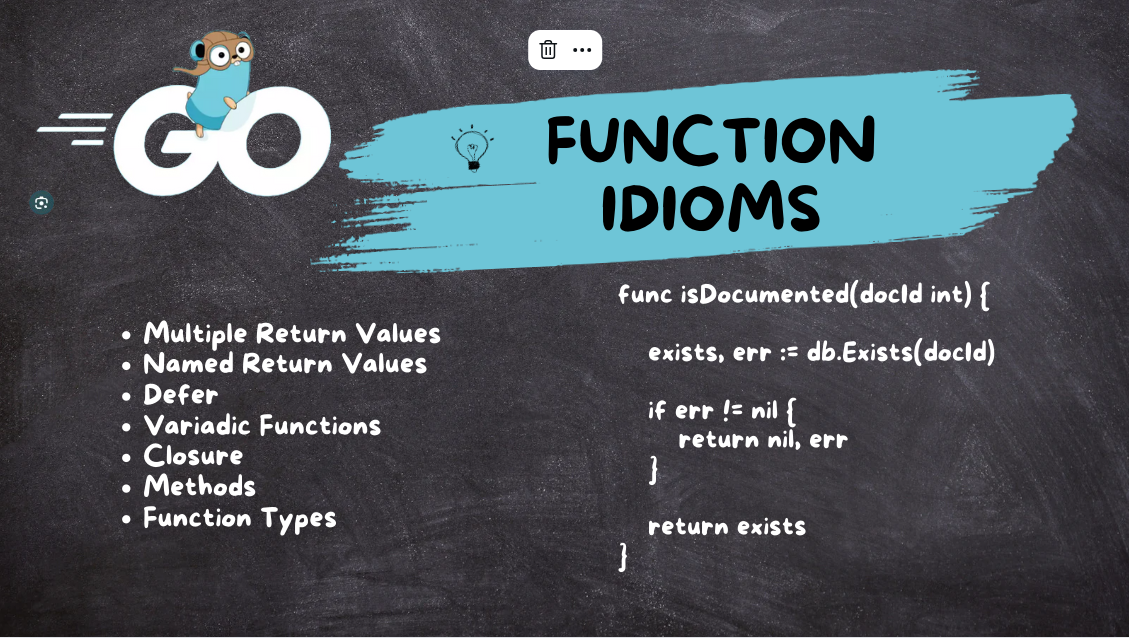
To see how to implement this, let's go back to our resource.
How To Define and Call Functions in Go
This final section from the DigitalOcean article shows you how to put this pattern into practice.
Read the section 'Returning Multiple Values'. This is the most important part of this lesson. It shows how to define a function that returns (string, error) and how to handle the result using the if err != nil pattern you've seen before.
The core idea is beautifully simple. The article The Fundamentals of Error Handling in Go on BetterStack explains that error is just a built-in interface with a single method, Error() string. This means any type that has this method can be used as an error. For now, we'll use the standard library's errors package to create simple errors.
Creating and Handling Errors in Your Functions
Let's watch a video that ties all of this together: defining a function, creating an error, returning it, and handling it in the calling code.
Error Handling - Go Programming Tutorial #8
This video from NeuralNine provides a practical demonstration of creating and handling errors from custom functions.
Watch the section from 03:53 to 07:38. The host defines a function that returns both an integer and an error. Pay close attention to: How the function signature is defined: func someFunc(...) (int, error). How errors.New("...") is used to create a new error object. The two return statements: one for the success case (return result, nil) and one for the failure case (return -1, err). How the calling code checks if err != nil.
This pattern is the bedrock of building reliable software in Go. When you write a function that performs an operation that might fail—like making an API call, reading a config file, or connecting to a database—you should always return an error.
Test your understanding!
You are writing a function to validate a server port number. The function signature is func validatePort(port int) (bool, error). A valid port is between 1 and 65535.
Which return statement should you use if the input port is 8080 (a valid port)?
return truereturn true, nilreturn nilreturn true, errors.New("valid port")
Show answer
The correct answer is 2. return true, nil.
Since the function is defined to return two values, (bool, error), you must always return both. For a successful validation, you return the boolean result (true) and a nil error to signal that everything went well.
Hands-On Practice: A Simple File Path Validator
Let's write a small, practical function relevant to DevOps scripting. You'll create a function that checks if a given file path is "safe" by ensuring it's an absolute path.
Your task:
- Create a new file named
path_validator.go. - Import the
fmt,errors, andstringspackages. - Define a function
validateAbsPath(path string) (bool, error). - Inside this function:
- If the
pathstring is empty, returnfalseand an error created witherrors.New("path cannot be empty"). - Use
strings.HasPrefix(path, "/")to check if the path is absolute (starts with/). - If it's not an absolute path, return
falseand an error:errors.New("path is not absolute"). - If it is an absolute path, return
trueandnil.
- If the
- In your
mainfunction, create a slice of test paths:[]string{"/etc/config.yaml", "relative/path.txt", ""}. - Loop over the slice. For each path, call
validateAbsPathand check the error. Print a meaningful message indicating whether the path is valid or why it failed.
Example Code Structure:
package main

import (
    "errors"
    "fmt"
    "strings"
)

// Your validateAbsPath function definition goes here
func validateAbsPath(path string) (bool, error) {
    // Check for empty path
    if path == "" {
        return false, errors.New("path cannot be empty")
    }

    // Check if path is absolute
    if !strings.HasPrefix(path, "/") {
        return false, errors.New("path is not absolute")
    }

    // If all checks pass
    return true, nil
}

func main() {
    paths := []string{"/var/log/app.log", "local.conf", "", "/home/user"}

    for _, p := range paths {
        // Call your function and handle the (bool, error) return values
        _, err := validateAbsPath(p)
        if err != nil {
            fmt.Printf("Validation failed for '%s': %v\n", p, err)
        } else {
            fmt.Printf("Path '%s' is a valid absolute path.\n", p)
        }
    }
}
Run your code with go run path_validator.go and check that the output matches your expectations.
Conclusion
Congratulations! You've just learned one of the most important concepts in Go. By embracing functions that return errors as values, you can write code that is clear, predictable, and robust.
Key Takeaways:
- Function Syntax: Functions are defined with the
funckeyword, with types specified for all parameters and return values. - Multiple Returns: Go functions can return more than one value, a feature used extensively for error handling.
- The
(value, error)Pattern: Functions that can fail should return the result and anerror. Anilerror indicates success. - Explicit Error Handling: Callers are responsible for checking the returned error with
if err != nil, making failure paths an explicit part of the program's control flow.
Next Up
In this lesson, you saw how functions return immediately when a return statement is hit. But what if you need to guarantee that some cleanup code—like closing a file or releasing a lock—always runs before the function exits, regardless of whether it's because of a successful return or an error? In the next lesson, we'll explore the defer statement, a simple yet powerful tool for just that purpose.