Hello! Welcome to your first lesson in our journey to master Flutter development.
Given your proficiency in TypeScript, you're in a great position to pick up Dart quickly. This lesson is designed to bridge the gap between the two languages. We will focus on writing basic Dart code by leveraging what you already know from TypeScript. Our main focus will be on the key differences that are fundamental to writing effective Dart: its powerful sound null safety system and its flexible approach to class constructors. By the end of this session, you'll be able to read and write simple Dart programs with confidence.
Let's get started!
From TypeScript to Dart: The Similarities
Much of Dart's syntax will feel familiar. At a high level, Dart is a statically typed, object-oriented language, just like TypeScript. To get a quick feel for the landscape, let's watch a short, fast-paced comparison.
The following clip from the video 'Flutter for the JS Developer' by Fireship provides a great side-by-side syntax comparison between Dart and TypeScript. It's a perfect way to quickly map your existing knowledge.
Watch from 03:55 to 05:36 to see how variables and types are handled, and then from 06:24 to 07:01 to see the similarities in function syntax. Notice how concepts like type annotations, arrow functions, and higher-order functions translate directly.
As you saw, declaring variables and functions is quite similar. However, let's clarify two important keywords in Dart for variable declaration: final and const.
final: This is likeconstin JavaScript/TypeScript. You can only assign the value once. The variable itself is immutable, but if it holds an object, the object's internal state can be changed. The value can be determined at runtime.const: This is a step further. The variable must be a compile-time constant. This means the value must be known when the code is compiled. For objects, this means the object and its entire state are deeply, recursively immutable. You'll seeconstused extensively in Flutter for performance optimization.
// This is fine. The list itself can't be reassigned, but its contents can change.
final myList = [1, 2, 3];
myList.add(4); // Works!

// This is a compile-time constant. It's deeply immutable.
const myConstList = [1, 2, 3];
// myConstList.add(4); // This would cause a runtime error.
The Biggest Shift: Sound Null Safety
The most significant difference between TypeScript (with its default settings) and Dart is Dart's approach to null. Dart has sound null safety, which means that by default, a variable cannot hold the value null. This eliminates entire categories of runtime errors, a common pain point you might recognize as TypeError: Cannot read properties of null in JavaScript.
To understand the motivation and the core idea, let's start with a clear explanation.
#9 - Understanding Null Safety in Dart - Type Promotions, Null Assertion, Late, Required
The video 'Understanding Null Safety in Dart' from the Flutterly channel provides an excellent, in-depth look at this topic. We'll start with the 'why' and the basic principle.
Watch from 00:48 to 03:38 to understand the problem null safety solves and the core guarantee it provides. Then, continue from 03:49 to 08:48 to see the fundamental rule: types are non-nullable by default, and how you can explicitly make them nullable.
To summarize the key ideas from the video:
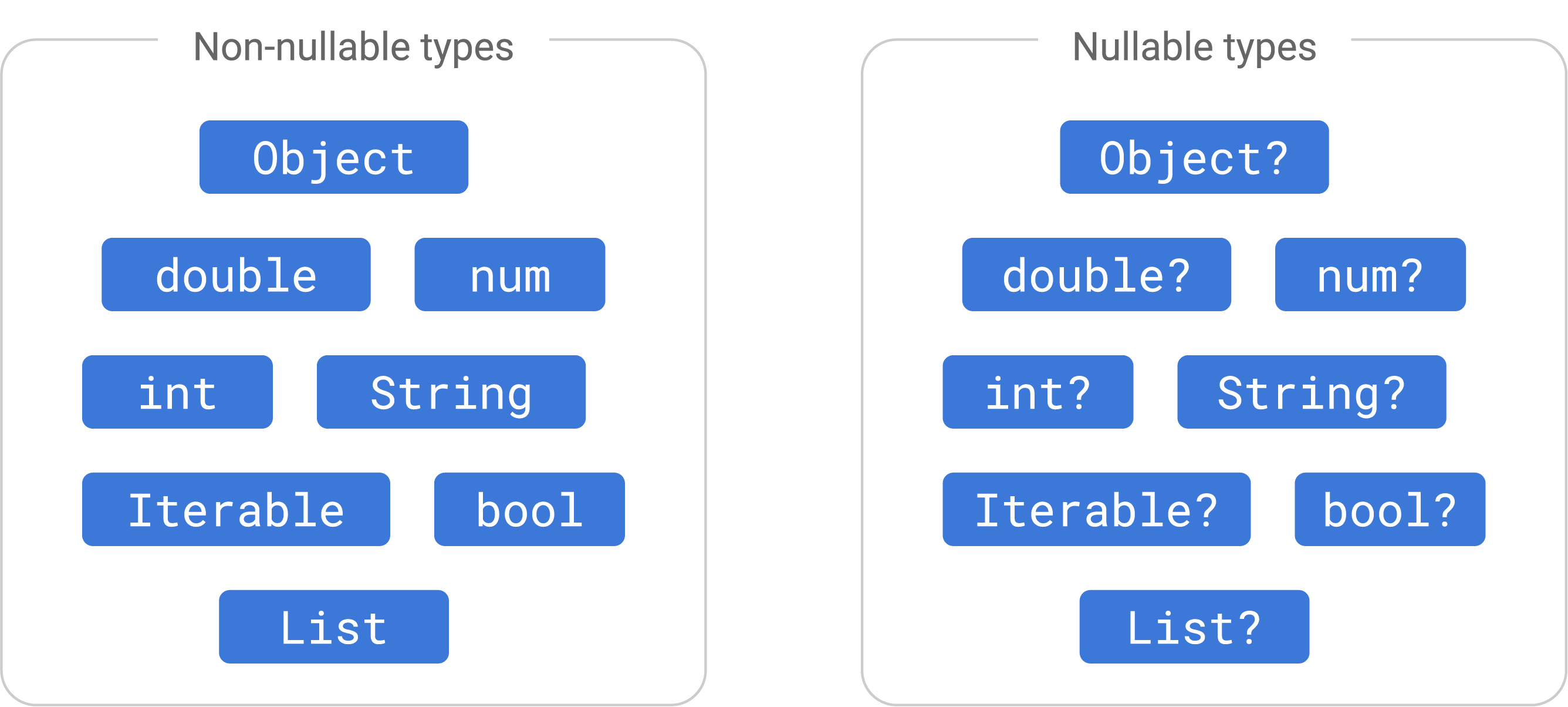
- Non-Nullable by Default: In Dart, a variable of type
Stringmust always contain aString. It can never benull.String name = "Alice"; // OK // name = null; // Compile-time error! - Making Types Nullable: To allow a variable to hold
null, you must explicitly say so by adding a?to the type.String? address = "123 Main St"; // OK address = null; // OK
Working with Nullable Types
Because a variable like String? might be null, Dart's compiler protects you from using it unsafely. If you try to call a method on it, you'll get a compile-time error.
String? name;
// print(name.length); // Compile-time error: 'name' can be null.
So, how do you work with it? You have several tools, many of which will be familiar.
-
Flow Analysis (Promotion): The compiler is smart. If you perform a null check, it will "promote" the variable to its non-nullable type within that code block.
void printNameLength(String? name) { if (name != null) { // Inside this block, Dart knows 'name' is a non-null String. print(name.length); // OK! } } -
Null-aware Operators: These are syntactic shortcuts for handling nullability.
?.(Null-aware access): If the object is not null, access the property. Otherwise, evaluate tonull.String? name; int? length = name?.length; // length will be null.??(Null-coalescing operator): If the expression on the left is null, use the value on the right.String? name; String displayName = name ?? "Guest"; // displayName will be "Guest".
-
!(Null Assertion Operator): This is your way of telling the compiler, "I know this isn't null, trust me." Use it with caution! If you're wrong, your app will crash at runtime.String? name = "Alice"; // You are certain 'name' has a value here. int length = name!.length; // OK, but crashes if name is null.
Test your understanding!
You have a function that accepts a nullable string. Your goal is to return the length of the string if it's not null, or 0 if it is null. How would you write this function using the null-coalescing operator ???
int getLength(String? text) {
  // Your code here
}
Show answer
You can use the null-aware access operator ?. combined with the null-coalescing operator ??.
int getLength(String? text) {
  return text?.length ?? 0;
}

// If 'text' is "hello", text?.length is 5. 5 ?? 0 is 5.
// If 'text' is null, text?.length is null. null ?? 0 is 0.
Object-Oriented Dart: Classes and Constructors
Your experience with TypeScript classes will serve you well. The concepts are the same, but Dart offers some powerful syntactic sugar, especially for constructors.
First, let's watch a quick overview of how Dart classes compare to JavaScript/TypeScript.
This clip from the Fireship video we saw earlier focuses on Dart's object-oriented features, including a great introduction to constructors and a unique Dart feature: named constructors.
Watch from 07:01 to 08:51. Pay close attention to the syntax for constructors and the introduction of named constructors and private members.
Now, let's dive deeper into the various ways you can define constructors in Dart. This is a core strength of the language.
Learning Dart as a JavaScript developer
The official Dart documentation provides the most comprehensive guide. This section on 'Learning Dart as a JavaScript developer' details the various constructor patterns.
Read the section titled 'Classes', focusing specifically on the subsection 'Constructors'. You can skip the part on '"this" context' for now. Notice the different patterns: standard, initializing parameters (the shorthand), named, const, redirection, and factory. Compare these to how you'd typically write a constructor in TypeScript.
Let's review the most common and powerful constructor patterns you just read about:
-
Initializing Formal Parameters: This is the most common, "idiomatic" Dart way. It's a fantastic shorthand to reduce boilerplate.
// TypeScript
class Point {
  x: number;
  y: number;

  constructor(x: number, y: number) {
    this.x = x;
    this.y = y;
  }
}
// Dart class Point { double x; double y; // This single line does the same as the TypeScript constructor. Point(this.x, this.y); } -
Named Constructors: This allows a class to have multiple, descriptive ways of being created. It's like having several static factory methods in other languages, but built right into the constructor syntax.
import 'dart:convert'; class Point { double x, y; Point(this.x, this.y); // Main constructor // A named constructor for creating a point at the origin. Point.origin() : x = 0, y = 0; // A named constructor that parses from a JSON string. factory Point.fromJson(String jsonString) { Map<String, dynamic> json = jsonDecode(jsonString); return Point(json['x'], json['y']); } } var p1 = Point(10, 20); var p2 = Point.origin(); var p3 = Point.fromJson('{"x": 1, "y": 2}'); -
Initializer Lists: The part after the colon (
:) runs before the constructor body. This is essential for initializingfinalfields, which must be set before the object is considered fully constructed.
Private Members
As you saw briefly in the video, privacy in Dart is handled by a simple convention rather than a keyword like private. Any identifier (class, method, or variable) that starts with an underscore _ is private to its library. In simple terms, this usually means it's private to the file it's defined in.
class _MyInternalClass { // Only visible in this file
  int _privateField; // Only visible in this file

  void _privateMethod() { // Only visible in this file
    // ...
  }

  int publicMethod() { // Visible everywhere
    _privateMethod();
    return _privateField;
  }
}
This is simpler than TypeScript's public, private, and protected, but it's important to remember the scope is the file/library, not the class itself.
Test your understanding!
Convert the following TypeScript class into idiomatic Dart. Use an initializing formal parameter for the constructor and mark the id as private.
class User {
  private id: string;
  public username: string;

  constructor(id: string, username: string) {
    this.id = id;
    this.username = username;
  }
}
Show answer
class User {
  String _id; // Private fields start with an underscore
  String username;

  // Use the shorthand constructor syntax
  User(this._id, this.username);
}
Conclusion
Excellent work! We've covered a lot of ground, but you've now seen the most critical concepts for transitioning from TypeScript to Dart.
Here are the key takeaways:
- Much of Dart's syntax for variables and functions will feel familiar, but be mindful of the distinction between
final(runtime constant) andconst(compile-time constant). - Sound null safety is a core feature. Types are non-nullable by default, and you must use
?to explicitly allownull. - You can work with nullable types safely using null checks (which promotes the type), null-aware operators (
?.,??), or by asserting non-null with!when you are certain. - Dart offers highly expressive and concise constructors, including the
this.fieldshorthand and descriptiveClassName.named()constructors. - Privacy is enforced by a simple convention: identifiers starting with an underscore
_are private to their library.
In our next lesson, we will dive into another fundamental area: collections. We'll explore Dart's List and Map types and learn how to manipulate them using powerful methods like map and where, which will feel very similar to JavaScript's array methods.