Hello! Welcome to the first lesson in our course on building a full-stack web application with Python and Django.
The main goal of this course is to equip you with the skills to build a portfolio-worthy project—a complete Task Management application. This first module is designed as a practical refresher on Python's fundamentals, ensuring you have a solid foundation before we dive into web development with Django.
Today, we'll focus on the building blocks of any Python program: how to work with its core data structures. Your learning outcome for this lesson is to manipulate strings, lists, dictionaries, and tuples using built-in methods.
Your background in Information Technology means you're likely familiar with the general concepts of data structures. Here, we'll focus specifically on how Python implements them and the powerful, easy-to-use tools it provides for working with them.
Let's get started!
1. Strings: Working with Text
In Python, text is handled using string objects. A string is an immutable sequence of characters, meaning once it's created, it cannot be changed. Let's explore how to create and manipulate them.
How to Use Strings in Python - Python Tutorial for Beginners
To begin, watch this excellent video from Programming with Mosh. It provides a clear and concise introduction to Python strings, covering everything from the basics of creating them to the most common manipulation methods.
Please watch the video from the beginning until 16:06. Pay close attention to: How to access characters with indexing (course[0]) and create substrings with slicing (course[0:3]). The difference between string concatenation (+) and the modern f-strings for embedding variables. The concept of string methods, like .upper(), .strip(), and .replace(), and how they always return a new string.
Key String Concepts Recap
The video you just watched covers the essentials. Let's summarize and organize the key ideas.
- Creation: Strings can be created with single (
'...'), double ("..."), or triple ("""...""") quotes. Triple quotes are especially useful for multi-line strings. - Indexing & Slicing: You can access individual characters using an index (e.g.,
my_string[0]) or a range of characters using a slice (e.g.,my_string[1:5]). - F-Strings: Formatted strings (or f-strings) are the modern, preferred way to embed expressions inside strings. They are both readable and efficient.
name = "Alex" task_count = 5 print(f"Hello, {name}! You have {task_count} tasks.") # Output: Hello, Alex! You have 5 tasks. - Common Methods: These are functions attached to string objects.
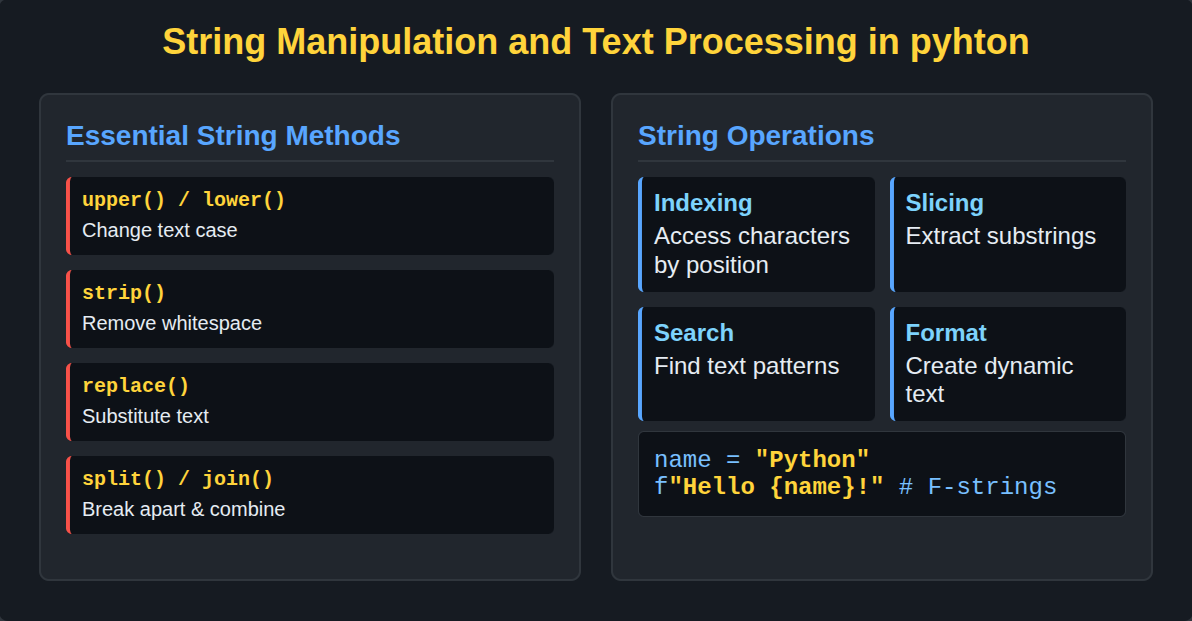
Here are some of the most useful methods:
.strip(): Removes leading/trailing whitespace..lower()/.upper(): Changes the case of the string..replace('old', 'new'): Returns a copy of the string with occurrences of 'old' replaced by 'new'..split('delimiter'): Breaks the string into a list of substrings based on a delimiter.'delimiter'.join(list_of_strings): Joins elements of a list into a single string.
Test your understanding!
Imagine you receive a raw data string from a form submission: " task_id:001-A, title: Refactor the user module , status:pending ".
Your goal is to clean this data and extract the title into a properly capitalized and clean variable. How would you do it?
Show answer
Here’s one way to solve it:
raw_data = "  task_id:001-A, title:  Refactor the user module  , status:pending   "

# 1. Split the string into parts by the comma
parts = raw_data.split(',')
# parts is now ['  task_id:001-A', ' title:  Refactor the user module  ', ' status:pending   ']

# 2. Get the part containing the title (the second element, index 1)
title_part = parts[1]
# title_part is ' title:  Refactor the user module  '

# 3. Split that part by the colon to separate "title" from the actual title
title_key_value = title_part.split(':')
# title_key_value is [' title', '  Refactor the user module  ']

# 4. Get the actual title (the second element, index 1) and strip whitespace
clean_title = title_key_value[1].strip()
# clean_title is 'Refactor the user module'

# 5. Capitalize it appropriately (e.g., first letter)
formatted_title = clean_title.capitalize()
# formatted_title is 'Refactor the user module'

print(formatted_title)
This multi-step process is very common in data processing and shows how you can chain these methods together.
2. Lists and Tuples: Ordered Collections
Strings are sequences of characters. Lists and tuples are more general: they are sequences of any Python objects. You can have a list of numbers, a list of strings, or even a list containing other lists.
The key difference between them is mutability:
- Lists are mutable: you can change them after they are created (add, remove, or change items).
- Tuples are immutable: once created, they cannot be changed.
This distinction is important. We use lists when we need a collection that will grow, shrink, or change. We use tuples for data that we want to remain constant, like coordinates (x, y) or RGB color values.
Python Tutorial for Beginners 4: Lists, Tuples, and Sets
This video from Corey Schafer gives a fantastic, in-depth look at lists, tuples, and sets. We will focus on lists and tuples for now.
Watch the video from the beginning until 23:30. This covers lists and tuples in detail. For Lists (0:00 - 20:02), focus on: Adding items with .append(), .insert(), and .extend(). Removing items with .remove() and .pop(). Sorting with .sort() (in-place) and the sorted() function (returns a new list). Using .join() and .split() to convert between lists and strings. For Tuples (20:02 - 23:30), understand: How they are created using parentheses (). The concept of immutability and why trying to change a tuple raises an error.
Key List and Tuple Concepts Recap
Let's consolidate what you've learned.
Lists are your go-to for ordered collections that need to be modified.
- Creation:
my_list = [1, "hello", 3.14] - Modification:
my_list.append('new_item')my_list.pop()(removes and returns the last item)my_list[1] = "world"(replaces an item at a specific index)
- Sorting:
my_list.sort()modifies the list in-place.new_sorted_list = sorted(my_list)returns a new, sorted list without changing the original.
Tuples are for fixed, ordered data.
- Creation:
my_tuple = (1, "hello", 3.14) - Special Case: A single-item tuple needs a trailing comma:
singleton = (1,). Without the comma,(1)is just the number 1. - Immutability: You cannot append, pop, or reassign items.
my_tuple[1] = "world"will cause an error. This "write-protection" is a feature, not a limitation.
In our Task Manager project, we'll use a list to hold the collection of tasks for a user, as this list will constantly change as tasks are added, completed, and deleted.
3. Dictionaries: Key-Value Pairs
While lists are great for ordered sequences, dictionaries are optimized for a different purpose: storing data as key-value pairs. Think of a real-world dictionary where you look up a word (the key) to find its definition (the value).
Dictionaries are unordered (though in recent Python versions they remember insertion order), mutable, and incredibly fast for lookups.
Lists, Tuples, Dictionaries, and Sets
This document from HonKit provides a solid, text-based explanation of Python's main data structures. We'll use it to understand dictionaries.
Please read the 'Dictionary' section. Focus on how to create a dictionary, access values using keys, add new key-value pairs, and delete pairs using del.
Key Dictionary Concepts Recap
- Creation: Dictionaries are created with curly braces
{}.task = { "title": "Learn Python Dictionaries", "priority": "High", "completed": False } - Accessing Values: You use the key inside square brackets.
print(task["title"]) # Output: Learn Python Dictionaries - Safe Access with
.get(): If a key might not exist, using.get()avoids errors. It returnsNoneor a specified default value if the key is not found.print(task.get("due_date")) # Output: None print(task.get("due_date", "Not set")) # Output: Not set - Modifying and Adding: You can add a new key-value pair or update an existing one with a simple assignment.
task["completed"] = True # Update existing value task["due_date"] = "2024-10-26" # Add a new key-value pair - Iterating: You can loop over keys, values, or both.
# Loop over keys
for key in task.keys():
    print(key)

# Loop over key-value pairs
for key, value in task.items():
    print(f"{key}: {value}")
Dictionaries will be central to our web application. We'll use them to represent individual objects, like a single task with all its properties (title, priority, status, etc.).
Test your understanding!
You have a dictionary representing a user.user = {"username": "jdoe", "email": "j.doe@example.com"}
How would you add a new key "is_active" with the value True and then update the email to "jane.doe@example.com"?
Show answer
user = {"username": "jdoe", "email": "j.doe@example.com"}

# Add a new key-value pair
user["is_active"] = True

# Update an existing value
user["email"] = "jane.doe@example.com"

print(user)
# Expected output: {'username': 'jdoe', 'email': 'jane.doe@example.com', 'is_active': True}
For a comprehensive overview of all the concepts covered, this cheat sheet is an excellent resource to keep handy.

Conclusion
Great job on completing your first lesson! You've refreshed your knowledge of Python's four fundamental data structures and how to manipulate them.
Key Takeaways:
- Strings: Immutable sequences of characters for handling text. Use f-strings for formatting.
- Lists: Mutable, ordered sequences. Ideal for collections of items that will change over time.
- Tuples: Immutable, ordered sequences. Use them when you want to ensure data doesn't change.
- Dictionaries: Mutable collections of key-value pairs. Perfect for lookups and representing objects with named properties.
- Mutability is the key concept that separates these types. Mutable objects (lists, dictionaries) can be changed in-place, while immutable ones (strings, tuples) cannot.
In our next lesson, we'll build on this by learning how to organize our code into reusable blocks. You will learn to write Python functions with parameters, return values, and default arguments. This is the next crucial step toward building more complex and maintainable applications.