Hello and welcome to the final lesson of our course!
Over the past week, you've built a strong foundation in modern data fetching. We started by creating a custom useFetch hook, then dove deep into TanStack Query, learning how to fetch data with useQuery and modify it with useMutation. In our last lesson, you mastered the crucial step of synchronizing your UI with server changes through query invalidation.
Today, we'll broaden our perspective and look at another powerful tool in the TanStack ecosystem: TanStack Router. As requested, this will be a brief introduction. Our goal is to compare TanStack Router with the widely-used React Router, highlighting its key features and primary use cases. This will help you understand where it fits in the React ecosystem and why you might choose it for your next project, especially given its seamless integration with the data-fetching patterns you've just learned.
1. The Landscape of React Routing
In a Single Page Application (SPA), a router is essential for managing navigation, synchronizing the UI with the URL, and providing a familiar web browsing experience without full page reloads. For years, React Router has been the de-facto standard, known for its component-based API that feels natural to React developers.
TanStack Router is a newer, powerful alternative built by the same team behind TanStack Query. It was designed from the ground up with a "TypeScript-first" philosophy to solve common routing challenges in a modern, safe, and efficient way.
Let's start with a high-level visual comparison.
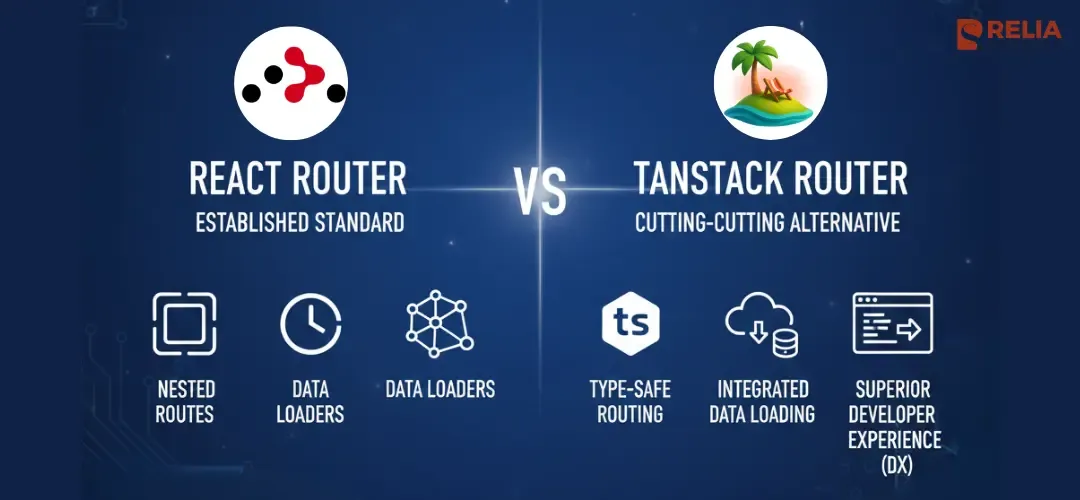
As the image suggests, the core value propositions of TanStack Router are type safety and deep integration with other parts of the application lifecycle, like data loading.
2. A Side-by-Side Comparison
To get a clearer picture, let's look at a more detailed feature comparison.
TanStack Router vs React Router | Better Stack Community
The following article provides an excellent quick comparison table that summarizes the main differences between the two libraries.
Please review the table in the section titled "TanStack Router vs React Router: A Quick Comparison". You don't need to read the whole article yet, just focus on the table to get a broad overview of the differences.
The table highlights several key areas where the two libraries diverge. We'll focus on the three most impactful ones:
- Type Safety: The most significant philosophical difference.
- Search Parameter Management: A common source of bugs and boilerplate code.
- Data Loading: How the router integrates with fetching server state.
3. Key Differentiator: Comprehensive Type Safety
The single biggest reason to choose TanStack Router is its end-to-end type safety. In a complex application, this can move a whole class of potential runtime bugs into compile-time errors that your editor can catch.
With React Router, you work with strings. Route paths are strings, and route params are extracted as strings (or undefined). This requires manual validation and type assertions.
// React Router: Manual, error-prone navigation
import { useNavigate } from 'react-router-dom';

function MyComponent() {
  const navigate = useNavigate();

  // A typo in the path or a missing param will only be found at runtime.
  navigate(`/prducts/${productId}?sort=prie`);
}
TanStack Router, on the other hand, is built around a type-safe core. Routes are defined in a way that allows TypeScript to understand their structure, including their path parameters and search parameters.
TanStack Router vs React Router v7
This article provides excellent code examples that demonstrate the difference in type safety. Seeing the code side-by-side makes the benefits very clear.
Please read the sections titled "Type safety: the critical difference" and "Navigation and linking: type safety matters". Focus on the code snippets. Notice how TanStack Router uses objects for navigation with to, params, and search keys, which provides autocomplete and compile-time validation.
As you saw in the article, with TanStack Router, navigation becomes a structured, type-safe operation:
// TanStack Router: Type-safe navigation
import { useNavigate } from '@tanstack/react-router';

function MyComponent() {
  const navigate = useNavigate();

  // TypeScript will catch this!
  // It knows the path '/product/$productId' exists and expects `productId`.
  // It also knows the valid search params.
  navigate({
    to: '/product/$productId',
    params: { productId: '123' },
    search: { view: 'details' } // Autocomplete for `view`!
  });
}
This principle extends to Search Parameter Management.
- React Router: Gives you
URLSearchParams, where all values are strings that you must manually parse, validate, and serialize (e.g.,JSON.parse(params.get('filters'))). - TanStack Router: Lets you define a validation schema for your search params. The router automatically parses the URL string into a typed object for you and serializes it back. You work with
{ page: 1, sort: 'name' }instead of'?page=1&sort=name'.
4. Integrated Data Loading
Throughout this course, we've seen how powerful TanStack Query is for managing server state. TanStack Router is designed to work seamlessly with this pattern.
While newer versions of React Router have introduced loader functions to fetch data for a route, TanStack Router offers a more integrated experience that feels like a natural extension of TanStack Query.
- Caching & Preloading: TanStack Router has built-in support for caching loader data and intelligently preloading it when a user hovers over a link (
preload: 'intent'). This makes navigation feel instantaneous. - Pending & Error States: You can define
pendingComponentanderrorComponentdirectly on your route definitions. The router will automatically show a loading spinner while data is being fetched or an error message if the loader fails, without you having to writeif (isLoading)orif (isError)logic in your page component.
This approach centralizes routing-related concerns (path, data, loading states, error boundaries) in one place, making your components cleaner and more focused on rendering the final UI.
5. When to Choose Each Router
So, which one should you use? The choice depends on your project's needs and your team's priorities.
Choose React Router when:
- Migrating an existing project: It offers a smoother upgrade path from older versions of React Router.
- Team familiarity: Your team is already proficient with React Router's API and patterns.
- Simpler routing needs: Your application doesn't have complex search state management or require advanced, out-of-the-box performance optimizations.
- Minimal bundle size is critical: React Router has a smaller bundle size, which can be important for performance-sensitive applications.
Choose TanStack Router when:
- Starting a new, TypeScript-first project: You can leverage its type safety from day one to build a more robust application.
- Developer experience is a priority: You value compile-time validation, autocomplete, and integrated devtools.
- Your app has complex state in the URL: If you rely heavily on search parameters for filtering, sorting, and pagination, TanStack Router will save you a tremendous amount of time and prevent bugs.
- Performance is critical: You want built-in, automatic preloading, caching, and other optimizations to make your app feel blazing fast.
- You are already using TanStack Query, as the two are designed to work together perfectly.
Course Conclusion
Congratulations on completing the course! You have successfully journeyed from the fundamentals of data fetching in React to mastering one of the industry's most powerful data-synchronization libraries, TanStack Query.
Key Takeaways from the Course:
- You can manage server state with basic React hooks (
useState,useEffect), but it quickly becomes complex. - TanStack Query simplifies this by managing caching, refetching, and background updates for you with the
useQueryhook. - The
useMutationhook provides a clear and powerful pattern for creating, updating, and deleting data on the server. - Synchronizing your UI after a mutation is seamless with
queryClient.invalidateQueries, ensuring your users always see the most up-to-date information. - The TanStack ecosystem extends to routing, where TanStack Router offers a modern, type-safe alternative to traditional routers, with deep integration for data loading.
You are now well-equipped to build fast, robust, and modern web applications. The best way to solidify this knowledge is to apply it. I encourage you to use TanStack Query in your next personal or professional project.
Thank you for your dedication throughout this course. Happy coding