Hello! Welcome to your first lesson in our course on TanStack Query.
Before we dive into TanStack Query itself, it's essential to understand the problem it solves. You're already comfortable using React's useState and useEffect hooks for managing state and side effects within a single component. Today, we'll leverage that knowledge to build a custom hook.
This lesson will show you how to create a reusable useFetch hook. This hook will encapsulate all the logic for fetching data from an API, including managing loading and error states. Building this from scratch is the perfect foundation for appreciating what a powerful library like TanStack Query does for you automatically.
Why Build a Custom Hook?
In many React applications, you'll find yourself writing the same data-fetching logic over and over:
- A state for the data itself (e.g.,
const [data, setData] = useState(null)). - A state to know if the request is in progress (e.g.,
const [isLoading, setLoading] = useState(true)). - A state to hold any potential errors (e.g.,
const [error, setError] = useState(null)). - A
useEffecthook to run the fetch request when the component mounts.
Repeating this in every component that needs data is tedious and violates the "Don't Repeat Yourself" (DRY) principle. A custom hook lets us abstract this logic into a single, reusable function.
The Anatomy of a Custom Hook
Let's start with a high-level view. Creating a custom hook is a straightforward process of identifying, extracting, and packaging logic.
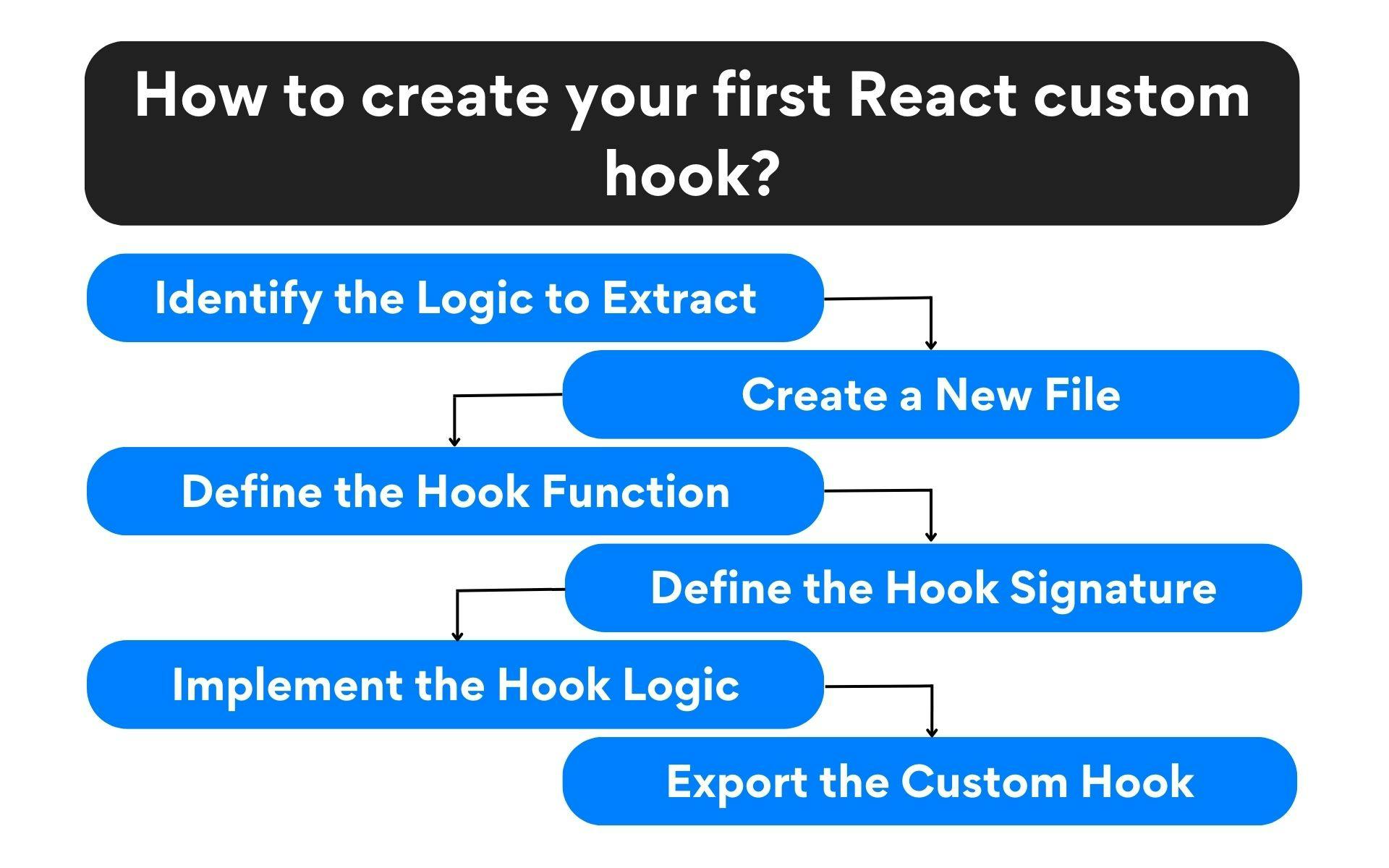
1. Identifying the Boilerplate
First, let's look at the code we want to abstract. Typically, fetching data inside a component looks something like this. You don't need to code this, just understand the pattern.
// Inside a component, e.g., Profile.js
import React, { useState, useEffect } from 'react';
import axios from 'axios';

function Profile() {
  const [data, setData] = useState(null);
  const [loading, setLoading] = useState(true);
  const [error, setError] = useState(null);

  useEffect(() => {
    // Reset states on new fetch
    setLoading(true);
    setError(null);

    axios.get('https://api.example.com/user/1')
      .then(response => {
        setData(response.data);
      })
      .catch(err => {
        setError(err);
      })
      .finally(() => {
        setLoading(false);
      });
  }, []); // Empty dependency array means this runs once on mount

  if (loading) return <p>Loading...</p>;
  if (error) return <p>Error fetching data!</p>;

  return (
    <div>
      <h1>{data?.name}</h1>
      <p>{data?.email}</p>
    </div>
  );
}
Notice the three useState hooks and the useEffect hook. This entire block of logic is a perfect candidate for extraction.
2. Building the useFetch Hook
Now, let's build our custom hook to encapsulate that logic. We'll create a function named useFetch that takes a URL as an argument and returns the data, loading, and error states.
The following video from PedroTech provides an excellent, step-by-step guide to building this exact hook. It clearly explains how to set up the states, perform the fetch, and return the necessary values.
How to Fetch Data in React With A Custom useFetch Hook
Please watch this section to see how to create the basic structure of the useFetch hook, including its states and the fetching logic inside useEffect.
Watch from the beginning of the implementation at 02:15 until the hook is fully created at 10:16. Pay close attention to: How useState is used for data, loading, and error. How useEffect wraps the axios call. How the promise methods (.then, .catch, .finally) are used to update the state. How the hook returns an object with the state values.
After watching, you should understand the structure of the hook. Here is the complete code for a useFetch.js file, reflecting what you saw in the video.
// src/useFetch.js
import { useState, useEffect } from 'react';
import axios from 'axios';

function useFetch(url) {
  // 1. Define the three state variables
  const [data, setData] = useState(null);
  const [loading, setLoading] = useState(true);
  const [error, setError] = useState(null);

  // 2. Use useEffect to perform the side effect (data fetching)
  useEffect(() => {
    // Set loading to true before starting the request
    setLoading(true);
    setData(null);
    setError(null);

    axios.get(url)
      .then(res => {
        // On success, update the data state
        setData(res.data);
      })
      .catch(err => {
        // On failure, update the error state
        setError(err);
      })
      .finally(() => {
        // In any case, set loading to false once the request is complete
        setLoading(false);
      });

  // 3. Add `url` to the dependency array
  // This ensures the hook re-fetches data if the URL changes
  }, [url]);

  // 4. Return the state variables for the component to use
  return { data, loading, error };
}

export default useFetch;
3. Using the useFetch Hook in a Component
With our hook created, using it becomes incredibly simple and clean. The next segment of the video demonstrates how to import and use useFetch in a component.
How to Fetch Data in React With A Custom useFetch Hook
Now, let's see how to consume our custom hook within a component. This part shows the 'payoff'—how much cleaner our component code becomes.
Watch from 10:16 to 14:01. Focus on how the component imports useFetch, calls it with a URL, and uses object destructuring to get access to data, loading, and error for conditional rendering.
Here's how the component code looks now. Compare this to the original boilerplate-heavy example.
// src/App.js
import React from 'react';
import useFetch from './useFetch'; // Import our custom hook

function App() {
  // Call the hook with the API endpoint
  const { data, loading, error } = useFetch('https://v2.jokeapi.dev/joke/Any?safe-mode');

  if (loading) return <p>Loading joke...</p>;
  if (error) return <p>Oops, something went wrong!</p>;

  // Once loading is false and there's no error, render the data
  return (
    <div>
      <h2>Joke of the Moment:</h2>
      <p>{data?.setup}</p>
      <p><em>{data?.delivery}</em></p>
    </div>
  );
}

export default App;
This is much more readable and maintainable! All the complex fetching logic is hidden away inside useFetch.
4. Extending the Hook: Adding a Refetch Function
What if we want to fetch a new joke without reloading the page? We can easily extend our hook to return a function that can trigger the fetch again on demand. This is a powerful pattern that further demonstrates the flexibility of custom hooks.
How to Fetch Data in React With A Custom useFetch Hook
This final clip shows how to add a refetch function to our hook, allowing a component to trigger the API call again, for example, on a button click.
Watch from 14:01 to 16:10. See how a refetch function, which contains the same axios logic, is created inside the hook and returned along with the states.
By adding and returning a refetch function from our hook, we can easily add a "Get New Joke" button to our App component. This shows how custom hooks can export not just state, but also behaviors.
Conclusion
In this lesson, we successfully built a custom useFetch hook from the ground up. You saw how to abstract repetitive data-fetching logic into a single, reusable function, making your components cleaner and more focused on rendering UI.
Key Takeaways:
- Custom Hooks are functions starting with
usethat can call other hooks likeuseStateanduseEffect. They are a core React pattern for reusing stateful logic. - A typical data-fetching process involves managing data, loading, and error states.
- Our
useFetchhook encapsulates this state management and theuseEffectside effect, accepting a URL and returning the three states. - Using the hook simplifies component code to a single line and a few conditional renders.
Next Lesson Preview:
Our useFetch hook is powerful, but it has limitations. It doesn't handle caching (what if two components request the same data?), background updates, or more complex scenarios. In the next lesson, we will introduce TanStack Query and explore its core concepts, seeing how it provides a production-grade solution to these challenges and many more, all while using a similar mental model of queries, data, and states.