Introduction
In our last lesson, you learned how to build a compelling client pitch deck in Figma, structuring a narrative that connects a business problem to your design solution. You now have the "script" for your presentation. Today, we focus on the live performance: delivering that presentation, expertly facilitating the conversation that follows, and managing client feedback to ensure a productive outcome.
This is where your unique background truly comes together. Your experience in client-facing roles in audit gives you the professionalism to lead a meeting, while your entrepreneurial spirit understands the importance of collaboration and delighting the customer. This lesson will equip you with a structured process for navigating one of the most critical interactions in a freelance designer's career, turning potential conflict into a collaborative success.
1. Framing the Presentation: It's a Strategy Session, Not an Art Show
The single biggest mistake a designer can make after presenting their work is to ask the vague, open-ended question: "So, what do you think?" This invites purely subjective, personal opinions ("I don't like blue") rather than strategic, goal-oriented feedback.
Your role is not to seek praise, but to guide the client in evaluating whether the design solves the problems you both agreed upon. To get high-quality feedback, you must first frame the request correctly.
How Designers Should Ask For (And Receive) High-Quality Feedback
This article from Smashing Magazine is essential reading for shifting your mindset. It explains why designers often receive poor feedback and how to change that dynamic.
Read the introduction, the section "What’s Going Wrong," and "Framing The Request For Feedback." Pay close attention to the idea that you must explain what's wrong with the current situation and how your new design solves that problem. Then, read "Don’t Seek External Validation. Ask For (Real) Feedback." The distinction between a junior designer seeking praise and a senior designer seeking growth is a crucial professional milestone.
Articulating the thinking behind your design is a non-negotiable skill. Great design can't always "speak for itself" in a business context. You need to fill in the gaps and connect your choices to the client's world.
Pitch This! How To present design work to clients like a pro!
This video from The Futur, "Pitch This!", powerfully illustrates the difference between simply showing a design and truly presenting it.
First, watch Chris Do explain the power of language to articulate your ideas. This sets the stage for why presentation skills are so critical for a successful freelance career. Next, watch the section on avoiding 'design speak'. The key takeaway here is to connect your design concepts to things the client already understands, creating a shared language instead of using technical jargon they won't appreciate.
2. The Presentation Script: Guiding the Conversation Step-by-Step
In the previous lesson, we outlined the narrative structure of a pitch deck. Now, let's focus on how to deliver each part of that narrative in a live meeting. We'll use a framework that establishes your authority, builds client confidence, and keeps the conversation focused on strategic goals.
How to Present Design So Clients Say YES
The video "How to Present Design So Clients Say YES" from Flux Academy provides an excellent, step-by-step guide to structuring your live presentation.
Watch these clips to understand the flow: Presenting live: First, absorb the core principle: always present your main design work live to provide commentary and framing. Recap and process: Learn how to start the meeting by recapping the brief and then giving a brief insight into your creative process. This isn't about showing every iteration; it's about demonstrating rigor and shifting the conversation away from personal taste. Set expectations: Understand the importance of "warnings," like mentioning that it's rarely "love at first sight." This helps manage the client's initial reaction to something new. Show work in context: This is the most important part. See how to present your primary deliverables and then spend the majority of your time showing the design in relevant applications (mockups) while telling the story of how it solves the client's problems.
Telling the Story: A Practical Example
Let's see this storytelling in action. In the video from The Futur, after a critique of a first attempt, Chris Do re-pitches the same design, but this time he weaves a compelling narrative that connects every visual element to the target audience and business context.
Pitch This! How To present design work to clients like a pro!
Continuing with the video from The Futur, watch this masterclass in design presentation.
Watch Chris Do's re-pitch of the design. Notice how he doesn't use jargon. He talks about the "working harbor," the "sophisticated" client, container architecture, and sailboat typography. He connects every design choice back to a tangible concept, making the design feel strategic and inevitable, not just pretty. This is your goal.
3. Facilitating and Structuring Feedback
Once you've presented, the floor opens for feedback. Your job is to facilitate this process to ensure the feedback you receive is constructive, actionable, and tied to project goals.
Asking the Right Questions
As we learned from the Smashing Magazine article, specificity is key. Instead of "What do you think?", guide the client with targeted questions:
- "Does this new checkout flow feel simpler and faster than your current one?"
- "We aimed to make the value proposition crystal clear in the hero section. From your perspective, does it achieve that?"
- "We're confident in the overall structure, but we'd love your feedback on the tone of the copy. Does it resonate with your brand voice?"
Active Listening and Clarifying
When a client provides feedback, listen carefully, and then confirm you've understood. This shows respect and prevents misunderstandings.
How to Present Design So Clients Say YES
Let's return to the Flux Academy video to focus on handling the Q&A portion of the meeting.
Watch the segment on listening and mirroring. The technique of writing down notes and mirroring their answers back to them ("So, what I'm hearing is that you're concerned about...") is a simple but powerful way to show you're taking their input seriously.
Tools for Structuring Feedback
For managing detailed feedback, verbal discussion alone can be messy. You can use simple but effective tools to add structure.
The "feedback sandwich" is a classic communication model for delivering criticism constructively. Understanding it helps you both give and receive feedback professionally.

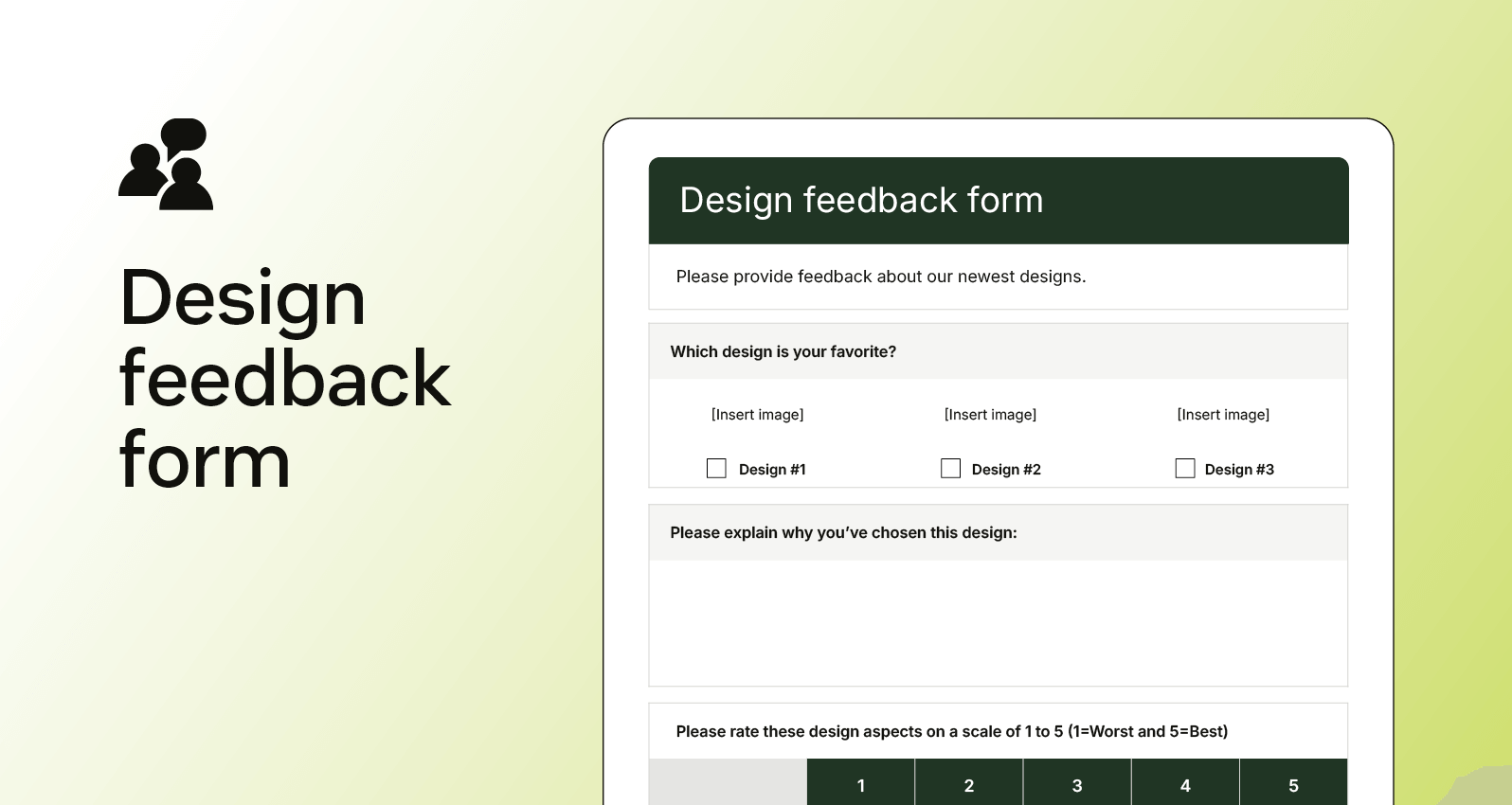
For more complex projects, or to gather thoughts after a meeting, a structured feedback form can be invaluable. This aligns perfectly with your analytical background, turning a stream of consciousness into categorized, measurable data.
4. Managing Revisions and Closing the Loop
Receiving feedback is one thing; deciding what to do with it is another. Your contract should specify the number of revision rounds, but managing the content of those revisions happens here.
The Golden Rule: Connect Objections to Goals
This is the single most important technique for handling subjective or challenging feedback. When a client raises an objection, always connect it back to the project goals you agreed upon in the brief.
How to Present Design So Clients Say YES
This final clip from the Flux Academy video provides the most critical takeaway for managing revisions.
Watch the section on connecting objections back to the goal. If a client says, "Can we make the logo bigger?", your response isn't "No, that's bad design." It's, "A great question. Remember, one of our goals was to create a clean, uncluttered interface for mobile users. A larger logo might compromise that. Let's explore how we can give the brand prominence while still achieving our goal of a clean layout."
This approach reframes you from a pixel-pusher into a strategic partner, using your shared goals as the ultimate decision-making tool.
Ending with Clarity
No meeting should end without everyone knowing exactly what happens next. Your structured thinking is an asset here. Conclude every presentation by outlining the next steps with clear responsibilities and deadlines.
This final clip from the Flux Academy video reinforces this crucial step. Watch from
Finally, as you gain more experience, you can explore methods that build on this foundation.
The Art of Effective Client Communication in Design - Hayley Fedders
This blog post by Hayley Fedders provides a great summary of client communication principles.
Read the sections on "Managing Feedback," "Communicating Design Decisions," and "The One Concept Method." The "One Concept Method" is a more advanced technique that relies heavily on getting upfront approval of the strategy. It's something to aspire to and reinforces the importance of the strategic groundwork we've been discussing.
Conclusion
You are now equipped with a complete framework for presenting your work and managing client feedback. This process transforms a potentially nerve-wracking event into a structured, collaborative session where you are in control.
Key Takeaways:
- Frame the Conversation: Start by focusing on problems and goals, not aesthetics. Ask specific questions to get specific, actionable feedback.
- Tell a Strategic Story: Don't just show screens. Present your design in context and narrate how each decision helps achieve the client's business objectives.
- Handle Objections Like a Strategist: When faced with subjective feedback, always pivot the conversation back to the agreed-upon project goals. This is your ultimate tool for justification and alignment.
- End with Action: Conclude every meeting with a clear summary of decisions made and a list of concrete next steps, responsibilities, and deadlines.
Preview of the Next Lesson:
Once you have the client's final approval, the next step is to prepare your designs for the developers who will bring them to life. In our next lesson, we will cover how to prepare a Figma file for developer handoff, ensuring a smooth and accurate transition from design to code.