Hello! Welcome back to our course on building a life simulation game.
In our last lesson, we successfully imported our compiled Rust library into the Unity project. The Rust engine is now sitting inside Unity's Plugins folder, ready and waiting. However, our C# scripts don't yet know how to talk to it. This lesson bridges that final gap.
Our learning outcome for today is to call Rust functions from C# scripts in Unity using P/Invoke. We will write C# code that can execute the functions we defined in our Rust library, effectively allowing the Unity frontend to give commands to and request information from the Rust backend. This is the moment where our two separate worlds finally start communicating.
1. The Bridge Between Worlds: FFI and P/Invoke
Before we write any code, let's briefly define the mechanism we're about to use. The bridge between different programming languages is often called a Foreign Function Interface (FFI).
Getting started with FFI: Rust & Unity
The article 'Getting started with FFI: Rust & Unity' provides a concise definition of FFI.
Read the short section titled 'What is FFI?' to understand its role. It's the first main section after the introduction.
In the .NET world (which Unity's scripting is built on), the technology used to implement an FFI for native libraries is called Platform Invocation Services, or P/Invoke. It allows C# code to call functions inside unmanaged libraries, like the .dll file we created with Rust.
To make this work, we need two key things on the C# side:
- The
[DllImport]attribute to tell C# which library to look inside. - An
externmethod declaration to define the signature of the Rust function we want to call.
2. Creating a C# Wrapper for Rust Functions
A best practice when working with FFI is to centralize all your interoperability code in one place. This isolates the "unsafe" or low-level parts of your code from your main game logic.
Let's create a C# script to act as this bridge.
- In your Unity project, go to the
Assetsfolder. - Create a new C# Script named
RustBridge. - Open this script and replace its contents with the following code. We'll break it down piece by piece.
using System.Runtime.InteropServices;
using UnityEngine;

// This static class will hold all our FFI declarations.
public static class RustBridge
{
    // The name of the Rust library must match the filename in the Plugins folder,
    // without the 'lib' prefix or the '.dll'/'.so'/'.bundle' extension.
    private const string RustLib = "game_engine_core";

    // Import the 'get_answer' function from our Rust library.
    // DllImport attribute tells C# where to find the function.
    [DllImport(RustLib, EntryPoint = "get_answer")]
    public static extern int GetAnswer(); // The method is 'extern' because its implementation is external.
}
Wait, where did get_answer come from? For this lesson, let's update our Rust library from Module 1 to include a very simple function we can test with.
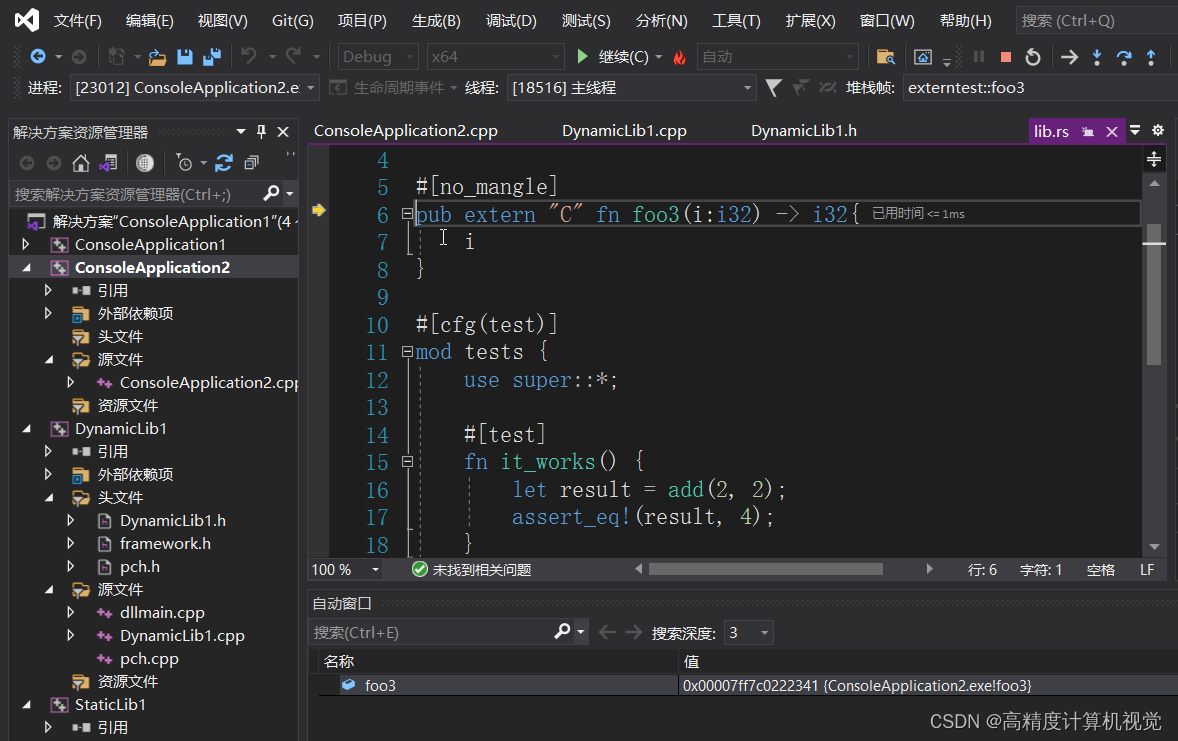
In your Rust project's src/lib.rs, add the following function:
#[no_mangle]
pub extern "C" fn get_answer() -> i32 {
    42
}
Recompile your Rust project (cargo build) and copy the new library file over to your Unity Assets/Plugins folder. Remember to restart the Unity Editor for it to load the new version of the library.
Now, let's analyze the RustBridge.cs script.
using System.Runtime.InteropServices;: This namespace contains theDllImportattribute, which is essential for P/Invoke.private const string RustLib = "game_engine_core";: We define the name of our library as a constant. This is the name you gave your crate inCargo.toml. Unity is smart enough to findgame_engine_core.dllon Windows,libgame_engine_core.soon Linux, andgame_engine_core.bundle(which you renamed fromlibgame_engine_core.dylib) on macOS.[DllImport(RustLib, EntryPoint = "get_answer")]: This is the core of P/Invoke.RustLibtells it which library to look in.EntryPoint = "get_answer"explicitly names the function in the Rust library we want to call. This is good practice and allows you to name your C# method differently if you want (e.g.,public static extern int GetTheAnswerFromRust();).
public static extern int GetAnswer();: This is the C# method declaration.publicandstaticmake it easily accessible from anywhere (e.g.,RustBridge.GetAnswer()).externsignifies that the body of this method is implemented in external, unmanaged code.intis the C# equivalent of Rust'si32. Matching data types is crucial and something we'll explore more in the next lesson.
The following video provides a very clear, practical walkthrough of this exact process.
How to make NATIVE PLUGINS in Unity using RUST
The video 'How to make NATIVE PLUGINS in Unity using RUST' shows how to set up the C# side of the FFI call.
Watch the section from 02:25 to 03:07. It demonstrates creating the C# script, using DllImport, and defining the extern method.
3. Calling the Rust Function
Now that our bridge is in place, let's use it.
- Create another C# Script in Unity called
GameManager. - Create an empty GameObject in your scene (right-click in Hierarchy >
Create Empty) and name it_GameManager. - Attach the
GameManagerscript to this GameObject. - Open
GameManager.csand add the following code:
using UnityEngine;

public class GameManager : MonoBehaviour
{
    void Start()
    {
        // Call the static method from our bridge class.
        int answerFromRust = RustBridge.GetAnswer();

        // Print the result to the Unity console.
        Debug.Log($"The answer from Rust is: {answerFromRust}");
    }
}
Press the Play button in the Unity Editor. If everything is configured correctly, you should see the following message in your Console window:
The answer from Rust is: 42
Congratulations! You have successfully called a function in your Rust library from C# and received a value back.
4. The FFI Contract: A Quick Recap
For this communication to work, both Rust and C# must agree on a "contract."
On the Rust side, we use #[no_mangle] and pub extern "C" to expose a function with a predictable name and a C-compatible calling convention.
On the C# side, we use [DllImport] to find that function by name and static extern to declare its signature.
This video tutorial, though focused on a more complex goal of mesh generation, perfectly illustrates the C# wrapper class pattern we are using.
Tutorial: Use Rust to generate meshes in Unity
The tutorial 'Use Rust to generate meshes in Unity' demonstrates the best practice of creating a dedicated C# class to wrap all the FFI calls.
Watch from 05:45 to 06:45. The author creates a RustMeshGenBackend class to hold the DllImport functions. This is the same pattern as our RustBridge. Don't worry about IntPtr for now; that's for handling complex data pointers, a topic for a future lesson. Focus on the structure.
5. Common Problems and Solutions
If you didn't see the "42" message, you likely encountered one of two common exceptions.
-
DllNotFoundException: Unity couldn't find yourgame_engine_corelibrary.- Solution:
- Double-check that the library file is in the
Assets/Pluginsfolder. - Verify the library name in
[DllImport(...)]exactly matches the filename (without extension). - In the Inspector for the plugin file, ensure it's enabled for your platform (e.g., Windows x64, Editor).
- Did you restart Unity after recompiling the Rust code? This is the most common cause.
- Double-check that the library file is in the
- Solution:
-
EntryPointNotFoundException: Unity found the library but couldn't find theget_answerfunction inside it.- Solution:
- Ensure the
EntryPointname in[DllImport]exactly matches the Rust function name. - Check that you added
#[no_mangle]above yourpub extern "C" fninlib.rs. Without it, the Rust compiler changes the function name.
- Ensure the
- Solution:
Conclusion
In this lesson, you established the fundamental communication channel between your Unity frontend and Rust backend. You now have the power to trigger Rust logic from C#.
Key Takeaways:
- P/Invoke is the .NET technology for calling functions in native libraries.
- The
[DllImport("your_lib_name")]attribute points to the native library in thePluginsfolder. - Methods are declared with
static externto signify their implementation is external. - It's best practice to create a static C# wrapper class (like our
RustBridge) to hold all FFI function declarations. - A "contract" is required: Rust must export functions with
#[no_mangle]andpub extern "C", and C# must import them with a matching signature.
We've only passed a simple integer so far. In the next lesson, "Pass structured data (strings, numbers, booleans) between Rust and Unity across the FFI boundary," we'll expand our capabilities significantly. We'll learn how to send more complex information, like player names or configuration settings, back and forth, unlocking the potential for much more interesting interactions.