Hello! Let's dive into the next stage of building our social simulation.
In the last lesson, we built the foundational data structures for relationships in Rust, creating the RelationshipScores struct and using a HashMap to allow each character to track their feelings towards others. This gave our characters a "memory" for their social world.
Today, we'll give them something to do with those relationships. Our learning outcome is to define social interactions (e.g., 'Chat', 'Joke') in JSON that modify relationship scores. We are moving from just storing data to defining the rules of our simulation as data. This is a powerful technique that is central to your goal of creating a deeply moddable game.
1. The Power of Data-Driven Design
Before we write any code, let's talk about the "why". Instead of hard-coding every interaction into our Rust engine (e.g., if interaction == "Joke" { friendship += 5.0; }), we will define them in an external JSON file. This is called data-driven design.
The core idea is to separate the game's logic (the "engine") from its content (the "data").
- Our Rust code is the engine. It knows how to process an interaction and change a relationship score.
- Our JSON file is the data. It defines what interactions exist and what effects they have.
This approach is essential for a moddable game. Adding a new social interaction won't require recompiling the game engine; a modder will just add a new entry to a JSON file.
To see this concept in action in one of the most successful life simulation games, let's watch a segment from Game Maker's Toolkit.
This video, 'The Genius AI Behind The Sims', explains how objects and characters in The Sims 'advertise' their possible interactions. We will use a very similar concept, where our JSON entries 'advertise' their effects on relationships.
Watch the segment from 01:26 to 03:43 to understand the concept of object 'advertisements'. Then, watch from 11:45 to 12:59, which discusses how conversations use a system of 'production rules'—a concept very close to what we're about to build.
Since you're familiar with Unity, this next video will help bridge the gap. It shows how to implement a data-driven system using Unity's ScriptableObjects, which is conceptually identical to what we'll be doing with Rust and JSON.
Using Data to Drive Gameplay Systems in Unity
The video 'Using Data to Drive Gameplay Systems in Unity' by git-amend demonstrates the flexibility of defining gameplay behavior as data. Pay attention to how an 'ability' is just a container for a list of 'effects'.
Watch the introduction from 00:32 to 01:50, and then the summary from 11:00 to 12:05. This will give you a solid high-level understanding of the benefits of this architecture.
2. Designing the Social Interaction Schema
Now, let's design the structure of our interactions.json file. A good data schema is clear, extensible, and contains all the necessary information. For a social interaction, we need:
id: A unique string to identify the interaction (e.g.,"friendly_chat").label: The text that will appear in the UI (e.g.,"Friendly Chat").effects: A list of things that happen when the interaction is executed.
Here is a basic structure for one interaction:
{
  "friendly_chat": {
    "label": "Friendly Chat",
    "effects": [
      {
        "type": "Relationship",
        "score": "Friendship",
        "value": 5.0
      }
    ]
  }
}
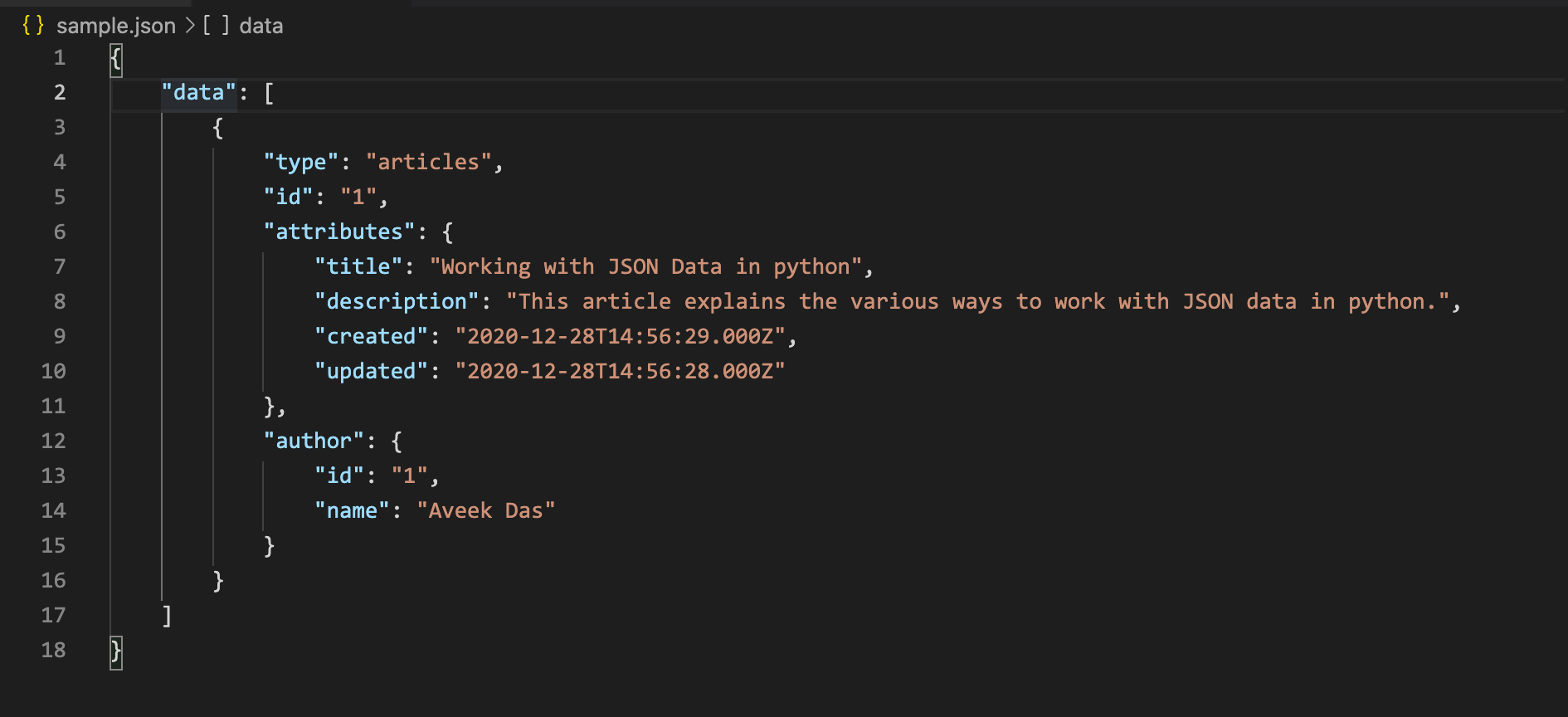
This structure is a dictionary (or map) where the key is the interaction id. This allows for fast lookups. The image below shows a similar hierarchical structure in JSON.
For a real-world example of how a popular, moddable game structures its data, let's look at the Stardew Valley modding documentation.
Modding:NPC data - Stardew Valley Wiki
The Stardew Valley Wiki provides fantastic documentation for modders. We'll look at how it defines NPC data, which includes social behaviors and relationship effects.
First, find the 'Dumpster diving' section. Notice the fields DumpsterDiveEmote and DumpsterDiveFriendshipEffect. This shows a specific action defined with its in-game effect on relationships. Then, review the 'Gift tastes' section, which shows how different gifts (a form of interaction) have different dialogue and are tied to item IDs, similar to how we'll tie our interactions to IDs.
3. Implementing the Rust Data Structures
With our JSON schema designed, let's create the corresponding structs in Rust. Open your Rust project (e.g., in the file where you defined your Character struct) and add the following code.
First, we need an enum to represent which relationship score we're modifying. Using an enum is safer than using a raw string, as the compiler will catch any typos.
use serde::{Deserialize, Serialize};
use std::collections::HashMap;

// You should already have CharacterId and RelationshipScores from the previous lesson


#[derive(Serialize, Deserialize, Debug, Clone)]
#[serde(rename_all = "PascalCase")] // Matches "Friendship", "Romance" in JSON
pub enum RelationshipScoreType {
    Friendship,
    Romance,
}
The #[serde(rename_all = "PascalCase")] attribute tells serde to expect the enum variants in PascalCase in the JSON file, which is a common convention.
Next, let's define the structure for an effect. For now, we only have one type of effect, but this design makes it easy to add more later (e.g., for changing Needs).
#[derive(Serialize, Deserialize, Debug, Clone)]
#[serde(tag = "type")] // Expects a "type" field to distinguish enum variants
pub enum InteractionEffect {
    Relationship(RelationshipEffect),
    // We could add other effects here later, e.g., Need(NeedEffect)
}


#[derive(Serialize, Deserialize, Debug, Clone)]
pub struct RelationshipEffect {
    pub score: RelationshipScoreType,
    pub value: f32,
}
Here, #[serde(tag = "type")] is a powerful feature. It means that when serde deserializes the JSON for InteractionEffect, it will look for a field named "type" (like "type": "Relationship") to decide which variant of the enum to create.
Finally, we define the main SocialInteraction struct that ties everything together.
#[derive(Serialize, Deserialize, Debug, Clone)]
pub struct SocialInteraction {
    pub label: String,
    pub effects: Vec<InteractionEffect>,
}
4. Creating the Interaction Data File
Now you can create the actual data file. In the root of your Rust project, create a new file named interactions.json. Paste the following content into it. This will be our starting set of social interactions.
{
  "friendly_chat": {
    "label": "Friendly Chat",
    "effects": [
      {
        "type": "Relationship",
        "score": "Friendship",
        "value": 5.0
      }
    ]
  },
  "tell_joke": {
    "label": "Tell Joke",
    "effects": [
      {
        "type": "Relationship",
        "score": "Friendship",
        "value": 8.0
      },
      {
        "type": "Relationship",
        "score": "Romance",
        "value": 2.0
      }
    ]
  },
  "flirt": {
    "label": "Flirt",
    "effects": [
      {
        "type": "Relationship",
        "score": "Friendship",
        "value": 1.0
      },
      {
        "type": "Relationship",
        "score": "Romance",
        "value": 10.0
      }
    ]
  },
  "insult": {
    "label": "Insult",
    "effects": [
      {
        "type": "Relationship",
        "score": "Friendship",
        "value": -15.0
      },
      {
        "type": "Relationship",
        "score": "Romance",
        "value": -10.0
      }
    ]
  }
}
Notice how "Tell Joke" affects both friendship and romance slightly, while "Insult" has a strong negative impact. This data-driven approach allows for nuanced design that you can easily tweak later.
This hierarchical structure of defining interactions, effects, and rules is also a topic of academic research in procedural narrative and AI.
Modular Design for Delivering Character Focused Dialogue in Games
For some deeper insight, this paper discusses a modular system for dialogue. It's more advanced than what we need, but it reinforces our design choices.
Skim through sections 2.5.1 'Branch Decisions', 2.5.2 'Required Rules', and 2.5.6 'Changing Character Attributes through “Leads To” Lists'. Notice how they discuss using character relationships to choose a 'dialogue tone' (like Romance or Friendship) and how interactions can have rules and change character attributes. This validates that our approach is on the right track for building a complex system.
Conclusion
Great job! You have now defined the "content" of your social system. By creating a clear JSON schema and corresponding Rust structs, you've built a flexible, data-driven framework for social interactions.
Key Takeaways:
- Data-Driven Design: You learned why separating logic (Rust) from content (JSON) is crucial for creating a flexible and moddable game.
- JSON Schema Design: You designed a hierarchical JSON structure to represent social interactions, their UI labels, and their effects on the simulation.
- Rust Struct Mapping: You implemented a set of Rust
structs andenums withserdeattributes that precisely mirror your JSON schema, enabling easy serialization and deserialization. - Real-World Parallels: You saw how successful games like The Sims and Stardew Valley use these same data-driven principles.
In our next lesson, we will complete the loop. We will implement the logic in Rust to update relationship scores based on the outcome of these social interactions, and we'll take the first step in making the simulation even more dynamic by having character personality traits modify those outcomes.