Welcome to the start of your journey into practical Natural Language Processing with Python. Given your background in AI and your goal to focus on hands-on applications, this course is designed to bypass abstract theory and dive straight into the implementation details of powerful libraries like spaCy and Hugging Face.
In this first lesson, we'll establish the essential foundation for nearly every NLP task: text preprocessing. Raw text is messy and unstructured. To make it suitable for analysis or machine learning models, we must clean and standardize it. Our goal is to build a reusable text preprocessing pipeline using spaCy that performs three core tasks: tokenization, lemmatization, and stopword removal. By the end of this hour, you will have a working Python function that can turn a string of raw text into a clean list of meaningful base words.
Understanding the spaCy Pipeline
At the heart of spaCy is the concept of a processing pipeline. When you pass a text to a spaCy language model, it doesn't just split the text by spaces. It sends the text through a sequence of components that perform various linguistic analyses.

Today, we'll focus on the initial and most fundamental stages of this process. Let's get your environment set up and start working with these components.
Setting Up Your Environment
First, you'll need to install the spaCy library and download a pre-trained language model. These models contain the vocabulary, syntax, and other linguistic knowledge needed to process text. We'll start with the small English model, which is efficient and perfect for our purposes.
Natural Language Processing With spaCy in Python
This article from Real Python provides a clear, step-by-step guide to getting spaCy installed.
Please read the section on Installation of spaCy. Follow the instructions to install spaCy into a virtual environment. Then, proceed to download the English language model by running the command for en_core_web_sm. Finally, verify your installation by running the short Python snippet provided.
Once your installation is verified, you have a Language object, which is conventionally named nlp. This object is your gateway to the entire spaCy pipeline.
From Raw Text to a Doc Object
The central data structure in spaCy is the Doc object. It's much more than just a string; it's a container that holds the processed text and all the linguistic annotations generated by the pipeline. You create a Doc object simply by calling your nlp object with the text you want to process.
import spacy


# Load the small English model
nlp = spacy.load("en_core_web_sm")

text = "Apple is looking at buying a U.K. startup for $1 billion."


# Process the text with the nlp pipeline
doc = nlp(text)

print(doc)
print(type(doc))
Running this code will show you that you have a spacy.tokens.doc.Doc object. This Doc is a sequence of Token objects, and this is where our preprocessing journey begins.
Step 1: Tokenization
Tokenization is the task of splitting a text into meaningful segments, called tokens. These are often words and punctuation marks. SpaCy's tokenizer is sophisticated; it doesn't just split on whitespace. It handles complex cases like "U.K." and "$1" intelligently.
The following video provides a good conceptual overview of why tokenization is more complex than it first appears and shows how spaCy handles it.
Getting Started with Spacy in Python (11.1)
In this video, Jeff Heaton discusses the challenges of tokenization and demonstrates spaCy's capabilities.
Watch the segment from tokenization is a big one to understand the nuances involved, such as handling punctuation, abbreviations, and hyphenated words.
To see tokenization in action, you can simply iterate over the Doc object. Each item in the iteration is a Token object.
# Continuing from the previous code block
for token in doc:
    print(token.text)
This will print each token on a new line: Apple, is, looking, at, buying, a, U.K., startup, for, $, 1, billion, ..
Notice how U.K. was kept as a single token, but the dollar sign $ was separated from 1. This linguistic intelligence is built into the pre-trained model. Each Token object comes with a rich set of attributes that we will use for our next steps.
Step 2: Stop Word Removal
Stop words are the most common words in a language, such as "is", "at", "a", and "for". While grammatically necessary, they often add little semantic value in analytical tasks. Removing them helps reduce noise and focus on the important words.
SpaCy makes this easy with the .is_stop boolean attribute on each Token.
Natural Language Processing With spaCy in Python
This section of the Real Python article explains stop words and shows how to filter them out.
Read the section on Stop Words. Pay close attention to the code example that uses a list comprehension with the .is_stop attribute to create a list of non-stop-word tokens.
Let's apply this to our example text. We can use a list comprehension, a concise and efficient Python feature you're likely familiar with, to build a new list containing only the tokens that are not stop words.
# Create a list of tokens that are not stop words
non_stop_tokens = [token for token in doc if not token.is_stop]

print([token.text for token in non_stop_tokens])
Output:['Apple', 'looking', 'buying', 'U.K.', 'startup', '$', '1', 'billion', '.']
As you can see, common words like is, at, and a have been filtered out, leaving a more condensed representation of the sentence's meaning.
Step 3: Lemmatization
Words often appear in different inflected forms, such as "looking", "looked", and "looks". Lemmatization is the process of reducing these forms to their base or dictionary form, known as the lemma. In this case, the lemma for all three words is "look".
This is different from stemming, which typically just chops off the end of words. Lemmatization is more linguistically informed, as it considers the word's part of speech to find its correct dictionary form. For example, the lemma of "was" is "be". SpaCy excels at lemmatization and does not include a stemmer by design.
Each Token object has a .lemma_ attribute that gives you its base form.
NLP Tutorial 4 - SpaCy Python Tutorial | Linguistic Features Extraction in NLP
The "KGP Talkie" channel provides a clear demonstration of accessing token lemmas.
Watch the segment from let's go ahead. The presenter iterates through tokens and prints both the original text and its corresponding lemma, clearly showing how words like "is" are reduced to "be".
Let's see the lemmas for our example sentence:
# Print the original token and its lemma
print(f"{'Token':<10} | {'Lemma':<10}")
print("-" * 23)
for token in doc:
    print(f"{token.text:<10} | {token.lemma_:<10}")
You will notice that looking becomes look, and is becomes be. Pronouns like Apple are often lowercased to -PRON- or kept as is depending on the model, but here it's converted to its base form. This normalization is crucial for many NLP tasks, as it groups related words together.
Putting It All Together: A Preprocessing Pipeline
Now we can combine these steps into a single, reusable function that embodies our preprocessing pipeline. This function will take raw text as input and output a clean list of lemmatized, lowercase tokens with punctuation and stop words removed.
This is the practical outcome of today's lesson—a function you can use as a starting point for future NLP projects.
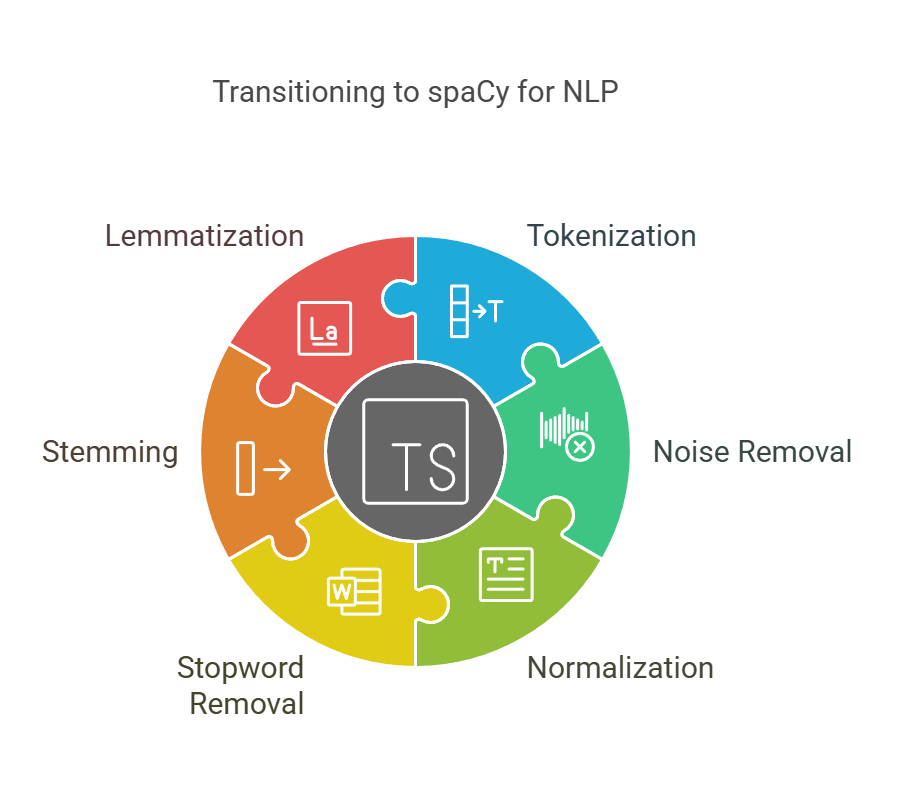
We will now implement this by referencing a final, consolidated example.
Machine Learning: NLP — Text preprocessing — Part 2 ...
This Medium article provides a concise, all-in-one function that perfectly matches our goal.
Focus on the section Putting It All Together. Study the preprocess_spacy function. Notice how it iterates through the doc, checks multiple conditions (token.is_alpha and not token.is_stop), and appends the lowercase lemma to the final list.
Let's adapt that logic into our own function and test it. We'll use .is_punct as a more explicit check for punctuation than .is_alpha.
import spacy

nlp = spacy.load("en_core_web_sm")

def preprocess_text(text: str) -> list[str]:
    """
    Processes a text string with spaCy to tokenize, remove stop words,
    filter punctuation, and lemmatize.

    Args:
        text: The input string to process.

    Returns:
        A list of cleaned, lemmatized tokens.
    """
    doc = nlp(text)
    processed_tokens = []
    for token in doc:


        # We check if the token is not a stop word and not punctuation
        if not token.is_stop and not token.is_punct:


            # We append the lowercase lemma of the token
            processed_tokens.append(token.lemma_.lower())
    return processed_tokens


# Test the function with a new, more complex sentence
sample_text = """
The 21st century offers both opportunities and challenges.
Technological advancements have connected the world, but we face urgent issues.
Our success depends on embracing empathy and collaboration.
"""

cleaned_tokens = preprocess_text(sample_text)
print(cleaned_tokens)
The output will be a clean list of meaningful words, ready for further analysis:['21st', 'century', 'offer', 'opportunity', 'challenge', 'technological', 'advancement', 'connect', 'world', 'face', 'urgent', 'issue', 'success', 'depend', 'embrace', 'empathy', 'collaboration']
You have successfully built a text preprocessing pipeline!
Conclusion
In this lesson, we laid the critical groundwork for practical NLP. You have learned how to use spaCy to transform raw text into a structured Doc object and how to leverage its linguistic annotations to build a powerful preprocessing pipeline.
Here are the key takeaways:
- SpaCy's Pipeline: The
nlpobject is a processing pipeline that creates aDocobject containingTokens with rich attributes. - Tokenization: The first step in the pipeline, which intelligently segments text into words and punctuation.
- Stop Word Removal: Filtering out common but low-value words using the
.is_stopattribute to reduce noise. - Lemmatization: Reducing words to their base dictionary form using the
.lemma_attribute for normalization. - Reusable Function: We combined these steps into a single function that turns messy text into a clean list of tokens, a fundamental building block for almost any NLP task.
In our next lesson, we will move up the value chain from cleaning text to extracting information from it. We will explore how to use spaCy's pre-trained Named Entity Recognition (NER) models to automatically identify and classify entities like people, organizations, dates, and locations within your text.