Hello! In our last lesson, we took a major step towards production-readiness by configuring your Express server to serve your static React build. You now have a single, unified application that runs from one server.
However, our application still has a critical vulnerability: we've hardcoded sensitive information like database connection strings, JWT secrets, and configuration details like port numbers directly into our source code. This is insecure, inflexible, and a major red flag in a professional environment.
Today's lesson will solve this problem. You will learn how to manage environment variables for sensitive data and environment-specific settings. This is a fundamental skill for any developer, as it allows you to build applications that are secure, configurable, and easy to manage across different environments like your local machine (development) and a live server (production).
What Are Environment Variables and Why Do We Need Them?
At their core, environment variables are key-value pairs that exist outside your application's source code. They are provided by the operating system or environment where your application is running.
Think of them as external settings that your application can read at runtime. This separation of configuration from code is crucial for several reasons.
Environment Variables in React and Node.js
To start, let's get a clear definition of what environment variables are and why they are indispensable in modern web development. The article "Environment Variables in React and Node.js" provides a concise overview.
Please read the first two sections, "🤔 What Are Environment Variables?" and "🧠 Why Use Environment Variables?". This will give you a solid understanding of the core concepts before we dive into implementation.
As you just read, the main benefits are:
- Security: You can keep secrets like API keys and database passwords out of your Git repository, preventing them from being exposed.
- Flexibility: You can use different configurations for development and production (e.g., a local database vs. a cloud database) without changing a single line of code.
- Portability: Other developers can run your project by simply creating their own local configuration file, without needing your personal secrets.
Managing Environment Variables in Node.js (Your Backend)
In Node.js, environment variables are accessible through the global process.env object. For example, you could access a variable named PORT with process.env.PORT.
While you can set these variables in your terminal before running your app, this is cumbersome for development. A much more common practice is to use a .env file to store your variables and a package called dotenv to load them into process.env automatically.
Let's watch a video that walks through this entire process.
Environment Variables and dotenv - Node.js Tutorial 12
The video "Environment Variables and dotenv" from Caleb Curry provides a clear, step-by-step guide on setting up .env files for a Node.js application.
Please watch from 00:03:42 to 00:05:43 and from 00:07:20 to 00:09:23. Pay close attention to these key steps: Creating the .env file in your project's root. Installing the dotenv package. Adding require('dotenv').config() to your main server file. Moving a sensitive value (like the database connection string) from your code into the .env file. The critical importance of adding .env to your .gitignore file.
To summarize the process for your backend:
- In your
backenddirectory, runnpm install dotenv. - Create a file named
.envin thebackenddirectory. - Add your secrets and configurations to this file. Remember, no spaces around the
=and no quotes.# backend/.env DATABASE_URL=postgresql://user:password@localhost:5432/mydatabase JWT_SECRET=thisisareallylongandsecuresecret PORT=3001 - At the very top of your
backend/index.js(or server entry file), add this line:require('dotenv').config(); - Replace the hardcoded values in your code with references to
process.env:// Before // const PORT = 3001; // After const PORT = process.env.PORT || 3001; // Use the env variable, or default to 3001 // Before // const client = new pg.Client({ connectionString: 'postgresql://...' }); // After const client = new pg.Client({ connectionString: process.env.DATABASE_URL }); - Finally, and most importantly, add
.envto your root.gitignorefile to ensure you never commit it to version control. You can also create a.env.examplefile that lists the required variables without their values, which is safe to commit.
Managing Environment Variables in React (Your Frontend with Vite)
Handling environment variables on the frontend is different because all frontend code is public. Anything you expose here, including environment variables, can be seen by anyone using their browser's developer tools.
Therefore, you must never place true secrets (private API keys, database credentials, JWT secrets) in your frontend environment variables.
Frontend environment variables are for non-sensitive, public configuration, like the URL of your backend API.
Vite (the build tool your React project uses) has a specific system for this:
- Variables must be stored in a
.envfile in thefrontenddirectory. - Variables must be prefixed with
VITE_. This is a security feature to prevent accidentally exposing other variables. - You access them in your code using
import.meta.env.VITE_VARIABLE_NAME.

Let's watch a quick video that demonstrates this Vite-specific approach.
Environment Variables in Vite + React
The video "Environment Variables in Vite + React" shows exactly how to define and access environment variables in a Vite project.
Watch from 00:00:40 to 00:02:29. The key takeaways are how to create the .env file and the essential VITE_ prefix required to make the variable accessible via import.meta.env.
For your project, a good use case would be defining the base URL for your API.
In your frontend/.env file:
# frontend/.env
VITE_API_URL=http://localhost:3001
Then, in your frontend code where you make fetch requests:
// Before
// fetch('http://localhost:3001/api/tasks')

// After
const API_URL = import.meta.env.VITE_API_URL;
fetch(`${API_URL}/api/tasks`);
This makes it easy to change the API endpoint when you deploy.
Test your understanding!
A developer needs to use a secret API key for a third-party service (e.g., a weather API). They add VITE_WEATHER_API_KEY=supersecret123 to their frontend .env file and use it in their React component to fetch data. Is this a secure approach? Why or why not?
Show answer
This is not a secure approach. Any environment variable prefixed with VITE_ is embedded into the client-side JavaScript bundle. A user can easily find this key by inspecting the browser's network requests or source files. The correct approach is for the frontend to make a request to its own backend, and the backend then uses its secure environment variable (WEATHER_API_KEY, stored in its own .env file) to make the request to the third-party service. This way, the secret key never leaves the server.
Handling Different Environments (Development vs. Production)
Your application will run in at least two environments: development (on your machine) and production (on the live server). Each may need different settings.
For the Backend (Node.js):
When you deploy your application, most hosting services (like Render, which we'll use next) have their own system for setting environment variables directly on their platform. You won't upload your .env file. A common pattern is to only load the .env file if the application is not in production.
// In backend/index.js
if (process.env.NODE_ENV !== 'production') {
  require('dotenv').config();
}
This way, your local machine uses .env for development, and the production server uses its own provided variables.
For the Frontend (Vite):
Vite has built-in support for environment-specific files that it loads automatically:
.env.development: Loaded only in development (npm run dev)..env.production: Loaded only in production (npm run build).
For example, you could have:
frontend/.env.development
VITE_API_URL=http://localhost:3001
frontend/.env.production
VITE_API_URL=https://www.your-live-app.com
Vite will automatically pick the right file based on the command you run, embedding the correct VITE_API_URL into your code.
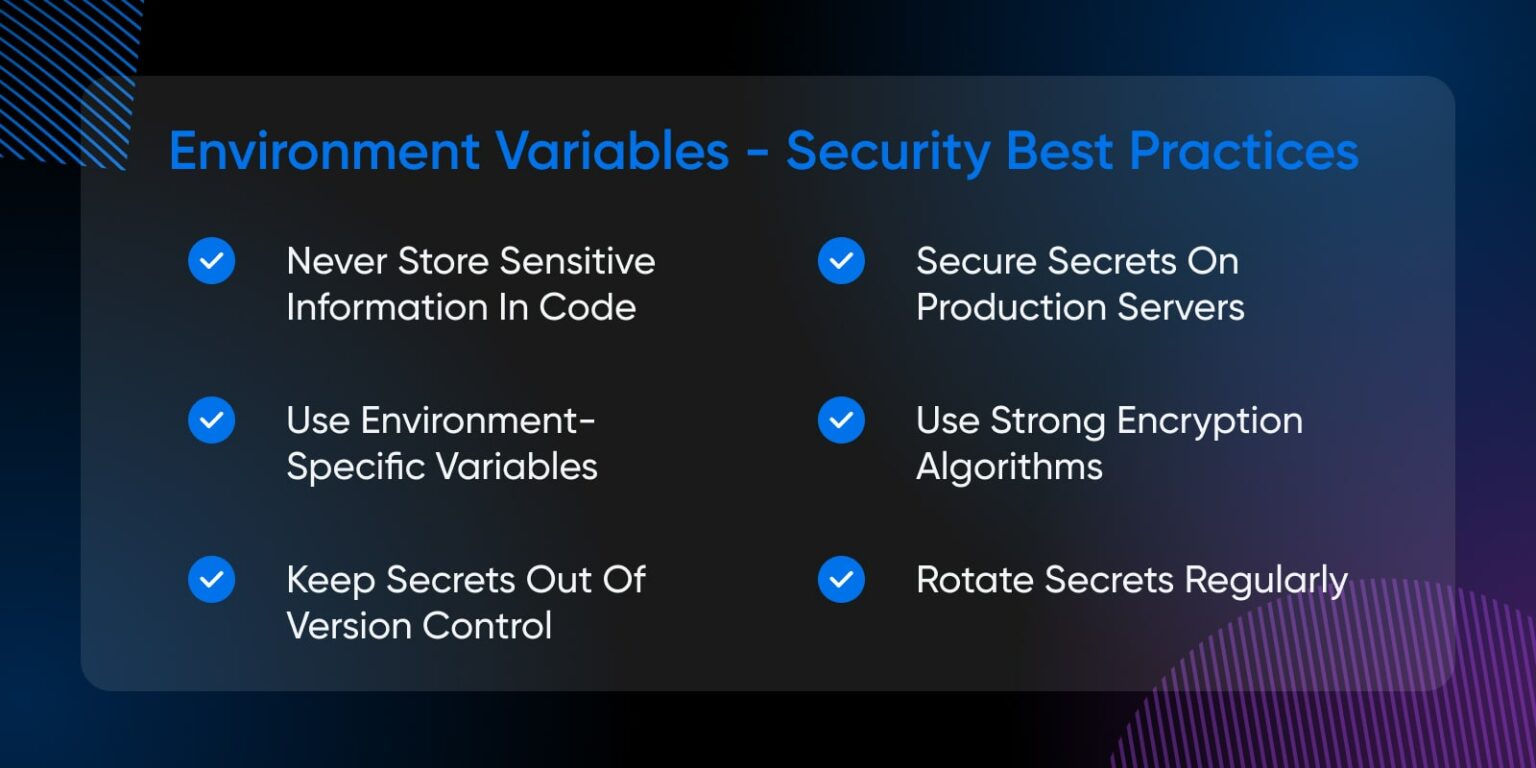
Security Best Practices: A Summary
Properly managing environment variables is a cornerstone of application security. Let's consolidate the most important rules.
Environment Variables in React and Node.js
The article "Environment Variables in React and Node.js" also has excellent sections on best practices and common mistakes. Please review them carefully as these are points that interviewers often ask about.
Read the sections titled "🛡️ Best Practices for Handling Environment Variables" and "❌ Common Mistakes to Avoid". Pay special attention to the points about .gitignore, using .env.example, and the warning about putting secrets in frontend code.
Conclusion
You have now learned how to decouple your application's configuration and secrets from its source code—a critical step towards building professional, secure, and deployable applications.
Key Takeaways:
- Environment variables store configuration outside your code, enhancing security and flexibility.
- In Node.js, use the
dotenvpackage to load variables from a.envfile intoprocess.env. - In React with Vite, use a
.envfile and prefix variables withVITE_to expose them to the frontend viaimport.meta.env. - Never put sensitive secrets in frontend (client-side) code, even in environment variables.
- Always add your
.envfiles to.gitignoreand use a.env.examplefile as a template for other developers.
Preview of the Next Lesson:
Your application is now fully configured and secure. All that's left is to get it on the internet! In our next lesson, you will deploy the full-stack application to a Platform-as-a-Service (PaaS) like Render, where you will apply your new knowledge of environment variables in a real production setting.