Hello! Welcome to the final lesson in our "JavaScript Core Concepts" module.
In our last session, we mastered chaining array methods like map(), filter(), and reduce() to create powerful data-processing pipelines. You saw how to fluidly transform arrays of data in just a few lines of code.
But what happens when the data isn't in an array to begin with? A very common data structure, especially when working with APIs, is the object. Objects don't have built-in map() or filter() methods. This lesson bridges that gap by addressing the learning outcome: Iterate over object properties using Object.keys(), Object.values(), and Object.entries().
By the end of this lesson, you'll know how to pull an object's keys, values, or both into an array, unlocking the ability to use all the array methods you've already learned on object data. This is a critical skill for managing data in any web application.
Why We Can't Just map an Object
As you know from your computer science background, objects are collections of key-value pairs. They are optimized for fast lookups by key, but they are not inherently "ordered" or "iterable" in the same way arrays are.
If you try to call .map() on an object, you'll get an error:
const user = {
  name: 'Alex',
  role: 'developer'
};

// This will throw an error: user.map is not a function
// const userInfo = user.map(prop => prop);
To work with an object's properties using array methods, we first need to convert those properties into an array. JavaScript provides three static methods on the Object constructor to do just that.
Let's watch a quick video that introduces all three methods.
Object.keys(), Object.values(), Object.entries()
The video 'Object.keys(), Object.values(), Object.entries()' by Coding Addict provides a concise overview of these three essential methods.
Watch from the beginning to 02:27. The video will quickly demonstrate what each of the three methods returns when given a sample object.
As the video showed, these methods are your gateway to making object data iterable. Let's look at each one more closely.
1. Object.keys(obj)
This method returns an array containing the names (keys) of an object's own properties. It's useful when you only need to know what properties an object has, or if you need to iterate through the keys.
const product = {
  id: 'abc-123',
  name: 'Wireless Mouse',
  price: 50,
  inStock: true
};

const keys = Object.keys(product);
console.log(keys); // Output: ['id', 'name', 'price', 'inStock']
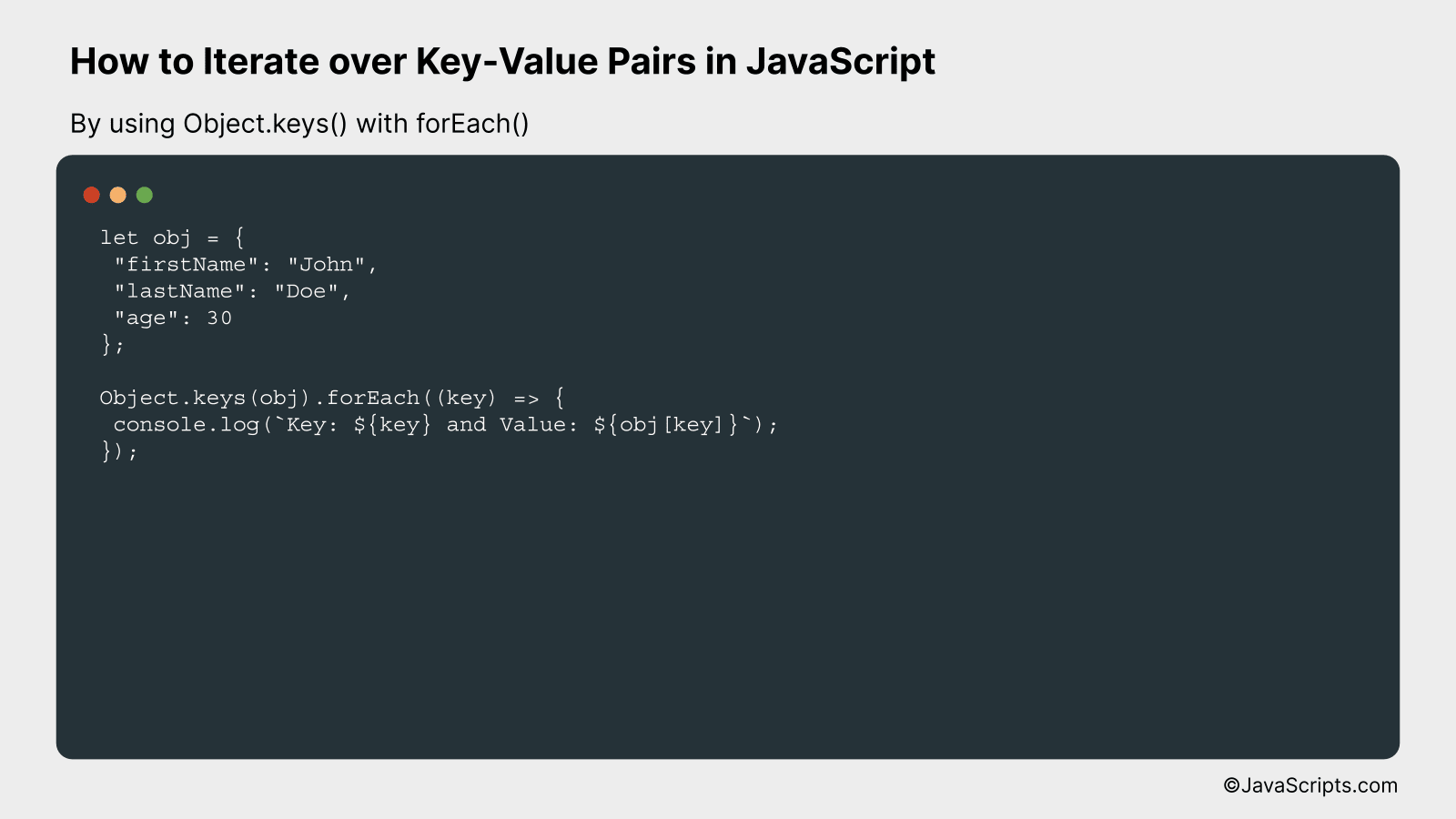
Once you have this array of keys, you can use any array method on it, like forEach to iterate and access the corresponding values from the original object.
2. Object.values(obj)
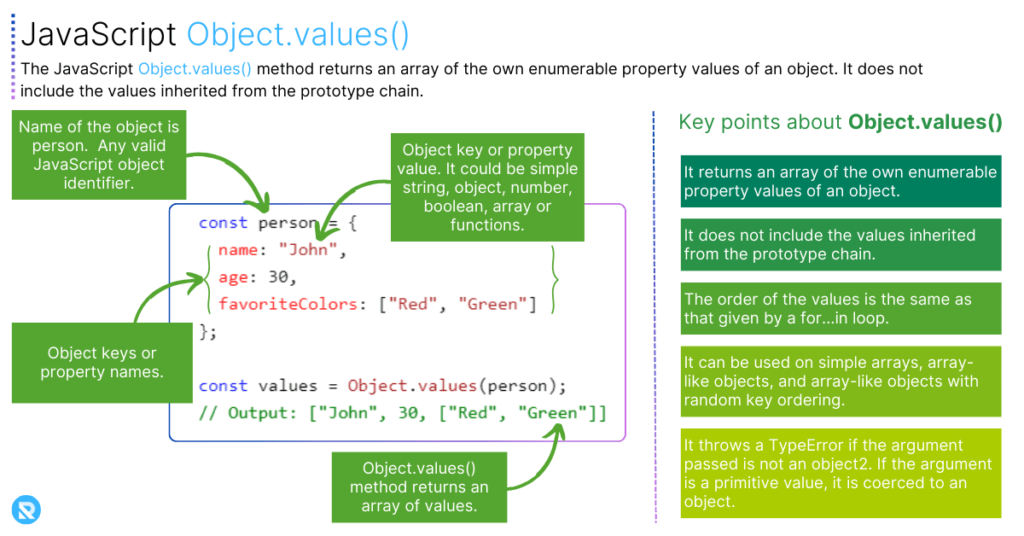
This method does the opposite of Object.keys(): it returns an array of the object's own property values. This is perfect for when you only care about the data itself, not the property names.
For example, if you wanted to sum all the numbers in an object:
const quarterlySales = {
  q1: 15780,
  q2: 12340,
  q3: 18990,
  q4: 21500
};

const salesValues = Object.values(quarterlySales);
console.log(salesValues); // Output: [15780, 12340, 18990, 21500]

// Now we can use reduce, which you learned in the previous lessons!
const totalSales = salesValues.reduce((sum, current) => sum + current, 0);
console.log(totalSales); // Output: 68610
3. Object.entries(obj)
This is often the most useful of the three. Object.entries() returns an array of [key, value] pairs. Each element in the returned array is itself a small array with two items: the key at index 0 and the value at index 1.
const userProfile = {
  username: 'dev_user',
  followers: 450,
  is_active: true
};

const entries = Object.entries(userProfile);
console.log(entries);
/*
Output:
[
  ['username', 'dev_user'],
  ['followers', 450],
  ['is_active', true]
]
*/
This structure is incredibly powerful because it gives you both the key and the value together, making it ideal for transformations. It pairs perfectly with array destructuring, a concept you're already familiar with.
Bringing It All Together: Iteration and Transformation
Now that we can get arrays from objects, we can combine these methods with array iteration techniques like for...of loops and array methods like map.
Let's revisit the video to see a practical demonstration of iterating over the array returned by Object.entries().
Object.keys(), Object.values(), Object.entries()
Let's watch the second half of the 'Coding Addict' video, where the presenter combines Object.entries() with map() and a for...of loop, using array destructuring for cleaner code.
Watch from 02:27 to the end. Pay close attention to how destructuring [first, second] is used within the map callback and the for...of loop to directly access the key and value from each entry.
The ability to destructure the key and value directly inside a loop or a map function is a modern JavaScript pattern that makes code much more readable:
// Using a for...of loop with destructuring
for (const [key, value] of Object.entries(userProfile)) {
  console.log(`The user's ${key} is ${value}.`);
}
Test your understanding!
You have an object representing salaries. Write a function sumSalaries(salaries) that returns the sum of all salary values in the object. For an empty object, it should return 0.
let salaries = {
  "John": 100,
  "Pete": 300,
  "Mary": 250
};
Try to solve this in a single line using Object.values() and an array method you learned previously.
Show answer
You can get an array of the values using Object.values() and then use the reduce() method to sum them up.
function sumSalaries(salaries) {
  // Handle the empty object case implicitly with the initial value of 0
  return Object.values(salaries).reduce((total, salary) => total + salary, 0);
}

let salaries = {
  "John": 100,
  "Pete": 300,
  "Mary": 250
};

console.log(sumSalaries(salaries)); // 650
console.log(sumSalaries({}));      // 0
This is a great example of combining this lesson's topic with the previous one!
Advanced Pattern: Transforming Objects
A powerful pattern for web developers is to take an object, transform its values, and create a new object. This can be done elegantly by chaining methods.
The following reading explains this process and introduces Object.fromEntries(), the logical counterpart to Object.entries().
The article 'Object.keys, values, entries' from javascript.info provides a clear explanation of these methods and a fantastic section on a common, practical pattern for transforming object data.
First, read the introduction and the section 'Object.keys, values, entries' for a textual reinforcement of what we've covered. Then, focus carefully on the section 'Transforming objects'. This demonstrates the full Object.entries() -> map() -> Object.fromEntries() pipeline.
The pattern you just read about is incredibly useful. For example, to create a new object where all prices are doubled:
const prices = {
  banana: 1,
  orange: 2,
  meat: 4,
};

const doublePrices = Object.fromEntries(
  Object.entries(prices)
    .map(([key, value]) => [key, value * 2])
);

console.log(doublePrices); // { banana: 2, orange: 4, meat: 8 }
This single, declarative statement is clean, readable, and highly effective—a hallmark of modern JavaScript.
Conclusion
This lesson completes our tour of the essential JavaScript core concepts. You are now equipped to handle the two most common data structures you'll encounter: arrays and objects.
Key Takeaways:
- Objects are not directly iterable with array methods like
map()orfilter(). - Use
Object.keys(),Object.values(), andObject.entries()to extract an object's properties into an array. Object.keys(obj)returns an array of keys.Object.values(obj)returns an array of values.Object.entries(obj)returns an array of[key, value]pairs, which is especially powerful when combined with destructuring.- Once you have an array, you can use any array method (
forEach,map,filter,reduce) to process the object's data. - The
Object.entries() -> map() -> Object.fromEntries()chain is a powerful pattern for transforming objects.
You have now completed the first module! You've built a solid foundation in modern JavaScript syntax and data handling.
In our next lesson, we will begin Module 2: Interactive Frontend with the DOM. We'll leave the console behind and start bringing web pages to life. You'll learn how to use JavaScript to find, create, and change HTML elements, setting the stage for building the interactive applications that are central to your goal of becoming a web developer.